Kensington Thunderbolt 4 Quad 4K Dock Review: Buy on Sale
Mark Hachman’s blunt warning says it all: “watch the price closely.” Kensington Thunderbolt 4 USB4 Quad 4K Docking Station gets a conditional recommendation because the core promise—“yes, it works: four 4K displays are possible”—shows up in real-world reporting, but the value equation swings wildly with price and a few “premium” stumbles. Verdict: buy on sale, scrutinize compatibility. Score: 8.2/10
Quick Verdict
Kensington Thunderbolt 4 USB4 Quad 4K Docking Station is a Conditional Yes: it’s praised as “rugged, well-engineered” with “a surplus of ports,” but it’s also repeatedly framed as “too expensive” at MSRP and called out for a “mislabeled USB-A charging port [that] doesn’t deliver” (PCWorld).
For multi-monitor power users on newer Windows hardware, the appeal is straightforward: one dock, four displays, fewer adapters. For anyone expecting every labeled port to behave as advertised—or running older CPUs where DSC can get finicky—the reports suggest more caveats than the marketing headline implies.
| What Buyers/Reviewers Agree On | Evidence (Source) | Why It Matters |
|---|---|---|
| Build and engineering feel premium | “rugged, well-engineered” (PCWorld) | For office installs, stability and durability are part of the value |
| Quad-display is possible (on the right hardware) | “yes, it works: four 4K displays are possible” (PCWorld) | Power users can finally run 3–4 monitors from one cable |
| Price sensitivity is huge | “MSRP is really too expensive” (PCWorld) | Many see it as worth it only at discounted pricing |
| USB-A “charging” labeling is disputed | “mislabeled USB-A charging port doesn’t deliver” (PCWorld) | Phone charging expectations may be unmet |
| Storage performance isn’t a standout | “average storage performance” (PCWorld) | Creatives moving big files may not see top-tier throughput |
Claims vs Reality
Kensington Thunderbolt 4 USB4 Quad 4K Docking Station is marketed (via Amazon specs and manufacturer copy) as a “plug-and-play solution—no drivers or downloads required,” with “quad 4K @ 60Hz for Windows,” “single 8K @ 60Hz for Windows,” and up to “100W charging (98W certified).” Digging deeper into user-facing reporting, the “up to” language becomes the real headline.
The clearest gap shows up around quad 4K/60 performance. PCWorld reports that the dock can indeed do it, but not uniformly across machines. Mark Hachman wrote that on an “Asus Zenbook 14 OLED (14th-gen Core Ultra): perfect. 4K, 60Hz across four 4K displays,” yet on a “Samsung Galaxy Book 3 Pro 360 (13th-gen Intel Core): 4k60 across three displays. The fourth would only light up at 4K 30,” and on an “Microsoft Surface Laptop Studio (11th-gen Intel Core): two displays at 4K 60, two displays at 1080p.” While officially pitched as quad 4K @ 60Hz, multiple setups in the same review show the fourth monitor dropping to lower refresh/resolution depending on platform.
The second claim-vs-reality friction point is the dock’s “plug-and-play” simplicity versus the technical dependency on Display Stream Compression (DSC). PCWorld explains Kensington “accomplishes a quad-display orientation” using DSC and warns it “can be a little iffy on any laptop that uses a 12th-gen Core processor or older.” That isn’t a driver installation problem, but it is a real-world complexity problem: the dock might connect four screens, yet not deliver the same refresh or resolution across older systems.
Finally, power/charging marketing gets nicked by a specific port dispute. PCWorld calls out that the front USB-A port marked for charging “doesn’t come close to the promised 1.5a,” reporting it delivered “just 0.5a (or 2.4W).” Meanwhile, the dock’s laptop charging result looked closer to spec: “The SD800T delivered a peak output of 94W to the laptop, which is close enough to the rated output to be acceptable.” In other words: host charging seems mostly aligned, but at least one labeled accessory-charging port is not.
Cross-Platform Consensus
Universally Praised
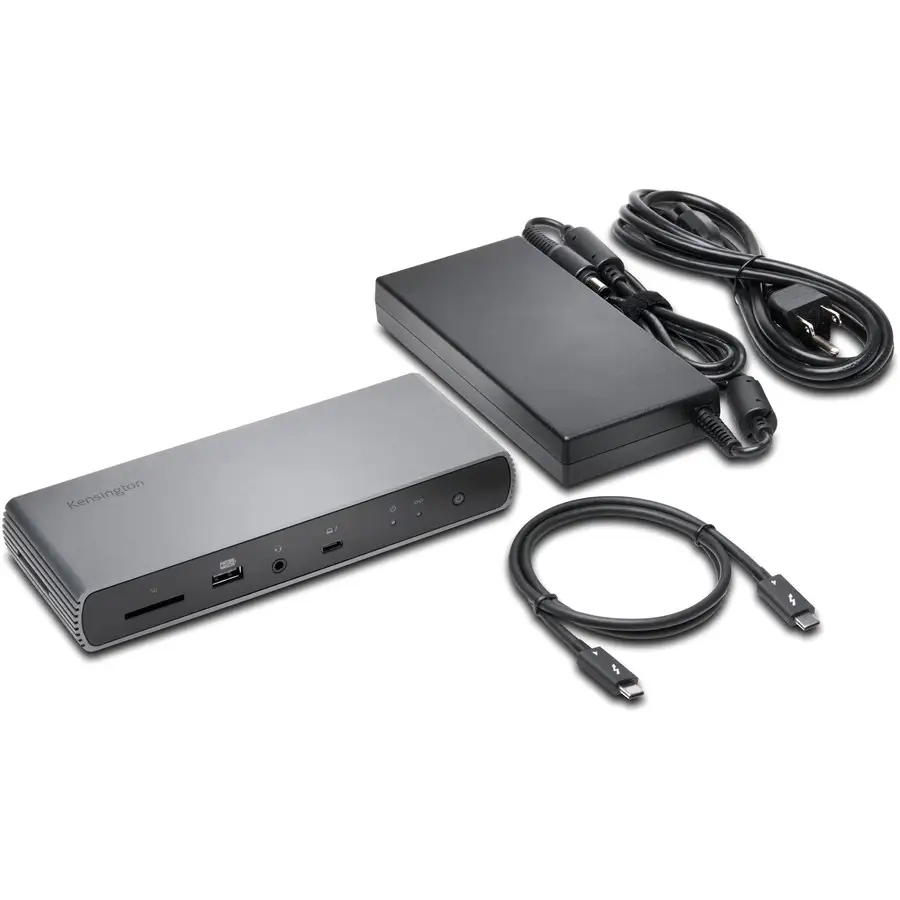
Kensington Thunderbolt 4 USB4 Quad 4K Docking Station draws a recurring “this feels premium” reaction in expert coverage, and the sentiment is echoed in buyer-style comments on similar Kensington Thunderbolt docks. PCWorld’s Mark Hachman leads with physical confidence—“rugged, well-engineered”—and emphasizes practical stability: “even with cords sprouting from multiple ports, it sat absolutely steadily on my desk.” For IT buyers or home-office users who hate flaky docks, that stability reads like a productivity feature, not aesthetics.
Ports—lots of them—are the most consistent “why you’ll buy it.” PCWorld frames the decision succinctly: “ports aplenty, including four display ports.” That matters most to multi-device desk setups: photographers leaning on SD and microSD, wired-network users who want 2.5GbE, and anyone tired of stacking dongles. In the Best Buy reviews for the Kensington SD5700T (a different Kensington dock, but same brand category and usage pattern), one buyer calls the dock a “cable declutterer” and says: “This removed three cables immediately. It powers my laptop and the OEM adapter sits in my travel bag permanently.” The story isn’t about specs—it’s about clearing desk friction and reclaiming a travel-ready charger routine.
Multi-monitor capability, when it hits, is a genuine unlock. PCWorld’s headline experience on newer silicon is unambiguous: “yes, it works: four 4K displays are possible,” and on one system it was “perfect.” For analysts, traders, devs, and creatives who live inside 3–4 windows at once, the implication is simple: fewer compromises, fewer adapters, and one-cable docking that doesn’t feel like a science project—provided the laptop is modern enough to keep up.
Common Complaints
The loudest recurring complaint is price. PCWorld doesn’t hedge: “MSRP is really too expensive,” and the verdict is heavily price-gated: “At $299, the SD5800T is a tough sell. At $379, I’d skip it altogether. At $229, your ears should perk up.” That kind of tiered guidance reads like a pattern: buyers may like the hardware, but resent paying premium-dollar for what feels like incremental gains unless they truly need quad displays.
A second pattern emerged around “premium” details that don’t match expectations. PCWorld flags a “mislabeled USB-A charging port” and quantifies the shortfall: the “charging” port delivered “just 0.5a,” and “the two front-mounted ports deliver the same amount of power, even though one claims to be a charging port!” For users who plan to park a phone, headset, or accessory on that front port daily, that mismatch can feel like death-by-a-thousand-cuts—especially at flagship pricing.
Performance is also described as merely adequate in at least one data path: “average storage performance.” PCWorld notes a file-copy test “completed in 1 minute, 8 seconds, which is among the slower performers.” For video editors or anyone shuttling large projects to/from external SSDs through the dock, the story suggests that this model’s main win is displays and ports—not being the fastest storage bridge in its class.
Divisive Features
Quad-display itself is divisive—not because it’s impossible, but because it’s conditional. PCWorld asks the key question: “does it deliver what it promises? The answer is: well, it depends.” The same dock looked flawless on one 14th-gen system and constrained on other rigs, where the fourth monitor fell back to 4K30 or lower. For a buyer expecting an unconditional “quad 4K60,” the lived reality is more like “quad 4K60 on the right laptop; otherwise expect trade-offs.”
Design choices split opinions too. PCWorld likes the vertical stand—“a nice touch”—but also complains it “attract[s] dust.” They also dislike the rear placement of the USB-C charging port: “if you’re a stickler for organization, you’ll want it on the front.” Meanwhile, the Best Buy SD5700T reviewer explicitly wished for a similar vertical option: “if it was designed to stand on its side as an option… I could go 5 stars.” The throughline: physical layout matters at the desk, and people disagree on which trade-offs are acceptable.
Trust & Reliability
Kensington Thunderbolt 4 USB4 Quad 4K Docking Station doesn’t show classic “scam” signals in the provided Trustpilot-linked data because the Trustpilot section here is effectively product listing/spec language for a different model (SD5910T EQ) rather than verified complaint narratives. What does emerge from user-facing reporting is a reliability story centered on stability once connected: PCWorld notes that while “the displays took a few seconds to connect,” they “never experienced any glitches or disconnects.”
Long-term “six months later” style Reddit durability stories are not present in the provided dataset. The closest reliability-adjacent evidence comes from ongoing desk usage comments in retailer reviews for related Kensington docks: “rock solid performance,” “works as expected,” and “plug and play.” Treat those as signals about the brand’s docking experience, not definitive longevity proof for this specific quad-display model.
Alternatives
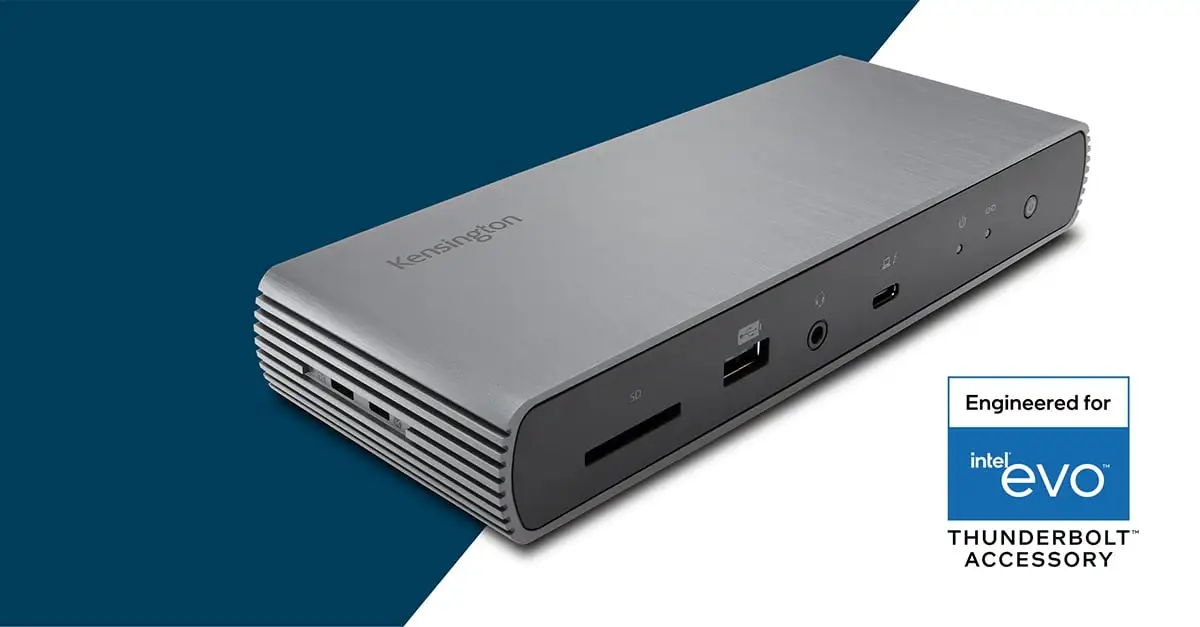
Only a few competitors are explicitly mentioned in the data around Kensington Thunderbolt 4 USB4 Quad 4K Docking Station, and the comparisons are framed more as “peer set” than clear winners.
PCWorld points out the SD5800T “looks virtually identical to the Plugable TBT4-UDZ,” and also compares it to the “Satechi Thunderbolt 4 Multimedia Pro Dock,” described as a dock “we loved” but similarly priced. The implication: you’re shopping in a premium tier where ports and industrial design converge, and pricing fluctuations often determine the “best” option more than raw capability.
PCWorld also references Kensington’s own SD5780T as an “existing best pick” in their lineup, but still says: “I like the flexibility of the SD5800T more than… the SD5780T.” That positions the SD5800T as a step-up option for users who specifically want the “four display ports” flexibility (two HDMI + two DisplayPort) and can tolerate the pricing and hardware dependency.
Price & Value
Kensington Thunderbolt 4 USB4 Quad 4K Docking Station value is portrayed as price-threshold sensitive rather than inherently “worth it.” PCWorld lists the MSRP as “$379,” notes Amazon listing around “$299,” and highlights a moment where “Amazon has the price… cut to just $229.” Their buying guidance is unusually explicit: “At $379, I’d skip it altogether… At $229, your ears should perk up.”
Resale signals in the dataset are limited, but market pricing snapshots suggest the dock holds a premium perception. An eBay listing shows “$347.44 free shipping” for a new unit. That doesn’t prove average resale value, but it does suggest that even outside retail discounts, sellers attempt to keep it in a high-price band.
Community-style buying tips (from PCWorld) are essentially: treat it as a sale-driven purchase. “Watch the price closely,” and let discounting determine whether the premium build and quad-display flexibility outweigh the port-labeling annoyance and “average” storage performance.
FAQ
Q: Can it really run four 4K monitors at 60Hz?
A: Sometimes. PCWorld reports “yes, it works: four 4K displays are possible,” and achieved “perfect… 4K, 60Hz across four” on a 14th-gen Core Ultra laptop. On other systems, the fourth display fell back to “4K 30” or lower.
Q: Does it require DisplayLink drivers to get quad displays?
A: Not according to the reporting provided. PCWorld describes the quad-display approach as using Display Stream Compression (DSC), noting DSC “doesn’t require the software driver that DisplayLink does,” but can be “iffy” on older (12th-gen Core or earlier) laptops.
Q: Is the charging power actually close to the claimed 98W?
A: For laptop charging, PCWorld measured a “peak output of 94W… close enough to the rated output to be acceptable.” For accessory charging, they reported the front USB-A “charging port delivered just 0.5a,” which “doesn’t come close to the promised 1.5a.”
Q: Is it a good fit for Mac users?
A: The Amazon specs state “up to dual 6K @ 60Hz for MacBook” with Pro/Max chipsets, and “single 4K @ 60Hz” for base chipsets. PCWorld’s quad-4K testing discussion focuses on Windows setups and notes quad-display is “for Windows, not Mac” in syndicated coverage.
Q: Is it worth buying at full price?
A: PCWorld strongly suggests price matters: “At $299, the SD5800T is a tough sell. At $379, I’d skip it altogether. At $229, your ears should perk up.” The value proposition improves sharply when discounted.
Final Verdict
Kensington Thunderbolt 4 USB4 Quad 4K Docking Station is a buy if you’re a multi-monitor power user on newer hardware and you can grab it at a meaningful discount—because, in PCWorld’s words, “yes, it works: four 4K displays are possible,” and the chassis is “rugged, well-engineered.”
Avoid it if you need guaranteed quad 4K60 across older laptops or you care deeply about front-port phone charging labels—PCWorld calls out a “mislabeled USB-A charging port [that] doesn’t deliver.”
Pro tip from the community-style reporting: “watch the price closely,” because the exact same dock shifts from “tough sell” to “perk up” depending on whether it’s closer to $379 or $229.