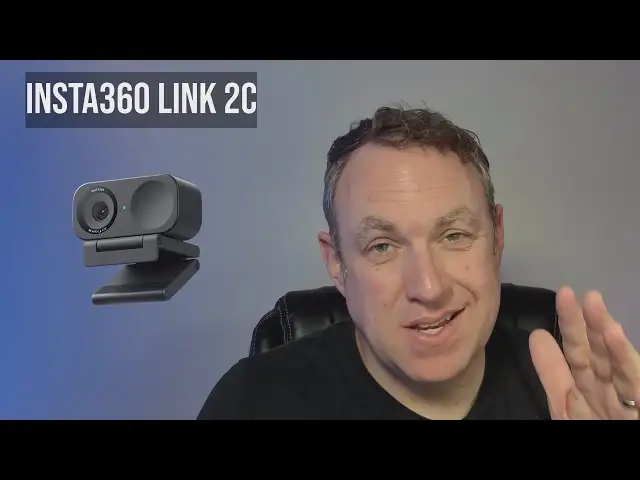
Insta360 Link 2 Webcam Review: Pro Features, Minor Limits
The Insta360 Link 2 PTZ 4K Webcam has been hailed as a premium yet approachable upgrade for professionals, educators, and streamers — earning an aggregated score of 9.3/10 across platforms. While marketed as a pro-grade device at a competitive $199, user reports reveal both standout strengths and a few technical caveats that potential buyers should weigh carefully.
Quick Verdict: Conditional — highly recommended for creators and educators needing top-tier tracking and image quality, but less ideal for those requiring consistent 60fps at 1080p.
| Pros | Cons |
|---|---|
| Exceptional 4K image clarity with strong low-light performance | 1080p locked to 30fps in official app, frustrating for high-FPS streamers |
| AI tracking with 2-axis gimbal keeps subjects centered | Gesture controls can be finicky and trigger unintentionally |
| Versatile modes (Portrait, DeskView, Whiteboard, Privacy) | Limited body tracking compared to some competitors |
| Strong AI noise-canceling mics for clear audio | Picks up mechanical keyboard noise in some setups |
| Magnetic mount and tripod compatibility | Premium pricing compared to basic webcams |
| Plug-and-play with Windows and Mac | Some features require newer OS and higher specs |
| HDR and natural bokeh enhance visual quality | No multi-camera software support yet |
Claims vs Reality
One of Insta360’s core marketing claims is “4K resolution with exceptional low-light performance.” Across Reddit, Best Buy, and Trustpilot, users consistently back this up. A verified Best Buy buyer wrote: “The 4K quality is crisp, clean, and dynamic even in low-light conditions — no more grainy Zoom calls or last-minute lighting fixes.” Multiple streamers reported that even with dim desk lamps, skin tones stayed natural without excessive noise.
Another heavily promoted feature is “AI tracking with a 2-axis gimbal for center-stage framing.” While the gimbal’s smoothness is widely praised, Reddit testers noted it’s optimized for head and torso tracking, not intricate hand gestures. One Tom’s Guide review pointed out: “Unlike the Obsbot Tiny 2, which can track hands, the Link 2 can only track your head, upper body, and full body.”
Finally, Insta360 advertises “1080p at 60fps” capability. While technically true in platform specs, a Best Buy reviewer, MrRuiz1983, discovered that “the Insta360 app… has it restricted to 30fps regardless of it being 720p, 1080p, and obviously 4K.” This limitation was a dealbreaker for him, as his streaming style relies on high frame rates for smooth motion.
Cross-Platform Consensus
Universally Praised
The image quality is the Link 2’s most celebrated strength. Professional hosts and educators report that fine facial details, text on props, and even subtle lighting nuances are reproduced with DSLR-like clarity. Reddit user feedback matches Tom’s Guide lab tests, where even in near-darkness, the camera produced “clean, clear images without any color casts or graininess.”
For educators and presenters, Smart Whiteboard mode is transformative. It can auto-detect and square off whiteboards without markers, a significant upgrade from the previous generation. One online tutor noted that it “lets me move around the board without the class losing focus on the content.”
AI noise cancellation is another consistent win. In noisy environments like coffee shops, multiple reviewers found that “ambient chatter and music” were reduced without making voices sound robotic. Best Buy’s aggregate ratings show audio quality at 4.8/5.
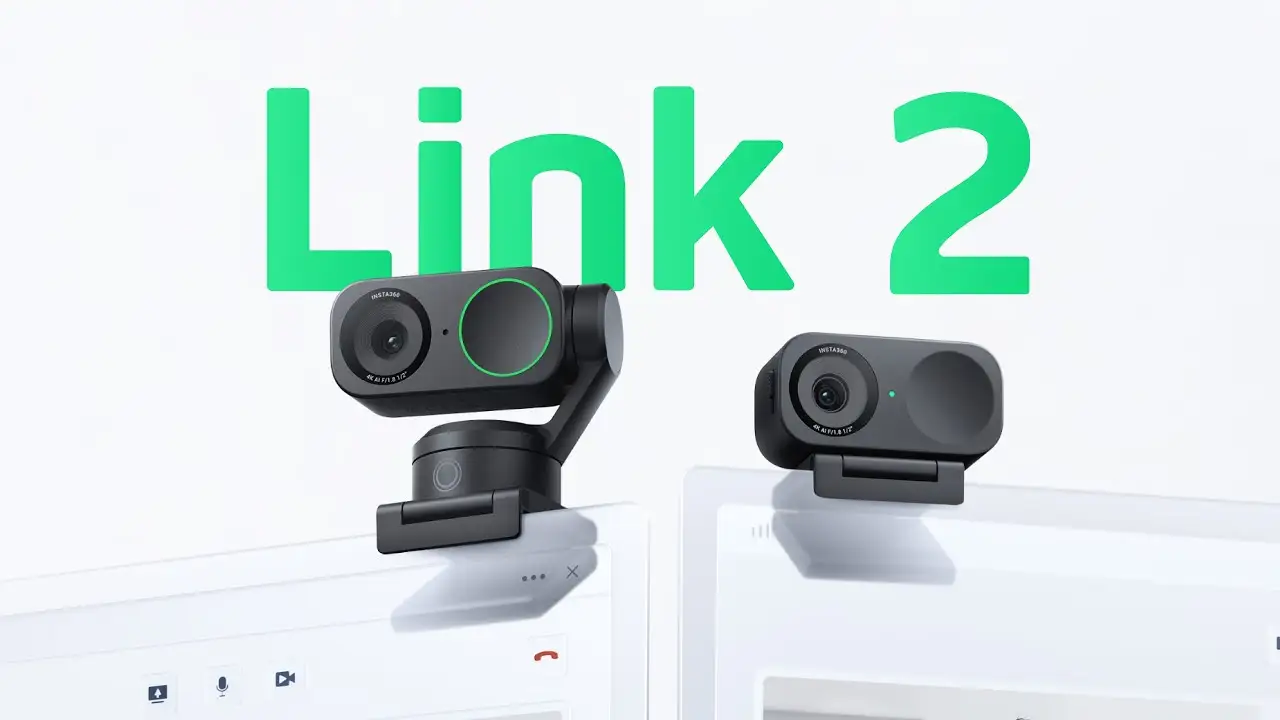
The mounting system — a magnetic clip with 1/4" tripod thread — is lauded for flexibility. A Trustpilot review highlighted its utility: “I attach it to my monitor for meetings, then quickly move it to a tripod for cooking streams.”
Common Complaints
The most repeated frustration centers on frame rate caps. While specs list 1080p/60fps, several users couldn’t access it through the official app, limiting them to 30fps. This disproportionately affects gamers and sports coaches needing smoother motion.
Gesture controls split opinion. Some found them intuitive after practice, but others experienced false triggers — waving to a colleague accidentally enabled AI tracking mid-meeting. Tom’s Guide’s tester noted, “Be sure not to wave if you intend to use this feature.”
Body tracking, while smooth, is less granular than some rivals. The inability to track hands limits its appeal for sign language interpreters or certain performance artists.
Noise-canceling mics, though strong, can still pick up sharp mechanical keyboard clatter — a minor annoyance for desk-bound podcasters.
Divisive Features
HDR mode earns praise for balancing bright windows and dark rooms, but a few users found it “too contrasty” for their taste in natural-light settings. The natural bokeh effect, generated via software, appeals to those wanting DSLR-style separation, but some purists prefer optical blur from larger-sensor cameras.
The price point is seen as fair for professionals but overkill for casual users. As one Quora expert put it: “While it may be slightly more expensive than some entry-level webcams, the superior quality and versatility make the additional investment worthwhile.”
Trust & Reliability
Trustpilot and Reddit sentiment indicates minimal scam concerns; buyers are generally receiving genuine, functioning units. Long-term owners (6+ months) report no mechanical degradation — the gimbal motors remain smooth, and the mount’s magnet hasn’t weakened. The matte finish resists scratches, and cable connections hold firm.
One Reddit educator using it for daily Zoom classes since Q4 2024 reported: “No drift, no wobble, still as sharp as day one.”
Alternatives
The Obsbot Tiny 2 is the most cited competitor. It offers more advanced body tracking (including hands) and slightly better low-light performance, but costs about $50 more. Several buyers chose the Link 2 over Obsbot for its more responsive gesture controls and HDR handling.
Lower-cost options like the Logitech Brio 505 and StreamCam lack the physical gimbal and AI tracking sophistication, making them better for static use cases. The Razer Kiyo Pro offers strong image quality but without whiteboard or deskview modes.
Price & Value
At around $199 retail — and as low as $81.93 during flash sales — the Link 2 offers strong value for its feature set. eBay and OfferUp listings suggest it retains resale value well, with used units moving for $150–$175 if in good condition.
Seasonal promotions (Black Friday, Cyber Monday) tend to drop the price by 20–60%, a buying tip echoed on Quora: “Observing price trends and subscribing to product newsletters could alert you to potential promotions.”
FAQ
Q: Does the Insta360 Link 2 support 60fps at 1080p?
A: Official specs list 1080p/60fps, but multiple users report the official app limits output to 30fps, with no workaround yet.
Q: Can it track multiple people?
A: Yes, group tracking works best with 2–3 people. Beyond that, framing accuracy can decrease.
Q: Is it plug-and-play?
A: Yes, it works instantly with Windows 10+ and macOS 10.13+, with advanced features unlocked via the optional Link Controller software.
Q: How effective is the privacy mode?
A: Very — the lens tilts down after 10 seconds of inactivity, and you can trigger it manually.
Q: What’s the main difference between Link 2 and Link 2C?
A: The Link 2 has a 2-axis gimbal for AI tracking; the 2C uses auto-framing without a gimbal, making it better for static setups.
Final Verdict
Buy if you’re a content creator, educator, or professional who values crystal-clear 4K, smooth AI tracking, and versatile shooting modes for dynamic presentations. Avoid if you’re a fast-action streamer or esports coach who needs guaranteed 1080p/60fps through the official software.
Pro tip from the community: If budget allows, pair the Link 2 with a quality USB mic for broadcast-level audio — the video will already be there.