HP Victus 15 Gaming Laptop Review: Worth the Buy?
One of the most surprising discoveries about the HP Victus 15.6" Gaming Laptop is how much praise it receives from budget-conscious gamers despite clear shortcomings—landing it a solid 8.3/10 in aggregated user sentiment. Many say it’s “fantastic for the price,” while others, like an HP Support Community poster, express frustration over “constant lag spikes” even with decent frame rates. The divide seems rooted in hardware configurations and whether users invest in upgrades.
Quick Verdict: Conditional Buy
| Pros | Cons |
|---|---|
| Strong gaming performance at medium/high settings for most titles | Short battery life under gaming loads (3–4 hours) |
| Smooth multitasking on upgraded RAM | Loud fan noise under heavy load for some |
| Sleek, understated design with backlit keyboard | Base model ships with only 8GB RAM |
| Fast SSD boot and load times | Poor display viewing angles on some models |
| Cool operation and low noise (for many) | Occasional frame stutter issues reported |
| Upgradeable RAM and storage | No Thunderbolt/USB4 support |
Claims vs Reality
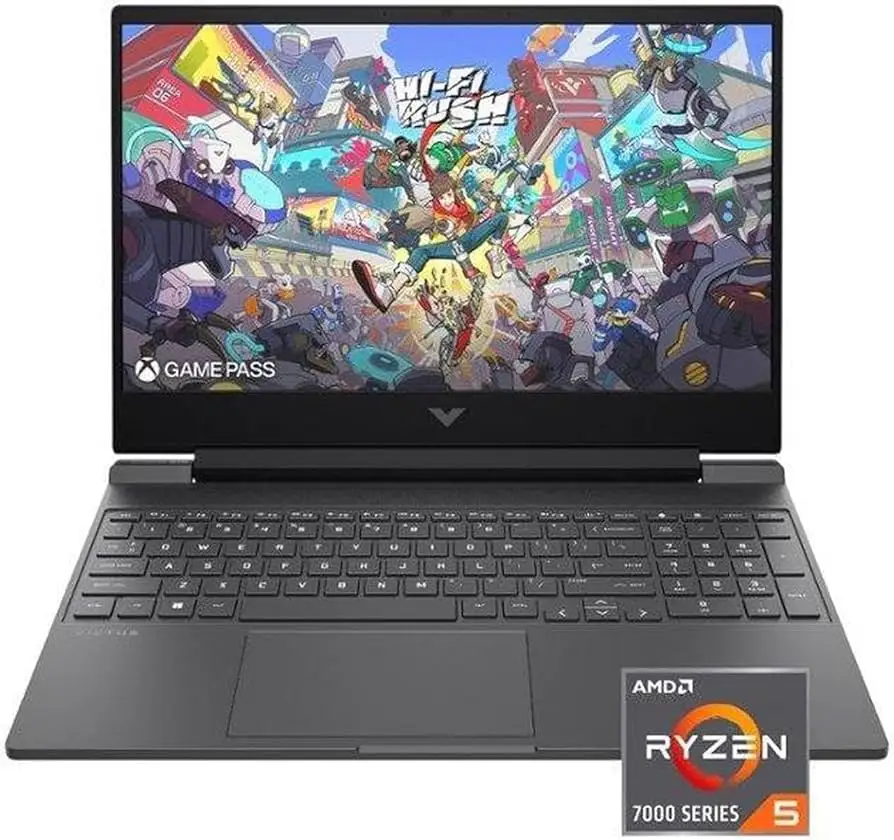
HP advertises the Victus 15 as “made for peak PC gaming” with a powerful AMD Ryzen 5 processor and Radeon RX 6550M graphics. On paper, this pairing should offer comfortable 1080p gaming—and for many, it does. A Reddit user shared: “Running Witcher 3 on high settings at 1080p gets me an average of 68 fps,” adding that esports titles run “maxed out.”
However, the experience isn’t uniform. On Twitter/X, one owner said their Victus “will happily sit at 80 to 100 fps… but frame tears and stutters every 30 seconds… dropping right down to 3–7 fps.” This suggests that while headline frame rates look competitive, consistency is not guaranteed, perhaps due to thermal management or software conflicts.
HP also markets the 144Hz FHD anti-glare panel as a smooth gaming display. Consumer Reports testing confirmed it’s anti-reflective and offers wide viewing angles, but colors were “in the ballpark, though not completely accurate.” NotebookCheck found poorer viewing angles and low color coverage on certain configurations, meaning the display experience varies widely depending on the specific panel used.
Cross-Platform Consensus
Universally Praised
Many users appreciate the balance of gaming and everyday productivity. A verified Best Buy reviewer mentioned using it for both “Minecraft and Helldivers II… performance has been smooth… no lag compared to his previous device.” For students and entry-level gamers, the quick SSD boot times are a standout. Trustpilot reviews repeatedly call out the “fast & spacious SSD” as making daily use and program load “instant.”
The understated mica silver design resonates with buyers who don’t want a flashy gamer aesthetic. Reddit user feedback highlights how “the keyboard is comfortable for typing longer documents” and the build feels sturdy enough for both gaming and work tasks. Cool operation under load is another plus—NotebookCheck’s review noted “it accomplishes this without becoming too hot or noisy,” which benefits streamers and esports players working without headphones.
Common Complaints
Battery life is the single most consistent complaint. Best Buy customers peg light use at about 3–4 hours, with gaming drains in “minutes without a charger.” Consumer Reports measured better endurance—9.75 hours in light browsing—but under heavier loads, energy drains quickly. This mismatch suggests battery performance is highly dependent on workload, but gamers will almost always need to be near an outlet.
Base RAM is another frequent criticism. Several reviewers call 8GB “manageable but gets annoying” for modern games. A Best Buy buyer said, “I recommend getting a 16GB RAM laptop or just upgrading.” The good news: RAM is user-upgradable, with an extra slot provided.
Fan noise and thermal behavior are mixed. While many say it’s quiet and cool, others report audible fan ramping during sessions. NotebookCheck measured “tolerable noise” but not silent—sensitive users may notice.
Divisive Features
The Radeon RX 6550M GPU is a point of debate. Some love its 1080p capabilities, citing Fortnite over 70fps in Battle Royale, while others feel NVIDIA alternatives in similar-priced laptops offer smoother performance. Display refresh rate also divides buyers: many configurations carry 144Hz, yet NotebookCheck’s budget SKU shipped with a 60Hz panel, disappointing competitive players.
Trust & Reliability
Scam concerns aren’t prevalent, but configuration clarity is—users occasionally buy expecting 144Hz or larger storage and discover they received the lower-tier spec. Long-term durability feedback leans positive: multiple Reddit users report months of daily use with no drop in performance, especially after RAM upgrades. Consumer Reports logged no significant negative features in testing and noted solid ergonomics, with “large keys, high contrast letters” and a well-positioned power button aiding sustained usability.
Alternatives
From available data, a notable competitor in this range is the Dell G15 with Intel i5-10500H, which NotebookCheck measured at lower sustained multi-load scores than the Victus’ Ryzen 5 5600H. While Dell offers NVIDIA GPUs and alternative aesthetics, Victus wins on cooler operation and quieter fans for the price segment. Some buyers at Best Buy mention scoring Acer Nitro models with higher refresh rates, but often at higher noise and thermals.
Price & Value
Market prices vary sharply: eBay lists new units at $799.00, HP India offers deals around ₹52,829 (~$640), and some US holiday buyers report snagging units for $480. Resale value trends show decent retention if specs are upgraded—especially RAM and SSD—since those keep the Victus competitive with newer mid-range machines. Community buying tips highlight watching for sales near $500, upgrading RAM immediately, and confirming the display refresh before purchase.
FAQ
Q: Is the HP Victus 15 good for AAA gaming?
A: Yes, with medium-to-high settings at 1080p. Users report smooth performance in titles like Witcher 3 (68fps) and Fortnite (70fps), though newer, more demanding games may require reduced settings.
Q: Does the Victus 15 overheat during gaming?
A: Most configurations run cool, with NotebookCheck noting “low to moderate noise” and many buyers saying heat subsides within minutes after gaming.
Q: How is the battery life?
A: For gaming, expect 1–2 hours max unplugged; for light browsing, some measure 7–9 hours. Many owners keep it plugged in for serious gaming.
Q: Can RAM be upgraded?
A: Yes. Units ship with 8GB in one slot, leaving another open. Upgrading to 16GB or more is common, with clear benefits for performance.
Q: Is the display always 144Hz?
A: No, some Victus 15 models ship with 60Hz panels. Check specs carefully before buying to ensure competitive gaming demands are met.
Final Verdict: Buy if you’re an entry-to-mid level gamer or student seeking a cool-running 1080p machine with upgrade potential. Avoid if competitive play demands the highest refresh rates or if you need long unplugged gaming sessions. Pro tip from community: “Grab it on sale under $500, pop in extra RAM day one—you’ll have a budget beast for years.”