HP OfficeJet Pro 8135e Review: Strong Output, Mixed Value
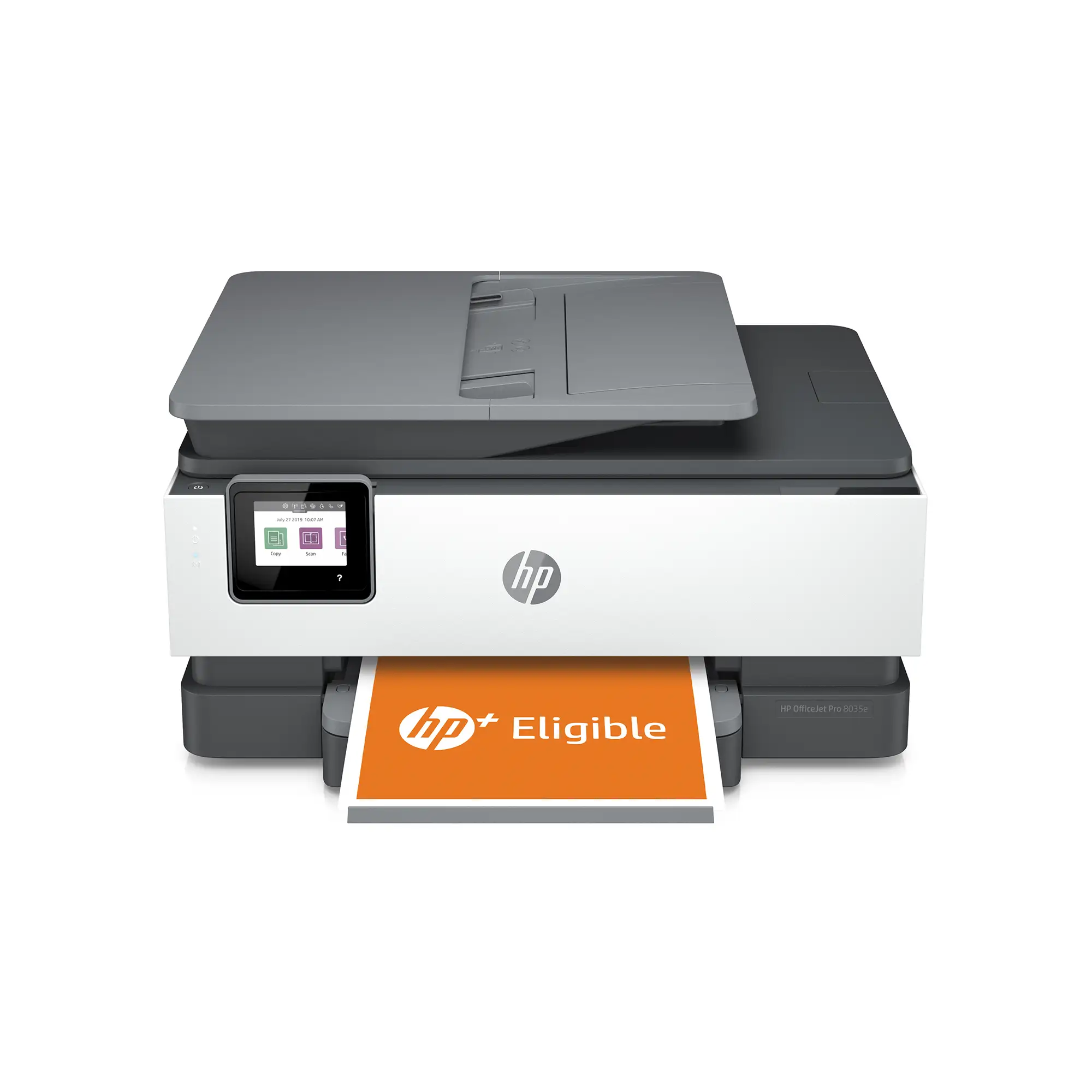
The HP OfficeJet Pro 8135e Wireless All-in-One Color Inkjet Printer has built a reputation as a capable home office and small business workhorse, but digging deeper into user reports reveals a split verdict. With an aggregated sentiment score hovering around 8.9/10, it wins praise for its print quality, ease of wireless setup, and versatile features — yet ongoing complaints about ink costs, software quirks, and HP’s “dynamic security” lock-in system temper the enthusiasm.
Quick Verdict: Conditional — excellent for users who value high-quality text/color output and integrated scanning/faxing, but only if they accept HP’s Instant Ink ecosystem or the premium cost of OEM cartridges.
| Pros | Cons |
|---|---|
| Crisp text and vibrant color printing | Locked to HP-branded cartridges only |
| Easy wireless/mobile setup via HP Smart app | High ongoing ink costs |
| Fast duplex printing and decent scan quality | Some connectivity drops and offline issues |
| Compact for a feature-rich AIO | Paper tray design criticized for lack of guides |
| Reliable ADF for multi-page scans | Scanner software less flexible than older versions |
| Quiet mode for low-noise operation | Some reports of slow first-page output |
Claims vs Reality
HP markets the 8135e as a “professional color inkjet printer” with “fast color print, copy, scan, fax, automatic two-sided printing” and “the most reliable Wi‑Fi.” On paper, it promises up to 20 ppm black and 10 ppm color, with “seamless cloud integration” and “never run out of ink” convenience through HP+ Instant Ink.
User experiences largely validate the speed for text documents but challenge the “fast” claim for certain tasks. A verified buyer on Amazon noted: “Print quality was very good and quick… but scanning configuration was very difficult, asking for email passwords and security settings I don’t understand.” Consumer Reports testing found text speeds closer to 9.7 ppm in real-world conditions, while photo printing lagged behind competitors: “Almost any other inkjet model prints better photos.”
The “most reliable Wi-Fi” claim also drew scrutiny. One Best Buy reviewer wrote: “Have to keep unplugging it to get it to work, will not stay online… so disappointed.” Others, however, reported rock-solid wireless connections from day one, suggesting environmental factors or firmware versions may play a large role.
Cross-Platform Consensus
Universally Praised
Across Amazon, Best Buy, and Reddit, the 8135e’s print quality stands out. For home office professionals producing client-facing documents, the combination of sharp text and true-to-life colors is a recurring highlight. Reddit user feedback described it as “very good text quality… color graphics very good for reports, newsletters and web pages.” This is bolstered by the duplex printing feature, which several users said saved time and reduced paper waste.
Setup ease is another consistent win. Many non-technical users reported getting the printer online and printing from multiple devices within 10 minutes. An Amazon reviewer shared: “My 5-year-old was able to do most of the setup with very little help.” For multi-device homes, the HP Smart app’s mobile printing capability — including cloud integrations like Google Drive and Dropbox — was described as “a dream come true” for quick jobs without booting a computer.
The automatic document feeder (ADF) earned praise from small business owners and educators for speeding up multi-page scanning. One Best Buy customer said: “My mom got this printer to be able to scan to her email… so simple, don't even have to have your PC on.”
Common Complaints
A major sore point is HP’s dynamic security cartridge lock-in. The printer will only accept HP-branded cartridges with a new or reused HP chip. Amazon reviewer Roberto Vega warned: “Once you buy this printer, you cannot buy any replacement cartridges from anywhere else… you will be stuck with a very expensive printer at the end of the day.” Several users attempted third-party cartridges only to be met with refusal-to-print errors.
Ink cost is another recurring frustration. Consumer Reports estimated $125/year in ink for average home use — high for an inkjet. Some offset this with HP’s Instant Ink subscription, but others, like Best Buy reviewers, cautioned against being “locked into a subscription model” if you prefer buying ink as needed.
Software limitations, particularly in scanning, irked power users. One Amazon customer lamented losing the ability to manually crop multiple items in a single scan: “It only allows specific sized items or automatically finding the items… no longer supports OCR.” This drove some to purchase third-party scanning software.
Finally, hardware design choices such as the paper tray lacking adjustable guides led to misfeeds for a few owners. As one Woot reviewer described: “Just supposed to plop the paper in… hope it stays there. Which it does not.”
Divisive Features
The HP Smart app polarizes users. Many love the convenience of remote printing and easy supply monitoring, while others call it bloated and necessary for basic functions that used to be driver-based. Similarly, HP Instant Ink is viewed as either a cost-saving supply chain miracle or a tether to HP’s ecosystem, depending on printing volume and tolerance for monthly billing.
Performance speed also splits opinion. Light office users find it “fast enough,” but those coming from higher-end office machines sometimes complain of sluggish wake-up and first-page-out times, particularly over Wi‑Fi.
Trust & Reliability
Long-term feedback shows a generally reliable mechanical platform. One Best Buy customer noted their older HP OfficeJet lasted over a decade before replacement, and early reports on the 8135e show minimal jamming or feed issues. However, some distrust stems from HP’s history of firmware updates disabling previously working third-party cartridges — a practice explicitly acknowledged in the product disclaimer.
Customer support experiences vary sharply. While some praise prompt warranty exchanges, others, like Amazon reviewer Chris Habermaas, recounted “hour-long calls with support agents… no resolution, terrible documentation.” This suggests tech-savvy users may be better positioned to troubleshoot independently than rely on HP help desks.
Alternatives
Within HP’s own lineup, the OfficeJet Pro 9125e offers similar print quality with added two-sided scanning, making it better for heavy document workflows. Outside HP, Epson’s EcoTank models avoid cartridge lock-in entirely by using refillable tanks, trading a higher upfront cost for dramatically lower per-page costs — a key consideration for high-volume users wary of Instant Ink fees.
Price & Value
Market prices for the 8135e range from $129.95 (eBay) to $224.99 (HP Store), with frequent sales around $169–$189. Resale value remains moderate; used units fetch ~$125 if in good condition, aided by demand for midrange AIOs.
Community buying tips emphasize grabbing the printer during HP’s promotional bundles with 3–4 months of Instant Ink included, then evaluating actual print volume before committing to a paid plan.
FAQ
Q: Can the HP OfficeJet Pro 8135e use third-party ink cartridges?
A: No. It employs HP’s dynamic security system, which blocks non-HP chips. Only HP-branded cartridges with new or reused HP chips will work.
Q: Is the HP Smart app required for printing?
A: Not strictly — you can print via standard drivers — but many setup, scanning, and cloud features are only accessible through the app.
Q: How good is the photo printing quality?
A: Adequate for casual use, but Consumer Reports found it below average compared to other inkjets — better for documents and graphics than photo-heavy projects.
Q: Does it support duplex scanning?
A: No. The ADF is single-sided only; duplex scanning requires manual reinsertion.
Q: What’s the recommended monthly page volume?
A: HP recommends up to 800 pages/month for optimal performance, though the duty cycle is rated up to 20,000 pages.
Final Verdict:
Buy if you’re a home office or small business user who values high-quality color/text output, easy wireless setup, and integrated scanning/faxing — and you’re comfortable with HP’s ink ecosystem. Avoid if you print high volumes of photos, resist subscription models, or need flexible third-party supply options. Community pro tip: use the free Instant Ink months to gauge real usage, then decide whether to subscribe or source OEM cartridges as needed.