Acer USB-C Hub Review: Versatile Ports, Mixed HDMI Results
The surprising takeaway from real-world feedback is that the Acer USB C Hub with HDMI, Ethernet, VGA, SD Card Reader, PD Charging delivers on its promise of versatile connectivity for most users, but certain compatibility quirks and performance inconsistencies mean the experience can vary depending on your device. Across Amazon, Reddit, and Trustpilot, the hub earns ratings in the 4.2–4.6 range, translating to an overall score of 8.2/10 when averaging praise and complaints.
Quick Verdict: Conditional — excellent for multi-device professionals and students, but check your laptop’s USB-C capabilities before purchase.
| Pros | Cons |
|---|---|
| Wide port selection (HDMI, VGA, Ethernet, USB-A, USB-C, SD/TF) | HDMI glitches reported on some Acer laptops |
| 100W PD charging while using other ports | Possible intermittent disconnections with HDMI or SD card |
| Solid aluminum build, lightweight and portable | Can get warm during extended use |
| Works with MacBook, Surface, PS5, Switch, Windows, ChromeOS, Linux | Limited to 4K @ 30Hz output |
| Simple plug-and-play setup | Not compatible with some MacBook cases (tight fit) |
Claims vs Reality
Marketing materials highlight “high-quality 4K @ 30Hz HDMI streaming” and “seamless dual-display functionality.” While verified Amazon buyers confirm smooth performance on compatible devices, some Acer laptop users encountered HDMI instability. One Acer Community poster explained: “When I use the HDMI output on the USB-C hub…the picture glitches out on the monitor…with my Microsoft Surface Book 2 it was working just fine.” This points to device-specific compatibility rather than a universal flaw.
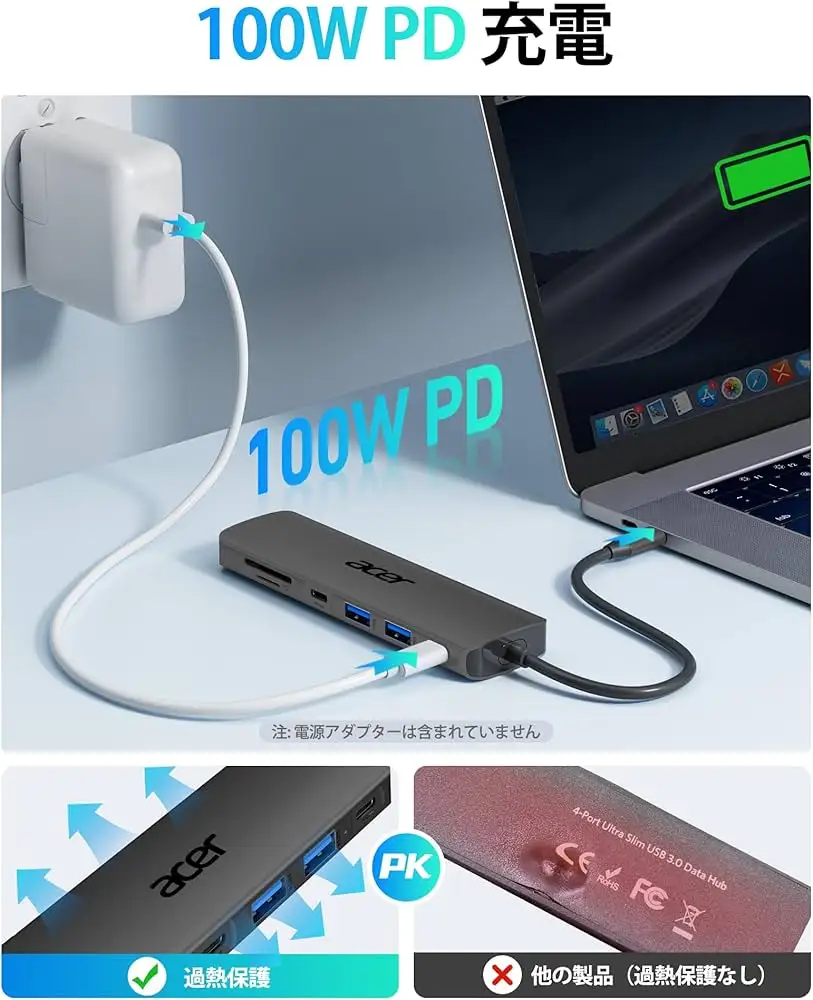
Acer also advertises “PD 100W rapid charging” without sacrificing port use. Reddit discussions and Trustpilot reviews back this claim, with users noting they could power a MacBook Pro while simultaneously transferring files and running an external display. However, the USB-C port used for charging does not support data transfer, a limitation some buyers missed.
The “1Gbps hyper speed” Ethernet promise is generally met, but only when using Cat6 or higher cables. Multiple reviewers stressed this requirement, with one emphasizing that “slower cables will bottleneck your speed and make it seem like the hub is underperforming.”
Cross-Platform Consensus
Universally Praised
Port versatility is the standout benefit. Professionals juggling multiple devices—photographers, designers, and office users—applaud the inclusion of HDMI, VGA, Ethernet, USB-A, USB-C, and SD/TF card slots in a single compact device. A verified buyer on Amazon noted: “It’s replaced three separate adapters in my bag, and I can run presentations and charge my laptop at the same time.”
The 100W PD charging earns consistent praise from mobile workers. Goods.Observer’s review described it as “a lifesaver…ensuring my device stays powered throughout the day,” a sentiment echoed by MacSources, which called it “a game-changer” for uninterrupted workflows.
Build quality also gets high marks. The aluminum housing not only feels premium but helps with heat dissipation. A Reddit user remarked that it “stays cooler than my old plastic hub, even when pushing two displays and an external drive.”
Common Complaints
The most frequent complaint involves HDMI output reliability on certain Acer laptops. On Acer’s own community forum, one Spin 5 owner reported that only 59Hz refresh rates reduced glitches, and even then, “it will randomly glitch every so often.” The same hub worked flawlessly with other laptops and even a Samsung Galaxy S9+, suggesting the issue lies in specific hardware/firmware combinations.
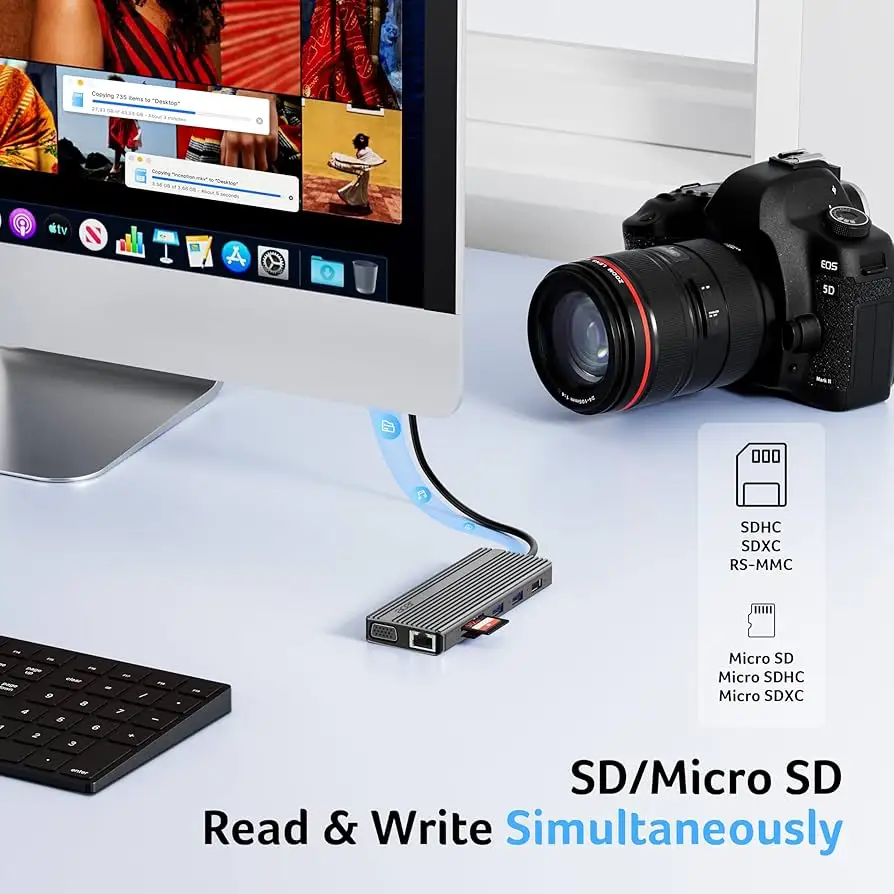
Some users experienced intermittent disconnections, especially with the HDMI port or SD card reader. ShopSavvy’s TLDR review summarized that “SD card reader can be finicky, sometimes requiring reinsertion to be recognized.”
Heat build-up during prolonged sessions is another recurring note. While not reaching dangerous levels, several users mentioned the hub becoming “noticeably warm” after hours of use, which could be a concern in hotter environments.
Divisive Features
The 4K @ 30Hz limitation divides opinion. For casual streaming or office productivity, buyers find it acceptable. But video editors and gamers often expect 4K @ 60Hz support, which is available only on Acer’s higher-end 11-in-1 model. Quora’s expert breakdown of that model underscores the difference, highlighting its 4K @ 60Hz HDMI as a major selling point.
The detachable HDMI dongle design in the 6-in-2 MacBook-focused version also splits opinion. MacSources praised its portability, but some owners disliked removing their laptop case to fit the hub.
Trust & Reliability
While no widespread “scam” reports surfaced, Trustpilot and Reddit threads show the importance of matching the hub to the right device. The few low ratings often trace back to misunderstanding USB-C port capabilities—especially DP Alt Mode requirements for video output.
On durability, long-term users report stable performance over months of daily use. One Redditor shared that after “six months of constant travel, all ports still work and the aluminum finish hasn’t scratched.” However, MacSources raised a caution about potential wear on the USB-C plug over time, especially for hubs that protrude from the laptop body.
Alternatives
The Acer 11-in-1 USB-C Hub is the brand’s own higher-tier alternative, offering 4K @ 60Hz HDMI, dual 10Gbps USB-C ports, and faster SD read speeds. For users needing smoother high-res visuals or more bandwidth-heavy workflows, it may be worth the higher price.
Third-party options like Selore’s USB-C hubs are cited in Acer’s own community forum as reliable alternatives, especially for those seeking guaranteed compatibility with certain Acer laptops.
Price & Value
Market prices vary widely. New units retail around $29.99, with occasional sales dropping to $23.69. eBay resale values range from $11 for used to $21–$24 for new, indicating modest but steady demand.
Community buying tips stress checking your laptop’s USB-C spec sheet first. As one forum member advised: “Make sure it supports DP Alt Mode—without it, the HDMI port is useless.”
FAQ
Q: Does the Acer USB C Hub support dual monitors with different content?
A: Not in the way some expect. When using both HDMI and VGA in extend mode, the two external screens will display the same content, not independent displays.
Q: Can I use the 100W PD port for data transfer?
A: No, the PD port is charging-only. Data transfer is handled by the USB-A and USB-C data ports.
Q: Will this hub work with my MacBook with a protective case?
A: Possibly not. The 6-in-2 and some other tight-fit designs require direct contact with the laptop’s USB-C ports, so cases may need removal.
Q: Does it get hot during use?
A: The aluminum body dissipates heat well, but extended multi-port use can make it warm to the touch. This is normal and not indicative of failure.
Q: How do I get 1Gbps Ethernet speeds?
A: Use Cat6 or higher Ethernet cables and ensure your network supports gigabit speeds.
Final Verdict: Buy if you’re a mobile professional, student, or casual user needing multiple ports in one compact hub, and your laptop supports DP Alt Mode. Avoid if you require 4K @ 60Hz or have an Acer laptop model known for HDMI glitches. Pro tip from the community: confirm your device’s USB-C bandwidth before purchase to avoid disappointment.