HP DeskJet 4227e Review: Compact But Reliability Concerns
The HP DeskJet 4227e Wireless All-in-One Color Inkjet Printer has sparked sharply divided reactions. While some buyers praise its compact footprint, reliable wireless connectivity, and budget-friendly bundle deals, others warn it's “complete junk” that fails within months. Scores range from 9.6/10 on curated product lists to 1-star Amazon reviews. This is a printer that can delight casual home users but frustrate those with heavier or more critical printing needs.
Quick Verdict: Conditional — Recommended for light, occasional home use with HP Instant Ink; avoid for heavy workloads or third-party ink reliance.
| Pros | Cons |
|---|---|
| Compact design fits small spaces | Reports of early failures (within months) |
| Easy wireless setup and mobile printing | Very small ink cartridges, high running costs without subscription |
| Automatic Document Feeder (35 sheets) | Slow print speeds for heavier workflows |
| Works with HP Smart App, AirPrint, Mopria | No borderless printing |
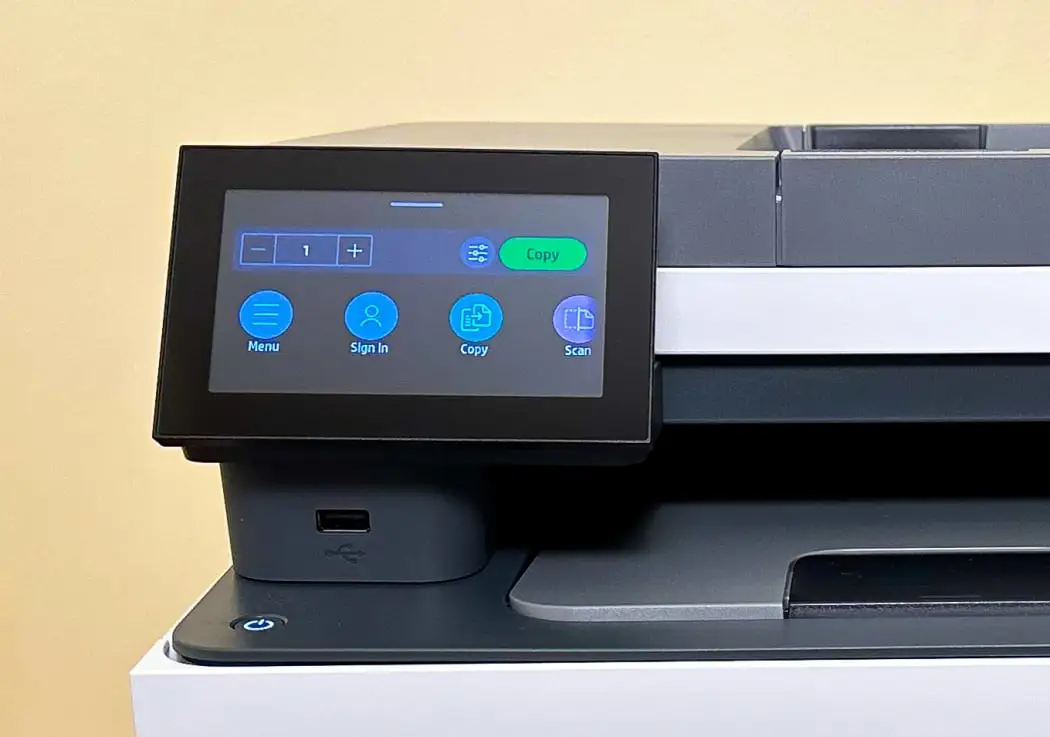
| Eco-friendly build (60% recycled plastic) | LCD icon display is small and hard to read |
| HP+ and Instant Ink can lower per-page cost | Locked to HP cartridges due to dynamic security |
Claims vs Reality
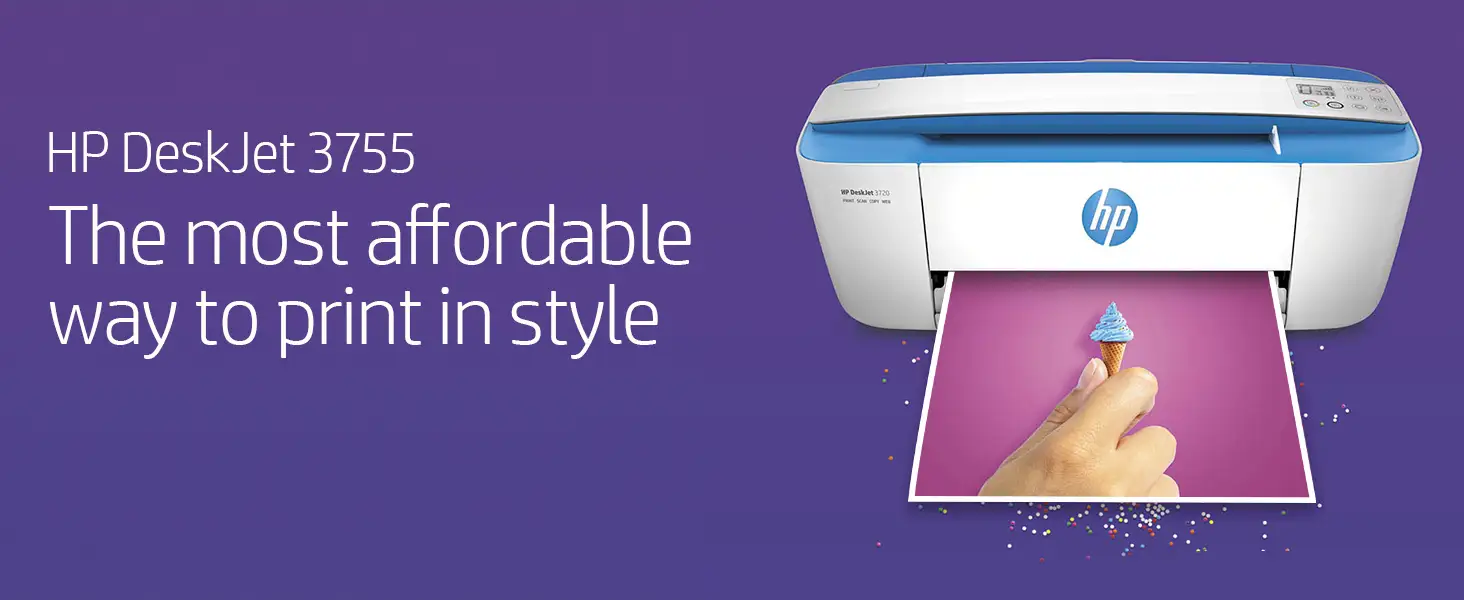
HP markets the DeskJet 4227e as a “compact, wireless printer with the easiest-to-use print app” and “our most reliable Wi-Fi.” They highlight the 35-sheet automatic document feeder (ADF) and seamless phone printing. On paper, it promises a smooth, modern home printing experience.
Digging deeper into user reports, the “most reliable Wi-Fi” claim largely holds. Reddit feedback for the sister models in the 4200e series notes “seamless wireless integration with smartphones and other devices,” and a curated product review site described it as having “reliable wireless connectivity” with “fast wireless setup.” This is echoed by Consumer Queen, who wrote that “printing straight from a phone feels easy.”
However, the durability and reliability claims take a hit in reality. A verified Amazon buyer stated: “Returning 2nd one in 3 months. First quit printing entirely… second will only print in yellow after limited use. Slow, noisy… constantly asking user to wait while it does something.” This directly contradicts the promise of “effortless” operation.
HP also promotes the eco-friendly 60% recycled plastic build. While users rarely comment directly on sustainability, there’s no pushback here — the criticism centers instead on functional performance and ink costs.
Cross-Platform Consensus
Universally Praised
Across Reddit product roundups, curated deal blogs, and retail listings, one constant emerges: the compact design is a hit. For apartment dwellers or home offices with limited desk space, the small footprint is a selling point. One curated review notes it “fits any home space,” while eBay sellers pitch it as “space-saving” and “ideal for students, families, and home offices.”
Wireless setup and mobile printing win near-universal praise. The HP Smart App integration means printing from iOS, Android, or Chromebook is straightforward. Consumer Queen highlighted the “fast wireless setup, Bluetooth, and simple controls,” while curated Reddit lists praise “AI-enhanced printing precision… with no waste.”
The inclusion of a 35-sheet ADF is valued by those scanning or copying multi-page documents. For casual home users digitizing bills or recipes, this is a convenience feature not always found at this price point.
Common Complaints
The most severe complaints target hardware reliability and ink costs. The Amazon reviewer’s experience of two units failing in three months, plus cartridges running dry quickly, is echoed in broader HP criticism for small-capacity starter cartridges. The printer’s dynamic security — locking it to HP-branded cartridges — limits cheaper alternatives, frustrating budget-conscious users.
Speed is another sticking point. Official specs list up to 8.5 ppm black and 5.5 ppm color, which is modest even for home use. For users printing reports or multiple-page color projects, this can feel sluggish. One Trustpilot complaint described it as “slow, noisy when it works.”
The small LCD icon display draws criticism for being “almost unreadable.” This can make standalone operation without the app cumbersome.
Divisive Features
HP+ and Instant Ink split opinion. For light users who sign up, it can dramatically reduce per-page costs and prevent running out of ink. Consumer Queen’s coverage of the $59.98 Black Friday bundle (with three months free ink and a $25 voucher) frames it as a budget win. But for those unwilling to commit to subscriptions, the locked ecosystem and high cartridge prices turn this into an expensive machine over time.
The eco-friendly angle appeals to some, but others see it as irrelevant when core functionality disappoints. Similarly, AI-enhanced print optimization is appreciated by casual list-printers, but overkill for those just wanting standard documents.
Trust & Reliability
Trustpilot-style complaints and Amazon reviews reveal a pattern: early-life failures are not rare. The Amazon 1-star review shows both mechanical failure and printhead issues (“only print in yellow after limited use”). This raises concerns for buyers expecting multi-year service.
Long-term durability stories are scarce in the positive camp — most praise comes from new owners reporting on setup and first prints. This suggests that while short-term satisfaction is achievable, sustained reliability is less certain.
The dynamic security firmware updates that can block previously working third-party cartridges also contribute to trust concerns. For users outside HP’s Instant Ink program, this can mean unexpected downtime and forced expensive purchases.
Alternatives
Within HP’s own lineup, the DeskJet 4255e offers similar features but adds more robust ADF handling and has strong reviews for “seamless wireless integration” — potentially a safer bet for heavier scanning needs. For those prioritizing photo quality, the HP Envy 6155e earns praise for “high-quality color prints” and borderless photo capability, which the 4227e lacks.
If ink cost control is paramount, HP’s Smart Tank 5000 offers cartridge-free, refillable tanks and is praised for “cost-effective high-volume printing” — though at a higher upfront price.
Price & Value
Current market listings show steep discounts: as low as $59.98 during Black Friday versus a regular $99–$149 range. eBay sellers list it at $69.99. These deals often include three months of Instant Ink and sometimes additional vouchers, lowering initial total cost.
However, resale value is likely low due to the rapid depreciation of budget inkjets and the HP+ lock-in. Community advice leans toward buying during heavy promotions to offset potential high running costs.
For light users printing fewer than 300 pages a month, especially those open to Instant Ink, the value proposition can be strong. For heavier users or those avoiding subscriptions, the long-term cost per page may negate the low upfront price.
FAQ
Q: Does the HP DeskJet 4227e support borderless printing?
A: No. Multiple spec sheets confirm it does not offer borderless printing, which may be a drawback for photo printing enthusiasts.
Q: Can I use third-party ink cartridges with this model?
A: Not reliably. It has dynamic security to block non-HP cartridges, and firmware updates may disable third-party options that previously worked.
Q: How fast does it print?
A: Officially up to 8.5 pages per minute in black and 5.5 ppm in color, which suits light home use but may feel slow for bulk jobs.
Q: Is it good for scanning multi-page documents?
A: Yes, within limits. The 35-sheet automatic document feeder makes multi-page scanning easier, but scan speeds are modest at about 2.5 images per minute at 200 ppi.
Q: Does it work with mobile devices?
A: Yes. It supports the HP Smart App, Apple AirPrint, ChromeOS, and Mopria, with users praising the ease of wireless setup and printing from phones.
Final Verdict: Buy if you’re a light-volume home user seeking a compact, inexpensive printer with strong mobile integration and are willing to use HP Instant Ink. Avoid if you need heavy-duty reliability, borderless printing, or third-party ink flexibility. A pro tip from the community: wait for deep discount bundles that include free ink months to maximize value.