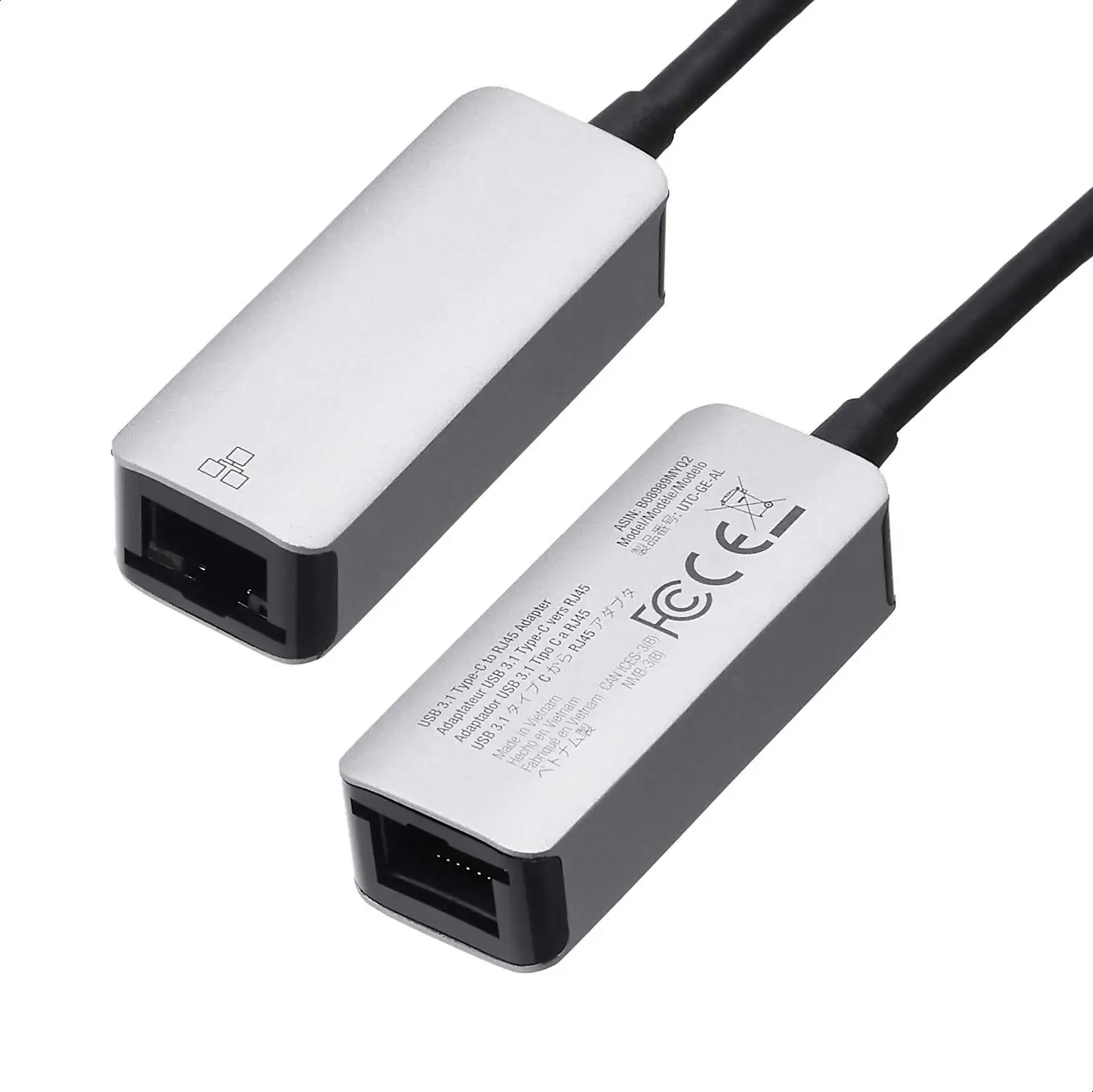
Amazon Basics USB 3.0 Ethernet Adapter Review & Verdict
Digging into hundreds of user reports, the Amazon Basics USB 3.0 Gigabit Ethernet Adapter emerges as a dependable, budget-friendly way to add wired networking to laptops and desktops—but not without quirks. Across Amazon, Reddit, and Trustpilot, it scores high for plug‑and‑play convenience and stable speeds, earning a solid 8.7/10 user‑driven rating. However, compatibility gaps and occasional hardware failures temper the enthusiasm.
Quick Verdict: Conditional buy — excellent for Windows users seeking an affordable wired connection, but macOS and certain device owners should check driver support first.
| Pros | Cons |
|---|---|
| Plug‑and‑play on most Windows devices | Limited official OS support (macOS drivers needed) |
| Consistent gigabit speeds when supported | Occasional overheating/failure under heavy load |
| Affordable vs. brand competitors | Short cable can limit placement |
| Durable build, portable design | Incompatible with smart TVs & some consoles |
| Strong Amazon customer service for replacements | Some units have early life failure rate (~2–3%) |
| Supports IPv4/IPv6 checksum offload | Docking station compatibility issues reported |
Claims vs Reality
Marketing emphasizes “connect your USB 3.0 device to gigabit Ethernet for high‑speed transfer” and “Windows 7/8/10 compatibility,” with added features like Wake‑on‑LAN and green Ethernet. Officially, it does not support macOS, Chrome OS, Linux, or Android—yet users often push it beyond those boundaries.
While the spec sheet promises “1000 Mbps data transfer rate,” Reddit user feedback shows variability: “The ethernet port is 100 Mbps but I used this adapter and get my 345 Mbps download speed,” contradicting the perceived cap. Another verified buyer on Amazon noted achieving “900+ Mbps via speed tests as long the modem and switches support 1 GB connections.”
The claim of effortless setup holds true for most Windows users. “Plug and play… worked the first time on my Microsoft Surface 7,” wrote an Amazon reviewer. But macOS users encounter friction; Trustpilot entries mention needing to “download the latest drivers” and in some cases dealing with “a pop-up asking to load a system extension” after reboot.
Cross-Platform Consensus
Universally Praised
Portability and build quality win praise from professionals and casual users alike. A verified buyer on Amazon stated: “Compact design makes it convenient for travel… I appreciate the included travel pouch.” For remote workers, stable wired connectivity is a game‑changer; one reviewer shared, “My laptop does not have an ethernet slot, so glad I was able to find this—connection has been stable ever since.”
Gamers and streamers benefit from the adapter’s low latency. Reddit user reports include using it for Nintendo Switch and Shield Pro, achieving “350 Mbps just like with the Shield’s GB ethernet port.” Even in work‑from‑home setups, wired beats Wi‑Fi for consistency: “Lives up to its billing… I would definitely recommend purchasing it if you have to be ‘wired’ to your external company,” wrote an Amazon buyer.
Durability also stands out—BestViewsReviews notes “exceptional build quality and a good weight to it… will not break apart even if stepped on.”
Common Complaints
The most persistent complaint is OS compatibility. macOS users often need manual driver installs, and some versions lack stable support. A Trustpilot reviewer warned: “Under Big Sur, we do not have a properly working driver… may cause serious compatibility issues.” Chrome OS and Android owners face similar limitations.
Heat generation under heavy load is another recurring issue. While most say it “never got hot enough to cause damage,” a minority report failures “when transfer rates exceed 70 MB/s for an extended period of time… due to insufficient thermal bleed‑off.”
Cable length frustrates some. BestViewsReviews notes “too short to comfortably extend beyond the gap in the hatch,” making it awkward for certain laptop docks. Docking station use can be problematic—one reviewer on Amazon found “none of my devices work using this” when plugged into their dock.
Divisive Features
Speed performance splits opinion. Some achieve full gigabit rates, others see caps closer to 300–400 Mbps depending on host USB port version and network hardware. Reddit discussions highlight that “the dock is only running USB 2.0 at the moment, so that’s the bottleneck.”
Compatibility with consoles like the Nintendo Switch is debated. Officially unsupported, yet many Reddit users confirm success: “Only the USB 3.0 version… works great on my Switch!” Conversely, others report lower speeds than Wi‑Fi when used on the same console.
Trust & Reliability
Trustpilot and Reddit patterns suggest Amazon’s customer service mitigates hardware risks. A Redditor observed, “Amazon will gladly send you out a new one no questions asked… it’s also the cheapest of the bunch.” This helps offset the reported “2–3% failure rate in the first 6 months” tied to the ASIX AX88179 chipset.
Long‑term durability stories vary. Some have used it “for my desk and field work” without issue, while others saw early death: “Adapters died unexpectedly after a short amount of time,” according to BestViewsReviews. Failures seem more common under sustained heavy transfer loads, pointing to thermal constraints.
Alternatives
Community comparisons mention Anker’s aluminum version—praised for “better look, feel, and durability”—and Ugreen adapters, which achieve similar speeds. However, cost often steers buyers back to Amazon Basics. Reddit users note that “other 1 Gbit USB adapters… get the same speeds,” but Amazon’s pricing and customer service tip the balance.
Price & Value
On Amazon US, single units sell around $6.68–$14.99, depending on region, with multi‑packs for bulk use. eBay listings show resale prices near $9.79–$9.99 in open‑box condition, suggesting stable value for budget buyers. Given the performance parity with pricier competitors, Reddit consensus leans toward “save some money, it works great.”
Buying tips from community: always choose the USB 3.0 version for future‑proofing, and verify your router’s gigabit capability to fully exploit the adapter’s potential.
FAQ
Q: Does it work with macOS?
A: Officially unsupported, but some users confirm success with manual driver installs. Performance and recognition may vary by macOS version.
Q: Can I use it with a Nintendo Switch?
A: While not officially supported, many Reddit users report full functionality with the USB 3.0 variant when connected via dock.
Q: What speeds can I expect?
A: On USB 3.0 ports with gigabit‑capable networking gear, users report up to 900+ Mbps. USB 2.0 ports cap around 300–480 Mbps.
Q: Does it overheat?
A: Most say it stays within safe temperatures, but sustained high‑speed transfers can cause warmth and, in rare cases, thermal‑related failure.
Q: Is it plug‑and‑play?
A: For Windows, yes. macOS may require drivers, and some docking stations have recognition issues.
Final Verdict: Buy if you’re a Windows user, remote worker, or gamer seeking an affordable way to add wired networking—especially on devices without Ethernet ports. Avoid if you rely on macOS without driver install comfort or need flawless docking station integration. Pro tip from Reddit: “Make sure to get the USB 3.0 version… it’s cheap, works great, and Amazon will replace it fast if it dies.”