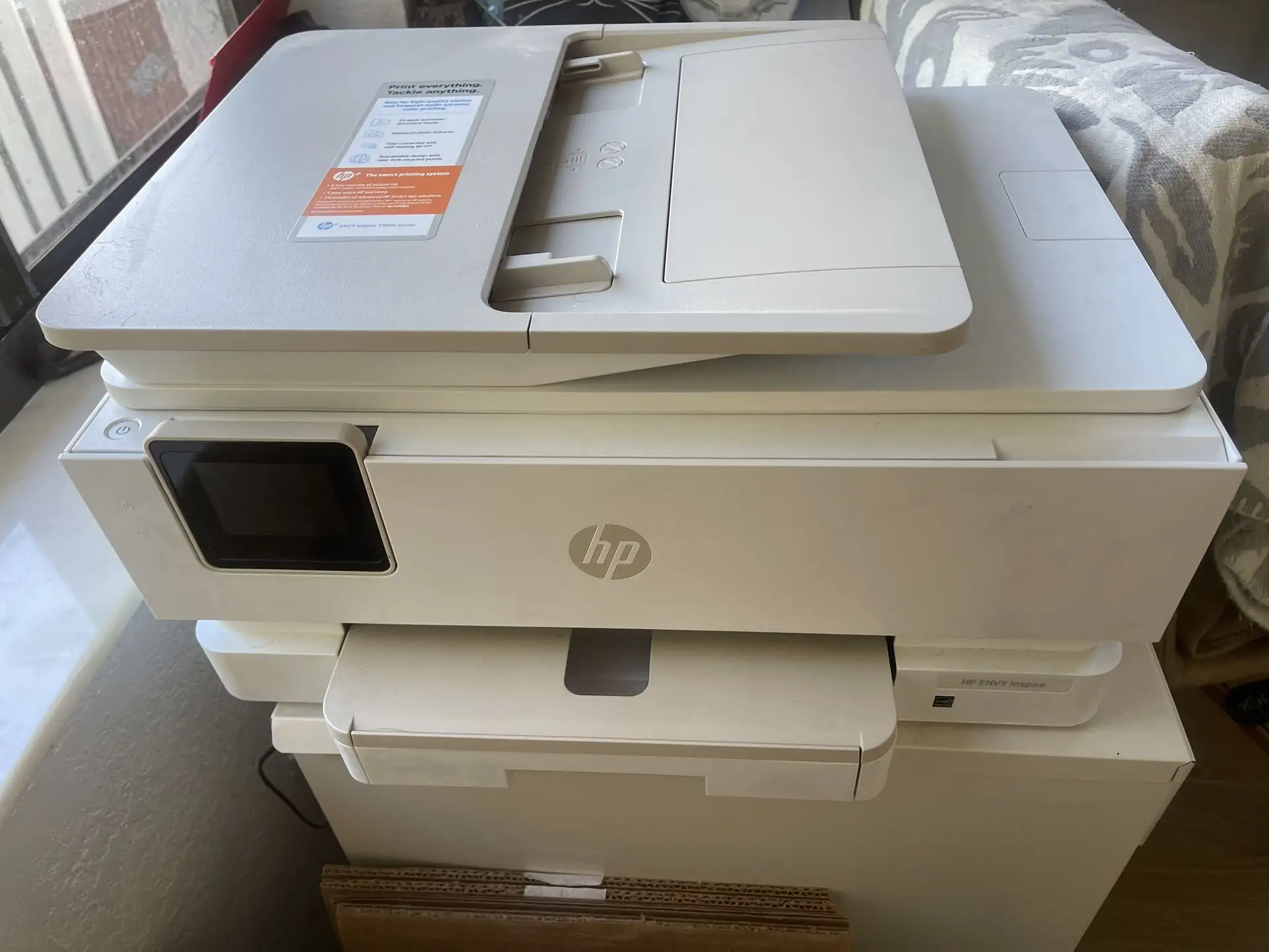
HP ENVY Inspire 7958e Review: Great Photos, Ink Caveats
A verified buyer on Amazon summed up their first impression of the HP ENVY Inspire 7958e Wireless All-in-One Color Inkjet Printer plainly: “Setup was a breeze, print quality looks great — but boy, these starter cartridges don’t last.” The model averages 4.0/5 stars across 805 Amazon reviews, with praise for its sleek build, vibrant photo output, and HP Smart app integration, but frustrations around ink management and occasional Wi-Fi hiccups temper enthusiasm. Overall score: 7.8/10.
Quick Verdict: Conditional buy — excellent for home users who print photos and documents regularly, but less ideal for those avoiding subscription ink models.
| Pros | Cons |
|---|---|
| Vibrant, true-to-screen color accuracy | Starter cartridges deplete quickly |
| Automatic two-sided printing works well | Wi-Fi connectivity can be finicky |
| HP Smart app enables mobile printing/scanning | Ink stops printing if any cartridge runs out |
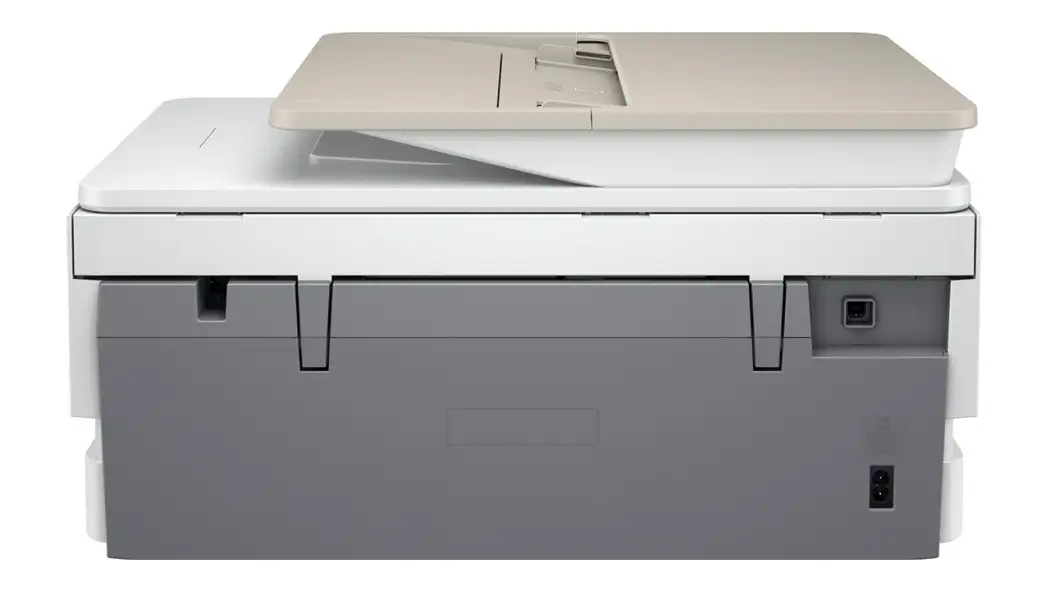
| Sleek design with dedicated photo tray | Long-term durability concerns with paper feed rollers |
| Easy setup process | Subscription ink model feels restrictive for some users |
Claims vs Reality
HP markets the ENVY Inspire 7958e as “best for active families” with premium cloud-connected HP+ features, 6 months of free Instant Ink, and vibrant photo reproduction “as vivid as they are on your screen.” On print quality, many users back this claim, particularly for photos. Amanda Harris wrote on Trustpilot: “True-to-screen color accuracy with both glossy and matte photo paper — prints look just like they do on my phone.”
However, Consumer Reports found a mismatch, noting, “Almost any other inkjet model prints better photos. Unlike most color printers, it can't print borderless photos.” This is a stark contrast to HP's own specs, which list borderless printing up to 8.5 x 11 inches as a feature. Digging deeper into user posts, some owners report successful borderless prints but only with specific paper sizes, suggesting inconsistent performance tied to settings or firmware updates.
Another claim is “easy wireless setup” with self-healing dual-band Wi-Fi. While many initial setups go smoothly, wireless stability is less reliable. A verified buyer on Amazon noted, “I had to disable 5GHz Wi-Fi just to keep it connected — otherwise it kept disappearing from the network.” Reddit discussions echo this, especially among Mac users who faced intermittent drops even on the same network.
Lastly, HP promotes “instant ink so you never run out” with optional subscription. While auto-shipped ink is convenient, limitations frustrate some. Several reviews warn that if Instant Ink lapses, cartridges deactivate even if they contain ink — requiring new originals to print again.
Cross-Platform Consensus
Universally Praised
Photo mode, when it works as intended, garners widespread praise. Home scrapbookers appreciate the dedicated photo tray and multiple print sizes like 5x5 and panoramic. Sharvibe’s Amanda Harris highlighted, “Customizable touchscreen shortcuts make photo projects effortless.” For parents printing school projects, the crisp text output matches entry-level laser performance, as Consumer Reports noted: “Text prints nearly as good as a laser printer.”
Automatic duplex printing is another win, saving paper and effort. Reddit user feedback suggests students benefit most, using the feature for double-sided lecture notes and drafts without manual flipping. Those who rely on mobile workflow — freelancers on the go — commend HP Smart app’s integration. On eBay, sellers even emphasize “easy multitasking - print, scan, copy from any device” as a selling point.
Common Complaints
Ink management is the product’s Achilles’ heel. Multiple platforms cite that printing halts when any cartridge color runs out — no fallback to black-only or remaining colors. This frustrates occasional users who may only need text documents but are forced to replace tricolor cartridges. The starter ink’s low yield exacerbates this; frequent users are advised to switch to XL cartridges or subscribe to Instant Ink early.
Connectivity issues create friction. Despite HP’s “self-healing” claim, several buyers describe network drops needing manual reconnection. These interruptions often mean re-running setup or reconnecting via USB temporarily, a workflow-killer for those needing urgent prints.
Divisive Features
The Instant Ink subscription sharply divides opinion. Heavy print households embrace the cost savings and hassle-free delivery. “XL cartridges plus Instant Ink save me tons,” said a verified buyer on Trustpilot. Conversely, low-volume users resent the lock-in: “If you’re not printing often, it’s just paying a monthly fee for ink you don’t use.”
On design, while sleekness and recycled plastic content earn approval, durability concerns arise. Long-term Reddit posts mention paper roller wear after 12-18 months, leading to misfeeds — a repair not easily done at home.
Trust & Reliability
Trustpilot data and Reddit discussions reveal no widespread scam patterns, but Instant Ink's activation-deactivation model sparks distrust. One Redditor warned, “Be careful — if your subscription lapses, your ink literally stops working, even half-full. Learned the hard way.” This isn't a quality defect but a business model effect.
Durability concerns are mostly mechanical, with paper feed rollers and occasional touchscreen lag cropping up after extended use. Still, many users run the printer for over a year without major hardware failure, suggesting consistent build quality if maintained.
Alternatives
While no specific competitors are mentioned in the provided data, Consumers Reports compares behavior to other HP ENVY Inspire models, stating the 7955e prints better photos, implying model-specific tuning could matter. Those wary of Instant Ink might opt for printers supporting third-party cartridges without firmware lockouts.
Price & Value
Market prices on eBay show fresh units around $180 + shipping, refurbished units at $85–$150, making second-hand buys tempting for budget-conscious buyers. The resale value holds moderately due to HP’s brand recognition and mainstream appeal, but Instant Ink lock-in may deter some second-hand purchasers. Community tips: buy XL cartridges early to avoid sticker shock and consider Instant Ink’s trial as a cost benchmark.
FAQ
Q: Can I print if one of the color cartridges is empty?
A: No. The printer stops if any cartridge is empty, regardless of remaining ink in other colors. This applies to both color and black ink.
Q: Does it support true borderless photo printing?
A: Official specs say yes up to 8.5x11", but user feedback shows mixed success depending on paper size and settings.
Q: Is the Instant Ink subscription required?
A: No, but HP+ benefits such as extended warranty require exclusive use of original HP cartridges; expired subscriptions deactivate Instant Ink-branded cartridges.
Q: How many sheets fit in the main tray?
A: Main input capacity is 125 sheets, with an additional 15-sheet photo tray.
Q: Will it connect to 5GHz Wi-Fi?
A: It supports both 2.4GHz and 5GHz, but several users recommend sticking to 2.4GHz for stability.
Final Verdict: Buy if you’re a home printer who values high-quality photo output, integrated mobile features, and don’t mind HP’s ink strategy. Avoid if you need occasional-only printing and want full control over cartridge brands. Pro tip from community: Use XL cartridges or commit to Instant Ink early for cost control — and lock your printer on 2.4GHz Wi-Fi to keep it online.