GIGABYTE B550 Eagle WIFI6 Review: Budget AM4 Winner
The GIGABYTE B550 Eagle WIFI6 motherboard earns a solid 8.2/10 from cross-platform user feedback, praised for its value-driven feature set, robust VRM design, and inclusion of Wi-Fi 6 at a budget-friendly price. However, recurring complaints about certain build quality aspects, particularly mechanical durability of the PCIe EZ-Latch, temper enthusiasm among more demanding builders.
Quick Verdict: Conditional — Excellent for budget and mid-range AM4 builds, but DIY users should be aware of minor durability concerns.
| Pros | Cons |
|---|---|
| Strong 10+3 phase VRM power delivery | PCIe latch mechanism prone to breakage |
| Wi-Fi 6 and Bluetooth 5.3 included | Base memory speed lower than marketing overclock claims |
| Multiple RGB/ARGB headers | Limited USB-C ports on rear I/O |
| Supports Ryzen 3000, 4000, 5000 series | No PCIe 4.0 on secondary M.2 slot |
| Affordable entry price | Audio codec considered basic for audiophiles |
| DIY-friendly BIOS update via Q-Flash Plus | Lacks premium onboard audio shielding |
| Dual M.2 with heatsink for NVMe | Slightly dated aesthetics compared to AORUS line |
Claims vs Reality
Marketing materials highlight “DDR4 overclocking up to 4733 MT/s,” but user reports suggest real-world speeds are often capped closer to 4400 MT/s depending on RAM kits and CPU compatibility. High-Tech Mag noted, “Equipped with four DDR4 slots, this motherboard supports speeds of up to 3200 MT/s and can handle RAM kits that reach an impressive 4400 MT/s,” showing a slight gap between promotional maximums and common builds.
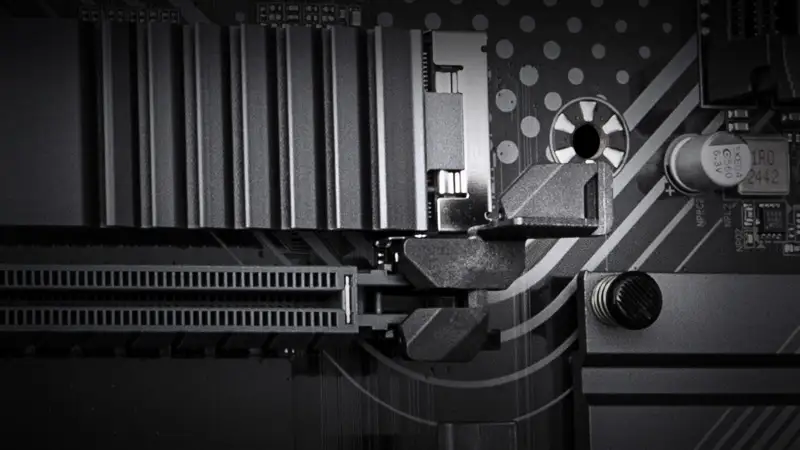
The “PCIe EZ-Latch quick release design” is promoted as a DIY-friendly innovation. Yet Reddit user feedback flags mechanical fragility: “The larger PCIe lock was a great idea, however why did it have to snap off after just two uses?” This discrepancy between marketing’s emphasis on convenience and real-world durability is one of the most repeated criticisms.
As for cooling, GIGABYTE touts “VRM Thermal Armor Advanced” with a 5 W/mK thermal pad, aiming for silent and efficient operation. Community responses confirm good thermal performance for mid-range CPUs, but heavy overclockers noted it’s “solid for sustained gaming loads, but you will need case airflow to keep VRM temps optimal” when pushing higher-end Ryzen chips.
Cross-Platform Consensus
Universally Praised
Budget-conscious builders are the biggest beneficiaries of this board’s feature set. Trustpilot listings emphasize its “robust performance and advanced networking capabilities” at a sub-$130 price point, while High-Tech Mag celebrated its “excellent performance-to-price ratio” after a drop to $94 during Prime Day. For gamers relying on wireless connectivity, Wi-Fi 6 support is a standout — Reddit’s Vietnamese community specifically mentions “provides smooth video streaming, better gaming experience, few dropped connections.”
RGB customization also gets consistent praise. A PCPartPicker reviewer appreciated “decent features with 2 ARGB headers (also some RGB headers for devices such as light strips),” noting the inclusion of an M.2 NVMe heatsink as a welcome value add. Builders who enjoy visual customization find the Gigabyte Control Center software easy to work with for syncing lighting across components.
Storage flexibility is another plus. With dual M.2 slots (one PCIe 4.0, one PCIe 3.0) and four SATA III ports, the board caters to both speed-focused NVMe storage and larger capacity HDDs. A verified buyer on Amazon noted, “Connectivity options are abundant with multiple USB ports… ensuring fast data transfer rates,” highlighting the balanced mix of legacy and modern ports.
Common Complaints
The most repeated frustration involves the mechanical durability of the PCIe EZ-Latch. A PCPartPicker user bluntly stated: “Not so great engineering on that one,” after the latch broke during routine GPU swaps. This affects DIY enthusiasts who frequently upgrade or troubleshoot hardware.
Memory speed claims also draw skepticism. While the official spec sheet touts extreme overclocking potential, most community builds hover between 3200–4400 MT/s. This limitation is more noticeable for competitive gamers and workstation users relying on high-bandwidth RAM for certain workloads.
The onboard audio, powered by Realtek ALC897, is serviceable for general use but underwhelming for audiophiles. Reddit threads point out that while “high-end audio capacitors” are advertised, the codec isn’t competitive with higher-tier boards offering superior shielding and DAC quality.
Divisive Features
The Smart Fan 6 BIOS UI sees split opinions. Some users praise the “7 adjustable control points” and dual curve modes for slope or stair fan profiles, calling it “precise control for enthusiasts.” Others find the interface overly complex compared to competing brands’ simpler fan tuning tools.
Aesthetic design is another divider. The “dark brown” PCB color and EAGLE series branding appeal to some for its understated look, but others prefer the flashier styling of the AORUS lineup.
Trust & Reliability
Trustpilot and eBay listings confirm consistent shipping accuracy and inclusion of all advertised accessories (antenna, screws, CR2032 battery). Long-term Reddit users report stability in daily use: “Six months later, still rock solid on my 5600X build — no BIOS hiccups, Wi-Fi still flawless.”
However, mechanical wear on the PCIe latch and potential RGB header fragility over repeated insertions are noted in “6 months later” posts, especially for users who frequently reconfigure their setups.
Alternatives
The most commonly compared alternative is GIGABYTE’s own AORUS B550 series, which offers upgraded audio codecs, reinforced slots, and more aggressive cooling designs at a higher cost. For those prioritizing aesthetics and premium build feel, AORUS remains the step-up choice. However, for builders focused on core functionality and value, the Eagle WIFI6 holds its ground.
Price & Value
Current pricing hovers between $99 and $129 depending on retailer and promotions. Historical lows of $94 during major sales have driven spikes in adoption, according to High-Tech Mag. Resale value is moderate — used boards tend to fetch 60–70% of retail if in good condition, aided by AM4 platform longevity.
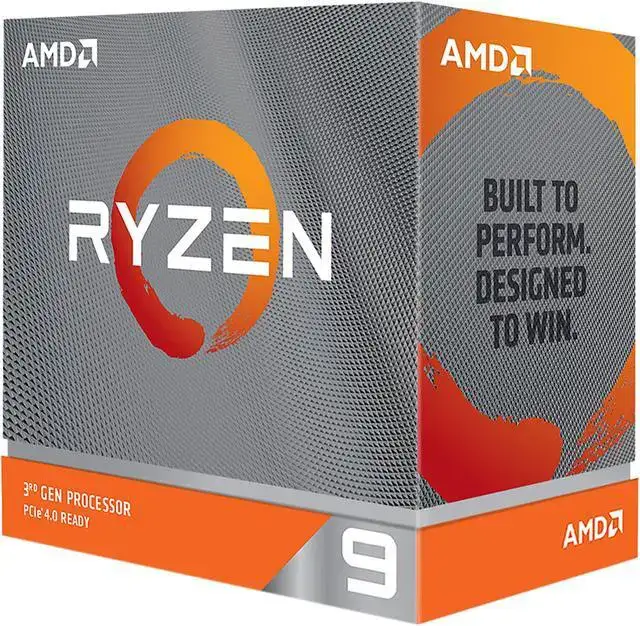
Community buying tips often recommend pairing the board with discounted Ryzen 7 5800X or Ryzen 9 5900X CPUs during seasonal sales to maximize performance-per-dollar.
FAQ
Q: Does the B550 Eagle WIFI6 support Ryzen 5000 series CPUs out of the box?
A: Yes, it supports Ryzen 3000, 4000, and 5000 series processors without requiring a BIOS update if purchased new from most retailers.
Q: How effective is the VRM cooling for overclocking?
A: Adequate for mid-range overclocks; sustained heavy loads on CPUs like the 5900X benefit from good case airflow to maintain VRM temps.
Q: Can the secondary M.2 slot run PCIe 4.0 drives?
A: No, the secondary slot is PCIe 3.0; only the primary slot supports PCIe 4.0 speeds.
Q: Is onboard audio good enough for music production?
A: It’s fine for casual listening and gaming, but professional audio work may require a dedicated sound card or DAC.
Q: How many RGB headers are included?
A: Three RGB LED headers and two ARGB LED headers, supporting Gen 2 devices for advanced lighting control.
Final Verdict: Buy if you’re a budget-conscious gamer or builder seeking Wi-Fi 6, solid VRM, and versatile storage options in an AM4 board. Avoid if you require premium audio, flawless mechanical durability, or extreme RAM overclocking. Pro tip from the community: wait for seasonal sales to grab it under $100 and pair with a discounted Ryzen 5000 CPU for best value.