Elgato Wave Neo USB Mic Review: Strong Audio, Risky Mute
The boldest complaint about the Elgato Wave Neo USB Condenser Microphone is also its most repeated one—the mute button, as PC Gamer put it, “is so big and bright… and so easy to set off… that it’s a bit devastating on this device.” Despite this flaw, the mic’s warm, clear sound and straightforward setup have helped it earn high marks across Amazon, Best Buy, and multiple tech review outlets. Verdict: 7.5/10. Great for casual use, risky for live streaming without vigilance.
Quick Verdict: Conditional buy
| Pros | Cons |
|---|---|
| Warm, clear vocal profile right out of the box | Oversensitive mute sensor triggers accidentally |
| Easy plug-and-play setup across devices | Stand assembly can be finicky and unstable |
| Elegant, compact design | No direct zero-latency mic monitoring without software |
| Solid build for price point | Picks up plosives if too close, flimsy pop filter |
| Great for meetings, calls, casual streaming | Limited on-device controls |
| Works with Elgato’s Wave Link software | No included phone adapter despite “phone-friendly” marketing |
Claims vs Reality
One of Elgato’s headline claims is “great audio made easy… sound professional without distortion.” Most users agree the Wave Neo delivers a pleasing, warm tone straight out of the box. Best Buy reviewer Tech Enthusiast 1 said it “delivers clear, detailed audio with excellent voice pickup and background noise rejection… the sound was clear and crisp” for Zoom calls and podcasts. However, Reddit tech reviewers noted it lacks “crispness and definition” compared to models like the Wave 3, meaning streamers seeking punchy broadcast sound may feel underwhelmed.
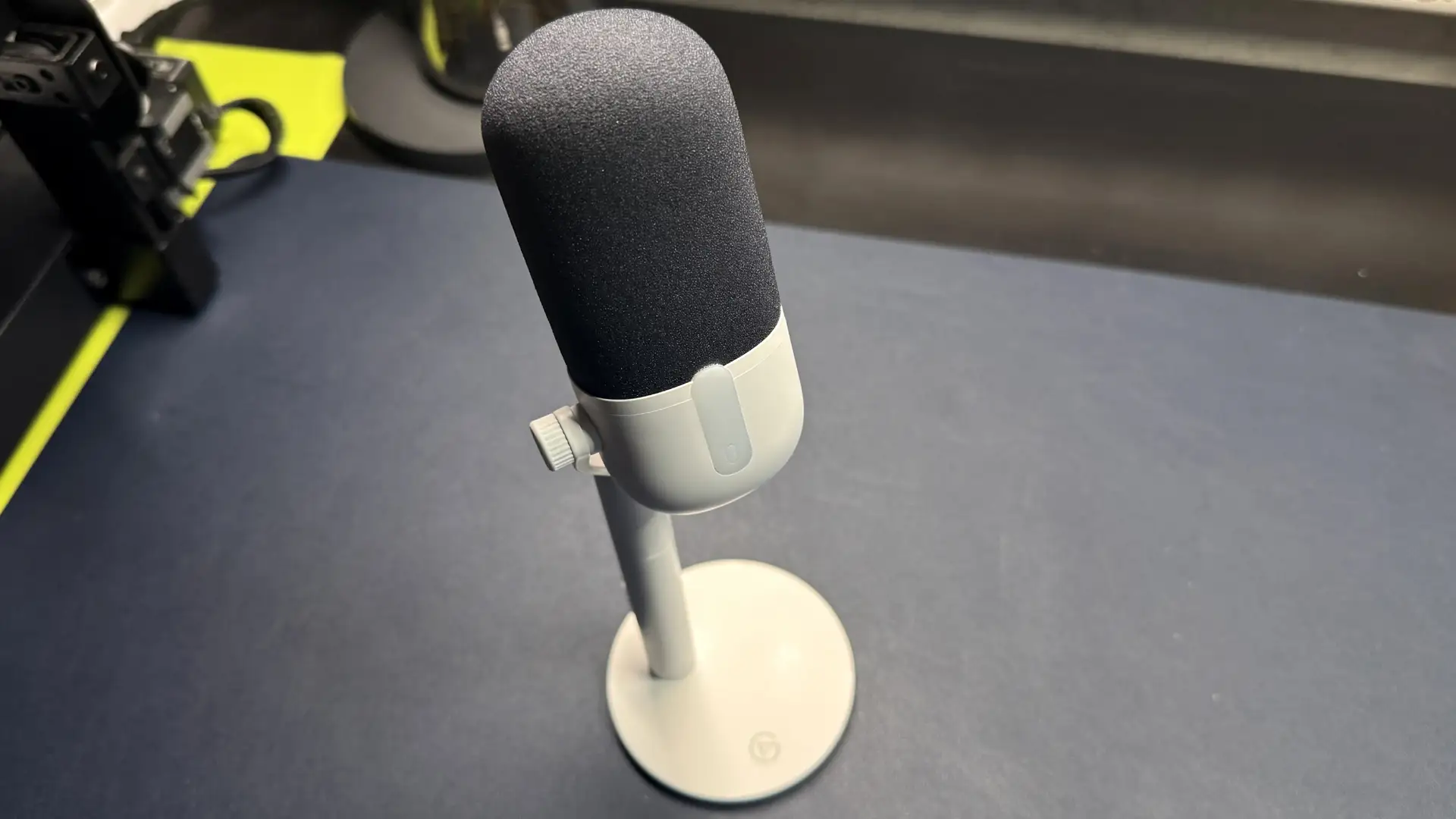
Another marketed win is its “tap-to-mute LED” for instant control—a feature that’s instead the source of frequent user frustration. PC Gamer’s Hope Corrigan described being muted “by myself, its cable, other devices’ cables, and maybe even a ghost” during tests, pointing out the sensor area extends beyond the LED, making accidental triggers common. This contradicts Elgato’s framing of the button as a convenience boost.
Elgato also promotes “works with laptops, iPads, PS5, and even iPhones,” but the in-box cable is USB-C to USB-A, requiring extra adapters for mobile devices. Tom’s Hardware criticized that “it doesn’t come with adapters despite being touted as phone-friendly,” and many buyers on Best Buy echoed frustration at needing separate purchases for basic compatibility.
Cross-Platform Consensus

Universally Praised
Across Amazon and Best Buy, buyers praised the quick setup that requires no drivers or tuning for basic use. “Plug and play with most devices,” PC Gamer confirmed, noting it even worked instantly with a phone. Office users benefit most—Johng shared, “I bought this for Teams calls… the tap-to-mute feature is perfect. No complaints.” The warm default EQ was seen as natural and friendly for meetings and casual streaming, with Uwez reporting that audiences said his voice sounded “natural with just enough bass and treble.” The compact design is another plus for small desks; James liked that “space is at a premium… the small base fits between my keyboard and laptop.”
Common Complaints
The mute sensor oversensitivity dominates criticisms. From live streamers to podcasters, the risk of unintentionally muting mid-broadcast was seen as unacceptable. PC Gamer labeled it the main reason they “wouldn’t recommend this mic to streamers.” This issue is compounded by the stand’s stability problems; Tom’s Hardware described the riser-and-arm design as “finicky… the mic wobbles” and comes apart when moved. Best Buy reviewer Bruce agreed, noting “with the mic extender connected… sometimes the bottom half comes off” when lifting the microphone.
Plosive handling and background noise pickup also surfaced as frustrations. Tom’s Hardware found that sitting closer than six inches caused plosives to “reverberate through the whole mic,” and multiple buyers mentioned needing Elgato’s Wave Link software with noise suppression enabled to combat fan and room noise.
Divisive Features
Some applauded the slim pop filter for not crowding desk space, while others found it “flimsy” and prone to letting through breath sounds. The headphone jack is another mixed bag—Elgato markets it as “zero-delay listening,” but without direct mic monitoring, it’s limited to system audio unless software is involved. For meeting participants, this isn't an issue, but streamers compared it unfavorably to mics offering hardware monitoring.
Trust & Reliability
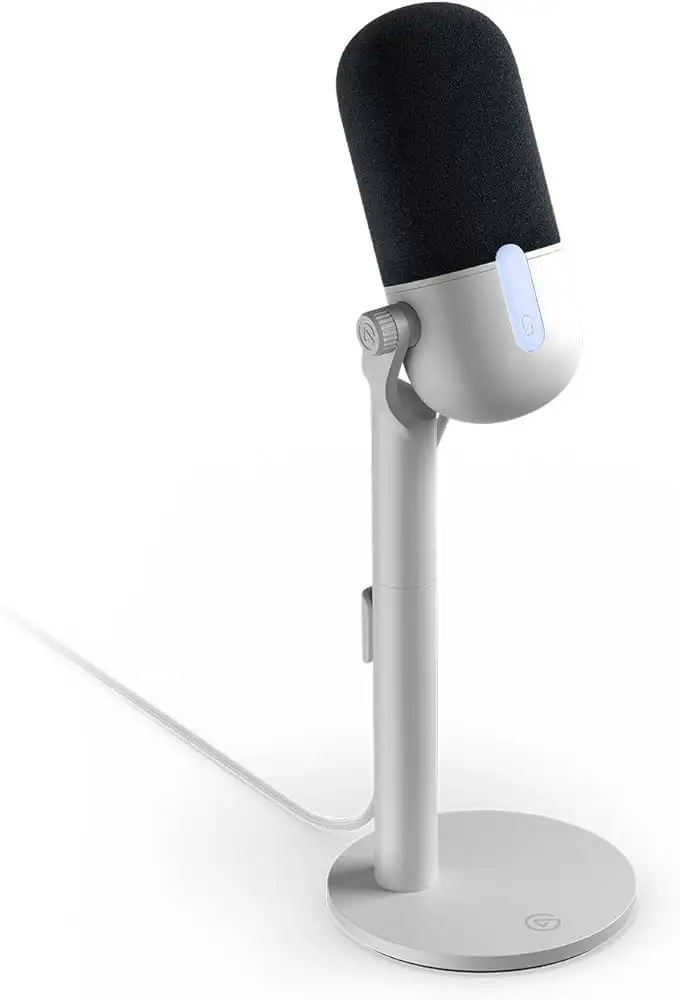
In terms of build trust, there’s no significant scam pattern—buyers consistently receive the product as described. Durability perceptions are solid for the casing and base, with BH Turnow calling it “excellent build quality… nice and heavy stand.” However, recurring stand wobble hints at a design oversight that could affect longevity if frequently repositioned. Some long-term users on Reddit and Best Buy maintained satisfaction after months, using it daily for PC gaming or conferencing without degradation in audio. Still, those handling it often report the detachable riser adds unneeded complexity.
Alternatives
The Logitech Yeti Orb appears in nearly every comparative review. Tom’s Hardware chose it over the Wave Neo “in almost every situation” at $60, praising its construction and sound while accepting its lack of on-mic controls. PC Gamer stressed streamers should consider upgrading to the Elgato Wave 3 for “clarity and punchiness” plus on-device gain controls, often found on sale for $120—especially if already in the Elgato ecosystem.
For high-resolution recording at 96 kHz/24-bit, the Wave Neo matches the pricier HyperX Duocast, which Tom’s Hardware noted can be found “for just over $60” during sales. But reviewers caution that most content creation doesn’t benefit from such specs, making the Neo’s advantage here marginal.
Price & Value
At its $89.99 MSRP, the Wave Neo is positioned as Elgato’s cheapest mic, but community buyers often wait for discounts to $65–$72. Tech reviewers argue that at full price, better-value options exist. Resale value is modest—its mid-range positioning doesn’t spark collector interest, so used units trend under $50. Best Buy reviewers recommend bundling with other Neo products for discounts; PC Gamer noted these bundles “drop the overall price” enough to make sense if syncing with Elgato lighting or Stream Deck hardware.
FAQ
Q: Does the Elgato Wave Neo work on phones and tablets?
A: Yes, but you’ll need an adapter. It ships with a USB-C to USB-A cable, so connecting to devices without USB-A requires buying separately.
Q: Can the mute button be disabled?
A: Not via hardware—only through software by muting in Wave Link or another audio program. Physical sensor deactivation isn’t supported.
Q: Is the headphone jack true zero-latency monitoring?
A: Not directly. It plays system audio instantly, but mic monitoring through this port requires software, introducing slight latency.
Q: How stable is the included stand?
A: Functional, but users report wobbling and detachment if moved often. Desk-bound setups are less affected.
Q: Does it need Elgato’s Wave Link software?
A: No, it’s plug-and-play for basic use. Software enables gain control, EQ, noise suppression, and mic monitoring.
Final Verdict: Buy if you’re a remote worker or casual streamer wanting warm, easy audio without adjusting knobs; avoid if you’re a live broadcaster who can’t risk surprise mutes. Pro tip from the community: keep the mute LED brightness high—it’s easier to catch accidental triggers in real time.