Elgato Prompter Review: Strong Hardware, Flawed Software
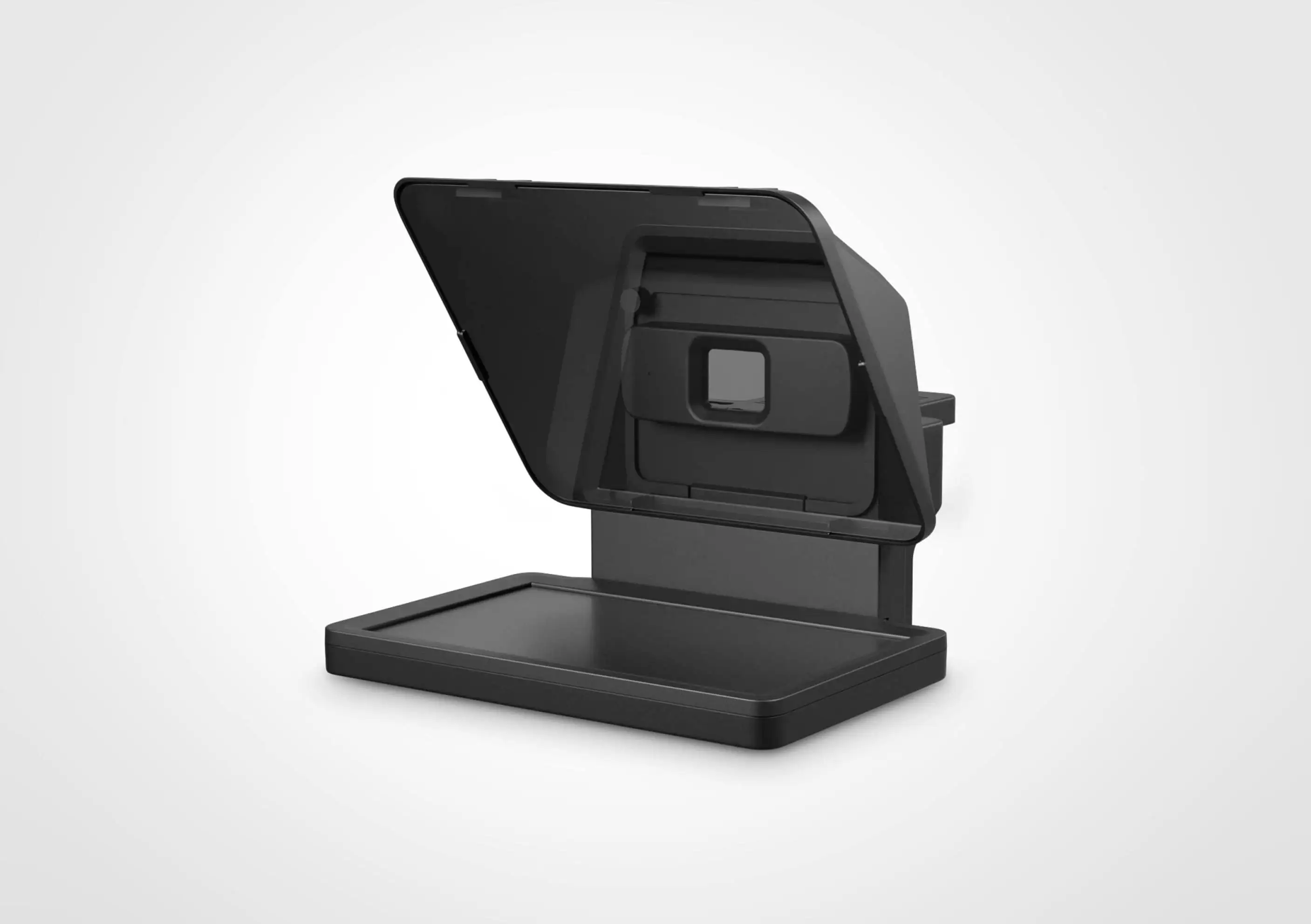
The Elgato Prompter with Built-in Screen has ignited strong reactions across creator communities, with a verdict leaning toward an 8/10 score. While many users hail it as a “game changer” for streaming, YouTube, and professional video conferencing, recurring software glitches and compatibility quirks—especially with macOS—prevent it from being a flawless win. Digging deeper into cross-platform reports, it becomes clear that the hardware design meets or exceeds expectations, but the bundled software is not yet living up to the same standard.
Quick Verdict: Conditional buy for creators who value integrated hardware simplicity and wide camera compatibility, but be prepared for possible software troubleshooting.
| Pros | Cons |
|---|---|
| Built-in 9" display eliminates need for tablets | Software glitches and occasional instability |
| Wide camera compatibility with included adapters | No desk mount included despite high price |
| Voice sync feature for natural scrolling | Must remain connected to PC/Mac; not standalone |
| Functions as second monitor for apps/chat | macOS users report connectivity issues |
| Lightweight and easy lens mounting | Screen size may be too small for larger productions |
| Stream Deck integration for control | No true “off” switch—must unplug to power down |
Claims vs Reality
One of Elgato’s boldest claims is that the Prompter “works with more cameras than any other” teleprompter. Marketing emphasizes its universal bracket and nine included step-up rings. Verified buyers on Amazon confirm this versatility: “Love its compatibility with just about every camera, making it perfect for my webcam.” However, others point out limits—Best Buy users note that ultra-wide lenses beyond 20mm FFE can create issues, and some were frustrated Elgato did not include a backplate for the standard Facecam despite making one for the Facecam Pro.
Another major pitch is the “voice sync” auto-scrolling tied to your speech. While some Best Buy reviewers rave—“The text flows as you speak… keeping the right text on screen vs getting behind”—others struggled to get it working. One 2-star reviewer said, “It would not recognize the words I was saying and scroll the text,” suggesting the feature may depend heavily on mic setup and environment.
Elgato also promotes the Prompter as “simple setup” with a single USB-C cable, no phones or tablets needed. Reddit and Trustpilot feedback largely supports this, with one Trustpilot user noting, “Set up was surprisingly simple… came with all the adapters I needed.” But this clashes with multiple Best Buy reviews describing extensive driver downloads, computer setting changes, and even customer service calls before it would function.
Cross-Platform Consensus
Universally Praised
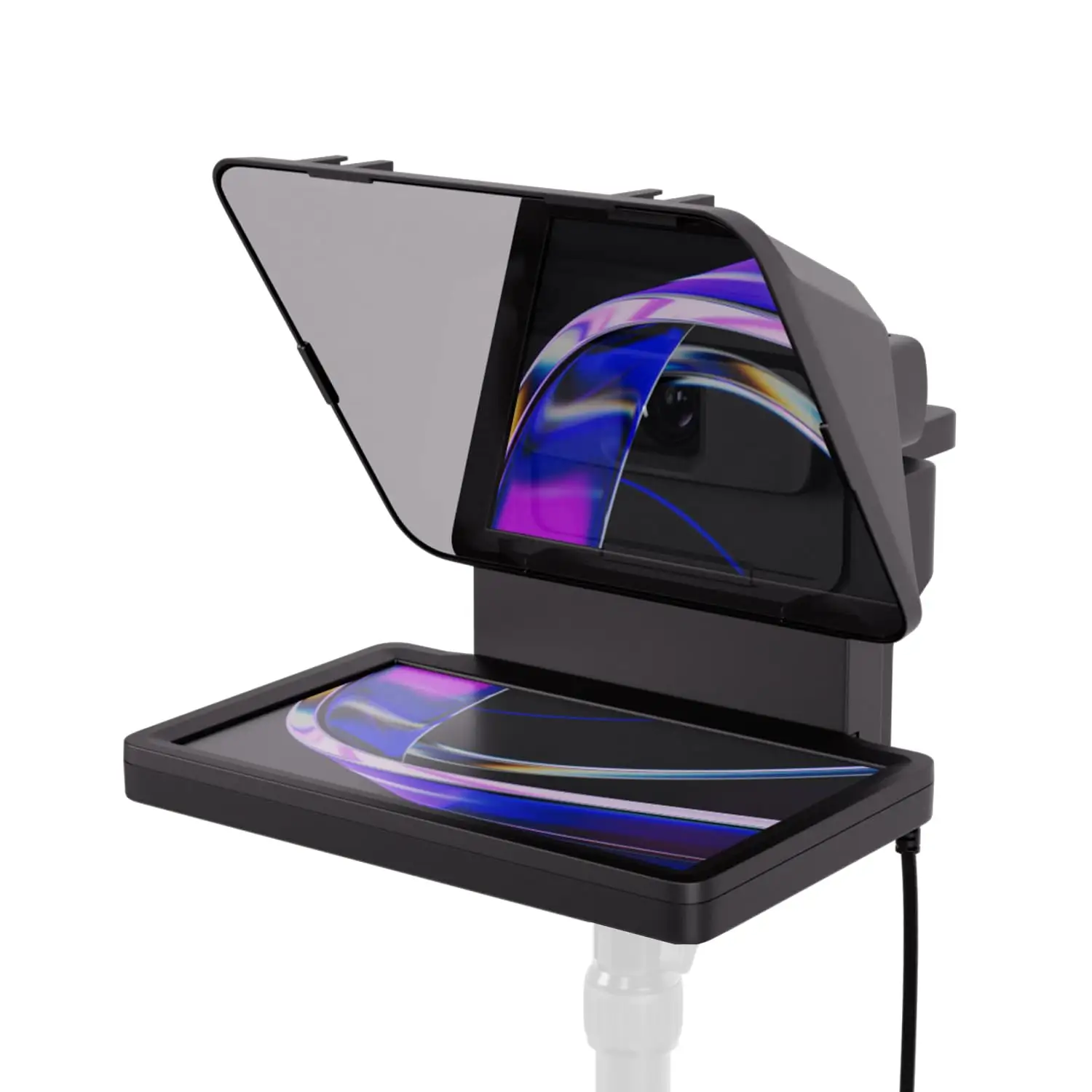
Across Amazon, Reddit, and Trustpilot, creators consistently praise the integrated 9" screen for reducing clutter. A verified buyer on Amazon noted, “No extra tablets or smartphone screens required… move any window or app onto Prompter’s display, just like a monitor.” This proves especially valuable for streamers who can embed Twitch chat directly in the beam splitter glass while maintaining eye contact. Trustpilot comments reinforce the impact: “Keeping eye contact with the camera is effortless since the text is right where you’re looking.”
The hardware’s compatibility is another recurring highlight. Between DSLR, mirrorless, webcams, and smartphones, the included backplates and step-up rings make it flexible. A Best Buy reviewer shared, “Works great with my Stream Deck for scrolling and toggling windows,” illustrating how integration with other Elgato products streamlines workflow. Reddit posts also point to its use in virtual meetings, making interactions “almost like the real thing.”
Lightweight design—only 1.52 lbs—earns praise from mobile creators. Tom’s Guide reported setup in “under 30 seconds” compared to 10–15 minutes for traditional teleprompters, a boon for those who shoot frequently in small studios.
Common Complaints
Software emerges as the most consistent pain point. Best Buy and Twitter/X reviews mention jittery text input, inability to turn the device fully off via software, and macOS connection instability. One frustrated Best Buy customer wrote, “Camera Hub is terrible… scrolling is not smooth, it jitters and it’s unpleasant.” Another described having to unplug all peripherals and restart their Mac multiple times for it to initialize.
Hardware omissions also irk buyers. Despite the $279–$299 price tag, there’s no desk mount included. “You should be able to include a desk mount,” one Best Buy reviewer argued, after struggling to fit the unit behind their monitor without extra gear.
Screen size divides opinion. While many find the 9" display adequate for small setups, Tom’s Guide cautioned it may be “too small for larger productions,” and Best Buy users echoed that “the screen is a tad small but it will get you by.”
Divisive Features
The voice sync function splits the community. For some, it’s transformative—keeping scripts perfectly aligned to speech pace. For others, it fails to detect or scroll reliably. Hardware build quality also divides opinion: Trustpilot users call it “compact and sturdy,” while ReverbZone described it as “lightweight and all plastic… feels a bit fragile.”
Trust & Reliability
Trustpilot sentiment is overwhelmingly positive for the hardware, with multiple reviewers calling it “basically perfect” compared to other teleprompters they’ve used. However, reliability concerns surface for macOS users. A detailed Best Buy complaint accused the company of “misleading and problematic” Mac compatibility, citing repeated failures to initialize unless peripherals were unplugged.
Long-term durability data is sparse, but early adopters on Reddit suggest the hardware maintains its performance over weeks of use, with software updates gradually reducing glitches. Still, the inability to completely power down without unplugging remains unsolved months after launch.
Alternatives
While no competing products are named extensively in user data, Tom’s Guide compares the Prompter favorably to a Neewer teleprompter, noting Elgato’s version is “less bulky” and requires “seconds to setup” versus minutes. The integrated display gives it an edge over classic designs that require tablets or smartphones, though larger productions may still prefer those for bigger screen real estate.
Price & Value
At $279.99–$299.99, community consensus sees the Prompter as worth the investment for creators who will use it regularly. Trustpilot reviewers argue that under $300 for a fully integrated teleprompter “is almost like a typo” given its feature set. However, resale value on eBay appears modest, with a recent sale at $250 plus shipping, suggesting only slight depreciation for new units.
Buying tips from users include pairing with a Stream Deck for maximum efficiency and ensuring your camera’s lens size matches the included step-up rings to avoid compatibility issues.
FAQ
Q: Does the Elgato Prompter work with ultra-wide lenses?
A: Yes, up to approximately 20mm focal length equivalent, but users note some vignetting risks depending on lens and backplate combination.
Q: Can you use the Prompter without a computer?
A: No. It requires a PC or Mac connection via USB-C for both power and display; it cannot operate standalone.
Q: Is voice sync reliable?
A: Mixed reports—some find it perfectly matched to their speech, others struggle with misdetection and scrolling issues.
Q: Does it come with a mount?
A: No desk mount is included. You’ll need your own tripod or mounting solution.
Q: How easy is setup on macOS?
A: While marketed as compatible, some macOS users report needing extensive troubleshooting and peripheral disconnection to get it working.
Final Verdict: Buy if you’re a streamer, YouTuber, or remote professional seeking an all-in-one teleprompter with second-screen flexibility and wide camera support. Avoid if you need a larger display or have zero tolerance for software troubleshooting—especially on macOS. Pro tip from the community: Pair it with a Stream Deck for effortless in-shoot control and maximize its utility beyond just scripts.