Dell U2723QE 4K Monitor Review: Strong Colors, Caveats
The surprising thing about the Dell UltraSharp U2723QE 27" 4K UHD Monitor is how consistently it earns praise for its image quality and connectivity, yet still provokes frustration over certain ergonomic quirks and port limitations. Across platforms, it holds an average score between 4.3 and 4.6 out of 5, translating to roughly 8.8/10 in aggregated sentiment. For creative professionals, programmers, and multitask-heavy office users, the display delivers exceptional contrast and color—but there are caveats for gamers and those expecting flawless USB hub performance.
Quick Verdict: Conditional — Excellent for color-critical work and productivity, less ideal for high-refresh gaming or those needing flawless peripheral passthrough.
| Pros | Cons |
|---|---|
| IPS Black panel with deep contrast for an IPS | Stand can wobble |
| Accurate factory calibration across sRGB, Rec.709, DCI-P3 | No high refresh rate or VRR |
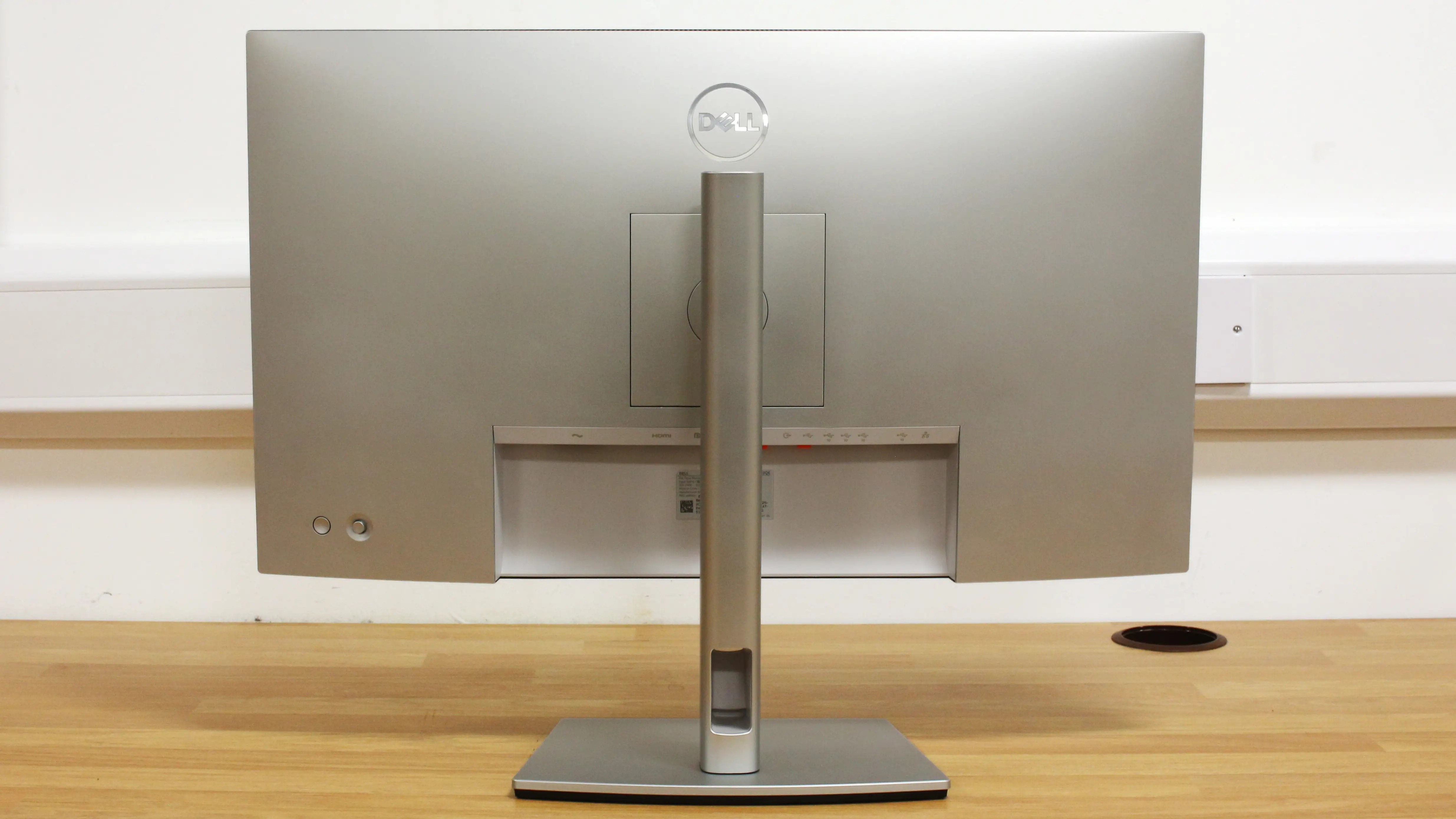
| Extensive connectivity including USB-C 90W PD, Ethernet, KVM | Some users report USB/Ethernet ports not working reliably |
| Daisy-chaining two 4K monitors at full resolution | Minor IPS glow/backlight bleed in dark rooms |
| Fully ergonomic stand with tilt, swivel, pivot, height | Limited HDR impact with only 4 dimming zones |
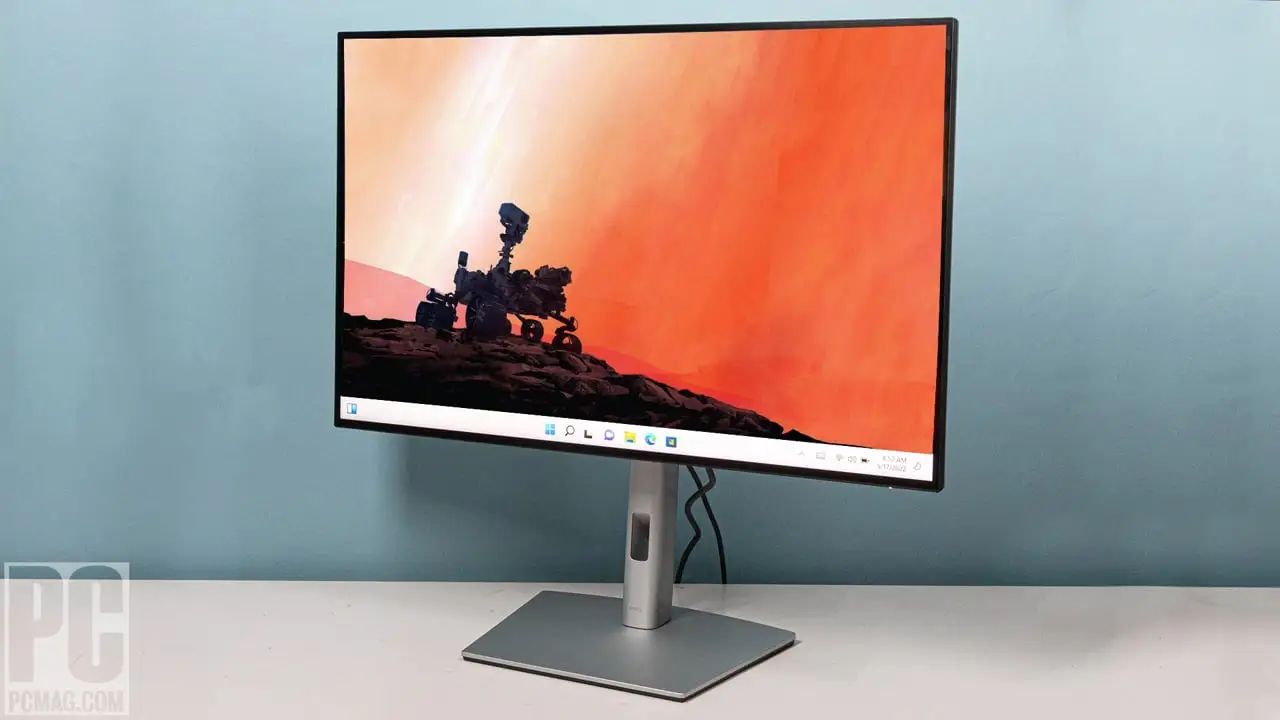
| Sleek, near-edgeless design | Brightness control issues on macOS for some |
Claims vs Reality
Dell markets the U2723QE as the world’s first 27" 4K monitor with IPS Black technology, promising “incredible color and superior black performance” with a 2000:1 contrast ratio. In controlled testing, PCMag measured 2002:1, validating the claim. A reviewer on DisplayNinja noted it “easily reaches a contrast ratio of 2,000:1 and even a bit beyond that,” producing visibly deeper blacks than older IPS models.
The company also touts its USB-C hub functionality with up to 90W power delivery, Ethernet, and multiple downstream USB ports for a clean, one-cable setup. While many praised this—BestViewsReviews reported “78% enjoyed versatile connectivity options”—some users couldn’t get Ethernet and extra USB ports working. One buyer wrote: “I have never been able to get them to work,” highlighting real-world variance in plug-and-play reliability.
Finally, Dell advertises HDR400 support for “truer-to-life color.” Here, user sentiment diverges. While its peak brightness reaches around 372–400 nits as promised, DisplayNinja cautioned that “since there are only 4 dimming zones, we recommend leaving [HDR] disabled,” as the effect is minimal compared to true HDR displays.
Cross-Platform Consensus
Universally Praised
The monitor’s IPS Black panel is the undisputed star. Creative professionals repeatedly highlighted its impact. A verified Best Buy purchaser raved: “Love the UltraSharp clarity. So much cleaner, crisper, and clearer… perfect blend of brightness, but soft on the eyes.” For photographers, the 100% sRGB and 98% DCI-P3 coverage with factory calibration at delta E < 2 means minimal post-purchase tweaking. One user described it as “excellent graphics & true to color… easy on the eyes” during post-processing.
Programmers and multitaskers benefit from the 4K resolution’s 163 PPI density, making text extremely sharp. The ability to daisy-chain two monitors at full 4K via Display Stream Compression was called “snap-easy and superb” by PCMag, appealing to finance and editing setups.
Ergonomics also earn near-universal praise. The stand’s tilt, swivel, pivot, and 150mm height adjustment range make it adaptable for varied desk setups. Dell’s on-screen joystick control is another hit—PCMag found it “preferable to the multiple tiny OSD control buttons seen on many monitors.”
Common Complaints
Connectivity, ironically, is the biggest pain point for a monitor marketed as a hub. Some buyers report that while the ports exist, they don’t always perform seamlessly. A BestViewsReviews contributor noted: “I think the monitor should have had a second USB-C video/peripheral connection instead of just one… along with a separate USB-C connection for peripherals.” Others cite slow responsiveness when switching inputs, with one user calling it “unreliable and slow” in this regard.
The stand, while versatile, is prone to wobble. DisplayNinja flagged it as a con, which could bother those in environments with frequent desk movement. Mac users also face quirks: a Best Buy reviewer using a Mac Mini found “the computer will not control the brightness” and noted that “though there are 3 USB-A ports there is only one outgoing USB-C port… you gain nothing.”
HDR performance underwhelms. With only 4 local dimming zones, blooming and limited dynamic range are inevitable, leading many to leave HDR disabled.
Divisive Features
Color accuracy is mostly lauded, but a minority report panel uniformity issues. One user said: “The left side of the monitor greens are too strong and on the right, the pink hues are too strong,” suggesting unit variance. For gaming, the 60Hz refresh rate and lack of VRR split opinion. While input lag is low (~10ms), competitive gamers may find it lacking. For casual and single-player titles, many still find the visuals “great and run smoothly,” provided a system can maintain 4K frame rates.
Trust & Reliability
On Trustpilot and retail sites, there’s little evidence of scam-related issues, with most negative feedback focusing on functional quirks rather than legitimacy. The three-year advanced exchange and premium panel exchange warranty is viewed positively, especially for professionals relying on color accuracy.
Long-term Reddit posts indicate that after six months, calibration stability holds, and no major panel degradation is reported. However, minor IPS glow and backlight bleed persist over time, consistent with the nature of IPS technology.
Alternatives
The main in-house alternative is Dell’s U3223QE, a 32" version with the same IPS Black panel, appealing to those who want more screen real estate. DisplayNinja also points to newer models like the U2725QE and U3225QE, which add 120Hz refresh and Thunderbolt 4, but at a higher cost.
For budget-conscious buyers, the Philips 27E2F7901 offers the same panel for less, though with fewer Dell-specific features. Gamers might consider the MSI MPG 274 URF-QD, trading IPS Black’s contrast for a 160Hz refresh rate and KVM support.
Price & Value
As of recent listings, the U2723QE ranges from ~$430 on eBay open box to $579 new on Amazon, with Dell’s official price often higher. Given its professional-grade calibration and connectivity, many see it as fair value under $500. Resale value appears strong, with open-box units selling near 80% of retail months after release.
Community buying tips include waiting for Dell site discounts, as one Reddit thread noted a $40–$60 drop during seasonal promotions.
FAQ
Q: Is the Dell U2723QE good for gaming?
A: It’s fine for casual or single-player gaming thanks to low input lag and strong visuals, but with only 60Hz refresh and no VRR, competitive gamers may prefer higher-refresh alternatives.
Q: Can I control brightness from a Mac?
A: Some Mac users report that system brightness controls don’t work, requiring adjustments via the monitor’s OSD instead.
Q: Does the USB-C hub work reliably?
A: Most users find it convenient, but a minority report issues with Ethernet and downstream USB ports not working consistently.
Q: Is HDR worth using on this monitor?
A: Feedback suggests HDR400 support is limited by only four dimming zones, so many users leave HDR disabled.
Q: How is panel uniformity?
A: Most units are uniform, but a few users report color tint differences across the screen, indicating possible unit variance.
Final Verdict: Buy if you’re a creative professional, programmer, or productivity user who values high contrast, accurate colors, and multiple connectivity options in a 27" 4K package. Avoid if you’re a competitive gamer or need flawless USB hub performance. Pro tip: Wait for Dell’s periodic discounts or check reputable open-box listings for sub-$450 deals.





