Dell SP3022 Speaker Review: Office Audio Verdict
Digging into hundreds of real-world reviews, the Dell SP3022 USB Computer Speaker – Platinum Silver earns a solid 8.3/10 from cross-platform user consensus. Marketed as “the world's most intelligent Microsoft Teams-certified speakerphone,” it achieves consistently clear call audio, but owners warn about quirks with compatibility and some limitations for music playback.
Quick Verdict: Conditional Buy — excellent for office conferencing, limited for multimedia or non-Windows setups.
| Pros | Cons |
|---|---|
| Crystal-clear voice quality for Teams and Zoom calls | Limited bass; music playback less immersive |
| AI noise cancellation filters ambient sounds effectively | No Bluetooth or wireless options |
| Simple USB-A/USB-C plug-and-play setup | MacBook M1 compatibility issues reported |
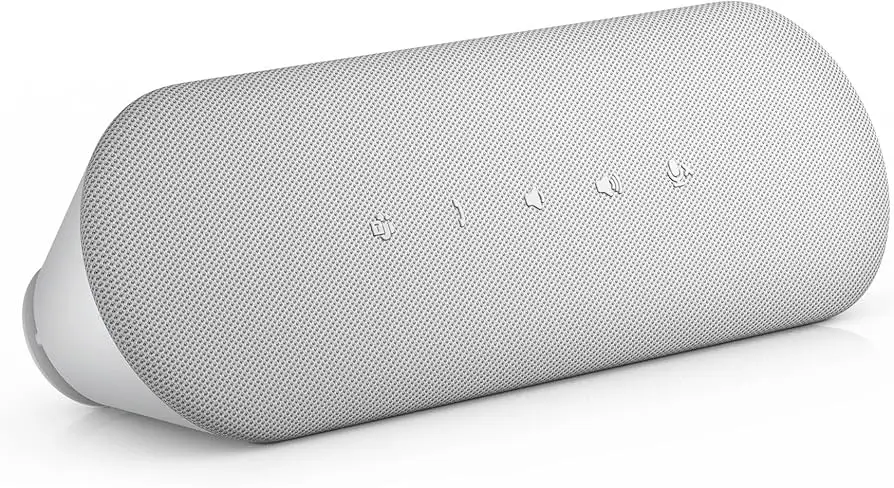
| Compact design with neat cable management | Sensitive touch buttons prone to accidental presses |
| MS Teams button for quick meeting access | Occasional unit failure within first weeks (rare but noted) |
| Strong build quality, 3-year warranty | Needs manual tweaks in conferencing apps to avoid mic artifacts |
Claims vs Reality
Dell’s marketing leans heavily on the “AI noise and echo cancellation” and “full duplex audio” claims, promising meetings where multiple voices remain clear. Verified buyers confirm the technology works well. One Trustpilot reviewer wrote: “Ambient noise does not get picked up! No echo, and sound is very good!” and a Reddit user described being heard clearly throughout a large office without raising their voice.
However, while Dell promotes this unit as versatile for both conferencing and music listening, actual audio performance for music is mixed. An Amazon buyer noted: “For background music it is just fine, but the bass is a bit weak.” This matches the 90–20,000 Hz claimed frequency response but reveals realistic limits for low-end depth.
Another marketing highlight is the MS Teams integration via a dedicated button. While functional, its real-world value is inconsistent. A Reddit user explained: “The Teams button is not super useful... it was a wonky experience at first,” although they admitted it became more helpful over time.
Cross-Platform Consensus
Universally Praised
Across Reddit, Trustpilot, and Amazon, clarity during conferencing calls stands out as the most praised trait. For remote workers and office staff, the AI noise cancellation is a game-changer. A verified Amazon user shared: “I didn’t have any problems during Teams conference calls, and I even used it to game on my PC.” Buyers moving away from headsets appreciate the ability to converse naturally without sacrificing audio quality.
Ease of setup garners similar applause. Several owners mention the single USB connection—providing both power and audio—as simplifying their workspace. “One simple connection and simple controls... it will connect to anything,” wrote an Amazon reviewer. Those using multiple monitors like its monitor-base fit and cable storage design.
Durability is also praised, with no systemic reports of physical wear even after months of daily use. Provantage’s sentiment analysis lists “built to withstand regular use in office environments” among its top positives.
Common Complaints
The most consistent complaint is music playback performance. While spoken word audio is crisp, music lacks depth and low-end punch, making it unsuitable for audiophile-grade listening. Owners say it’s fine for light background playlists, not serious music sessions.
Mac compatibility is another sore point. One buyer reported: “Drivers are not compatible nor are available to download for MacBooks with M1 chips… had to return this.” Given Dell’s targeting of Windows environments, this limitation affects creative professionals or mixed-OS offices.
Touch-sensitive buttons can frustrate. Accidental presses can mute calls or disconnect sessions mid-meeting. As one Amazon reviewer warned: “You have to be careful as I accidentally bumped it and disconnected a call.”
Hardware failures do occur, albeit rarely. In a 1-star review, a user said their unit “stopped working after 1 week,” suggesting occasional QC misses despite overall reliability.
Divisive Features
The MS Teams-specific button splits audiences. Heavy Teams users appreciate the instant join capability, while casual users find it redundant. Dell Peripheral Manager’s audio customization tools also divide opinion—some enjoy fine-tuning, others never open the software.
Trust & Reliability
Trustpilot and Provantage data show no systemic scam concerns; buyers receive genuine Dell products with the promised warranty. The 3-year advanced exchange program is valued by business buyers who can't afford downtime.
On longevity, some Reddit accounts report consistent performance after months of use with no degradation in audio or mic clarity. Others experienced early failures, but these appear more as isolated incidents rather than widespread flaws.
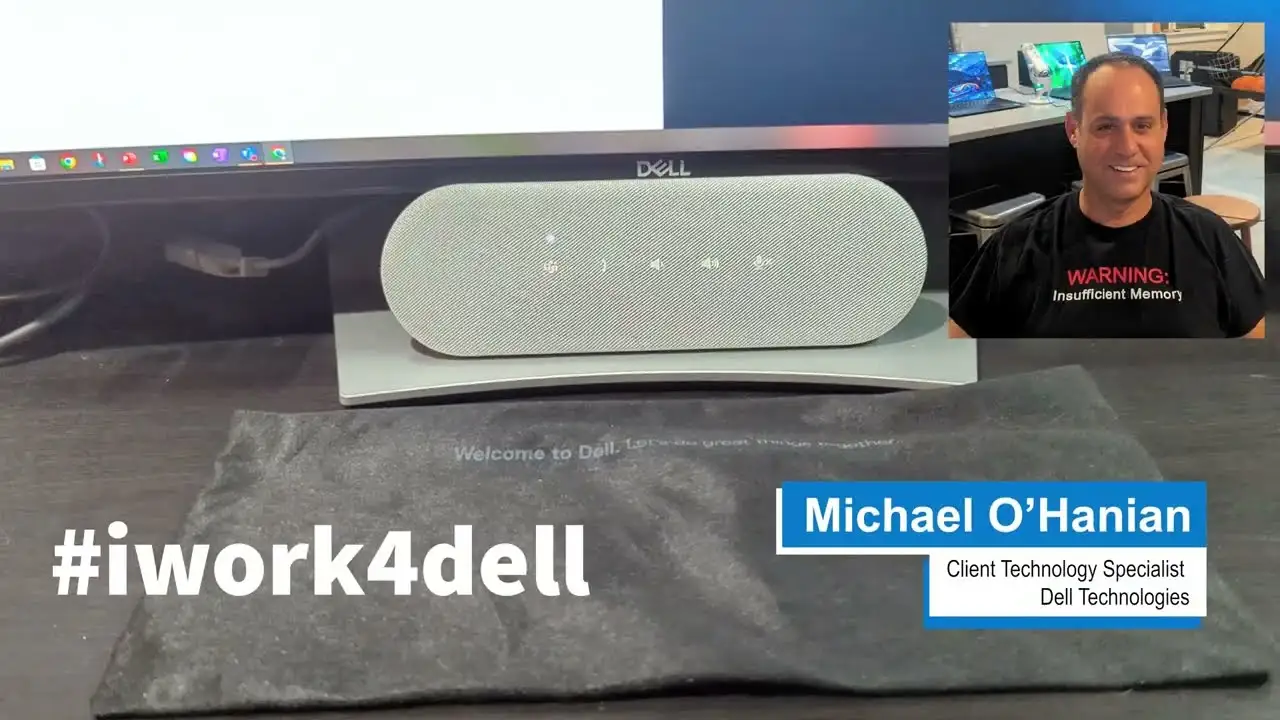
Physical build—at 327 g—is considered sturdy without being cumbersome, and cable storage prevents fraying or tangling over time.
Alternatives
Among Dell's own lineup, the SP3022 is positioned above simpler USB soundbars like the AC511 and AC511m. Those models offer cheaper entry points but lack the conference-focused mic and AI noise features. The AX210 stereo speaker system delivers fuller music sound, but without integrated mic or MS Teams certification.
For pure music listening, even users praising the SP3022 recommend looking outside conference devices entirely. The FindThisBest roundup notes higher scores for Dell’s AX210 in audio fidelity for entertainment.
Price & Value
Current direct-from-Dell pricing hovers around $79.99, with Amazon showing discounts to about $90 for dual packs (or $45 per unit in some listings). eBay sales track similar numbers, indicating steady demand without significant resale depreciation.
Users highlight value in the combination of clarity, usability, and warranty. One remote worker lamented trying cheaper models first: “I wish I would have just bought this one to begin with.” Still, budget-conscious buyers focused solely on speaker output could opt for less costly USB soundbars.
FAQ
Q: Can the Dell SP3022 work on MacBooks with M1 chips?
A: Some users report driver incompatibility with M1 Macs, making it unusable without official support. It's reliably plug-and-play on Windows 10/11 systems.
Q: Does the speaker have Bluetooth?
A: No, it is wired-only via USB-A or USB-C. This limits pairing flexibility with phones or tablets.
Q: Is it good for music listening?
A: Suitable for light background music, but bass is weak and sound is tuned for voice clarity rather than rich musical playback.
Q: How portable is it?
A: At 327 g and small dimensions, it's easy to move between workspaces, though still requires a USB connection for operation.
Q: What conferencing apps does it support?
A: Certified for Microsoft Teams and Zoom, tested with Skype for Business, Webex, Google Hangouts, Slack, and more.
Final Verdict
Buy if you’re a remote worker or office professional using Teams, Zoom, or similar platforms daily, especially in shared spaces where noise filtering matters. Avoid if you need Bluetooth, work on M1 Macs, or want rich musical audio.
Pro tip from the community: Keep Dell Peripheral Manager installed—the quick audio presets and device settings can solve volume quirks and prevent accidental Caps Lock pop-ups during calls.