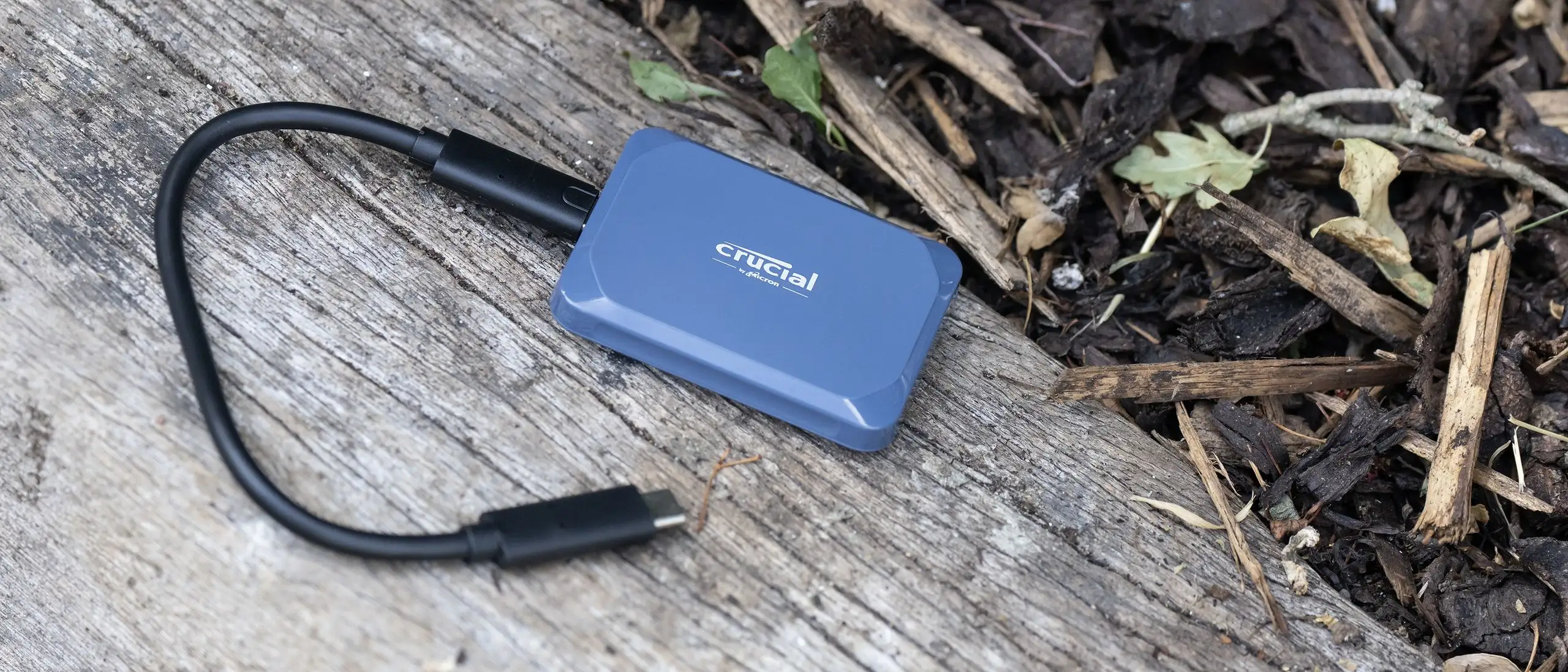
Crucial X10 4TB SSD Review: Fast Yet Heat-Sensitive
Digging into user reports, the Crucial X10 4TB Portable SSD stands out for its blistering speed and compact size, but heat buildup and occasional compatibility quirks temper the praise. Across platforms, it earns an impressive 9.2/10 from everyday users, creatives, and gamers, but the experience hinges heavily on using the right connection and workload size.
Quick Verdict: Conditional — excellent for speed-focused, mobile workflows if paired with proper USB-C 3.2 Gen 2x2 hardware; less ideal for sustained multi-terabyte writes or legacy USB-A setups.
| Pros | Cons |
|---|---|
| Extremely fast transfers — up to 2,100 MB/s | Significant slowdown after ~800GB sustained writes |
| Compact, lightweight, and IP65 water/dust resistant | Heats noticeably during large transfers |
| Broad OS compatibility (Windows, macOS, Linux, Android, iPadOS) | USB-A adapters cripple performance |
| Durable: drop-resistant up to 3 meters | Occasional file management quirks with iPadOS |
| Large capacity options up to 8TB | Price fluctuations — can be much cheaper than retail |
| Good value compared to internal MacBook upgrades | Short included cable may limit flexibility |
Claims vs Reality
Marketing centers on “read speeds up to 2,100 MB/s” and “durable storage anywhere.” In practice, users confirm that speed — but only under optimal conditions. Reddit user chappy2025 reported, “I moved a 56GB 4K movie in less than 30 seconds” using USB-C on a laptop, but noted the unit “will heat up and get pretty hot” after about an hour of heavy use.
Crucial touts IP65 dust and water resistance and drop protection to 3 meters. This durability claim matches user experience. A verified buyer on Best Buy praised, “The anti-water feature is great so I have no worry carrying it around and even sitting outside.” However, the short cable length drew some criticism in Tom’s Hardware’s review, which found “the actual flexible parts of the cable are only about 6.5 inches long,” limiting ease of use for desktop setups.
Finally, the promise of “broad compatibility” is technically true, but reality depends on the port. A frustrated Reddit poster discovered speeds plummeting to kilobytes per second when using a USB-A adapter. Multiple replies confirmed, “You need a machine with USB-C 3.2 to utilize the full 2GB transfer speed. Your USB-A adapter is hindering the speed.” This gap between claim and reality is critical for buyers with older hardware.
Cross-Platform Consensus
Universally Praised
Speed is the most celebrated feature. Professional video editors highlight its ability to keep pace with demanding workflows. One verified buyer shared, “I use this SSD on a daily basis for professional video editing. The transfer speeds are great and the drive itself has never given me any issues.” MacBook Pro owners particularly value the X10’s price advantage over internal upgrades: Reddit user matt noted it was “about 87% as fast as the MacBook Pro’s internal drive” yet far cheaper.
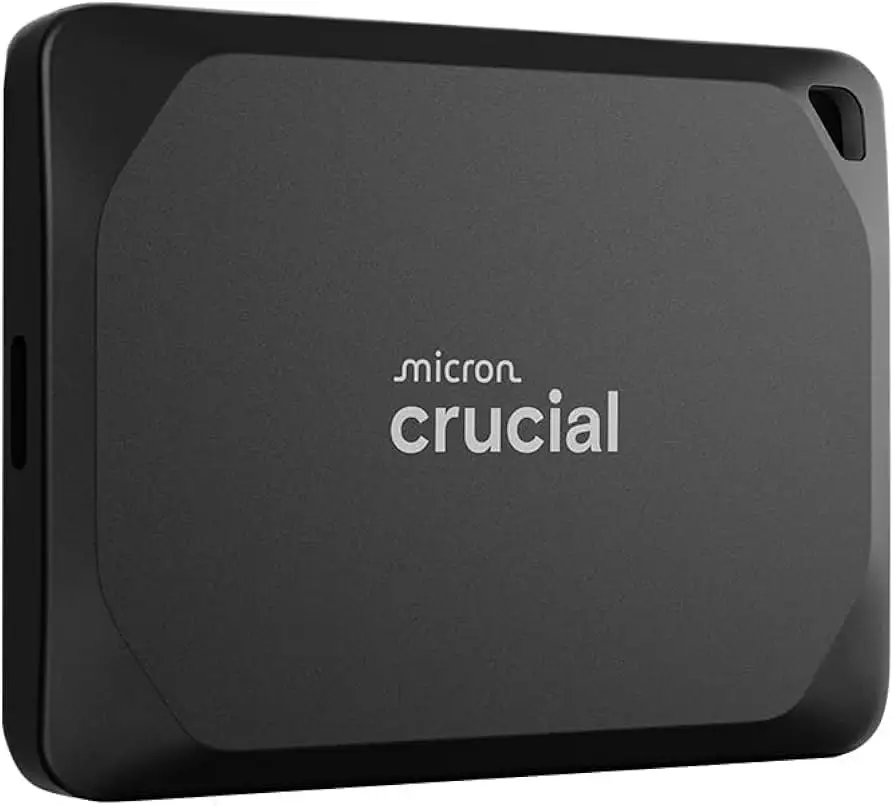
Portability and durability also win broad praise. Multiple users describe tossing it into bags without worry. CaptainBuzz4 initially formatted his drive as exFAT for Mac backups, later switching to APFS for “size and speed savings” while working on video projects. The matte blue finish is often mentioned as a pleasant aesthetic touch, though buyers note the “Pro” version’s black casing shares specs.
Common Complaints
Heat buildup during long transfers is the most frequent negative. Chappy2025 warned that moving 1TB or keeping it plugged in for an hour “will heat up and get pretty hot.” Sustained writes also slow dramatically after ~800GB, as Tom’s Hardware measured: performance dropped from ~2000 MB/s to 200–300 MB/s once the cache was saturated.
Compatibility issues plague users on older ports. A Reddit thread detailed speeds under 1 MB/s when using USB-A adapters. Even after reformatting improved speeds temporarily, performance degraded again, leading the poster to suspect a hardware fault or adapter bottleneck. This scenario disproportionately impacts laptop owners without USB-C 3.2 Gen 2x2.
Short cable length is another minor gripe. Tom’s Hardware found the stiff housing and short flexible section made desktop connections awkward. While not a dealbreaker, it’s notable for stationary setups.
Divisive Features
The shell material change from the X10 Pro’s metal to the X10’s blue plastic splits opinion. Tom’s Hardware deemed it “solid” despite the swap, but some buyers preferred the more premium feel of metal. Similarly, the X10’s use of USB 3.2 Gen 2x2 is divisive: it’s optimal for current ports but feels dated next to emerging USB4 and Thunderbolt 4 standards. As Tom’s Hardware put it, “USB 3.2 Gen 2x2 ports were never particularly popular,” suggesting future-proofing concerns.
Trust & Reliability
Trust in Crucial’s build quality is generally strong. Verified buyers frequently praise its reliability over repeated purchases: “Crucial has never disappointed. I continue to buy these and they are more than efficient.” Durability claims are supported by field reports — users confidently carry it outdoors thanks to IP65 protection.
However, rare cases of severe slowdown generate skepticism. In one Reddit thread, a buyer documented persistent sub-megabyte speeds even after resets, eventually arranging a warranty return. Community replies stressed that cheap adapters or non-certified cables often cause such failures, hinting the issue may be peripheral rather than core hardware.
Long-term reliability data is sparse but positive. No widespread reports of drive failure emerged, and Crucial’s 3-year warranty offers additional peace of mind.
Alternatives
Only two competitors surface in testing data: Lexar’s Professional SL600 and Corsair’s EX400U. In Tom’s Hardware benchmarks, the X10 beats Lexar’s SL600 on write speeds and matches it closely on reads. The Corsair EX400U, a USB4 drive, can deliver “twice the speed” if paired with a USB4 port and is only marginally more expensive at 1–2TB capacities. At 4TB, however, the Corsair’s price premium ($73 more) makes the X10 more attractive for cost-conscious buyers seeking high capacity in a tiny form.
Price & Value
Prices for the Crucial X10 4TB fluctuate wildly. Chappy2025 paid $350 at Best Buy, then found it “50% cheaper” days later. eBay listings show it at $609.99, while European markets list €279.99–379.95. Buyers recommend thorough price checks across retailers before committing. Resale value may hold for higher capacities given durability and brand reputation, but rapid tech shifts (USB4 adoption) could impact long-term demand.
FAQ
Q: Why is my Crucial X10 running slowly on my laptop?
A: If using a USB-A adapter, speeds drop drastically because it can’t handle the X10’s USB-C 3.2 Gen 2x2 throughput. Direct USB-C connection is essential for full performance.
Q: Does the X10 get hot?
A: Yes, during large transfers (1TB or more) or extended plugged-in sessions, users report noticeable heat. This doesn’t typically cause failure but may slow performance after cache saturation.
Q: Can I use this with an iPad Pro?
A: Yes, but some users find file deletion unreliable in iPadOS, requiring connection to a laptop for certain management tasks.
Q: Is the X10 good for video editing?
A: For projects under ~1TB, it’s excellent — professional editors praise its speed and reliability. Beyond that, expect write speed drops once the cache is full.
Q: How durable is it really?
A: IP65 certification and drop resistance up to 3 meters are confirmed in user reports. Buyers confidently transport it without protective cases.
Final Verdict
Buy if you’re a creative professional, gamer, or data-heavy user with modern USB-C 3.2 Gen 2x2 ports who values speed, portability, and rugged design. Avoid if your workflow demands sustained multi-terabyte writes or if you rely on legacy USB-A connections. Pro tip from the community: shop around before purchasing — prices can vary by hundreds of dollars for the exact same model.