Canon SELPHY QX20 Review: Quality Prints, Hidden Costs
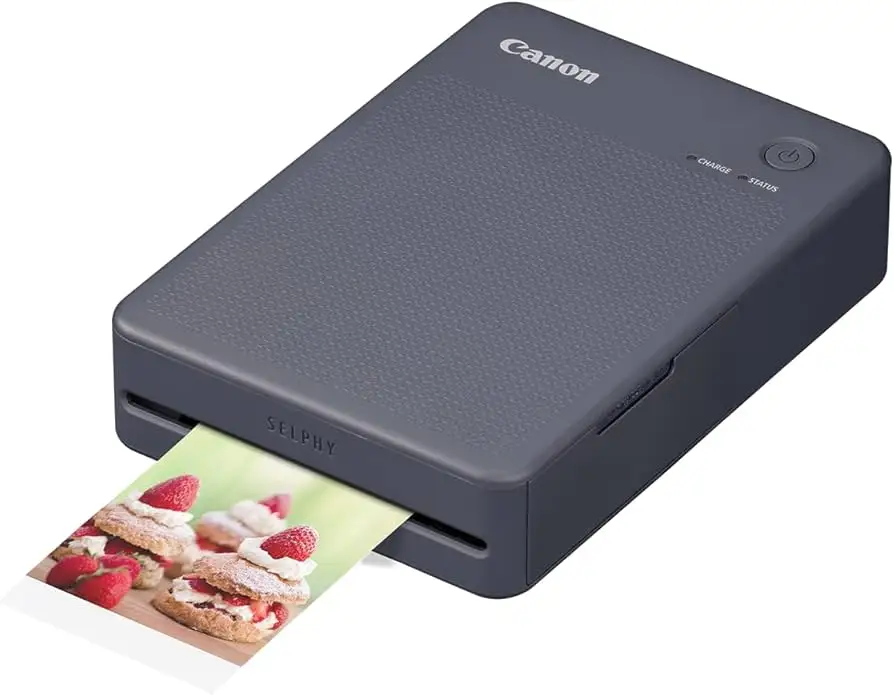
Bold claims about portability and print quality surround the Canon SELPHY QX20 Compact Photo Printer Dark Gray, but real-world feedback paints a nuanced picture. Scoring a respectable 7.5/10, its high-quality prints and compact wireless design earn praise, yet supply costs and the lack of included paper temper enthusiasm.
Quick Verdict: Conditional
| Pros | Cons |
|---|---|
| Surprisingly high print quality for size | No paper or ink included |
| Portable with built-in battery | Costly refills ($0.75–0.85 per print) |
| Easy wireless setup via app | Limited print sizes |
| Stickable photo output | Missing retail supply bundles in many stores |
| Stylish design with multiple colors | Doesn't print full-bleed without borders |
| Two paper formats supported | Expansion supplies hard to find locally |
| Fast printing (~40 seconds) | Supplies must be bought before first use |
Claims vs Reality
Canon’s marketing positions the SELPHY QX20 as a “premium prints on the move” device with dye sublimation longevity of 100 years. In terms of print quality, users generally confirm this. A verified buyer on Amazon noted: “Your photos will be instantly dry, marker-ready, water resistant, and will continue to look great for up to 100 years,” and feedback shows crisp, vibrant results that rival larger printers. Best Buy customer sihoc backed this up: “For a device so small… I was not expecting the prints to be this high quality at all.”
However, advertising the compact product as ready for "beautiful images anywhere, anytime" clashes with the reality that no paper or ink ships with the unit. Trustpilot reviewers and Best Buy buyers repeatedly highlight this gap. “Just a printer and a power cord. Can’t do anything with it… $150 of uselessness,” wrote user joew. This friction point undermines the “instant printing” claim for first-time buyers.
Another selling point is “two sizes of sticker-backed photo paper” for versatile projects. While technically accurate, some buyers note the absence of basic full-bleed option. German reviewer on du-checkst-alles.de lamented: “A white border at the bottom… have not found an option to print without it.” For creative professionals seeking total image area, the lack of true borderless printing can be disappointing.
Cross-Platform Consensus
Universally Praised
Across Amazon, Best Buy, and Reddit mentions, print quality stands out. Portable creatives and journalers gush over results. Best Buy’s ernesti bal stated: “The best picture quality I've seen… just wish pictures could be bigger.” The sticky-back format also wins hearts among crafters. A verified Amazon buyer described placing these “super high quality photos in your journal… without glue which is nice.”
Setup simplicity receives consistent praise. Many call out the SELPHY Photo Layout app as “surprisingly feature rich,” offering stamps, borders, and collages. A Trustpilot reviewer highlighted how pairing via QR code is quick: “After downloading the app… it was smooth without difficulties.” Travel users especially value the built-in battery: slip it in a handbag, pair with a phone, and print in under a minute.
Common Complaints
Supply issues dominate grievances. On Best Buy, gaan rated the printer 4 stars but only because “Best Buy does not sell the paper/ink sets… strange they don’t bundle these.” International customers echo similar frustration. Without supplies, the unit is unusable—and Canon’s proprietary paper/ink kits aren’t cheap. Du-checkst-alles.de calculated that prints cost €0.85 each, leading to “a clear deduction” on overall score.
Users also report limited size flexibility and absence of a true full-image mode. For scrapbookers wanting edge-to-edge prints, the white border frustrates more than a few. There's also recurring annoyance at missing peripherals—no color ribbon or starter paper in the box, and often no charger brick included.
Divisive Features
The device's price point relative to ongoing supply costs is where opinions split. Supporters call it “worth buying, the photos come out clear” (carr) and defend the price for quality portability. Critics frame it as “overpriced considering recurring costs,” seeing the consumables as the main deterrent. Some argue that for party/event use, the wow-factor justifies the expense—others believe competing products offer bigger prints or lower long-term costs.
Trust & Reliability
Durability concerns are minimal in early use snapshots, but long-term reliability stories are scarce. The protective overcoat technology gets approval from several Canon loyalists, with claims of images resisting water and dirt, which creative professionals appreciate for archival projects.
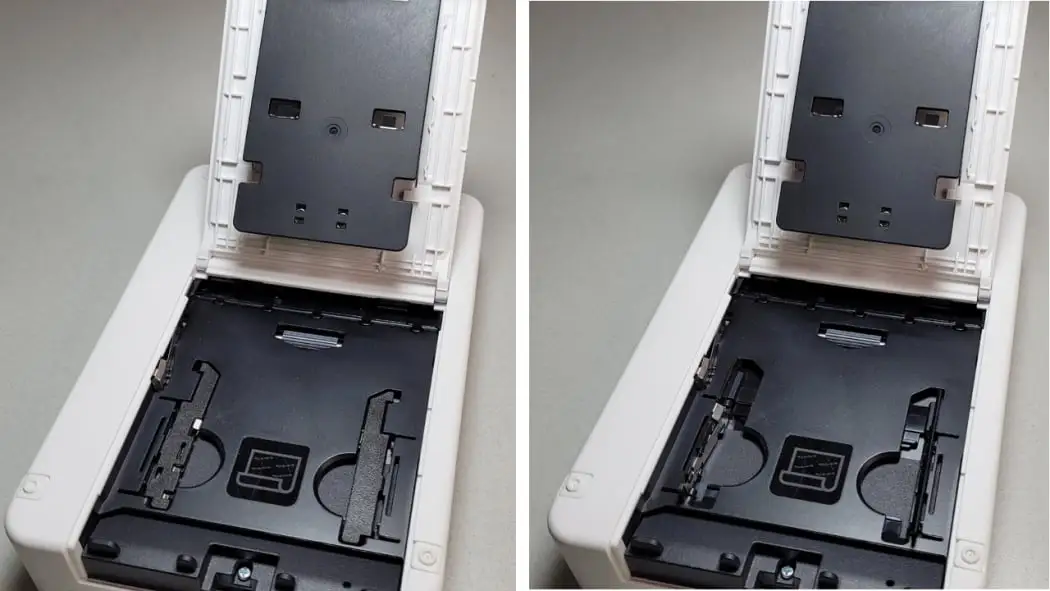
Trust issues center around supply chain transparency. Multiple verified buyers accuse retailers of not warning about the absence of essential supplies, which can sour initial impressions. In regions where paper/ink bundles are harder to source, new users risk being stranded with a non-functional device upon purchase.
Alternatives
Within Canon’s own lineup, some compare the QX20 against the SELPHY CP1500, which offers larger prints but sacrifices portability. Others note similarities to the Canon Zoemini 2—lighter and smaller, but producing different quality levels and print formats. Best Buy user ram mac, familiar with rivals, said: “I’ve tried the Selphy and Polaroid printers and this was the best… although the paper is not the cheapest.”
Event hosts who need larger formats may prefer the CP1500; mobile journalers who value adhesive prints lean toward the QX20 despite refill costs.
Price & Value
At £124.99 in the UK and around $113.99–$129 in US outlets, the SELPHY QX20 lands in premium territory for small-format portable printers. On eBay UAE, AED 499 reflects similar positioning. Bundle deals exist (printer + 60-shot pack) but are rare.
Resale value seems steady when supplies are included, especially in craft and scrapbooking communities. Buyers advocate sourcing paper/ink in bulk to avoid paying per-pack premiums. Community tip: “Plan ahead—get at least one paper/ink set before the printer arrives,” saves frustration and ensures immediate use.
FAQ
Q: Does the Canon SELPHY QX20 come with paper and ink?
A: No. Multiple buyers note the device ships only with a charging cable and manual. Essential paper/ink sets must be purchased separately before use.
Q: How long does it take to print a photo?
A: Around 40 seconds per print. Users appreciate the speed, especially for events and travel moments where instant output is key.
Q: Are the prints really adhesive-backed?
A: Yes. The sticker-backed format is popular among scrapbookers and journalers, enabling placement without glue.
Q: Can it print borderless photos?
A: Not completely. Some users report a persistent white border on certain formats, with no full-bleed option in the app.
Q: How much do refills cost?
A: Refills run about $0.75–$0.85 per print depending on size, according to multiple verified buyers. Many recommend bulk buying to reduce per-print costs.
Final Verdict: Buy if you’re a portable creative, scrapbooker, or journalist who values premium small-format prints and adhesive backing. Avoid if you expect it to function out-of-box without additional purchases, or if supply cost sensitivity is high. Pro tip: Order paper/ink sets in advance and explore alternate retailers for better bundle pricing to make the SELPHY QX20’s strengths shine without supply frustration.