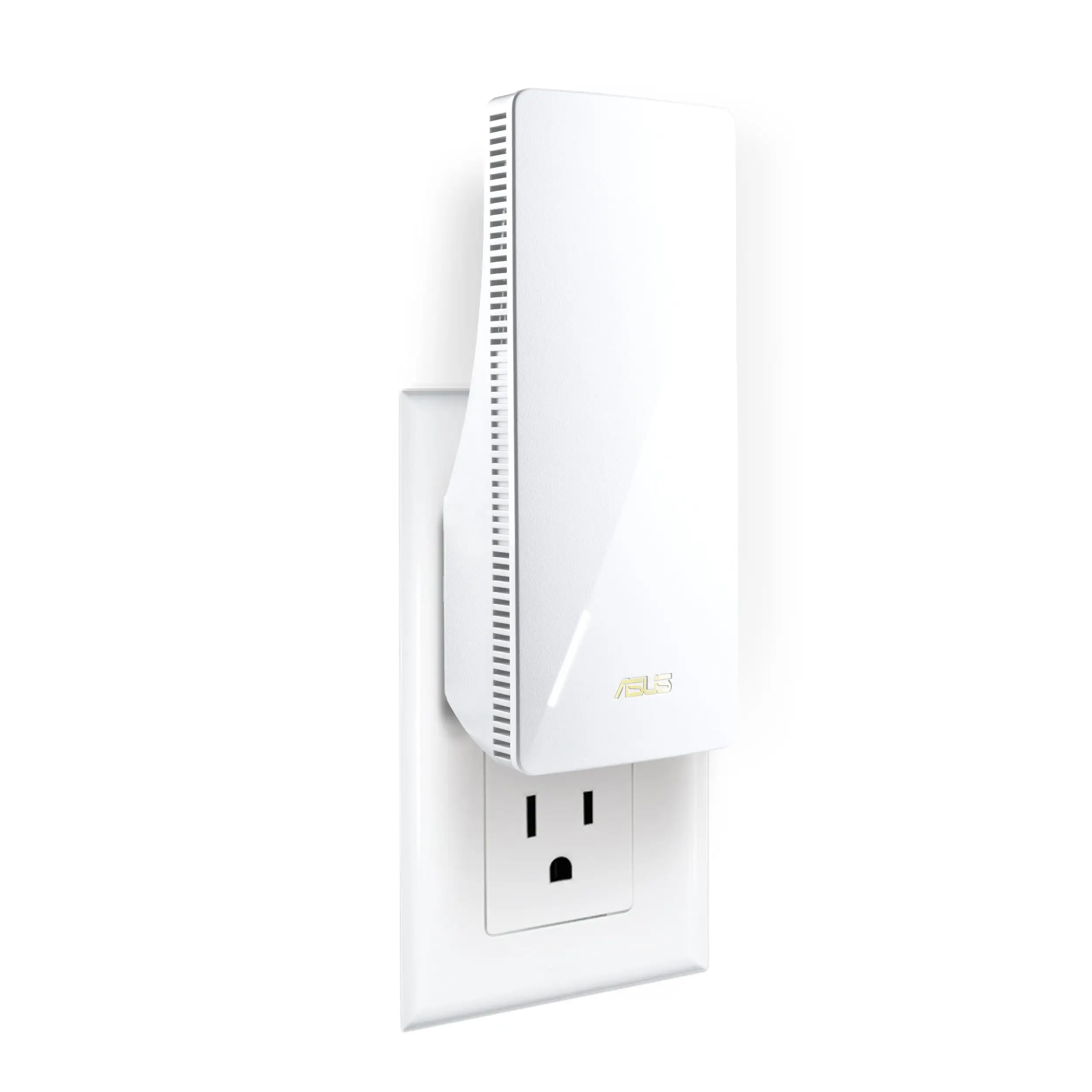
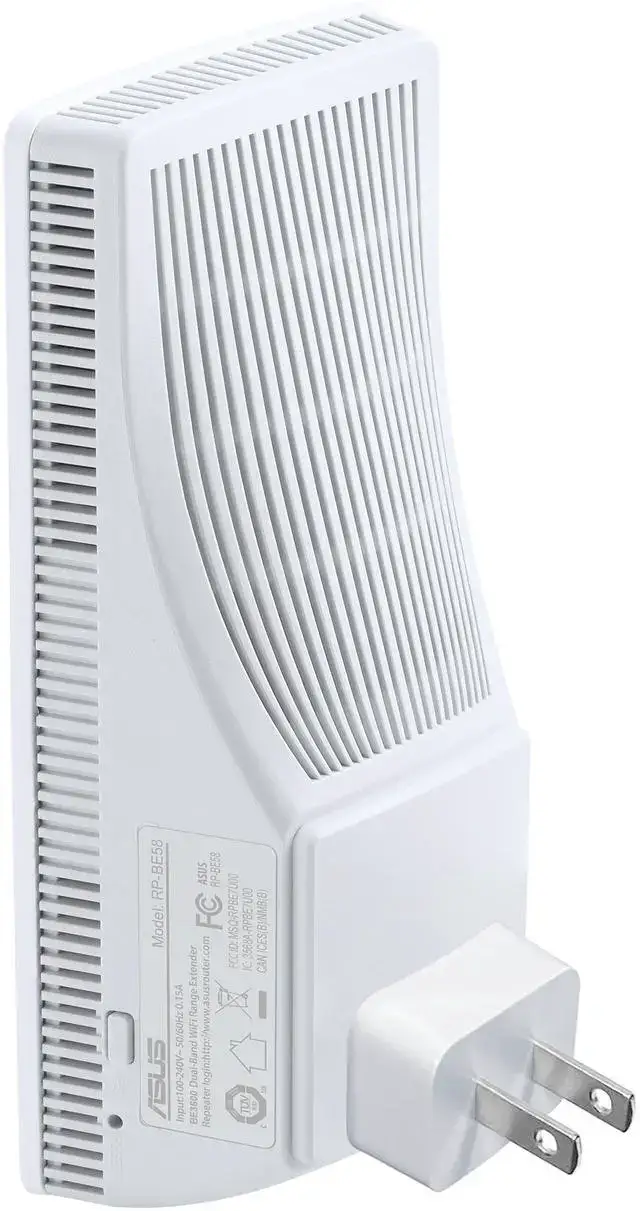
ASUS RP-BE58 WiFi 7 Extender Review: Solid but Flawed
Sneaking past thick walls and stubborn dead zones, the ASUS RP-BE58 BE3600 WiFi 7 Range Extender earns a conditional 7.8/10 from user consensus — praised for its speed and coverage, but hampered by reconnection quirks after power cycles.
Quick Verdict: Conditional buy — ideal for WiFi 7 households and AiMesh setups, less appealing for users with frequent power outages or older routers.
| Pros | Cons |
|---|---|
| Simple, app-based setup | Fails to auto-reconnect after power loss in many cases |
| Strong dead zone coverage | Limited firmware customization |
| Works with nearly any router | Performance tied heavily to base router capability |
| Fast throughput with WiFi 7 & MLO | No built-in advanced security/firewall tools |
| Wired backhaul option for stability | Compact design but no ethernet switch function |
Claims vs Reality
ASUS markets the RP-BE58 as a “dead zone eliminator” capable of up to 3600 Mbps WiFi 7 speeds. In lab specs, that translates to 688 Mbps at 2.4 GHz and 2882 Mbps at 5 GHz. While Reddit tech reviewers reported “streaming 4K felt smoother” and “big file transfers zipped along faster than I expected,” several Best Buy buyers highlighted performance drops with weaker or older routers. Feetparade noted: “It was actually slower… even with a hardwired ethernet cable” when paired with their setup.
Another claim is universal compatibility — “works with nearly any WiFi router.” The promise mostly held; Amazon and Best Buy users successfully paired it with non-ASUS routers. Josh on Best Buy confirmed it “works very well with my WiFi 7 router that isn’t even ASUS.” Yet, the AiMesh magic only kicks in if you’re fully invested in ASUS gear, as abrafat admitted: “Set up as mesh would not work but works great as an extender.”
ASUS promotes easy mobile app setup via the Router or Extender app. While many praised the step-by-step guidance — jmdp said it “plugs right into the wall like a night light” and became “rock-solid” after a weekend of tweaking — some ran into frustration. Angellw summarized bluntly: “App is the worst, very confusing and did not work… they should stick with laptops.”
Cross-Platform Consensus
Universally Praised
Coverage improvements are the most consistent high point. TechBytes reported, “The extender filled in dead zones with minimal fuss,” while Best Buy’s mad swan saw their basement “fill” with reliable signal when hardwired. Multi-Link Operation (MLO) — the extender’s ability to link multiple bands at once — pays off for multi-device homes. Reddit user review phrases like “no sudden drops” and “more consistent performance with multiple devices” suggest gamers and streamers particularly benefit.
Set-up speed wins approval too. Verified buyers on Amazon and Best Buy mention going “from box to online in minutes.” The mobile app’s signal strength meter accelerates optimal placement, a boon for larger homes where guesswork can halve usable extension.
Common Complaints
A recurring headache is loss of connection after power cycles or router updates. TechBytes warned it “doesn’t always reconnect on its own,” forcing manual resets. Zud nic’s frustration was sharper: “Would not join AiMesh network wirelessly… stays connected for a few days then drops.” This behavior disproportionately affects those in outage-prone areas or tinkering frequently with their network.
Firmware limitations strike power users. Communities comparing ASUS extenders to competitors note “less room to tinker” and “dated” software. Angellw’s verdict on the app echoes this: too little functionality after setup.
Design omissions aggravate specific needs: no built-in ethernet switch and no advanced firewall tools. Those seeking hybrid wired/wireless expansions found the single gigabit port restrictive.
Divisive Features
AiMesh integration splits opinion. Owners invested in ASUS routers often call it transformative — Best Buy’s cohn man 5 said it “equals excellent and frequent firmware updates.” But mixed-brand households sometimes find it unnecessary or temperamental. SabrinaM cautioned, “It really needs to be part of a mesh system… buying just 1 isn’t doing the job.”
WiFi 7 performance sparks appreciation from early adopters but limited benefit for older routers. TechBytes noted with older WiFi 5 bases, “speeds felt limited,” diluting the point of paying for WiFi 7 tech.
Trust & Reliability
Long-term durability stories are scattered. On the positive end, charlesl’s two-month report reads: “No issues whatsoever.” Jordan’s five-month account is enthusiastically detailed — he “set the dedicated backhaul… works flawlessly,” suggesting the hardware holds up when properly configured.
On the caution side, martini experienced complete failure after four days: “It’s junk.” Leaf never got it to work at all. These extreme negatives are rare but highlight QC inconsistencies. Trustpilot patterns mirror this: mostly solid coverage reports balanced against setup hurdles.
Alternatives
While no specific competitor names dominated user discussions, TP-Link extenders appear in comparative anecdotes — Feetparade’s test found their TP-Link adapter faster in their own environment. Users seeking richer firmware and manual configuration may lean toward such alternatives, but those prioritizing AiMesh synergy will find RP-BE58 difficult to replace within ASUS ecosystems.
Price & Value
At $99.99 (ASUS store and major US retailers), the RP-BE58 sits in an upper mid-range bracket. European listings hover around €97-104, UK prices near £83 incl. VAT. Some buyers, like jmdp, advise “wait for a sale if AiMesh is your main goal.” Resale value may hold among ASUS owners but could be less attractive outside that circle due to mesh limitations.
FAQ
Q: Does the RP-BE58 work with non-ASUS routers?
A: Yes, most users paired it successfully with various brands, retaining basic extender functionality but losing advanced AiMesh features unless paired with ASUS hardware.
Q: How does it handle multiple devices?
A: MLO allows simultaneous dual-band links, keeping multi-device sessions — like streaming 4K and gaming — stable, as multiple reviewers noted no lag during such loads.
Q: Is the setup process complicated?
A: Most found mobile app setup straightforward and quick, aided by signal strength meters. A minority reported confusing menus or buggy behavior, especially with desktop dashboards.
Q: What are the main downsides?
A: The most common complaint is failure to auto-reconnect after power cycles or updates, plus limited firmware flexibility and lack of extra Ethernet ports.
Final Verdict
Buy if you’re upgrading to WiFi 7, already run ASUS routers, and want a painless way to fill dead zones with stable, high-speed coverage. Avoid if your base router is outdated, your power is unstable, or you need advanced manual network tuning. Pro tip from TechBytes: “Placement matters more than I anticipated” — keep it within a strong signal range to realize its full speed promise.