weBoost Drive Sleek Review: Conditional Buy (7.6/10)
“16 db is 20 times the power!” That surprising, math-heavy claim from a real buyer captures the core story of the weBoost Drive Sleek Portable Signal Booster for Cars: it can deliver measurable improvements—sometimes dramatic—but only under the right conditions. Verdict: Conditional buy, especially for solo drivers who already get some signal to amplify. Score: 7.6/10.
Quick Verdict
For commuters, rideshare drivers, and road-trippers tired of dead spots, weBoost Drive Sleek Portable Signal Booster for Cars gets praise for turning marginal signal into usable calls and data—when the phone stays in the cradle and there’s at least a faint tower connection to work with. Digging deeper into user reports, the most satisfied buyers talk in numbers (dBm gains) and specific “black hole” test routes, while frustrated buyers tend to expect it to create signal where none exists.
A recurring pattern emerged across retailer reviews: people who install it carefully and test with field-test mode often describe “proof,” while others report only “one bar” improvements and question the “up to 32x” marketing line. That gap—between “can’t-miss improvement” and “helpful but not miraculous”—defines the Drive Sleek experience.
Quick verdict: Conditional
| Scenario | Verdict | Evidence from users |
|---|---|---|
| You’re a solo driver and can keep the phone docked | Yes | Best Buy reviewers describe consistent gains when “the white led… comes on” and the phone stays in the cradle |
| You often have 0 signal (true dead zones) | No | Best Buy user redderr warned it “must have some sort of signal to boost” |
| You want whole-vehicle boosting for multiple passengers | No | Multiple reviews emphasize it’s “made for one user: one cell phone” |
| You’ll do a clean, planned install | Yes | Best Buy reviewer 3 tcu bed described “some time and planning” as key |
| You expect “32x” in all conditions | Conditional | Several users report modest 1–2 bar gains despite marketing language |
Claims vs Reality
Claim 1: “Boosts your signal up to 32x.”
The official materials repeatedly emphasize “up to 32x” and position it as “the strongest boost the FCC allows in a cradle antenna.” In the real world, some users did report dramatic, quantifiable improvement—especially those measuring signal in dB/dBm rather than counting bars. Best Buy reviewer 3 tcu bed documented a before/after jump from “-102 db… with boost off” to “-86 db” on, concluding: “16 db is 20 times the power!” Another Best Buy reviewer, gadget guy 11, reported: “with boost off… -118 db… with boost on… -106 db… 12 db is 16 times the power!”
But digging deeper into the same review ecosystem, others describe the more common outcome as incremental rather than transformative. Best Buy reviewer drone dad summed it up: “consistently added one bar, and sometimes two… it meant the difference between 1xrtt and 3g, or 3g and lte.” That’s helpful, but it’s not the kind of across-the-board “32x” result implied in marketing. While officially rated “up to 32x,” multiple users describe real improvements that are often “1–2 bar” gains—especially in harder terrain.
Claim 2: “Fewer dropped calls… better data speeds… improved streaming.”
The manufacturer paints a picture of fewer dropped calls and smoother streaming. User stories back this up most strongly when the driver’s route includes predictable weak spots rather than total dead zones. Best Buy reviewer 3 tcu bed described a known “local at&t black hole” road test and reported improved call persistence: “around the problem corner… my call remained connected,” though they also admitted it wasn’t perfect on every pass.
Streaming comes up too, but again with conditions. Best Buy reviewer true reviews 20 wrote: “i started using a streaming music service and i haven't gotten a single second without music, even in areas where i would get zero signal.” At the same time, several reviewers caution that signal physics still wins in extreme cases; drone dad noted cellular signals are “mostly line of sight,” and obstacles can limit what any booster can do.
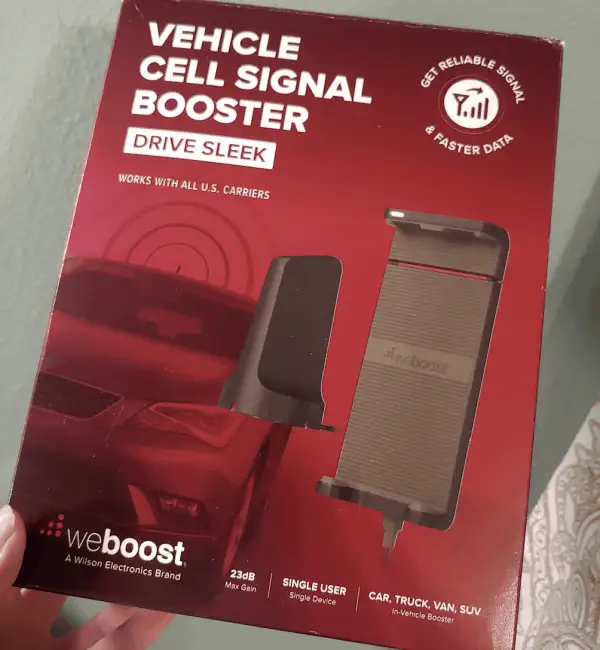
Claim 3: “Easy, tool-free installation… typical installations take 30 minutes.”
Setup is marketed as simple and quick, and many users agree—if you plan cable routing and confirm the system is actually powered and active. Best Buy reviewer 3 tcu bed described installation taking “about 30 minutes,” but emphasized sequencing: “lay out the cables starting with the antenna on the roof… as it will determine where the ‘booster block’ must be installed.” They also warned about power connection quirks: “i had to fiddle with the cigarette outlet connector to get a good connection… in some cars you might need the car to be running.”
Other users report faster installs, but still mention practical snags. Best Buy reviewer true reviews 20 said, “set up takes less than 20mins… 5 if you just loosely run the wires,” yet later criticized cable lengths and aesthetics. So while the “tool-free” claim holds up, the “easy” part depends on vehicle layout, vent design, and how much you care about a clean install.
Cross-Platform Consensus
Universally Praised
“Got a measurable boost” is the kind of praise that shows up when reviewers treat the Drive Sleek like a signal experiment, not a magic wand. A recurring pattern emerged: satisfied users often cite dBm improvements, real routes, and repeatable tests. Best Buy reviewer 3 tcu bed didn’t just say “more bars”—they documented the difference and connected it to real driving outcomes. For commuters who repeatedly hit the same coverage gaps, that kind of stability can matter more than peak speed tests.
Solo professionals and long-distance drivers also highlight peace-of-mind benefits—staying reachable during valley drives or hilly terrain. Even in the manufacturer-provided testimonial language, a user story is framed around long drives: “my work requires long drives… through valleys or other dead spots… drive sleek works great!” On retail reviews, that “keep the call alive” theme repeats: gadget guy 11 says the booster “performs as advertised” and expects it to “reduce dropped calls” by improving weak signal conditions.
Ease of installation and the “hidden hardware” look also earn consistent approval—at least when the user’s vehicle cooperates. Gadget guy 11 called it “low profile, inconspicuous,” noting that “everything needed for the plug and play installation is included.” Drone dad liked that “pieces… are smartly labeled steps 1 thru 5,” and described the main unit as easy to stash “under the seat” or “in the glove box.” For rideshare drivers who don’t want a permanent mod, that low-profile, no-drill approach is a big part of the appeal.
Finally, the cradle fit and phone-in-case compatibility gets real-world validation. Gadget guy 11 reported an iPhone 6s Plus “with tech21 case” fit “with plenty of room to spare,” aligning with the official guidance that most cases work unless they’re metal. For people who rely on navigation and don’t want to remove a case every time they drive, this becomes a practical win rather than a spec-sheet bullet.
What users praise most (summary):
- Measurable signal gains when tested in dBm (Best Buy)
- Better call continuity in known weak spots (Best Buy)
- Plug-and-play, tool-free setup with labeled parts (Best Buy)
- Low-profile install and included charging port/USB (Best Buy)
Common Complaints
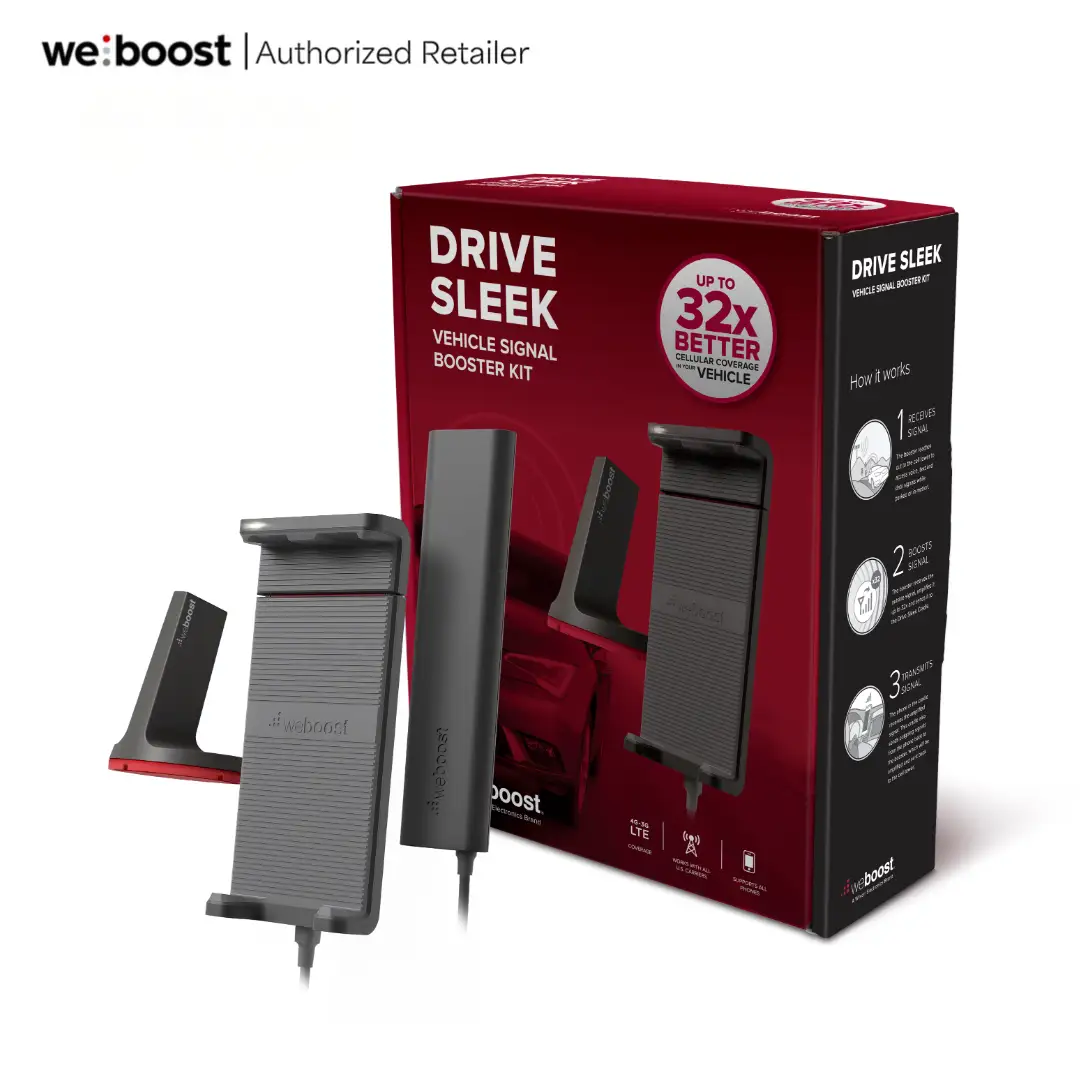
The single biggest “gotcha” isn’t hidden at all, but it still trips people up: the phone has to stay in the cradle. Official FAQs state, “your phone… must stay in the drive sleek cradle for it to receive the boosted signal.” Best Buy reviewer true reviews 20 echoed this as a “biggest flaw”: “phone has to be on cradle.” For drivers who prefer a windshield mount, a wireless charging pad, or simply want to hold the phone, this requirement can feel like a deal-breaker—even if the boosting works.
Mounting ergonomics—especially vent mounts—spark another cluster of complaints. True reviews 20 criticized the “nonadjustable vent mount,” explaining that “vents come in all kinds of crazy shapes,” and the cradle-plus-phone weight can cause sagging “out of line of sight.” This is a very specific pain point for drivers who need the screen high and stable for navigation. Even when the kit includes a dash mount option in the product listing, users still focus on the reality that not every cabin layout makes mounting painless.
Heat is another recurring reality check. Best Buy reviewer redderr said the device works but “it gets hot the longer you use it,” adding that the manufacturer says it’s normal. For delivery drivers or anyone running hours of continuous boosting, that “very hot” note becomes part of the ownership story—less about failure, more about comfort and confidence.
Lastly, expectations management: some buyers expected it to fix true no-service zones. Redderr pushed back on those complaints directly: “you must have some sort of signal to boost… it cannot boost something that is not present.” While the manufacturer also states it “doesn’t create cell signal,” the marketing tone (“coast through dead zones”) can set the wrong expectation for people traveling far beyond tower reach.
Most common complaints (summary):
- Phone must remain docked in cradle (official FAQ + Best Buy)
- Vent mount fit/angle can be frustrating (Best Buy)
- Heat during extended use (Best Buy)
- Modest gains vs “32x” expectations (Best Buy)
Divisive Features
The “bar count” outcome is divisive because it varies by route, terrain, and carrier. Some reviewers describe “proof” in dB improvements and meaningful behavior changes (calls staying connected), while others frame it as incremental and question the price. Drone dad said the boost “wasn’t earth shattering,” but still valued the practical jumps between legacy and modern data modes: “difference between 1xrtt and 3 g, or 3 g and lte.” For a commuter who just needs maps and calls, that’s a win; for someone chasing maximum hotspot throughput, it may feel underwhelming.
Installation is similarly split. Some call it “very simple,” others emphasize planning and aesthetics. True reviews 20 praised the speed (“only about 15 minutes”) but criticized “short wires” on the antenna side and disliked the antenna color/finish. That suggests the Drive Sleek can be easy to get working, yet still annoy drivers who care about a clean, nearly invisible install.
Trust & Reliability
Scam concerns didn’t emerge from the provided platform data as a consistent theme; instead, the reliability conversation centers on expectations, registration, and practical operating realities. Official notices emphasize that “before use, you must register this device with your wireless provider,” but Best Buy reviewer redderr said, “the box says to contact your cell provider, i did not and had no issues using the device.” That gap—between compliance language and everyday behavior—can create uncertainty for cautious buyers, even if it doesn’t show up as “scam” accusations.
Long-term durability stories from Reddit (“6 months later…”) were not present in the provided Reddit dataset; it contained manufacturer-style product copy and FAQs rather than community posts. What does appear consistently is that the system is dependent on correct power and mounting. Best Buy reviewer 3 tcu bed described having to “fiddle” with the power connector, and multiple reviewers rely on the cradle’s white LED as the “is it actually on?” indicator. Reliability here reads less like component failure and more like “did it stay powered and positioned correctly for the entire drive?”
Alternatives
Only a few competitors are explicitly mentioned in the provided data, and they come from seller/manufacturer guidance rather than independent user comparison testing. The Wilson Amplifiers listing suggests: “for whole vehicle coverage, check out the weboost drive reach or weboost drive x,” and adds that for “extremely rural, off-the-grid areas,” it recommends “the drive reach.”
That points to a clear segmentation: weBoost Drive Sleek Portable Signal Booster for Cars is repeatedly framed as a single-device cradle solution, while Drive Reach/Drive X are positioned for broader vehicle coverage or stronger reach. For families, carpools, or anyone wanting passengers’ phones to benefit without docking, those alternatives are the only named pathways in the dataset.
Price & Value
At $199.99 in official listings, value perceptions hinge on whether you see “one bar” as worth it—or whether that bar prevents missed calls and failed navigation at the wrong time. Drone dad captured the skepticism: “i think the price point is a little high for what you get,” even while acknowledging it “does what it’s advertised to do.” For users who can document a repeatable fix in their personal dead spots, the value argument becomes easier to make.
Resale and refurb pricing trends show meaningful discounting. The provided market data includes certified refurbished Drive Sleek units around $167.99 and multiple eBay listings spanning roughly the mid-$100s to around $200 for new/open-box. For budget-minded commuters, that resale market can be part of the strategy: buy refurbished, test within return windows, and keep it only if the improvement is measurable on your routes.
Buying tips also emerge indirectly from user behavior: the most successful reviewers emphasize planned installation and verification. 3 tcu bed advised installing “in the order instructed,” and multiple reviewers rely on field-test mode rather than bars. The community “pro tip” is essentially: verify power (white LED), then verify signal in dBm, then evaluate on your known problem route.
FAQ
Q: Does the phone have to be in the Drive Sleek cradle to work?
A: Yes. Official FAQs state: “your phone… must stay in the drive sleek cradle for it to receive the boosted signal.” Best Buy reviewers also flagged this as a key limitation, with one calling it the “biggest flaw” that the “phone has to be on cradle.”
Q: Will it work if I have zero signal?
A: No—users repeatedly stress it can’t create signal. Best Buy reviewer redderr wrote: “you must have some sort of signal to boost… it cannot boost something that is not present.” Official product guidance similarly says a booster “doesn’t create cell signal,” it amplifies what exists.
Q: How hard is installation in a typical car or SUV?
A: Many buyers describe it as tool-free and doable in 15–30 minutes, but cable routing matters. Best Buy reviewer 3 tcu bed said installation took “about 30 minutes” and required “time and planning,” starting with the roof antenna placement to determine where the booster module sits.
Q: How much improvement should I realistically expect?
A: Real reports range from “one bar” to measurable dB gains. Best Buy reviewer drone dad said it “consistently added one bar, and sometimes two.” Others measured jumps like “-102 db… to -86 db” (Best Buy reviewer 3 tcu bed), which they interpreted as a large power increase.
Q: Does it get hot during use?
A: Some users say yes. Best Buy reviewer redderr titled their feedback “great but very hot,” explaining it “gets hot the longer you use it,” and added that the manufacturer says this is normal. Long-haul drivers may want to place the booster module where heat buildup isn’t bothersome.
Final Verdict
Buy if you’re a solo driver who can keep your phone docked and you routinely pass through known weak-signal corridors where “one bar” or a dBm jump can keep calls, maps, and streaming alive. Avoid if your problem is true no-service zones, or if you need whole-vehicle coverage without forcing everyone to use a cradle. Pro tip from the community: Best Buy reviewer 3 tcu bed recommended following the install order and verifying the system is active (“make sure the white led… comes on”), then testing with field-test mode instead of trusting bars.