VIVO Dual Monitor Stand Review: Strong Value with Limits
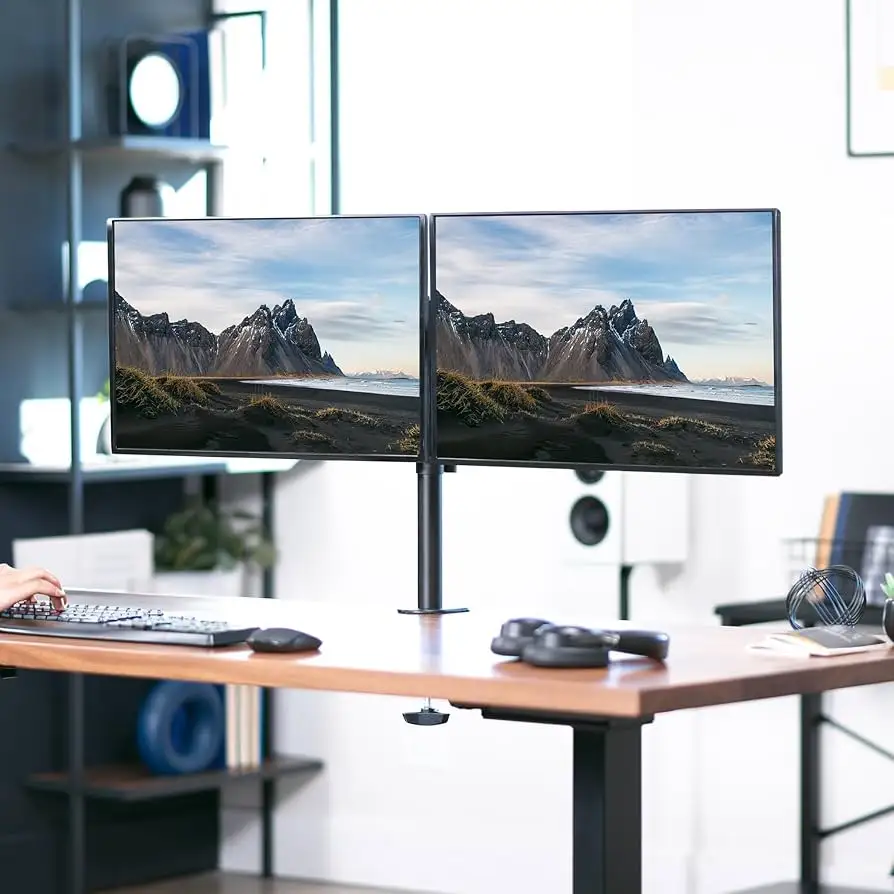
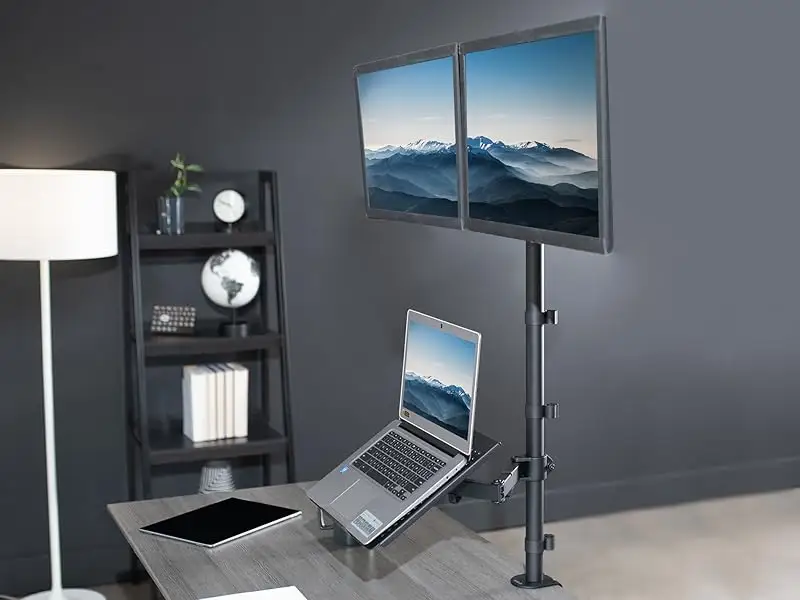
Digging into user experiences, the VIVO Dual LED LCD Monitor Desk Stand for 2 Screens up to 27 Inch emerges as a strong value contender, earning an aggregated 8.5/10 from cross-platform feedback. While many praise its sturdy build and space-saving design, the gap between marketing claims and real-world performance becomes evident for heavier setups or frequent adjustments. For budget-conscious buyers with lightweight monitors, it’s often described as “perfect,” but those running heavier 27” panels or ultra-wides should proceed with caution.
Quick Verdict: Conditional Buy
| Pros | Cons |
|---|---|
| Affordable price point (around $40) | Stability issues with heavier 27”+ monitors |
| Sturdy steel construction | Poor-quality screws/nuts in some units |
| Easy assembly process | Minimal cable management capacity |
| Significant desk space savings | Limited movement for large displays |
| Clean, minimalistic look | Base may pivot or wobble under load |
| Flexible tilt/swivel/rotation for light setups | Not ideal for frequent repositioning |
Claims vs Reality
Marketing materials tout support for “two screens 13” to 27” and up to 22 lbs each” with “full articulation” and “solid stability.” While this is accurate for smaller or lighter monitors, multiple users report that the upper weight threshold is optimistic. On Drop, one reviewer stated: “When it says up to 27 in, it really means 26 in or less… the poor quality nuts/screws could not handle 27 in monitor even though the specs say it’s rated for it.”
The brand also promotes “integrated cable management” as a tidy solution. In reality, Trustpilot reviewers found the upper arm channels “barely adequate for a power cord and a thin display port cable,” with covers often popping off under strain. One user resorted to “removing the cable cover and using velcro to strap the cables in place” for a functional, if less aesthetic, fix.
Assembly is marketed as “easy installation with detachable VESA plates.” This claim holds up well in most accounts—Amazon buyers consistently mention setup times of 15–20 minutes. A verified Trustpilot reviewer added: “Clamping the base to the back of my desk was simple… attaching the monitors by myself took a moment to figure out, but I managed.”
Cross-Platform Consensus
Universally Praised
Across Reddit, Trustpilot, and Amazon, stability for lightweight panels is a recurring highlight. Robb Sutton noted the stand “really completes the entire look and declutters the desk better than anything else I have tried previously when running dual 27 inch monitors,” emphasizing its value for static setups. A verified Amazon buyer echoed: “Sturdy on desk… no worry or issue with tip-overs as the base and pole are very heavy.”
Desk space reclamation is another consistent win. One Trustpilot reviewer described regaining “a ton of space on my desk” after replacing bulky OEM stands, while an Amazon customer highlighted how “the low profile base clears up valuable desk space for a clutter-free space.”
Ease of assembly is praised almost universally. Reports of sub-20-minute installs are common, with included tools meeting most needs. “Easy to assemble, works as expected and has good quality,” summarized one Amazon reviewer, capturing the general sentiment.

Common Complaints
Weight capacity and hardware quality draw frequent criticism. On Drop, a long-term user found that “poor quality small screws and nuts… came loose when using 27 in monitors,” eventually leading to breakage. Trustpilot feedback adds that heavier monitors require tightening “as tight as a sane person can make it” to prevent tilt, often making adjustments stiff and cumbersome.
Cable management limitations frustrate many. A Trustpilot user with multiple cables per monitor found the upper channel “just won’t stay in place… flies off in all directions with any attempt to move the arm.” Even with fewer cables, some report the channels are too small for standard power and HDMI cords together.
Movement flexibility suffers with larger panels. While lighter setups allow “one finger” repositioning, heavier monitors require over-tightening that effectively locks them in place. Amazon reviews warn of limited tilt/swivel range for dual 27” widescreens.
Divisive Features
Aesthetics and minimalism divide opinions. Many, like Robb Sutton, appreciate the “symmetrical design” and black finish that blends into the workspace. Others find the wavy arm design awkward, affecting monitor positioning paths. Stability also splits the crowd—some experience rock-solid performance, while others report wobble during typing or desk movement, particularly on standing desks.
Trust & Reliability
Trustpilot patterns suggest solid longevity for light-to-moderate loads. “Still holding my monitors after multiple months,” says one Amazon reviewer, while another reports four years of use with no major issues beyond expected wear. However, hardware failures—like nuts loosening or breaking—appear in multiple accounts when pushing the weight limit.
Customer service earns praise when invoked. One Amazon user reported “Vivo had a full replacement component to us… no quibbles and no hesitation” after a part failure, suggesting responsive support within warranty.
Alternatives
Alternatives mentioned include the VIVO Stand-V002D (gas spring arms) for greater adjustability and cable capacity, and hydraulic arm mounts for frequent repositioning. As Robb Sutton notes, “If I was going to move the monitors a lot, I would look into one of the assisted arm mounts… this stand will do that but it isn’t as easy.”
Price & Value
At roughly $39–$43 new, community consensus is that the V002F offers excellent value for static, lightweight setups. eBay listings show resale prices between $30–$60, with open-box units retaining most of their value. Buying tips include ensuring your monitors are well under the weight cap and pairing with additional cable management tools like zip ties.
FAQ
Q: Can this stand really hold two 27” monitors?
A: Yes, but only if they are lightweight. Several users report issues with heavier 27” panels causing tilt or hardware wear.
Q: Is the cable management effective?
A: It’s adequate for minimal cabling, but many find the upper channels too small for standard power and HDMI cords together.
Q: Can I use this with a standing desk?
A: Possible, but expect more wobble. Users on standing desks often find monitor repositioning harder due to over-tightened joints.
Q: How easy is assembly?
A: Most report installation under 20 minutes with included tools, though fine-tuning tension for heavier monitors can take longer.
Q: Does it work with curved monitors?
A: Yes, if VESA hole spacing matches and weight limits are respected. Vivo support confirmed compatibility with certain curved models.
Final Verdict: Buy if you have lightweight panels (≤24” ideal, ≤27” low weight), value a clean desk look, and won’t adjust monitors often. Avoid if you run heavy screens, need frequent repositioning, or require robust cable management. Pro tip from the community: “Set it and forget it—this stand shines when you leave your monitors in place.”