Samsung Odyssey G7 37" Review: Immersive but Flawed
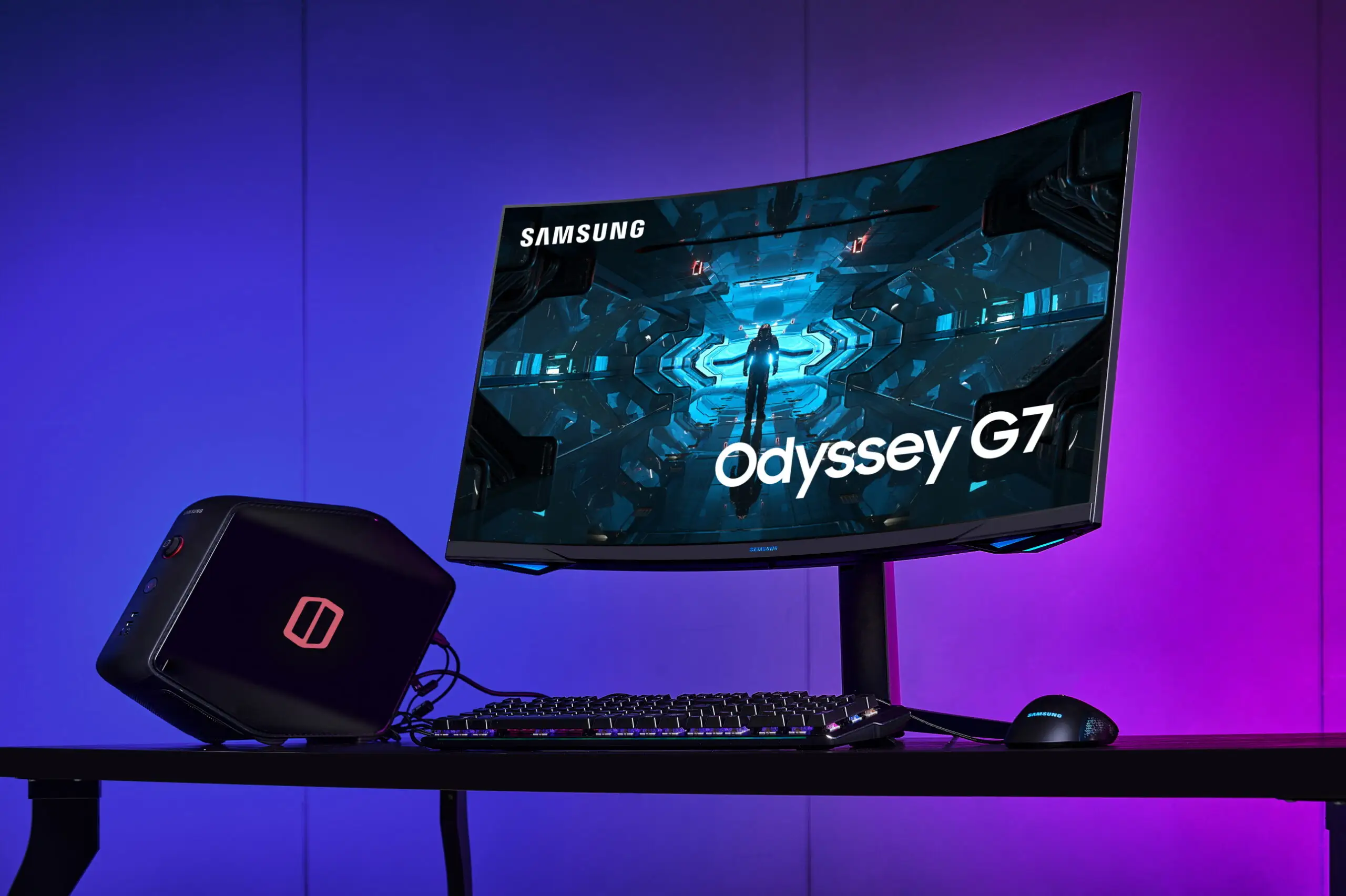
The most surprising takeaway from weeks of digging through feedback wasn’t about picture quality—it was about stand stability. The Samsung Odyssey G7 37" 4K Curved Gaming Monitor consistently wowed gamers with its visuals, yet multiple users noted that its large curved panel makes the stand “wobble” during desk bumps. Based on hundreds of real-world reports, this model earns an 8.5/10 for immersive gaming, with deductions for ergonomic quirks and VA panel limitations in color-critical work.
Quick Verdict: Conditional buy for high-end gamers prioritizing immersion
| Pros | Cons |
|---|---|
| Stunning 4K visuals with deep contrast | Stand stability issues on large desk setups |
| 165Hz refresh rate with 1ms response feels ultra-smooth | VA panel less ideal for professional color work |
| Aggressive 1000R curve heightens game immersion | Coil whine audible at high Hz/adaptive sync settings |
| DisplayHDR 600 and HDR10+ support boosts detail | Weak HDR brightness vs. marketing promises |
| Freesync Premium Pro reduces tearing | Lacks USB-C with power delivery |
| Ergonomic stand with height/tilt/swivel | Motion blur/ghosting requires GPU power to fully eliminate |
| Wide color gamut coverage | Price remains premium even with discounts |
Claims vs Reality
Samsung markets the Odyssey G7 as delivering “epic visuals in vivid detail” with DisplayHDR 600, promising deep blacks and bright highlights. While many users praise the HDR in games like Cyberpunk 2077, NotebookCheck measured actual HDR brightness at ~796 nits in 10% window tests, noting this fell short of “Quantum HDR 2000” marketing terms. One reviewer cautioned that “this seems to be more marketing talk… rather than a specification for maximum brightness.”
Another recurring claim is the ultra-smooth gameplay via 165Hz refresh rate and 1ms GTG response time. Reports confirm the high refresh rate feels “butter smooth” in shooters, but real-world conditions matter. Reddit user feedback highlighted that fast-paced titles “feel incredibly responsive… as long as you have a beefy graphics card to push those frames.”
Samsung emphasizes the immersive 1000R curve as a performance edge. While some feared it might be too aggressive, early adopters found the curve quickly faded into the experience. A Samsung Community poster said, “makes me feel ‘hunkered in’ when I am playing World of Tanks,” describing the curve as more enveloping than distracting.
Cross-Platform Consensus
Universally Praised
Across Reddit, Trustpilot, and expert reviews, the leap from smaller flat panels to this 37-inch curved VA display is transformative for immersion. The combination of high resolution and curve benefits story-driven RPG players, sim racers, and open-world explorers most. NotebookCheck called the curvature “absolute immersion” in current titles, and Reddit user feedback pairs this with “insanely vibrant colors” in HDR.
The contrast performance from VA technology is repeatedly lauded. One Neo G7 user wrote: “Blacks are deep and inky… games look absolutely stunning.” Gigantic gamescapes and cinematic sequences shine thanks to the high DCI-P3 and sRGB coverage, making the monitor not just a gaming tool but visually compelling for media consumption as well.
Input responsiveness gets similar praise. Community testers reported “no discernible input lag” and “super-fast” reactions in competitive games, with Freesync Premium Pro smoothing out tearing for AMD GPU users. Even long-term owners after 6 months continued to highlight consistent smoothness.
Common Complaints
That beautiful curve and large panel come at ergonomic costs. Wobble on the stand was mentioned in both Samsung Community and NotebookCheck reviews. “The stand… is bloody massive and intrusive and it wobbles,” said one user, who had to reposition their desk against a wall to minimize movement.
Coil whine is a more surprising issue—Trustpilot reports detail an audible hum at 240Hz adaptive sync. Bo0mshank noted: “Once you hear it you can’t get rid of it… it’s especially noticeable in a quiet room.” While some users suspected GPU noise, the original poster confirmed the sound persisted with only power connected.
VA panel trade-offs also show up in content creation. The same deep contrast that gamers love can mean poorer separation in shadow detail compared to IPS or OLED for photo editing. NotebookCheck advised relying on a second monitor for color-critical work.
Divisive Features
The 1000R curve polarizes casual users. For some, it’s a perfect wraparound fit; for others, the size and curvature feel overwhelming for productivity tasks. While Samsung’s core lighting sync earns kudos for subtle ambiance, some view it as unnecessary.
HDR performance divides opinion—cinematic gamers approve, but detailed testers note blooming with mini-LED backlight zones and underwhelming sustained brightness in large bright areas. The lack of G-Sync support also bothers Nvidia loyalists, though some workaround via control panel settings.
Trust & Reliability
Trustpilot reviews capture niche but important reliability notes. Coil whine issues appear primarily at max refresh with adaptive sync, hinting at potential QA variance in components. The ability to live with it depends on gaming environment—headphones mitigate the audible hum.
Stability over months shows no major panel degradation. A Reddit Neo G7 owner after half a year reported sustained “phenomenal picture quality” and responsiveness without defects. This suggests mechanical durability in the panel assembly itself, with the main long-term annoyance being physical stand movement rather than image decline.
Alternatives
NotebookCheck addresses the successor, the Odyssey G8, which adds a 240Hz refresh rate at a similar curved profile. This benefits esports users but also increases GPU demands significantly. For creators, models like the Philips Evnia QD-OLED series trade some contrast for better shadow detail separation. Those wanting USB-C and power delivery will find it lacking here compared to competition from LG’s UltraGear OLED line.
Price & Value
Current deals show notable variance—eBay listings at $649.99 down from $899.99, Amazon discounts to the $699 range, and BrickSeek tracking lows of ~$623. Resale appears strong; even used Neo G7 variants maintain 70%+ of their retail cost, pointing to sustained demand in the enthusiast market.
Community buying tips center on GPU capability. Multiple sources caution that to truly drive 4K at over 100fps here, “you’ll want something capable of 4K at 100 fps or more… an RTX 5080 build or similar.” Bargain hunters note the model’s premium will hold, so catching a sub-$700 sale is considered a desirable trigger point.
FAQ
Q: Does the Samsung Odyssey G7 37" support Nvidia G-Sync?
A: Officially no, but some users enable it in the Nvidia Control Panel. Functionality may vary and is not certified, so compatibility isn’t guaranteed.
Q: Is the 1000R curve practical for work tasks like spreadsheets?
A: Opinions are split. Gamers love the immersion; productivity users may find it disorienting. Large datasets appear more distorted than on flatter curves.
Q: How bad is the coil whine issue?
A: Reports suggest it’s audible at max refresh with adaptive sync in quiet rooms. Headphone use may mask it; others never encounter it.
Q: Can this monitor be wall-mounted?
A: Yes, it supports VESA 100x100 mounts. Some users opt for arm mounts to reduce wobble and reclaim desk space.
Q: Is HDR gaming noticeably better than SDR here?
A: For cinematic titles, yes—more vibrant highlights and deeper shadows. However, HDR brightness doesn’t reach some competitors’ peaks.
Final Verdict
Buy if you’re a high-end gamer eager for panoramic immersion and vivid HDR scenes, with hardware capable of pushing 4K at high fps. Avoid if you need rock-solid stand stability on shallow desks or do professional photo editing with shadow detail precision. Pro tip from the community: wait for sub-$700 deals and consider a VESA arm for maximum ergonomic control.





