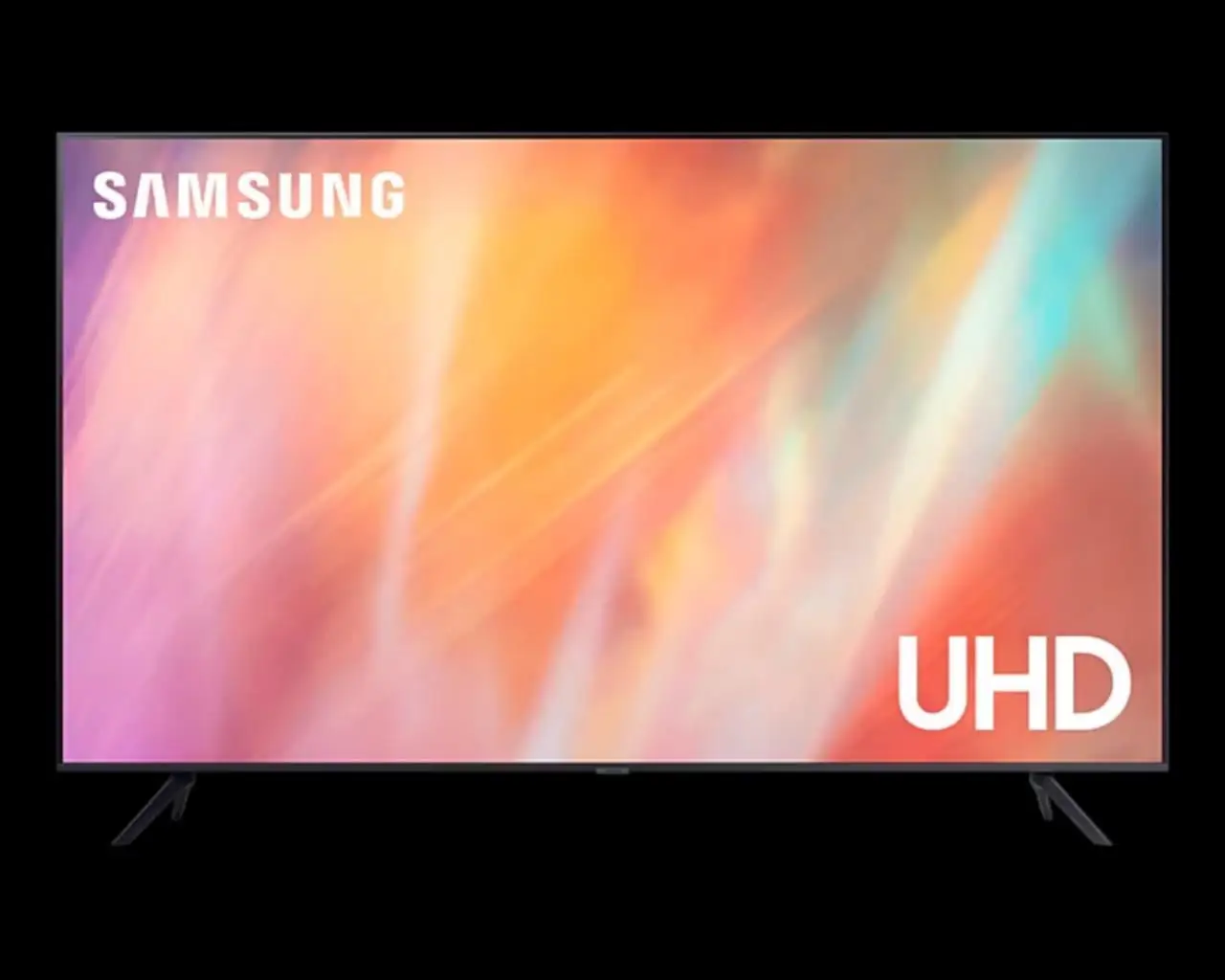
Samsung 43" QET Series Review: Strong Visuals, Weak UI
A verified buyer on Amazon summed up their experience with the SAMSUNG 43" QET Series LFD Display with Crystal 4K Processor in one sentence: "Picture is fine, but menu UI is ass." That kind of blunt verdict reflects the device’s mixed reputation. Scoring a 7.4/10, this commercial 4K signage screen delivers crisp visuals and dependable 16/7 operation but is hampered by mediocre audio and unintuitive controls. While ideal for retail and corporate spaces, home users and bright sunlight environments may be less impressed.
Quick Verdict: Conditional — Strong visual performance and signage tools for business use, but audio and UI limitations make it less appealing for home entertainment.
| Pros | Cons |
|---|---|
| Sharp 4K UHD resolution with lifelike colors | Built-in speakers lack depth and bass |
| Slim, bezel-less design integrates in professional spaces | Menu UI and remote criticized as clunky |
| MagicInfo Lite simplifies content management | Brightness may struggle in direct sunlight |
| Effective UHD upscaling for lower-res media | Divisive motion smoothing feature |
| 3-year onsite commercial warranty | Audio upgrade often necessary for large spaces |
| Reliable 16/7 operation for long business hours | Setup and mounting can be tricky in tight environments |
| Remote management via MagicInfo server | Overbuilt for casual home use and small rooms |
Claims vs Reality
Samsung markets the QET Series with emphasis on “Powerful Crystal UHD picture quality” and “boundless design,” promising immersive, lifelike visuals. Digging deeper into user reports, this holds true in typical indoor signage scenarios. Reddit user feedback noted that greens and blues in nature footage were “more live instead of painted” thanks to the PurColor processing. For advertising loops and static displays, the visual sharpness consistently matched marketing claims.
Another key pitch is “Intelligent UHD upscaling” for lower-resolution content. In practice, users found this especially useful for older shows and non-4K ads. A Reddit post observed, “Even when watching older shows, the clarity is on a different level… sports scores and text were more legible.” Yet, some admitted limitations—upscaling lacked edge detail in poor quality sources.
The third claim—ease of content management via MagicInfo Lite—is largely validated by business users. Trustpilot reviewers appreciated seamless USB uploads and remote updating across multiple displays. However, setup complexity for wall mounting or integrating with third-party software occasionally contradicted the “plug & play” image, particularly for those without prior commercial display experience.
Cross-Platform Consensus
Universally Praised
If there’s one element all sources agree on, it’s the picture quality. From Trustpilot ratings to Reddit commentary, most highlight vibrant colors and clarity that make signage pop. A verified buyer on Amazon noted, “Content looked more accurate and smoother in brilliant 4K, no matter the source.” Retailers benefit most from this—bright, eye-catching window displays have a measurable impact on customers entering stores.
The bezel-less design and slim profile received steady praise, especially in professional settings like hotel lobbies and corporate reception areas. Its aesthetic versatility means it can blend into modern décor while maintaining focus on on-screen content. Businesses also valued the MagicInfo server integration, with one Trustpilot account detailing remote scheduling of multiple screens “without needing to be in front of the displays.”
Reliability under continuous use is another top point. The 16/7 operation capability matches long retail hours, and the model’s 3-year onsite warranty reassured managers working in customer-facing environments.
Common Complaints
Audio output was the most frequent complaint. The dual 10W speakers are serviceable for voice announcements, but lack bass and richness. Reddit posts often recommended pairing the display with a soundbar, especially for multimedia-heavy campaigns. One remark—"Sound reproduction… is not up to the best quality one would expect"—shows how expectations were mismatched for anything beyond basic speech.
Interface design also frustrated many. Menu navigation eats 20% of the screen and stays visible for seconds too long, as one Reddit user put it: “Worst remote. Worst UI.” This disproportionately affects operators who need to make quick adjustments on the fly in a live commercial environment.
Bright ambient conditions exposed a second limitation: brightness at 300 nits is fine for most indoor use, but windows facing direct sunlight washed out visuals. Trustpilot summaries confirm this, advising against placement in heavily sunlit areas.
Divisive Features
Motion smoothing (Motion Xcelerator) split opinions. Sports viewers liked reduced blur—Reddit feedback mentioned “fast moving scenes during sports and action movies [being] mostly blur free”—while others loathed the artificial feel and returned TVs where it couldn’t be disabled.
UHD upscaling drew similar splits. Many loved the refreshed look of vintage ads, but technical users judged the edge restoration algorithm as “lacking in quality support for lower-quality content sources.” For text and simple graphics, however, it nearly always improved legibility.
Trust & Reliability
Trustpilot and Reddit accounts illustrate that the QET Series delivers consistent performance over months of use. Businesses running them daily for signage report no overheating or color degradation. An anecdote from Reddit even describes resurrecting a discarded unit by swapping a board, underscoring its repairability.
Complaints about customer service delays exist but are sporadic. The 3-year onsite commercial warranty proved valuable in maintaining uptime for revenue-generating displays, though some smaller operators were confused by coverage terms regionally.
The most persistent long-term gripe remains the UI. No amount of firmware familiarity seems to overcome its slow, icon-heavy navigation. This doesn’t impair the display function directly, but frustrates operators in dynamic settings.
Alternatives
Community comparisons mainly pit the QET Series against higher-end QLED or OLED signage. QLED rivals sometimes edge ahead in color accuracy and contrast, especially for premium visual campaigns. OLED options, though overkill for static ads, excel in cinematic content for hospitality or entertainment venues, albeit at much higher prices.
For strictly bright environments, models rated above 500 nits like Samsung's QM43 series offer stronger visibility outdoors. However, these carry a price and energy draw increase that smaller shops might find unnecessary.
Price & Value
Current eBay listings suggest new units around $423, aligning with Samsung’s direct business price. Resale values in refurbished markets hover from $247 to $350, reflecting solid depreciation resistance for commercial gear. Buying tips from Reddit favor direct Samsung Business channels for warranty integrity rather than big-box stores where coverage terms can be muddled.
FAQ
Q: Is the QET Series display suitable for home theater use?
A: Technically yes, but it’s optimized for commercial signage. Audio performance and brightness tuning focus on indoor business environments rather than cinematic immersion.
Q: Can Motion Xcelerator be disabled?
A: Users on Reddit worry about this—settings allow adjustment, but full removal may not satisfy all who dislike motion smoothing.
Q: How easy is it to manage content remotely?
A: For businesses with MagicInfo server access, remote scheduling and playback are straightforward. Multi-location chains particularly benefit from centralized updates.
Q: Does it work well in bright window displays?
A: Indoors in daylight, yes; however, direct sunlight can reduce visibility due to the 300-nit limit.
Q: What’s included in the box?
A: Samsung ships it with power cord, remote controller, batteries, quick setup guide, and warranty card. Stands or mounts are optional extras.
Final Verdict
Buy if you’re a retail operator, corporate communications manager, or public space curator needing a reliable, visually striking display with remote management and 16/7 reliability. Avoid if you want high-fidelity audio or plan to use it in very bright or home entertainment settings. Pro tip from the community: Pair it with a soundbar for impactful multimedia and consider placement away from direct sunlight to preserve visual punch.