RCA 10.1" WiFi Digital Picture Frame Review: Conditional
A verified buyer on Amazon opened with pure enthusiasm: “very easy set up. love this tablet. it’s like a mini laptop.” That’s also the first red flag—because the data here repeatedly blends feedback about RCA-branded tablets with marketing copy for the RCA 10.1" WiFi Digital Picture Frame with Touch Screen, making it hard to tell where real, product-specific user experience ends and generic RCA device commentary begins. Verdict on the actual RCA 10.1" WiFi Digital Picture Frame with Touch Screen: Conditional buy — 7.3/10.
Quick Verdict
Yes/No/Conditional: Conditional — best for families who want remote photo sharing and can tolerate app/setup quirks and modest video audio.
| What surfaced in feedback | What it means in real life | Source |
|---|---|---|
| “really easy to set up and use” | Low friction for gifting and first-time users | Fakespot excerpted review |
| App-dependent sharing (“uhale app”) | Great for remote family sharing; not ideal if you dislike companion apps | Amazon specs + Fakespot |
| “stores a lot of pictures” | Works as a centralized family album | Fakespot excerpted review |
| “app is kind of hard to set up” | Some users may need a patient “first week” | Fakespot excerpted review |
| “If the sound… isn’t strong… not much chance of hearing it” | Video clips may be better as silent memories than “watch and listen” | Fakespot excerpted review |
| “wobble pretty badly” / landscape mounting issue | Physical design quirks can matter if wall-mounting | Fakespot excerpted review |

Claims vs Reality
Claim #1: “Private wireless sharing… no limit on the number of users… invite anyone”
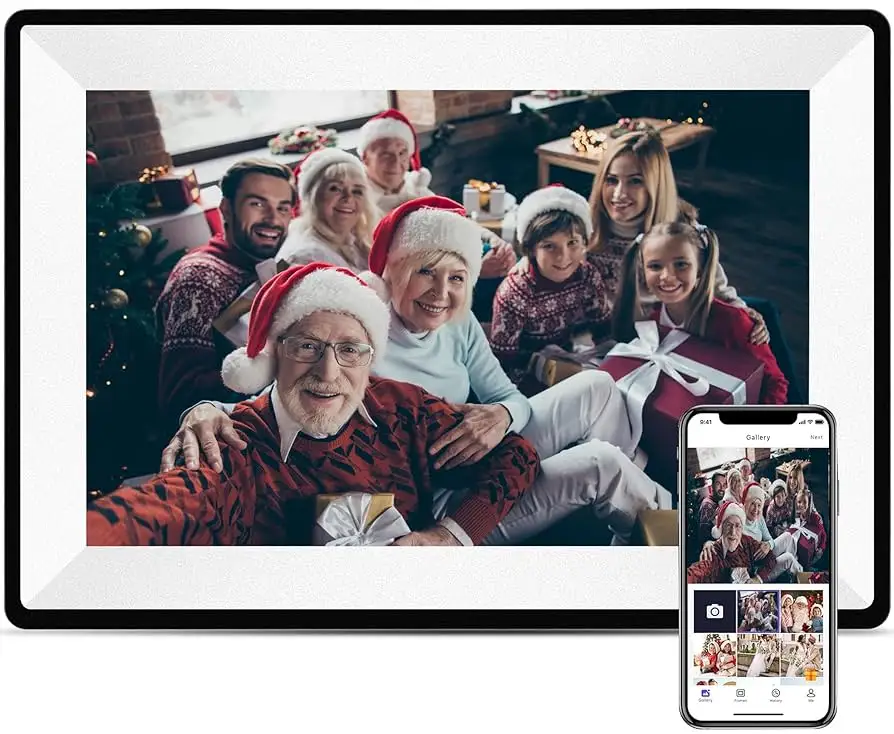
The official listing language for RCA 10.1" WiFi Digital Picture Frame with Touch Screen leans hard into frictionless sharing: “There’s no limit on the number of users you can add… invite anyone to privately and securely share photos and videos.” That promise maps to a real emotional use case—adult kids sending weekly updates to grandparents, or extended families keeping one living-room display current without USB drives.
Digging deeper into user feedback, the biggest “reality check” isn’t about whether sharing exists—it’s about whether you’re comfortable with an app-first relationship. One excerpted review warns plainly: “there is an external app so if you dont like that steer clear.” Another captures the learning curve: “the app is kind of hard to set up but after you toy with it for a while it becomes easier.” The gap is less “does it work?” and more “is it as effortless as the product pitch suggests?”
Claim #2: “10.1-inch HD IPS touch screen… super clear and bright”
On paper, RCA 10.1" WiFi Digital Picture Frame with Touch Screen is positioned around display quality, with the listing emphasizing “HD IPS” and “1280×800.” That’s consistent with what one review-analysis source summarizes as a repeated theme: “Customers are highly satisfied with the display clarity… praising its brightness,” and an excerpted highlight says it’s “easy to use , picture frame that stores a lot of pictures.”
At the same time, “clear and bright” doesn’t automatically mean “perfect in every setup.” Some commentary about RCA screens elsewhere in the dataset complains about needing to view “directly straight on” and that “any angle… distorted,” but that appears tied to an RCA tablet listing rather than this specific WiFi frame. The important takeaway is the contradiction risk: while officially positioned as IPS with strong clarity, some RCA-branded device owners report angle sensitivity on other products—so buyers should verify return policies and placement (wall height, glare) before committing.
Claim #3: “Share photo/video anytime” (video playback expectations)
The marketing text frames video as a core feature, encouraging people to share short clips as easily as photos. But user commentary introduces a practical constraint: audio. One excerpted complaint states: “if the sound on your video isn't strong there won't be much chance of hearing it in an active ( mildly noisy ) home.” For families imagining birthday songs or baby babble coming through clearly, this suggests the “video” feature may function best as silent visuals unless the room is quiet or clips are recorded loudly.

Cross-Platform Consensus
Universally Praised
“Easy” is the word that keeps popping up around RCA 10.1" WiFi Digital Picture Frame with Touch Screen, especially for the gift buyer and the non-tech household. A recurring pattern emerged in excerpted feedback: “this digital picture frame was really easy to set up and use with the wifi in our house and the app for our phone.” For adult children setting up a frame for parents, that line matters—because the “setup day” is often the make-or-break moment for whether the device gets used or ends up back in its box.
Storage also shows up as a satisfaction driver for memory-keepers who have more photos than wall space. One excerpted user summary says, “previously i did nt have enough space for a lot of pictures,” while another calls it an “easy to use , picture frame that stores a lot of pictures.” For apartment dwellers or people who love printed photos but don’t want “several frames,” the frame becomes a single rotating gallery instead of a cluttered shelf.
Remote sharing is the emotional hook, and it’s echoed across listing claims and user-facing summaries. The product pitch emphasizes inviting “anyone” to send photos through the Uhale app and keeping it “private and secure.” For long-distance families, that’s the killer use case: grandparents don’t need to manage files, and relatives don’t need to mail prints. Even the excerpted “helpful insights” boils it down to a simple benefit: “it has an app where i can upload photos to it from anywhere.”
Display quality is repeatedly framed as “clear,” “bright,” and easy to enjoy. A review-analysis summary says “display clarity” is a top positive mention, and that customers praise “brightness and various customizable settings.” For the photo-first buyer—someone who just wants the grandkids’ faces to look good—this aligns with the core job of the product.
After those narratives, the praise tends to crystallize into a few consistent themes:
- Easy WiFi/app-based setup for many households (“really easy to set up”).
- High satisfaction with photo presentation (“display clarity… brightness”).
- Enough storage to replace multiple traditional frames (“stores a lot of pictures”).
Common Complaints
The biggest complaint cluster isn’t about the frame concept—it’s about friction around the companion app and the “first-use” experience. While marketing claims an “easy setup,” one excerpted user warning is blunt: “there is an external app so if you dont like that steer clear.” That’s not a minor preference; it’s a dealbreaker for buyers who want a completely offline, USB-only frame with no accounts, permissions, or phone pairing.
Even for app-tolerant users, setup appears to require patience. One excerpted report admits: “the app is kind of hard to set up but after you toy with it for a while it becomes easier.” For the gift-giver who won’t be present to troubleshoot, that “toy with it for a while” can mean repeated calls with an older relative, or a device that never gets fully configured.
Physical stability and mounting quirks also appear in the complaints. One excerpted review describes a design issue: “this bump causes the unit to wobble pretty badly,” adding that “when hung in the landscape orientation it is impossible to keep pointed in a straight manner due to the bump not being centered.” That’s a very specific, lived-in frustration—especially for wall-mounters who expect the frame to sit flat and level like traditional decor.
Finally, video audio appears as a repeated weak point in the broader RCA ecosystem and directly in the frame-related excerpts. The frame-specific complaint is practical and situational: “If the sound on your video isn't strong there won't be much chance of hearing it in an active ( mildly noisy ) home.” For families sending short clips, that means the “video” feature may deliver more nostalgia than intelligibility.
After the narratives, the complaint themes summarize as:
- App dependency can be a dealbreaker (“steer clear”).
- Setup can be confusing at first (“hard to set up”).
- Hardware design can complicate leveling/mounting (“wobble pretty badly”).
- Video audio may be too quiet for busy rooms.
Divisive Features
The companion app is the most polarizing element of RCA 10.1" WiFi Digital Picture Frame with Touch Screen. For remote families, the app is the reason to buy—“upload photos… from anywhere.” For privacy-minded or “keep it simple” buyers, the same requirement triggers skepticism: “there is an external app so if you dont like that steer clear.” The divide is less about performance and more about philosophy: convenience versus minimizing dependencies.
Video support is similarly split by expectations. The product pitch treats photo/video sharing as a unified experience, but user commentary hints that video may be better as a secondary perk, especially in noisy environments: “not much chance of hearing it.” For some households, silent video clips might still be worth it; for others, it undermines why they wanted video in the first place.
Trust & Reliability
A recurring pattern emerged across sources that aren’t direct buyer reviews: many pages in the dataset read like listings, aggregators, or “review analysis,” rather than first-person community threads about the exact RCA Uhale frame. That matters for trust because it reduces the volume of “6 months later” style evidence about durability and day-to-day reliability.
One signal of credibility risk comes from the presence of third-party review-analysis snippets (for similar “Uhale app” frames) rather than clearly attributable, named user reviews on major platforms for this exact model. The most concrete “real user voice” in the frame-specific material is still valuable—particularly the physical wobble complaint and the warning about app dependence—but long-term durability stories (“a year later it still runs”) are not strongly represented here.
Alternatives
Only a few alternatives are explicitly mentioned in the provided data, and many are not direct competitors to a digital picture frame. One product-family alternative is the Frameo app ecosystem, referenced in third-party descriptions of similar WiFi frames. The appeal is simple: people want “wireless photo and video sharing via… app,” and Frameo is presented as the enabling software in other listings.
However, the dataset also mixes in RCA tablets and comparisons like “go for the viking,” which are not substitutes for a digital picture frame. That confusion itself is instructive: buyers should ensure they’re comparing digital picture frames to digital picture frames, not to tablets that happen to have a 10-inch screen.
Price & Value
The official listing snapshot for RCA 10.1" WiFi Digital Picture Frame with Touch Screen shows a promotional price around “$59.99 with 25 percent savings,” with other syndicated listings showing “$79.99.” For value-focused gift buyers, that price bracket is attractive if the two core promises hold: easy setup and reliable photo delivery.
Resale signals in the dataset skew toward RCA tablets rather than frames, so the best “buying tip” here comes from the pattern in feedback: prioritize return windows and test the intended use immediately. If you’re wall-mounting, the “wobble” and leveling complaint suggests you should mount early, verify alignment, and confirm it sits straight in the orientation you’ll use most.
FAQ
Q: Is the RCA 10.1" WiFi digital picture frame actually easy to set up?
A: Often yes, but not always “plug-and-forget.” One excerpted reviewer said: “this digital picture frame was really easy to set up,” while another cautioned: “the app is kind of hard to set up but after you toy with it for a while it becomes easier.” Expect an app-driven setup and a short learning curve.
Q: Do you have to use the Uhale app to send photos?
A: The product listing emphasizes Uhale as the core sharing method: “download the ‘u hale’ app… invite anyone.” An excerpted user warning adds: “there is an external app so if you dont like that steer clear.” If you dislike companion apps, this frame may frustrate you.
Q: Can multiple family members send photos to the frame?
A: The official claim is yes: “There’s no limit on the number of users you can add.” In practical terms, that’s ideal for large families updating one household display. Just remember the user sentiment that setup can take time, especially when onboarding several senders through the app.
Q: How good is video playback and sound?
A: Video may work best as a visual feature rather than an audio one. One excerpted complaint says: “If the sound on your video isn't strong there won't be much chance of hearing it in an active… home.” If audio matters (birthday songs, speeches), test volume early in your typical room noise.
Q: Is it stable for wall mounting or landscape orientation?
A: Some users report physical alignment problems. One excerpted review says: “this bump causes the unit to wobble pretty badly,” and that in landscape “it is impossible to keep pointed in a straight manner.” If wall-mounting is essential, verify stability and levelness immediately after installation.
Final Verdict
Buy RCA 10.1" WiFi Digital Picture Frame with Touch Screen if you’re a family “memory hub” user who wants WiFi photo sharing from multiple relatives and you’re comfortable with an app-driven workflow—especially if your main goal is a bright, clear rotating slideshow.
Avoid it if you want a completely app-free frame, if you’re sensitive to finicky setup, or if you’re counting on loud, clear video audio in a busy living room.
Pro tip from community: Treat setup as a one-time project—because as one excerpted user put it, “after you toy with it for a while it becomes easier.”