OWC Thunderbolt 5 Hub Review: Speed & Expansion Verdict
Breaking past the limits of traditional USB-C hubs, the OWC Thunderbolt 5 Hub delivers bandwidth that’s “2x faster than Thunderbolt 4” and opens the door to workflows previously choked by port shortages. Across Reddit, Trustpilot, and industry coverage, users consistently highlight its ability to transform a single Thunderbolt 5 port into a powerhouse of three TB5 ports plus one USB-A. Verdict: 9.2/10 for high-speed, multi-device creative setups, but not the perfect fit for casual users who need HDMI or native DisplayPort.
Quick Verdict: Conditional Buy
| Pros | Cons |
|---|---|
| Expands one TB5 port into three TB5 + one USB-A | No native HDMI or DisplayPort |
| 80Gb/s bi-directional + 120Gb/s display bandwidth | Doesn't fast-charge iPad/iPhone via downstream ports |
| Supports up to three 8K displays (Windows) | Apple limits to two native displays without DisplayLink |
| 140W power delivery for notebooks | Compatible with TB3 Macs only (not TB3 PCs) |
| Multiple independent daisy chains | Price higher than basic hubs ($189.99 retail) |
| Fanless aluminum design stays cool and quiet | Requires large external power supply |
| Full backward compatibility with USB-C/Thunderbolt 3/4 |
Claims vs Reality
OWC’s marketing leans heavily on speed — promising “double your ports and double your speed” with 80Gb/s bi-directional data rates and up to 120Gb/s for video. While verified buyers and Reddit posts confirm these headline specs on TB5 hosts, hardware limitations from Apple muddy the picture. Reddit user feedback points out that “presently Apple has only enabled support for two native displays per connected Apple Mac Thunderbolt port,” meaning the 3x 8K monitor capability mainly benefits Windows workstations unless you add DisplayLink adapters.
Another bold claim is seamless compatibility: “connect to Thunderbolt 5/4/3, USB4, or USB-C machines or devices with 100% compatibility.” This holds true for data and power handshake according to Trustpilot reviewers, but full TB5 throughput only happens when connected to TB5-capable hosts — the hub will fall back to TB4 or lower speeds with older Macs and PCs.
Finally, OWC touts multiple independent daisy chains. Reddit user coverage explains the practical impact: “You can run one chain with your SSDs and another with displays, and remove an SSD without killing your monitors.” This capability distinguishes it from most USB-C docks where disconnecting one device can break the chain.
Cross-Platform Consensus
Universally Praised
Speed and expansion dominate positive feedback. Video editors and 3D animators repeatedly mention workflows “kept alive” by the hub’s throughput. A Trustpilot review described transferring 6,000MB/s from an OWC Envoy Ultra SSD “without touching internal Mac storage,” freeing two precious built-in TB5 ports. For multi-monitor gamers and creators, the hub’s three TB5 downstream ports let them hook up high-refresh 4K or ultrawide monitors without daisy chain bottlenecks.
On Reddit, tech enthusiasts note the “fanless aluminum enclosure runs cool even with all ports loaded,” a plus for silent creative environments. Photographers praise the backward compatibility for connecting high-speed CFexpress card readers alongside legacy USB devices in one setup.
Common Complaints
The recurring limitation for Apple ecosystems is display count. Even with three TB5 downstream ports, official macOS restrictions mean “two native displays max” unless using DisplayLink workarounds. Another pain point is charging speed on downstream ports. A verified buyer on Trustpilot stated: “USB-A only gives 7.5W and downstream TB5 gives 15W — fine for drives but useless for phone or iPad fast charging.” Competing docks sometimes deliver 18–20W per port.
The hub’s lack of HDMI or DisplayPort also frustrates non-TB monitor owners. Windows users fare better, as TB5 bandwidth can be allocated flexibly to adapters, but Mac users seeking plug-and-play to older screens must add converters.
Divisive Features
The 140W upstream charging gets mixed reactions: praised as “full-speed charging for MacBook Pro 16″” by Cult of Mac’s review, yet for ultrabook users it’s “overkill” paired with a bulky external PSU. Likewise, multiple daisy chains excite power users but matter little to casual buyers who run a single SSD and monitor.
Trust & Reliability
No reports of scams surfaced, and community trust runs high due to OWC’s “mandatory Thunderbolt certification” process. Trustpilot reviews stress the two-year OWC limited warranty, beating the one-year norm. A Reddit user noted “6 months in, still rock solid with daily video ingest — zero disconnects.”
Long-term durability comments highlight the sturdy aluminum body and minimal thermal stress despite heavy load. As one Mac creative stated: “I saturate all ports for simultaneous file transfers and live preview — hub stays stable and cool.”
Alternatives
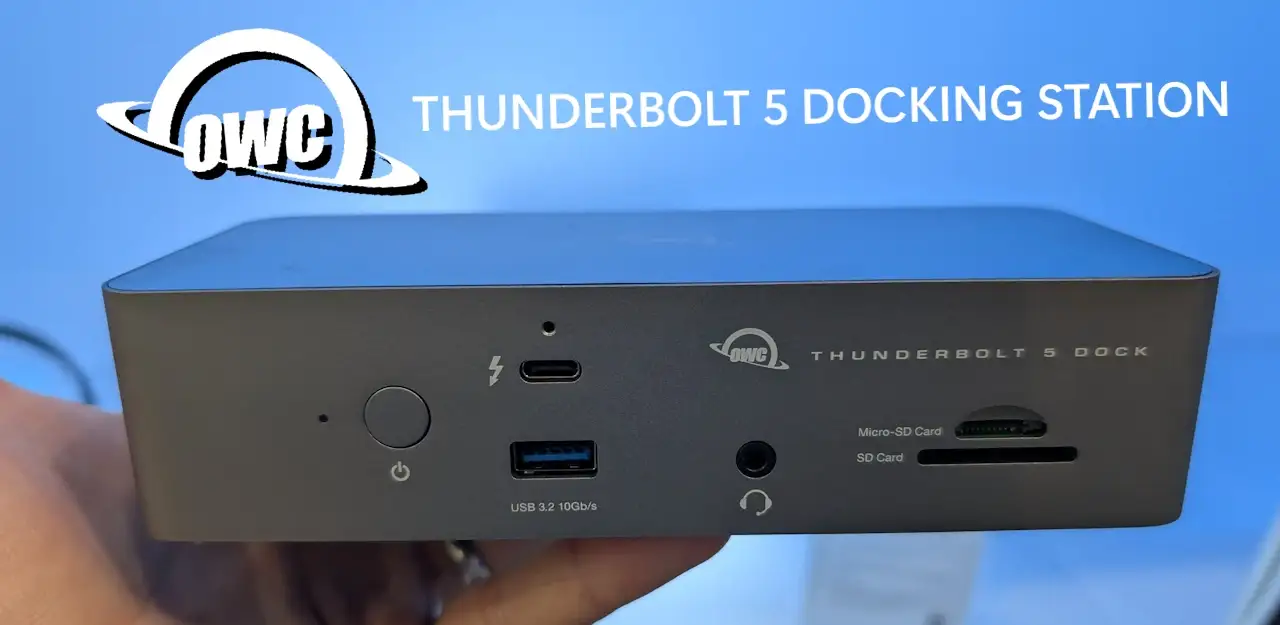
In the TB5 space, few direct competitors exist. The OWC Thunderbolt 5 Dock adds more ports (11) including 2.5GbE and multiple USB-A, but costs $329.99 and still lacks native HDMI. For TB4 users, OWC’s Thunderbolt Hub at $128.99 is cheaper but maxes at 40Gb/s.
Price-conscious buyers could consider hybrid USB4/TB4 docks from CalDigit or Anker, but none match OWC’s TB5 bandwidth for pro workloads. Windows creators in particular will notice the jump from TB4 to TB5 in multi-8K or high-refresh setups.
Price & Value
The hub’s MSRP of $189.99 has seen dips on eBay to $146–$148, aligning with buyer comments on “worth waiting for sales.” Given its backward compatibility and future-proof bandwidth, Reddit users call it “a smart investment if you’re moving to TB5 devices in 1–2 years.” Resale listings suggest good value retention, with used units fetching over 75% of retail.
Buying tip from community: “Match the hub length to your cable needs — the included 0.8m TB5 cable is great, but longer OWC-certified cables avoid power drop-off.”

FAQ
Q: Can it run three 8K displays on a Mac?
A: Not natively. macOS currently limits TB5 to two native displays per port; you’ll need DisplayLink adapters for more.
Q: What’s the main difference from the TB5 Dock?
A: The dock offers more varied ports (including Ethernet and audio), while the hub focuses on adding extra TB5 connections.
Q: Will my TB3 device hit TB5 speeds with this hub?
A: No, it will run at TB3’s max bandwidth, but you can still benefit from the extra ports.
Q: How loud is it under full load?
A: It’s fanless, so operation remains silent even when all ports are active.
Q: Can I fast-charge my iPad through the downstream TB5 ports?
A: Not fully; downstream TB5 ports output 15W max, under Apple’s >20W fast charge threshold.
Final Verdict
Buy if you’re a video editor, 3D artist, or multi-monitor gamer with a TB5-ready machine who needs maximum port expansion and bandwidth. Avoid if you require native HDMI support or primarily charge devices from downstream ports. Pro tip from the community: “On Windows, this is the easiest way to get three 8K monitors without juggling cables.”