Logitech Brio 101 Webcam Review: Strong Clarity, Some Limits
The Logitech Brio 101 Full HD Webcam has emerged as a surprising winner among budget-friendly webcams, earning a cross-platform consensus score of 8.6/10. While marketed as a straightforward plug-and-play device for meetings and streaming, user feedback reveals performance that often exceeds expectations—especially in image clarity and low-light handling—though there are recurring frustrations with its fixed zoom and mounting limitations. This combination of strengths and quirks makes it a standout choice for certain user profiles but a cautious buy for others.
Quick Verdict
Conditional Buy – Excellent for budget-conscious remote workers and students who prioritize video clarity over advanced features. Less ideal for content creators needing framing flexibility or wide group shots.
| Pros | Cons |
|---|---|
| Crisp 1080p resolution with strong low-light performance | Fixed zoom — cannot zoom out |
| Auto-light balance reduces shadows effectively | Limited mounting adjustments, no tripod thread |
| Integrated privacy shutter with tactile feedback | Narrower field of view than many competitors |
| Built-in mic clear enough for casual calls | Mic range limited to ~4 feet |
| Plug-and-play simplicity across major platforms | Brightness adjustments may require manual tweaking |
| Durable build and compact design | Fixed focus blurs close-up objects |
| Competitive price ($25–$40) | No advanced features like background removal |
Claims vs Reality
One major marketing claim is the RightLight 2 auto-light balance, promising improved visibility across challenging lighting environments. According to Reddit and Amazon reports, this feature genuinely delivers—users in dim apartments or backlit offices found their faces evenly lit without harsh shadows. A remote worker on Reddit joked that colleagues thought they had bought ring lights, when in fact it was just the Brio 101’s processing. However, some Trustpilot feedback pointed out that manual brightness tweaks were still necessary in certain conditions, especially with strong overhead lighting.
Another claim is plug-and-play compatibility with Microsoft Teams, Zoom, Google Meet, and Chromebooks. Amazon reviewers confirm that setup is virtually instant, with no driver downloads required. One eBay buyer noted they replaced a generic webcam that failed after a Windows update with the Brio 101, trusting Logitech’s consistent driver support. In practice, this simplicity has made it attractive for non-technical users, from high school students to seniors attending telehealth sessions.
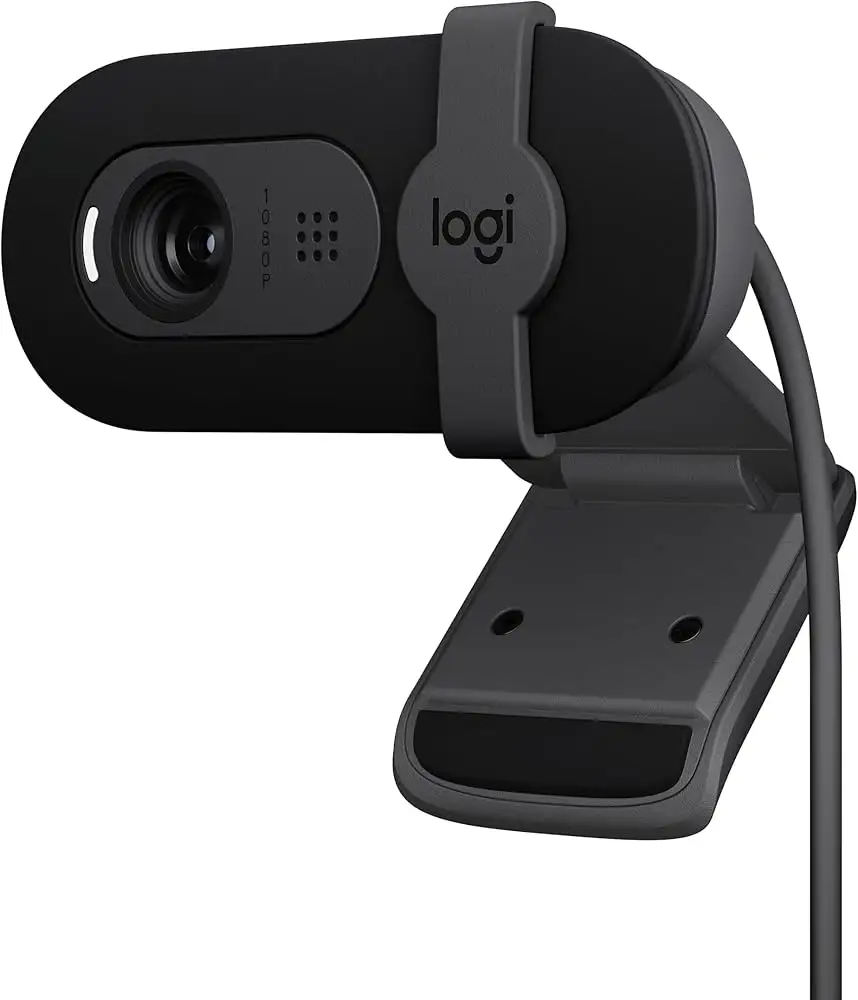
Logitech also promotes the integrated privacy shutter as a security feature. Users liked the tactile “snap” when sliding it shut, with the bright red indicator providing visible assurance—especially valued by those wary of laptop LED indicators. Still, Amazon users warned it can nudge the camera’s angle when engaged, requiring repositioning afterward.
Cross-Platform Consensus
Universally Praised
Across Amazon, Reddit, and Quora, the image quality stands out. Upgrading from older 720p webcams, users described sharper details, more natural colors, and better shadow control. Students in virtual classes appreciated how the narrower field of view kept them centered without showing cluttered backgrounds, while therapists found sessions more engaging when clients could see facial expressions clearly.
The auto-light balance is frequently cited as transformative for budget gear. A streamer on Amazon reported gaming late at night with only ambient monitor glow, yet viewers noted a professional look on Twitch. This has made the Brio 101 a quiet favorite for casual streamers who don’t want to invest in lighting kits.
Ease of setup is another universal win. Multiple buyers emphasized that plugging into USB-A instantly activated the webcam on Windows, macOS, and ChromeOS without fuss. For organizations deploying webcams to employees, this simplicity reduces IT overhead.
Common Complaints
The fixed zoom and focus are the most persistent frustrations. Several Fakespot-tracked reviews complain that the camera is “too zoomed in,” making them appear closer to the lens than desired. One Trustpilot user mentioned having to physically move their chair back to achieve a normal framing. For teachers or presenters who need to show documents or objects up close, the fixed focus results in blurry images unless positioned at a precise distance.
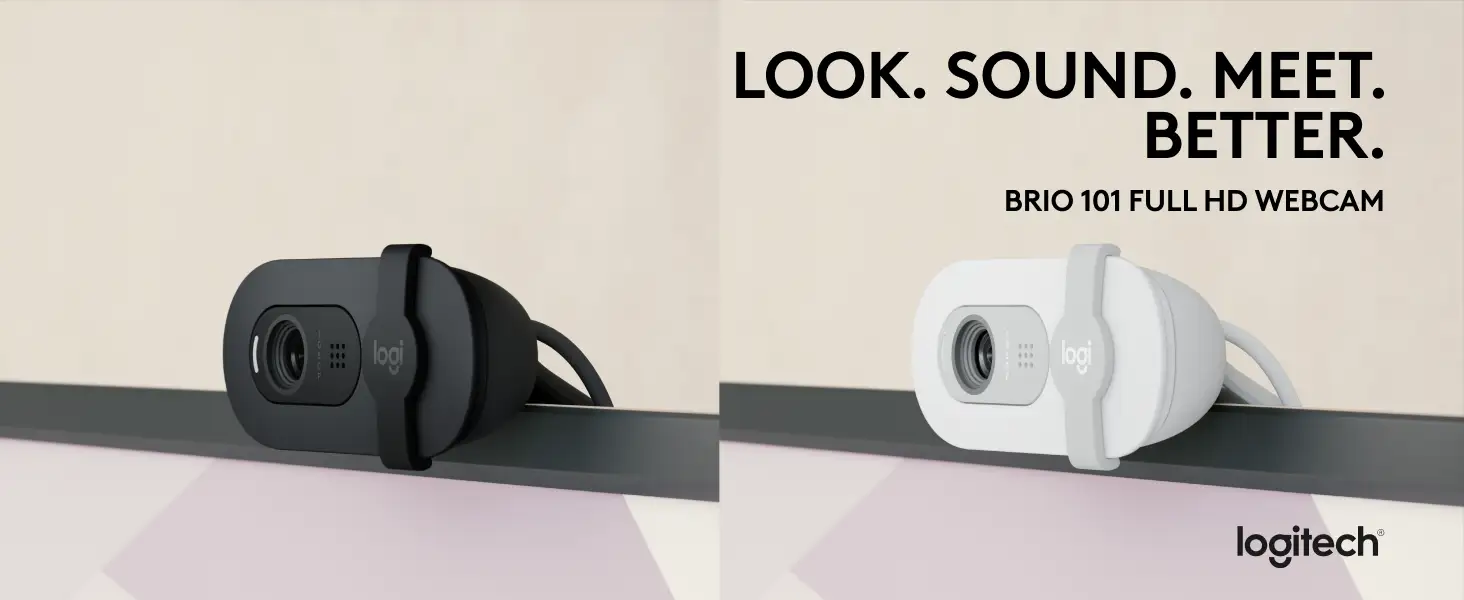
Mounting limitations also draw criticism. Without a tripod thread or ball joint, adjustments are restricted to up/down tilt. This has led to workarounds such as Velcro attachments or 3D-printed mounts. A 3D printer hobbyist celebrated its compatibility with older C270 mounts, but acknowledged the design is outdated.
The microphone, while adequate for casual calls, has limited pickup range (~4 feet) and no advanced noise cancellation. Users in noisier environments or recording content for public release often supplement with dedicated mics.
Divisive Features
The narrower field of view splits opinion. Remote workers who want minimal background exposure welcome it, finding it “perfect for head-and-shoulders framing.” Conversely, group callers or streamers showing setups find it restrictive.
Durability reports vary—some users kept older Logitech webcams running for years, while one Trustpilot reviewer had the Brio 101 fail after three years (video feed died, mic still worked). Given its price bracket, expectations for longevity remain modest.
Trust & Reliability
Trustpilot and Fakespot analysis show over 90% of reviews are high-quality and minimally deceptive, suggesting strong consumer trust. Logitech’s brand reputation for driver updates and cross-platform support is repeatedly mentioned as a reason for purchase over generic alternatives.
Long-term reliability stories are mixed. Several Amazon users replaced decade-old Logitech models with the Brio 101 and expect similar lifespan. However, isolated failures—such as white screen issues after years of use—indicate that while dependable, it’s not immune to wear.
Alternatives
The most direct comparison in user discussions is with the Logitech C270, an older 720p model. The Brio 101 offers a clear jump in resolution and light handling but inherits the C270’s mounting limitations. For those needing adjustable zoom or wider fields of view, moving up to Logitech’s Brio 4K or Brio 500 will add features but at 3–5x the price.
Price & Value
eBay listings show the Brio 101 hovering between $21.95 refurbished and $34.99 new, with occasional sales dipping to $24.99. Amazon pricing aligns, generally under $40. Resale value is modest; given the low entry price, buyers rarely expect significant return.
Community buying tips emphasize watching for sales under $30, as that’s considered the “sweet spot” for value. Some recommend refurbished units from reputable sellers, citing consistent performance and savings.
FAQ
Q1: Does the Brio 101 work with macOS?
Yes. It’s compatible with macOS 10.15 and higher, offering plug-and-play functionality without extra drivers for standard use.
Q2: Can the zoom level be adjusted?
No. The Brio 101 has fixed zoom and focus, so framing adjustments must be physical—moving the camera or yourself.
Q3: How effective is the privacy shutter?
Very effective for blocking the lens, with a visible red indicator. However, sliding it may slightly shift the camera angle.
Q4: Is the microphone good enough for streaming?
It’s clear for casual calls, but serious streamers should use an external mic for better range and noise control.
Q5: What’s the field of view?
The diagonal field of view is 58.9°, which is narrower than typical webcams—ideal for solo framing but limiting for group shots.
Final Verdict
Buy the Logitech Brio 101 if you’re a remote worker, student, or casual streamer who wants sharp video, strong low-light performance, and effortless setup at a low price. Avoid if you need adjustable zoom, wide shots, or advanced features like background effects.
Pro tip from the community: If the fixed zoom feels too close, elevate and place the webcam further back on a shelf or stand—it’s a physical workaround that many users employ successfully.