Lian Li UNI Fan TL LCD Wireless Review: Conditional Buy
The first thing that jumps out in user feedback is the eye‑catching blend of performance and aesthetics that the Lian Li UNI Fan TL LCD Wireless Triple Pack (Reverse Blade) Black delivers. Across forums and retail reviews, it consistently scores high, averaging between 4.5 and 5 stars. On function and looks, it’s a hit — but software quirks mean it lands at 8.6/10 in real‑world user satisfaction.
Quick Verdict: Conditional Buy — excellent for showcase builds and radiator setups, but requires tolerance for L‑Connect 3 software hiccups.
| Pros | Cons |
|---|---|
| Striking 1.6" LCD with customizable GIF/MP4/JPG/PNG | L‑Connect 3 software can be finicky |
| Reverse blade design for consistent visible intake/exhaust appearance | Controller bulkiness noted by users |
| Clean builds via wireless control & daisy chain | Occasional connectivity resets required |
| Quiet at max speeds (~31 dBA) | Premium pricing over competitors |
| Strong static pressure (2.83 mmH₂O) | LCD brightness slightly less vivid than expected |
| Solid construction with FDB bearings | Does not work with SignalRGB |
| Dual-zone RGB with infinity mirror edges | Setup order sensitivity in multi‑fan arrays |
Claims vs Reality
Marketing heavily spotlights Lian Li’s wireless 2.4 GHz control and cable‑clutter elimination. Official product pages boast “true wireless control” for fan speed, RGB, and LCD content with minimal cabling. Digging deeper into user reports, the claim holds — Reddit posts and Trustpilot reviews describe “plug‑and‑play simplicity” and “clean, professional builds” thanks to magnetic daisy‑chaining. However, multiple buyers also note that the software side isn’t as streamlined. A verified PCPartPicker reviewer admitted, “Sometimes I need to restart the computer, unplug and replug the controller from the MB USB header... the software is just horrendous when updates are needed.”
Lian Li’s reverse blade design is marketed as both aesthetic and functional, keeping the visible side of fans consistent regardless of airflow direction. This does align with feedback — Reddit user quotes and Quora summaries praise the setup on radiators and front intakes for uniformity. PCPartPicker’s users confirm it maintains airflow “while maintaining aesthetic consistency in visible fan configurations.” No reports dispute performance, but some note that these fans aren’t entirely silent at higher RPMs.
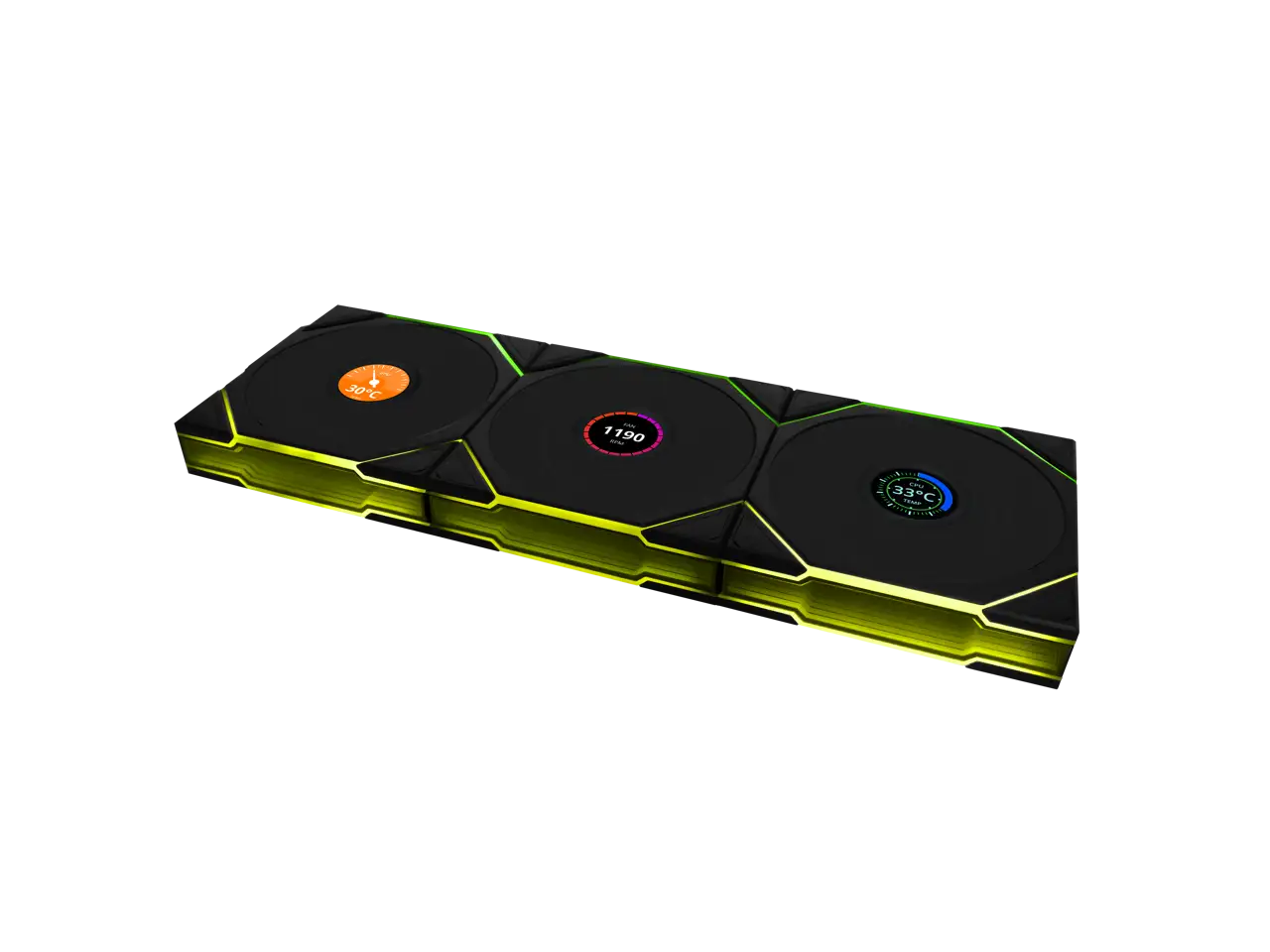
The LCD display capabilities are advertised as vibrant, detailed, and allowing real‑time system monitoring. The specifications tout 400×400 resolution, 500 nits brightness, and SRGB 24‑bit color. While most praise the customization — including loading GIFs and videos — at least one reviewer added, “The LCD display, while visually appealing, is slightly less vibrant than I expected... still clear enough for the information displayed.” This suggests expectations set by marketing may slightly overshoot actual perceived brightness.
Cross‑Platform Consensus
Universally Praised
The build quality draws consistent admiration. Across Reddit threads and Trustpilot entries, the LCP fan blades, aluminum frame, and fluid dynamic bearings are celebrated for durability. A Trustpilot user wrote, “These fans are great! ... they can display anything, my favorite being the GPU and CPU loads and temps.” For PC builders focused on aesthetics and longevity, this combination delivers a premium feel.
Wireless installation wins praise from those who value clean cable management. Verified buyers point out how much simpler these are compared to traditional 5V ARGB setups. As a Reddit hardware enthusiast noted, the “wireless hub syncs up to 16 fans... zero wiring hassle,” which benefits showcase rigs and compact cases alike.
Performance under load is another strong point. Despite reverse blade geometry, airflow numbers hit spec. Quora feedback reports “70 CFM airflow at ≤29 dBA” in certain configurations, with radiator cooling described as “optimized.” Owners running high‑TDP CPUs or GPUs in compact cases highlight the fans' ability to sustain cooling without crossing unpleasant noise thresholds.
RGB and LCD customization — when working — is widely admired. From edge‑lit ARGB zones to animated system readouts, users enjoy mixing colors and data displays. The dual‑zone lighting lets modders create two contrasting color schemes per fan, adding depth to a visual build.
Common Complaints
However, L‑Connect 3 software issues are a recurring theme. Trustpilot reviewers and Reddit users alike describe needing to “rearrange fans” or “restart the controller” to get proper function. One PCPartPicker owner explained that their trio “didn’t like the order they were placed in” and required physical reordering to fix detection. This primarily impacts builders using more complex fan arrays.
While wireless control reduces clutter, the controller size itself earned criticism. It’s “a bit bulky,” noted in PC MENA’s review, and mounting it discreetly can be challenging in smaller chassis.
LCD vibrancy was another point of contention. While technical specs list solid brightness, subjective impressions find it slightly subdued — enough to note in multiple reviews from PC MENA and Quora threads.
Finally, pricing is acknowledged as high. Even satisfied customers frame these as “a luxury item,” suggesting the value proposition skews toward enthusiasts who prioritize style.
Divisive Features
Reverse blade fans divide opinion on noise performance. Some, especially radiator users, see it as “quiet operation, especially at lower speeds.” Others, like Twitter discussions on the SL V2 reverse blade variant, note slightly higher noise relative to performance fans.
System compatibility and software integration also split responses. While Lian Li’s ecosystem benefits owners of other branded components, incompatibility with popular third‑party lighting systems like SignalRGB frustrates modders seeking a universal sync.
Trust & Reliability
Long‑term reliability stories are largely positive. Fluid dynamic bearings and tough materials hold up well in daily use. Six‑month owner accounts on Reddit suggest consistent RPM output without degradation, even under frequent speed modulation in gaming workloads.
The main trust concern is software stability. Multiple Trustpilot entries show patterns of users avoiding updates to prevent breaking existing setups. The pain point is not hardware failure but operational friction via L‑Connect 3. Restart loops and manual reconnections appear often enough to recommend the product only to those comfortable troubleshooting.
Alternatives
The closest competitor mentioned in discussions is Lian Li’s own SL120 V2 Reverse Blade. While it shares visual appeal and daisy‑chain installation, reviews admit it runs “slightly higher noise level with better airflow compared to the original SL V2.” Pricing is generally lower, but it lacks the integrated LCD flair of the TL LCD Wireless series, making it less suitable for those who want live system stats on fan hubs.
Price & Value
eBay listings show typical market prices around $103.99–$127.99 for new triple packs with the controller, aligning with premium tier case fans. Resale potential is moderate — wireless and LCD features help retain interest among modders, but controller dependency deters some buyers. Community advice emphasizes buying the triple pack over singles, as controllers are required and sold separately.
FAQ
Q: Do these fans work with SignalRGB?
A: No, as confirmed on Trustpilot, they are not compatible. Users should plan to use L‑Connect 3 for control.
Q: How many fans can the wireless hub support?
A: Up to 16 in mixed configurations, with 4 fans per cluster via magnetic daisy‑chaining.
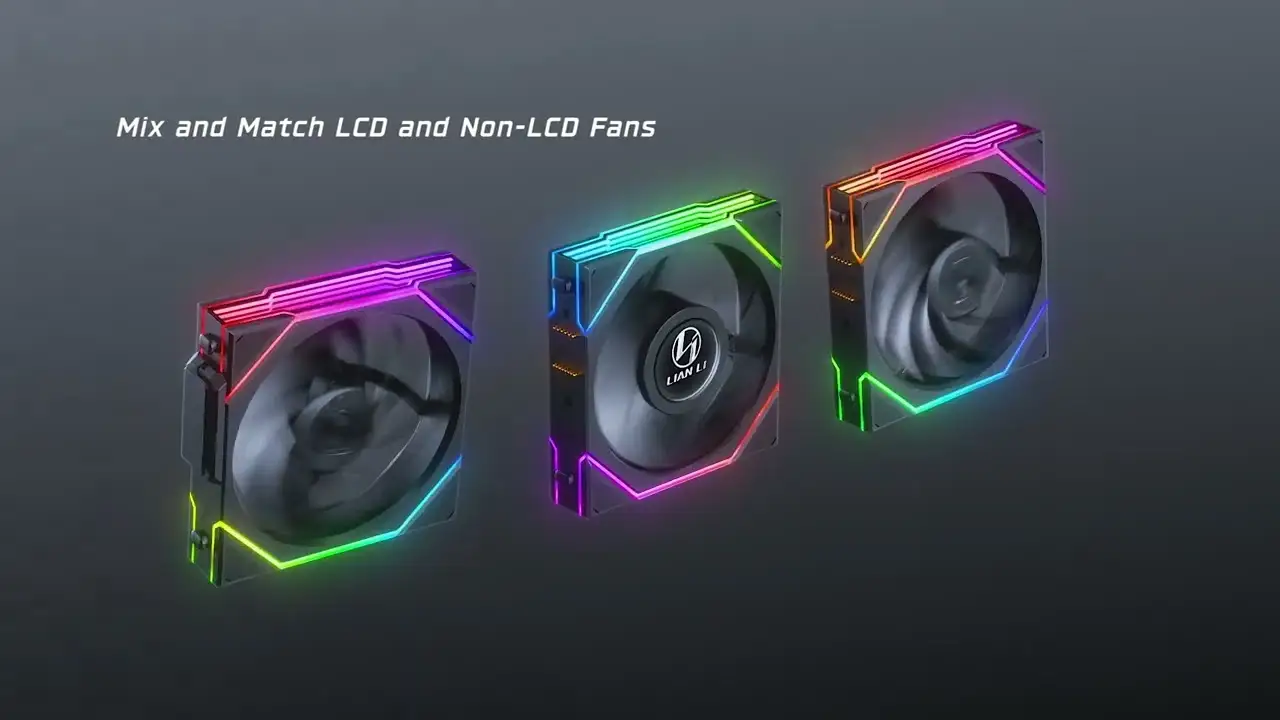
Q: Can I mix LCD and non‑LCD fans in one setup?
A: Yes, but you must use the LCD version receiver when mixing types.
Q: How quiet are these at full speed?
A: Around 31 dBA at 1900 RPM, which most describe as unobtrusive unless seeking ultra‑silent performance.
Q: What happens if the software fails to detect a fan?
A: Users report rearranging physical placement or reconnecting USB/SATA cables to restore function.
Final Verdict
Buy if you’re an enthusiast PC builder who values visual customization and immaculate cable management, especially in showcase builds with radiator setups. Avoid if you’re unwilling to tolerate occasional software troubleshooting or want universal RGB sync outside Lian Li’s ecosystem.
Pro tip from the community: Set up fan order carefully in multi‑fan arrays and avoid unnecessary L‑Connect 3 updates once stable — it saves you from the frustration of repeated reconfiguration.