Lexar CFexpress Type B/SD Reader Review: 8.6/10
“Transferred 20 GB from my CFexpress in less than 60 seconds” is the kind of brag that shows up when a card reader stops being the bottleneck. Lexar Professional CFexpress Type B / SD Card Reader earns a conditional thumbs-up from real-world feedback, landing at 8.6/10 for people who prioritize fast offloads and simple, travel-friendly connectivity—so long as you understand where speeds can dip and what “fast” depends on.
Quick Verdict
Yes—conditional (best if your workflow matches the ports/cards you actually use).
| What buyers cared about | What feedback says | Source |
|---|---|---|
| Fast transfers | “Transferred 20 GB… in less than 60 seconds” | Amazon customer review (Lexar reader page) |
| Realistic speeds vs card rating | “About 82 MB/s… rated at 90” and “about 255 MB/s… rated at 300” | Amazon customer review |
| Build quality vs older readers | “A big upgrade… triangular design looks good” | Amazon customer review |
| Two cards at once | “When 2 cards are plugged in it shows 2 different drives” | Amazon customer review |
| Heat over long copies | “Can get slightly warm during extended use” | Camera Jabber review |
| Speed drop copying both slots | “Transfer speed can drop slightly when copying from both cards… simultaneously” | Camera Jabber review |
Claims vs Reality
Marketing leans hard on “high-speed transfer” and “optimize your workflow,” and the user stories mostly back that up—when the reader is paired with the right cards and expectations. Digging deeper into performance anecdotes, the strongest praise isn’t abstract; it’s tied to concrete offload moments. A verified buyer on Amazon noted: “Transferred 20 GB from my CFexpress in less than 60 seconds,” framing the reader as a genuine time-saver for CFexpress-heavy shoots.
At the same time, real-world speed talk comes with caveats that sound like experienced creators calibrating expectations. One Amazon reviewer compared measured throughput to the card’s advertised performance: “About 82 MB/s in a CF card that is rated at 90 MB/s, and about 255 MB/s (read) on a SD card rated at 300 MB/s.” In other words, the device may be “fast,” but for many buyers the card—and system—remains the limiting factor, aligning with the manufacturer’s own “results may vary” language in the specs.
The most pointed “reality check” shows up when workflows get more complex than a single card dump. Camera Jabber’s review describes a scenario many hybrid shooters face—CFexpress plus SD at the same time—and reports: “The transfer speed can drop slightly when copying from both cards, CFexpress and SD, simultaneously,” plus “the device can get slightly warm during extended use.” That’s not a deal-breaker for many, but it’s exactly the kind of gap between headline-speed marketing and multi-source, real-session behavior that working photographers notice quickly.
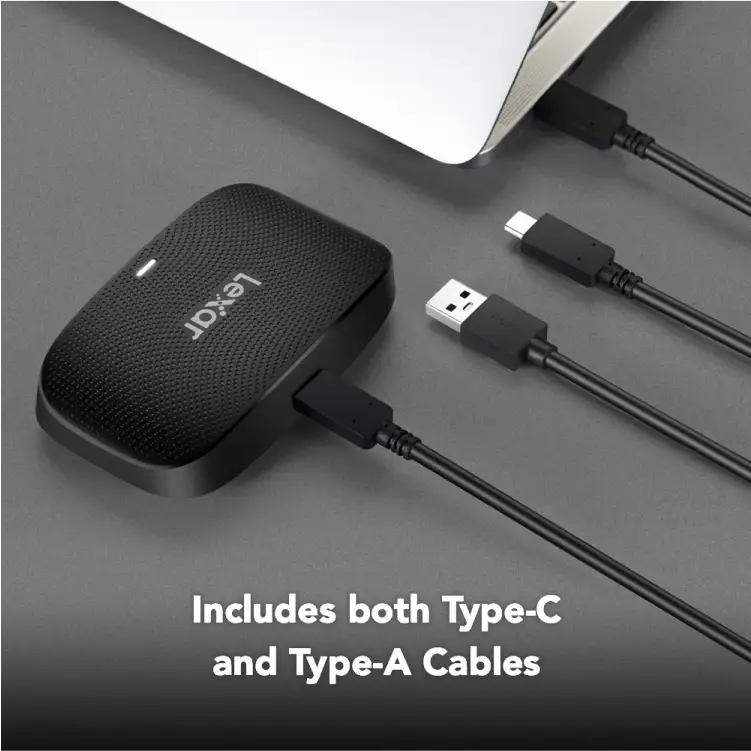
Cross-Platform Consensus
A recurring pattern emerged across buyer reviews and editorial-style feedback: the reader gets treated less like a gadget and more like a workflow tool—something that either disappears into the process or becomes a daily annoyance. The positive stories consistently describe “it just works” transfers and practical design decisions that matter when you’re unloading cards in a hurry.
Universally Praised
Speed is the headline, but the more revealing praise is how speed changes behavior. For event photographers who need rapid turnaround, shaving minutes off each offload can mean delivering a gallery sooner or clearing cards between sessions. A verified buyer on Amazon noted: “Transferred 20 GB from my CFexpress in less than 60 seconds,” a very specific experience that reads like a real deadline-driven dump, not a lab benchmark.
Build and day-to-day usability also get attention, especially from people upgrading from older, flimsier readers. One Amazon reviewer contrasted it with past hardware: “My previous card readers were… USB 2.0 and had a terrible plasticky body… this isn’t just a replacement. It’s a big upgrade.” That same reviewer tied the design to practical desk use: “The triangular design looks good on my desk and it’s easy to just face the card type I am using.” For creators juggling multiple media types, that “face the card type” detail is the kind of ergonomic win that doesn’t show up in specs.
Compatibility and connection reliability matter most to mobile-first workflows—iPad offloads, travel edits, and on-location backups. One Amazon reviewer framed the product as a solution to a recurring pain point: “Previous card readers… are difficult [to] make a connection to my iPad… I’ve never had any issue with connecting to my iPad.” For that user type, the story isn’t about peak MB/s; it’s about avoiding a failed import when you’re away from your main workstation.
After the praise, the value narrative is blunt and price-aware. An Amazon reviewer called it “the value for money… a no-brainer,” even comparing it to pricier alternatives: “6 years ago, I would have had to spend at least $100 for a Sandisk equivalent.” The implication is clear: many buyers see Lexar’s reader as “good enough” (or better) without the premium tax—especially when it replaces older hardware that finally died after years of service.
- Speed wins when offloading single cards: “Transferred 20 GB… in less than 60 seconds” (Amazon)
- Upgrade feel over older readers: “It’s a big upgrade” (Amazon)
- Practical design/handling: “Triangular design… easy to just face the card type” (Amazon)
- Mobile reliability for some: “Never had any issue with connecting to my iPad” (Amazon)
Common Complaints
The most consistent criticism is not outright failure—it’s performance nuance under heavier, more realistic workloads. Camera Jabber describes a scenario many hybrid shooters try: simultaneous card copying. Their verdict is specific: “The transfer speed can drop slightly when copying from both cards, CFexpress and SD, simultaneously.” For wedding photographers or documentary shooters running dual-slot cameras and doing parallel backups, that “slightly” matters because it changes how long the reader sits tethered to a laptop.
Heat is the other theme that shows up when transfers run long. Camera Jabber reports the reader “can get slightly warm during extended use.” For studio shooters doing constant card cycles all day, warmth can be an annoyance; for travel editors, it’s more of a “good to know” that the device may feel warm when pushing sustained transfers.
There’s also a quieter undercurrent of physical-slot anxiety—particularly around CompactFlash pins, mentioned as a historical risk with card readers in general. One Amazon reviewer acknowledged having “seen a review reporting issues with bent pins,” and added their own take: “That can happen with any card reader if the CF cards are inserted without any care.” While this isn’t a confirmed widespread failure in the provided data, it shows the kind of fear that can shape buying behavior among users with older CF-based kits.
- Simultaneous copy slowdown: “Speed can drop slightly” (Camera Jabber)
- Sustained-transfer warmth: “Can get slightly warm” (Camera Jabber)
- Pin-bend concerns exist in the community: “Issues with bent pins… can happen… if… inserted without any care” (Amazon)
Divisive Features
“Fast” means different things depending on what card you own and what device you plug into, and that’s where opinions split. One Amazon reviewer was impressed by near-rated performance: “About 82 MB/s… rated at 90… about 255 MB/s… rated at 300.” That user reads the results as “quite impressive,” treating the remaining gap as normal overhead. But this same kind of measurement can frustrate buyers expecting the label’s best-case number every time, especially if they don’t realize the system configuration and card speed dominate.
The two-card behavior itself can be a plus or a workflow complication. An Amazon reviewer appreciated the OS-level clarity: “When 2 cards are plugged in it shows 2 different drives.” For organized editors, that’s convenient—each card mount is obvious. For others, two mounts can feel cluttered or raise questions about whether simultaneous transfers will be as fast as single-card dumps—something Camera Jabber implicitly complicates with the “drop slightly” note.
- Some treat near-rated speeds as success: “Quite impressive” (Amazon)
- Others may hit real-world limits: “Results may vary based on system configuration and card speed” (Lexar specs language echoed by user measurements)
- Dual-drive mounting is helpful to some: “Shows 2 different drives” (Amazon)
Trust & Reliability
The reliability story here is less about catastrophic failures and more about whether the reader holds up as a daily tool. One of the strongest durability signals actually comes indirectly: an Amazon reviewer described their previous Lexar USB 2.0 reader lasting “after 6 years of use… it has stopped working altogether… 6 years of real-world use is actually really good.” That user then chose Lexar again, suggesting brand trust built on longevity.
On the editorial side, Camera Jabber frames reliability in practical terms: “fast and reliable data transfer,” with “consistent performance,” while still flagging warmth and the slight speed drop during simultaneous transfers. That kind of critique tends to read as “not perfect, but dependable,” particularly for professionals who care more about consistent offloads than chasing theoretical peak numbers.
No verified scam-pattern reporting was present in the provided Trustpilot data; the included material there repeats the Camera Jabber review content. As a result, the trust discussion rests primarily on sustained-use impressions (warmth, speed consistency) and the long-lived “older Lexar reader” anecdote rather than fraud or seller issues.
Alternatives
The only competitor brand explicitly mentioned in the provided feedback is SanDisk, and it appears as a price comparison rather than a head-to-head performance shootout. An Amazon reviewer argued that years ago they “would have had to spend at least $100 for a sandisk equivalent,” then framed the Lexar reader as a bargain by comparison. That positions SanDisk (in that user’s mind) as a premium-priced alternative with a “robust metal enclosure,” while Lexar is cast as the value pick that still feels “pro-level.”
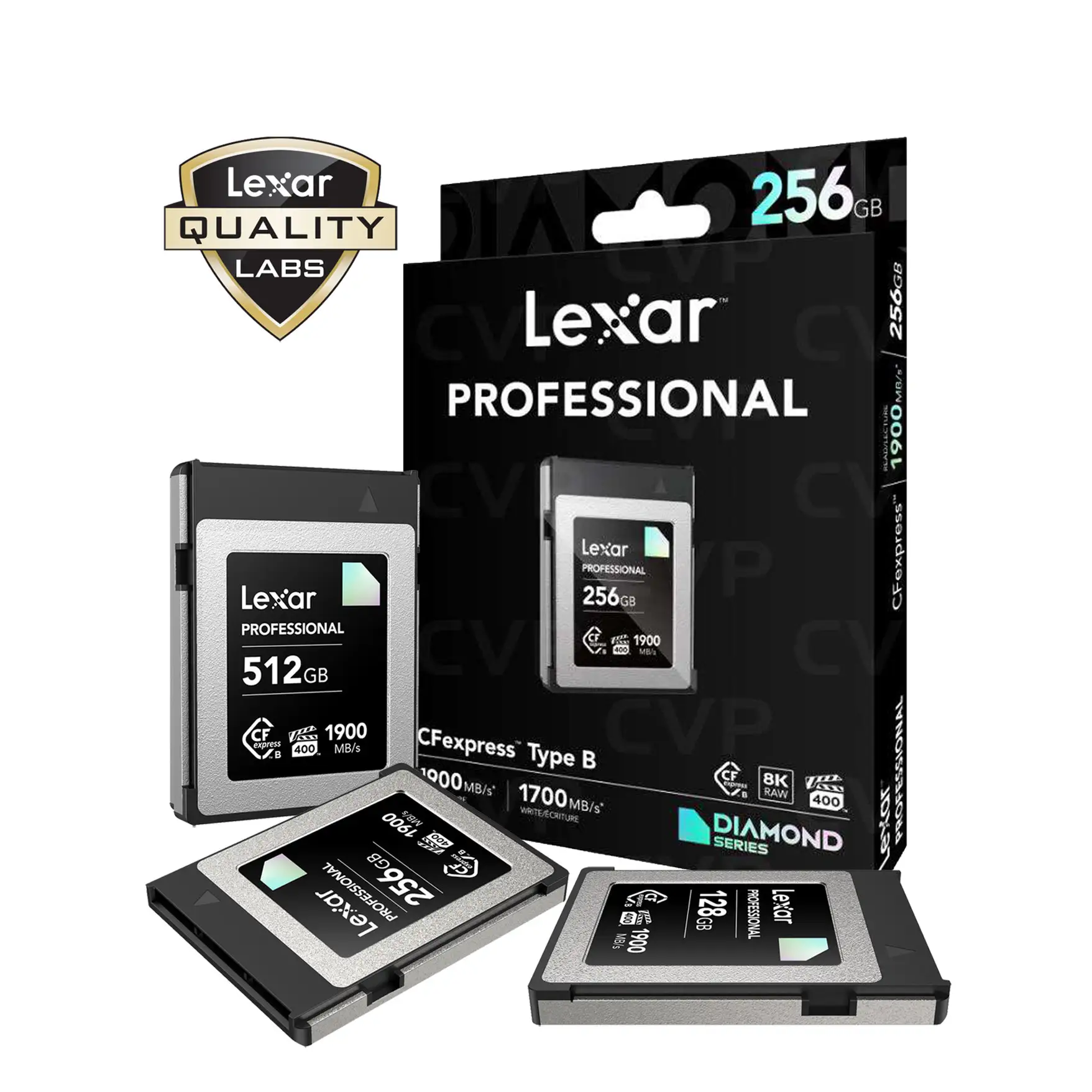
Within Lexar’s own ecosystem, the data also references other Lexar readers that target different needs. Lexar’s specs list a CFexpress Type B-only USB 3.2 Gen 2x2 reader advertising “read speeds of up to 1700 MB/s,” and a Lexar Professional Workflow CFexpress 4.0 Type B reader citing much higher interface capability. Those aren’t “user recommended” alternatives in the feedback, but they are clearly positioned as faster/specialized options if your priority is maximum CFexpress throughput over dual-slot convenience.
Price & Value
Value talk is unusually concrete in the Amazon feedback: the product is repeatedly framed as “worth the purchase” and “value for money.” One reviewer said, “the value for money is a no-brainer,” grounding it in a historical comparison to higher-priced alternatives. Another short Amazon review simply concludes: “works fine and for the price and shipping it fast worth buying,” capturing the “cheap enough to be an easy yes” mentality.
Market pricing signals from eBay listings suggest active resale and a fairly stable used/open-box range clustered around the high-$40s to low-$50s for the Lexar Professional CFexpress Type B / SD USB 3.2 Gen 2 reader (multiple listings around ~$47–$50). For budget-conscious buyers, that implies the reader is common enough to find secondhand without dramatic price inflation, and liquid enough to resell if you change formats.
Buying tips implied by the feedback are mostly about matching expectations: if your workflow involves copying from both CFexpress and SD simultaneously, expect a “slight” speed drop per Camera Jabber; if you’re measuring speed, remember the reviewer who saw performance closely track card ratings rather than blowing past them.
FAQ
Q: Is it actually fast for CFexpress Type B offloads?
A: Yes, for many. A verified buyer on Amazon noted: “Transferred 20 GB from my CFexpress in less than 60 seconds.” Another reviewer measured near-rated performance, reporting “about 82 MB/s” on a CF card “rated at 90 MB/s,” suggesting the card/system often sets the ceiling.
Q: Does performance drop if I copy from CFexpress and SD at the same time?
A: Yes, slightly. Camera Jabber reported: “The transfer speed can drop slightly when copying from both cards, CFexpress and SD, simultaneously.” If your workflow relies on dual-slot dumping for backups, plan for a modest slowdown compared to single-card transfers.
Q: Does it get hot during long transfers?
A: It can get warm. Camera Jabber noted “the device can get slightly warm during extended use.” That’s most relevant for long continuous offloads (large video days or repeated card cycles), not short photo imports.
Q: Will my computer see both cards at once?
A: Yes, based on buyer feedback. One Amazon reviewer wrote: “When 2 cards are plugged in it shows 2 different drives.” That’s helpful for separating media sources, though simultaneous copying may run a bit slower per Camera Jabber.
Q: Is it reliable for iPad or USB-C workflows?
A: Some buyers report strong reliability. One Amazon reviewer said other readers struggled but this one “never had any issue with connecting to my iPad.” Experiences can still depend on your specific device, cable, and card speeds, but that iPad-specific story is a positive signal.
Final Verdict
Buy if you’re a CFexpress Type B shooter (or hybrid CFexpress + SD) who wants quick, consistent offloads and appreciates practical design—especially if you’ve had older readers fail over time. Avoid if your main use case is heavy simultaneous copying from both slots and you expect peak numbers in every scenario; Camera Jabber saw speeds “drop slightly” in that exact workflow. Pro tip from the community: treat card insertion carefully—an Amazon reviewer warned pin issues can happen “with any card reader if the CF cards are inserted without any care.”