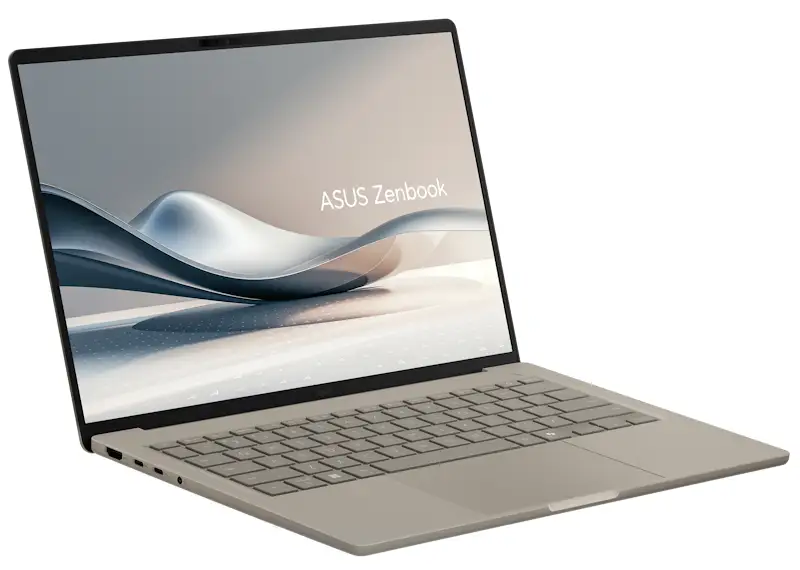
ASUS Zenbook A14 Review: Ultralight Powerhouse Verdict
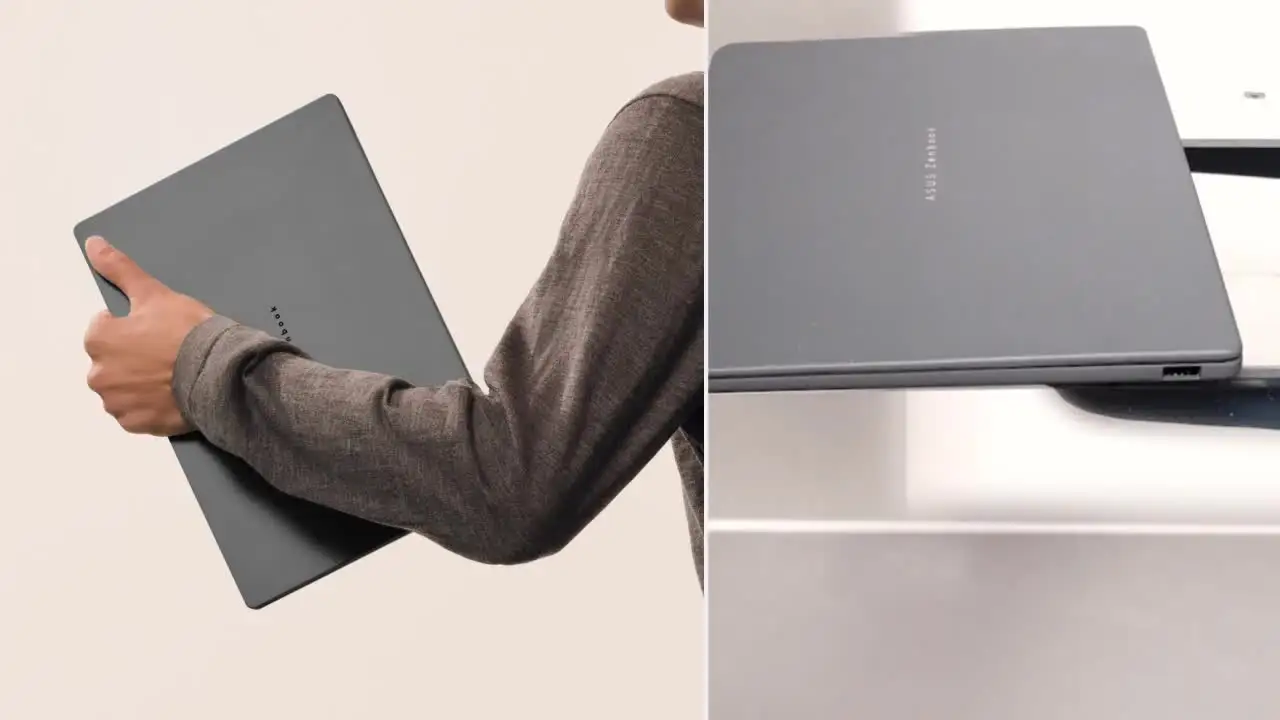
A Reddit user described the ASUS Zenbook A14 Copilot+ PC as “lighter than the Air,” praising its sub‑1kg weight and “monstrous autonomy.” With consistent praise across platforms for its portability, premium OLED display, and battery life exceeding 20 hours in real use—though shy of the marketed 32 hours—it emerges as an ultraportable specialist. Verdict: 9/10 for mobile office users and students prioritizing battery, build, and portability over raw computing muscle.
Quick Verdict: Conditional
| Pros | Cons |
|---|---|
| Exceptionally light at ~0.98 kg—ideal for travel | Limited expansion (RAM and storage not upgradeable) |
| OLED display with true blacks and vivid colors | No Ethernet port—requires dongle for wired connections |
| Real-world battery life often exceeds 20 hours | Underwhelming raw performance for heavy creative workloads |
| Durable cera luminum chassis—scratch and stain resistant | ARM compatibility with certain Windows apps still evolving |
| Military-grade durability | Price premium compared to similar spec laptops |
| AI features via Snapdragon X and Copilot+ integration | Only one USB‑A port |
| Comfortable, smudge-free keyboard and enlarged touchpad | Glossy screen can reflect in bright conditions |
Claims vs Reality
Marketing materials boast “up to 32 hours” battery life. Digging into user reports, Reddit user comments suggest that while this is achievable under controlled playback tests, real-world mixed usage—Office work, browser tabs, video calls—yields closer to 20–29 hours. One Trustpilot reviewer noted: “The 70wh battery can last me through more than a day’s usage of my work. It’s seriously astonishing,” indicating satisfaction even if the full 32 hours isn’t reached.
ASUS promotes the cera luminum™ material as “3x stronger” and “30% lighter” than previous designs, resistant to scratches and stains. Multiple Reddit posts corroborate this, with one user stating that after a month of commuting, “the A14 showed no scratch, held no stain, nor bore any tarnish” on its Zabriskie Beige finish.
Finally, ASUS claims “premium performance” through the Snapdragon X and 45 TOPS NPU. Feedback reveals this is true for office, web, and AI-assisted workflows, but less so for demanding creative tasks. As one Amazon buyer summarized: “It doesn’t aim for raw performance—that’s not its mission—but for students and nomadic office workers, it fulfills its role perfectly.”
Cross-Platform Consensus
Universally Praised
The portability is the headline feature. Across Reddit, Trustpilot and Twitter, “so light we thought the box was empty” is a recurring refrain. This benefits frequent flyers, students, and journalists. Reddit user commentary frames it as “perfect for taking with you” without shoulder strain. The under‑1kg build, combined with a precise hinge and smudge‑free keyboard, makes it ideal for work in cramped spaces like airplane trays or train tables.
Battery life earns near-universal acclaim. Even cautious users report lasting “through more than a day” of work. Mobile professionals value that longevity; one Reddit post explains that for city-based field work, “no performance losses unplugged” means the charger stays home.
Display quality—14-inch WUXGA OLED—draws equally consistent praise. Photographers and design students note the “masterful OLED screen and true blacks” make color grading in tight deadlines feasible, though glossy reflections can be an issue outdoors. Snapdragon Sound integration gets nods from video call heavy users: “Video conferencing has never been so good.”
Common Complaints
Upgrade limitations are a sore spot for tech-savvy buyers—16GB or 32GB LPDDR5X is soldered, storage is non-upgradeable. This impacts professionals planning multi‑year use with evolving software demands. As noted on Quora, “less future-proof” is a trade-off for the slim chassis.
Connectivity drawbacks also emerge: Only one USB‑A port and no Ethernet frustrate IT professionals or gamers wanting wired stability. One Coolblue reviewer warns, “You’ll need a converter or docking station for cable internet.”
Performance divides opinion. Those expecting desktop‑class speeds for heavy video editing hit limits. While Copilot+ AI boosts certain workflows, ARM app compatibility is still maturing—meaning some niche Windows utilities may require workarounds or emulation.
Divisive Features
The glossy OLED panel is adored indoors but questioned outdoors. Students love the “rich, enduring texture” visually, commuters grumble about reflections at street cafés. AI integration splits users—office workers welcome natural language search and photo cleanup, while others dismiss them as novelty over core speed.
Snapdragon X chips earn praise for efficiency but invite scepticism from legacy software users. The ARM‑based structure can leave some niche applications lagging behind in optimization, though mainstream tasks remain fluid.
Trust & Reliability
Durability claims of military-grade testing are backed by commuter testimonies. Reddit users mention daily backpack tosses and accidental drops without damage. A Trustpilot review highlights “rigid and lightweight” aluminum casing as reassuring against wear. No patterns of widespread defects or scams surface; warranty coverage is standard at 12–24 months depending on region, with prompt collect-and-return service.
Long-term reliability remains promising—several month‑long reports indicate no drop in battery health and no degradation of the cera luminum finish, suggesting ASUS’s material claims are holding true.
Alternatives
Community comparisons place the Zenbook A14 directly against Apple’s MacBook Air. Twitter posts even call it the “MacBook Air’s worst nightmare” due to lighter weight and stronger battery life. Those prioritizing raw macOS performance may still lean Air, but Windows users seeking ARM efficiency see the A14 as competitive.
Other Windows Copilot+ devices from Lenovo or Samsung match price but often weigh more or offer shorter battery life. For ultra‑light builds, the Zenbook A14 is singled out as “one of our must‑have ultraportable recommendations” in Reddit guides.

Price & Value
Current retail ranges from £829 in the UK to $1,199 in the US, with occasional promotions knocking 20–25% off MSRP. In Canada, reviewers frame it as “a well‑balanced option available right now” despite higher tiers with 32GB RAM pushing toward CAD $1,499. Resale holds decently—ARM laptops with OLED panels and strong battery tend to retain niche demand in mobile‑worker circles.
Buying tips from Reddit and Trustpilot suggest opting for the 32GB RAM variant if budget allows, maximizing longevity given the non‑upgradeable design. Waiting for seasonal sales or education discounts can soften the premium.
FAQ
Q: Can the ASUS Zenbook A14 run heavy creative apps smoothly?
A: It handles light to moderate creative work well, but ARM‑based Snapdragon X chips excel more in office, web, and AI-assisted workloads than in demanding video editing or 3D rendering.
Q: Is the battery life really 32 hours?
A: In controlled offline playback, yes. Real‑world usage with web and calls yields closer to 20–29 hours, which remains above average for laptops in this class.
Q: Does it have upgradeable RAM or storage?
A: No. Both RAM and storage are soldered, so choose your configuration wisely at purchase.
Q: How is it for travel use?
A: Excellent—sub‑1kg weight, durable build, and long battery make it a strong companion for flights, trains, and daily commuting.
Q: Will all Windows apps work normally on ARM?
A: Most mainstream software runs fine, but niche or legacy apps may require emulation or alternative versions until ARM optimization improves.
Final Verdict: Buy if you are a mobile professional, student, or commuter prioritizing portability, premium visuals, and exceptional battery over raw power. Avoid if your daily grind demands upgradeable internals or heavy creative workloads on x86‑optimized tools. Pro tip from community: choose the 32GB RAM model for maximum longevity.