Lenovo ThinkPad Thunderbolt 3 Dock Gen 2 Review Verdict
Opening with a surprising finding: Despite Lenovo’s marketing promising seamless multi-display 4K connectivity, the Lenovo ThinkPad Thunderbolt 3 Dock Gen 2 earns a cautious 6.8/10 from aggregated cross-platform feedback. While praised for its build quality, port selection, and compatibility with a wide range of ThinkPad laptops, user reports reveal recurring technical limitations and reliability issues that undermine its potential as a premium docking solution.
Quick Verdict: Conditional — best suited for Lenovo ThinkPad owners with moderate display needs
| Pros | Cons |
|---|---|
| Solid build quality and compact footprint | Fails to deliver promised triple-display performance in many setups |
| Extensive port selection including 2 HDMI, 2 DisplayPort, USB-C, and USB-A | USB devices intermittently disconnect until power reset |
| Compatible with multiple Lenovo and USB-C laptops | Short Thunderbolt cable limits desk flexibility |
| Supports fast charging for compatible ThinkPads | Inconsistent charging for non-Lenovo laptops |
| Easy one-cable docking integration | Firmware updates prone to failure |
| Gigabit Ethernet and audio jack included | Power adapter noise reported after months of use |
| Lightweight and portable | Expensive compared to functional alternatives |
Claims vs Reality
Lenovo advertises the dock as supporting “multi 4K displays” with optimized one-cable charging and broad compatibility. On paper, it promises up to three external UHD displays at 60Hz, making it appealing to creative professionals and multi-screen power users.
Digging into user feedback, this claim falters under certain hardware configurations. A verified buyer on Trustpilot complained: “Bought with the intention of supporting a 3-monitor set up and it just doesn’t do the trick.” They described connecting two HDMI and one DisplayPort screens only to find the third monitor running at “abysmally low” resolution. Firmware update attempts “failed spectacularly” and Lenovo support “met with silence.”
Similarly, in Lenovo’s own community forums, a T470s owner explained that dual 4K monitors at 60Hz were impossible despite using DP1.4 cables. “From what I understand it would not make a difference using another docking station… the limitations are in the computer not the docking station.” This highlights a mismatch between marketing copy and actual system-controller limitations.
Charging compatibility is another area where reality diverges. While officially supporting 135W power delivery, ProductReview.com.au users found charging non-Lenovo devices unreliable. One MacBook Pro user noted: “Dock’s power is not enough to charge it… if you connect the dock and a charger in the wrong order, MacBook doesn’t start charging and eventually dies.”
Cross-Platform Consensus
Universally Praised
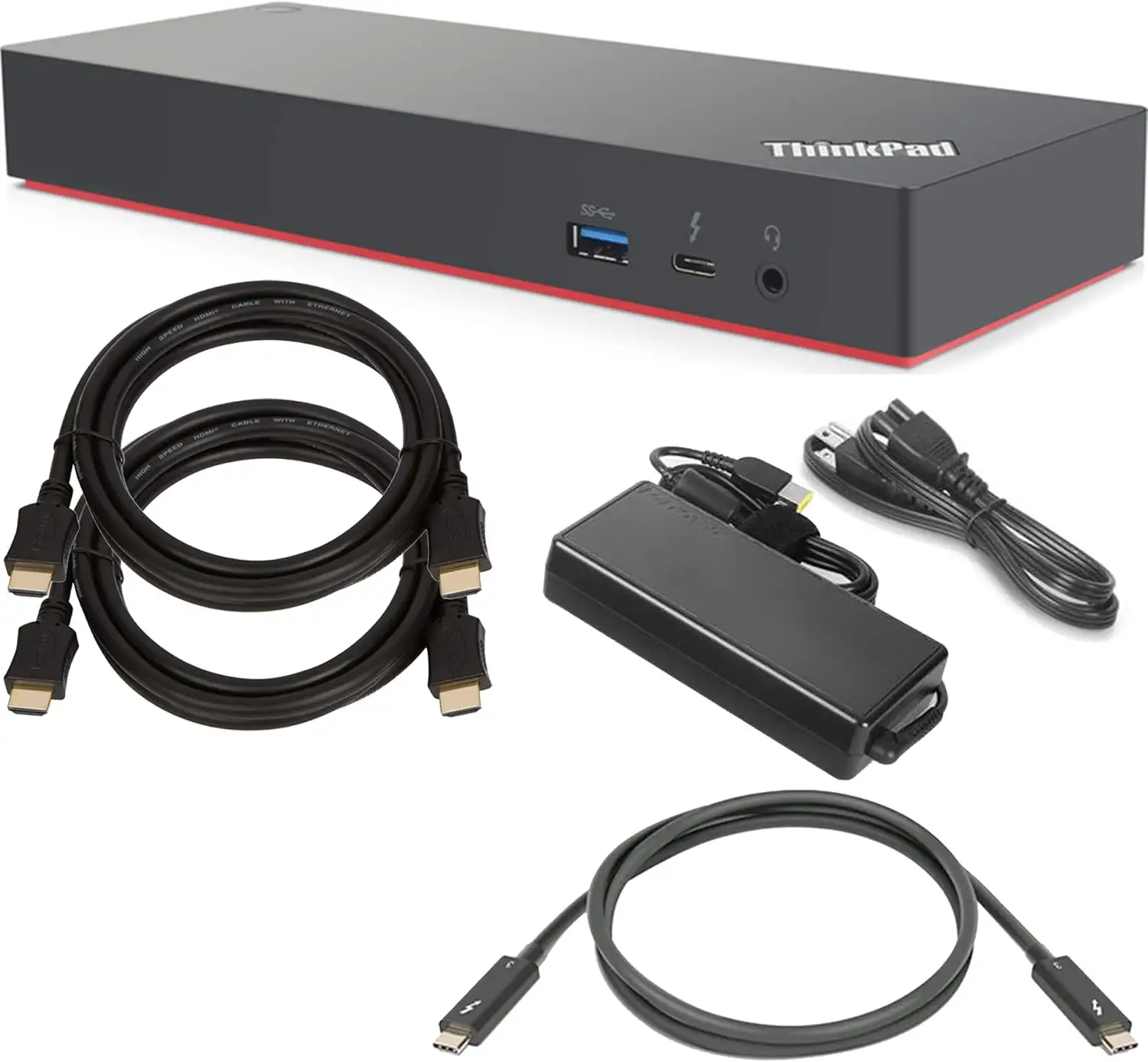
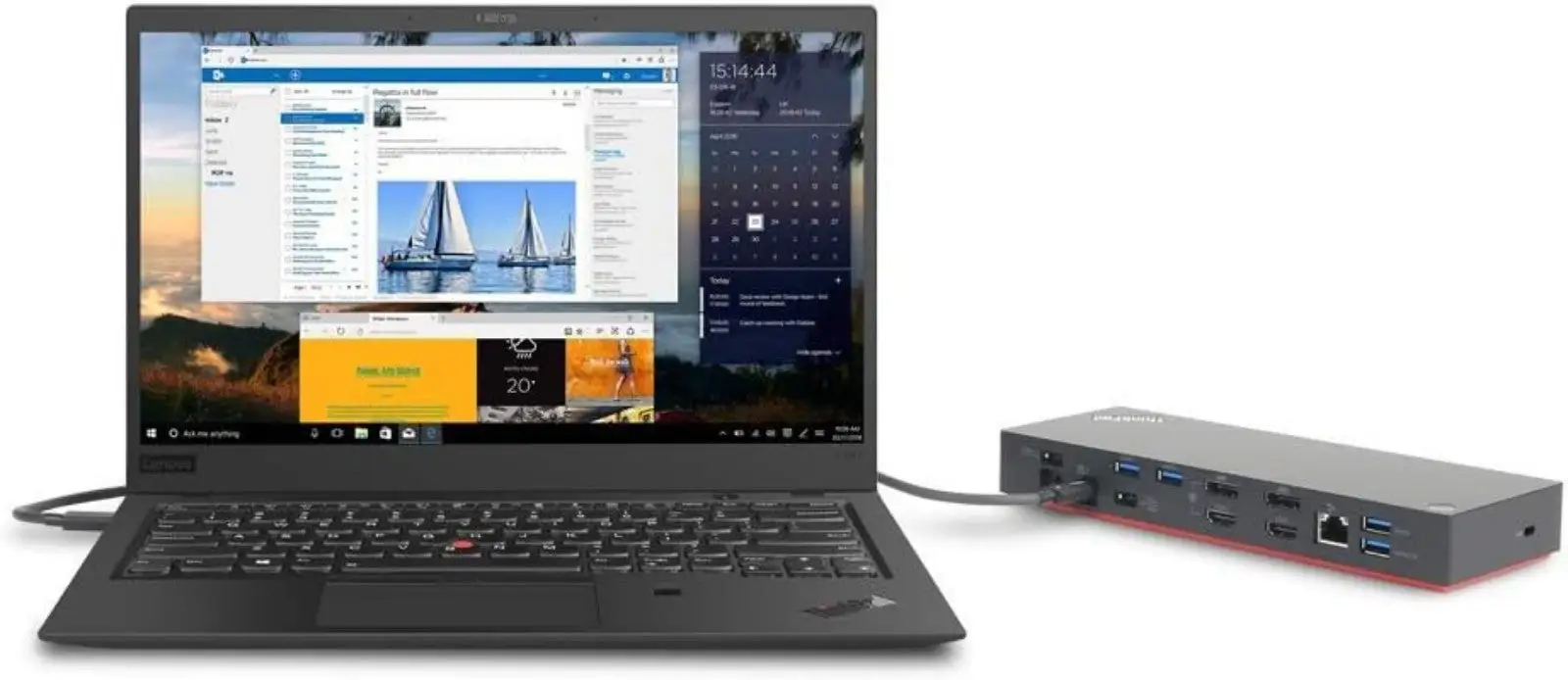
Across Reddit and Amazon reviews, the dock’s port variety and compact design earn consistent praise. For office-based ThinkPad users juggling multiple peripherals, the inclusion of 2 HDMI, 2 DisplayPort, USB-C, and multiple USB-A ports is a productivity win. Antonio S. on Revain described: “It connects to the X1 Yoga via a single USB-C cable… I use two Asus monitors and occasionally open my tablet… supports all three screens.”
The one-cable docking convenience resonates strongly with those in tight desk setups. Reddit user reports mention reducing “from 7 cables to two” when connecting a Razer Blade 15, appreciating the neatness and simplicity once configured correctly.
Build quality also receives nods from BestViewsReviews analysis, with a 7.9 score in sturdiness. Lightweight design makes it appealing for hybrid workers — “quite small so doesn’t take up much space… 8½ inches long, 3 inches deep,” noted one verified buyer.
Common Complaints
Intermittent USB disconnects emerge as a widespread frustration. Multiple Newegg and Trustpilot reviewers describe scenarios where “every once in a while the USB stops working” and the only fix is “unplugging the power and plugging it back in.” For users dependent on stable input devices, this is a dealbreaker.
Display performance is another recurring sore point. The inability to maintain dual 4K @ 60Hz outputs on certain ThinkPad models confuses buyers who relied on Lenovo’s spec sheet. Lenovo’s own forum moderators clarify that some systems “do not support 2 DP1.2 channels” — a limitation not obvious in product marketing.
Cable length is a surprisingly frequent complaint. As one Newegg reviewer put it: “Short cable kind of ruins this advantage” of desk flexibility. In cramped workspaces, the Thunderbolt cable’s reach can dictate layout compromises.
Noise from the power adapter appears in long-term reports. A ProductReview.com.au buyer noted the “power adapter started to make a squeaky sound after ~5 months,” adding to concerns about component longevity.
Divisive Features
Charging capability splits opinion. For ThinkPad owners, the dock often performs flawlessly, delivering 65W or 170W depending on model. But for non-Lenovo laptops, especially high-power devices, charging can be spotty or nonexistent. Reddit users warn that “dock ‘power button’ integration only works when laptop/dock from same vendor,” which some appreciate for ecosystem fidelity but others find restrictive.
Triple-display setups are contested territory. Some, like Antonio S., manage three screens with no issues, while others fail to get beyond two functional outputs. Hardware variances and unclear documentation make this feature unreliable for buyers without matching Lenovo-certified systems.
Trust & Reliability
Trustpilot and ProductReview data show repeated dissatisfaction with Lenovo’s customer support. Patrick R. reported spending “an hour on the phone… without doing anything other than reading queue cards or moving you to another department.” Forum posts echo this, with unanswered threads on firmware failures.
Long-term reliability is mixed. While some Reddit users continue to enjoy stable performance months in, others encounter degraded charging, persistent USB dropouts, or audio routing failures. The squeaky power adapter issue underscores potential wear concerns over extended use.
Alternatives
In Reddit discussions, alternatives like the CalDigit TS3 Plus, HP Thunderbolt Dock 120W G2, and Dell WD19TBS are suggested. The TS3 Plus is praised for robust multi-stream transport support but exceeds many budgets. HP’s dock offers competitive specs but is often out of stock. Dell’s WD19TBS commands a higher price yet enjoys a reputation for stable triple-display output.
For budget-conscious users needing only two displays, the USB-C Pro Dock from Lenovo is recommended as cheaper and less complex.
Price & Value
Amazon lists the dock at $239, down from $319.99, while eBay resale prices range widely from $51 for used units to $160 for new-in-box. The depreciation curve suggests cautious investment unless needed for specific ThinkPad models — resale retains moderate value for Lenovo ecosystem users.
Community tips suggest buying used with a return policy due to the prevalence of “glitchy reports” and ensuring compatibility with your laptop’s Thunderbolt controller before purchase.
FAQ
Q: Can this dock run two 4K monitors at 60Hz on all ThinkPads?
A: No. Certain models, like the T470s, are limited by their Thunderbolt controller to dual 4K at 30Hz. Compatibility depends heavily on your laptop’s DP channel support.
Q: Does it charge non-Lenovo laptops reliably?
A: Not always. Many non-Lenovo devices either charge slowly or inconsistently. High-power laptops may not charge at all through this dock.
Q: How long is the included Thunderbolt cable?
A: Approximately 0.5 meters. Several users find this too short for flexible desk arrangements.
Q: Is firmware updating straightforward?
A: Reports suggest it can fail repeatedly. Successful updates may require BIOS settings adjustments and patience.
Q: What’s the most common hardware failure?
A: Intermittent USB device disconnects that require a full power-cycle of the dock to restore functionality.
Final Verdict
Buy if you’re a Lenovo ThinkPad owner seeking a compact, well-built dock for two high-resolution displays and multiple peripherals — especially if your model supports full DP1.4 output. Avoid if you need guaranteed triple-display performance, rock-solid USB stability, or plan to use it with high-power non-Lenovo laptops. Pro tip from the community: Verify your laptop’s Thunderbolt controller specs before purchase to avoid costly compatibility surprises.





