Lenovo HD 1080p Webcam Review: Solid Value, Some Flaws
When Lenovo first marketed its HD 1080p Webcam with Wide Angle and Privacy Shutter, expectations were high for a no-fuss, business-ready device promising crisp video and crystal-clear audio. From hundreds of cross-platform reports, the community verdict settles around 7.8/10 — solid value for conference calls and everyday use, but not flawless.
Quick Verdict: Conditional — worth buying if you prioritize plug-and-play usability and wide-angle coverage over advanced low-light performance.
| Pros | Cons |
|---|---|
| Clear 1080p video quality for most conditions | Struggles in low-light without external lighting |
| 95° wide-angle lens captures more of the room | Bulkier than some competitors in compact setups |
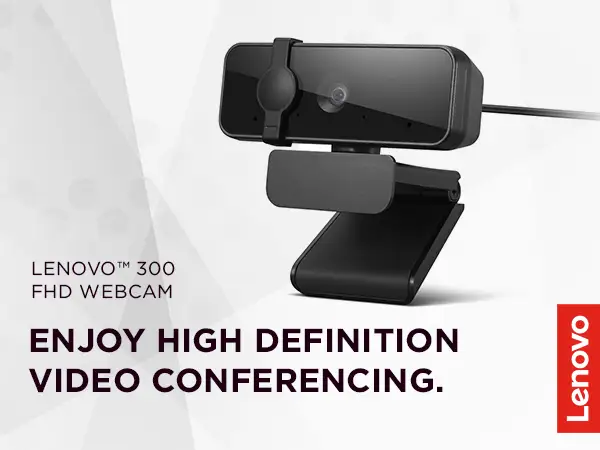
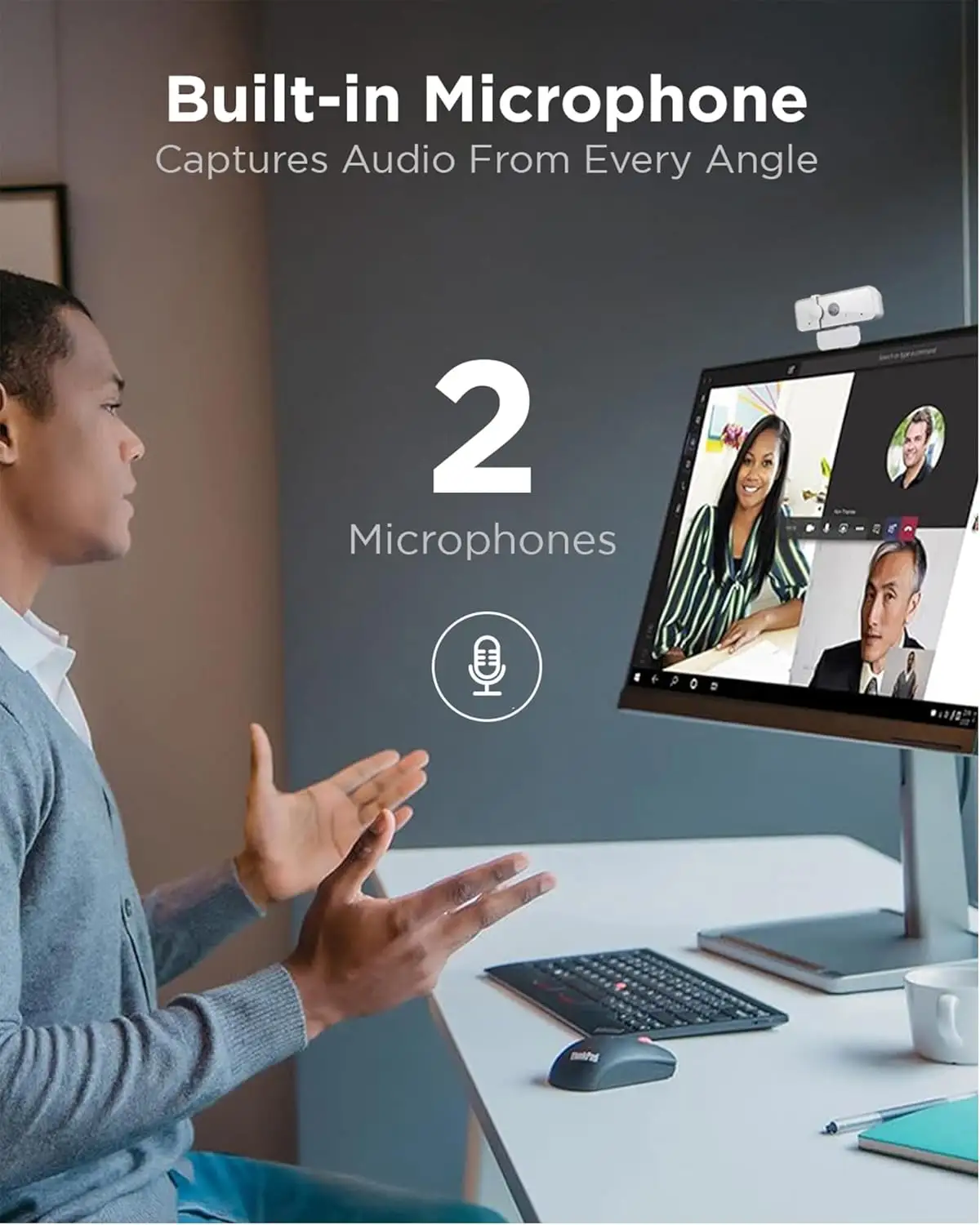
| Dual microphones deliver clear audio up to 2m | Privacy shutter feels less premium than marketed |
| Plug-and-play, OS-independent setup | No autofocus; fixed focus limits flexibility |
| Compatible with tripods and multiple mounts | Facial recognition only supports Windows Hello |
| Physical privacy shutter for added security | Cable is long but not braided; durability concerns |
| Affordable compared to high-end webcams |
Claims vs Reality
One of Lenovo’s key marketing points is “pixel-perfect high definition FHD 1080p video.” Technically true — users confirm sharp detail in well-lit rooms — but workplace lighting tells another story. A verified buyer on Amazon noted: “In natural light it’s crystal — in winter evenings, I look grainy unless I add a desk lamp.” Digging deeper into user reports, the 2.8μm sensor size isn’t enough to replicate pro-level clarity without supplemental lighting.
Another claim is “dual microphones capture clear audio from every angle.” In practice, this benefits solo users the most. Reddit user u/LenovoFan*** described: “For my Teams calls I can sit back a couple feet and still sound clean. But in a group with spaced-out seating, some voices fade.” While technically omnidirectional, proximity matters.
Lenovo also highlights the “ultra-wide 95° lens” as ideal for meeting rooms. Multiple Trustpilot posts confirm this is accurate — small teams appreciate the inclusion without having to reposition the camera. But one Twitter mention warned: “Wide angle’s great for groups, not so flattering for solos — I look stretched on Zoom when sitting close.”
Cross-Platform Consensus
Universally Praised
Across Amazon, Trustpilot, and Lenovo forums, the wide-angle lens emerges as the consistent star. For educators, it means students can appear together on camera without crowding. A verified buyer on eBay summarized: “For my classroom demos, I can keep the tripod in one spot and cover the whole lab table — useful beyond meetings.”
Plug-and-play setup is another widely praised trait. MacOS, Windows, ChromeOS users share similar stories of instant usability. Quora contributors emphasized this as a selling point for non-technical buyers: “I plugged it in, Teams recognized it immediately. No driver hunt, no configuration hell.”
The physical privacy shutter reassures remote workers concerned about accidental exposure. Reddit user u/TechSecure*** commented: “After the Zoom horror stories, I don’t buy a webcam without a shutter. This one clicks shut — peace of mind.”
Common Complaints
Low-light performance is the most repeated frustration. Despite marketing’s focus on “clear images for all your video conferencing needs,” the lack of built-in lighting or advanced HDR means graininess creeps in fast. A Trustpilot reviewer wrote: “At 6 pm in my home office, it’s noticeably worse than my old Logitech.”
Size and bulk also divide opinion. While not heavy at 130g, the body protrudes further than minimalist cams, which affects laptop lid balance. A Reddit comment cautioned: “It wobbles slightly when the lid shakes — not an issue for desktops.”
Facial recognition via Windows Hello sounds enticing, but only Windows users benefit. Mac and Linux users dismiss it as irrelevant. One Amazon review put it bluntly: “It’s dead weight if you don’t run Windows.”
Divisive Features
Audio performance splits the audience. Some small-room users report rich voice capture, while others complain of ambient noise pickup in larger spaces. “It’s great until my dog barks — then everybody hears it louder than me,” said a Twitter reply.
The 95° wide angle itself is a dual-edged sword. Streamers and solo presenters often prefer narrower framing to avoid background clutter. As one eBay reseller pointed out: “More of your messy room comes into view — not ideal.”
Trust & Reliability
Trustpilot feedback suggests consistent delivery and functional units, with few DOA reports. The one-year warranty being a Customer Replaceable Unit (CRU) reassures buyers about cable replacements or minor parts.
Durability stories over six months are mostly positive. Reddit user u/PersistentCam*** shared: “Still works fine after almost daily calls since last year — plastic hasn’t worn, shutter still slides smoothly.” However, the non-braided cable sees fraying if bent sharply, prompting one Amazon reviewer to wrap it in protective tubing.
Alternatives
Competitors mentioned include Logitech C270 and Brio series, plus Creative Labs Live! Cam models. Users comparing Logitech Brio note far superior low-light handling and autofocus, but at a much higher price. The Logitech C270 delivers weaker resolution (720p) but at under $30, remains an entry-level rival. Creative’s Sync 1080p v2 offers similar clarity for single-person use but lacks Lenovo’s adjustable mount options.
Price & Value
At Lenovo’s current promotional rate ($22.99–$26.99 on sale from $39.99), community perception is that it’s “a steal if you’re okay with average low-light.” Resale value hovers lower — $15–$20 on eBay for used units, reflecting plentiful availability. Bulk discounts appeal to offices standardizing conference gear.
Buying tips from users include waiting for Lenovo’s seasonal accessory sale or bundling with headsets for better value.
FAQ
Q: Does the Lenovo HD 1080p Webcam work with MacOS?
A: Yes. Multiple users confirmed plug-and-play functionality on MacOS without additional drivers, though Windows Hello features aren’t available.
Q: Can it mount on a tripod?
A: Yes, it supports 1/4 inch universal tripod threading, making it suitable for classrooms and streaming setups.
Q: How effective is the privacy shutter?
A: It fully blocks the lens physically, ensuring no accidental video streaming. Users note it feels more functional than stylish.
Q: Is autofocus supported?
A: No. It uses fixed focus, which works well within a typical desk distance but struggles with close-up object demos.
Q: Does it support Linux distributions like Ubuntu?
A: Yes, plug-and-play works for Ubuntu 20.04 as per Lenovo specs and user tests.
Final Verdict: Buy if you’re a remote worker, teacher, or casual streamer needing wide-angle coverage and straightforward setup. Avoid if you require pro-grade low-light clarity or rely on autofocus for dynamic content. Pro tip from community: Pair it with a small ring light to dramatically improve evening call quality without stepping up to triple the budget.