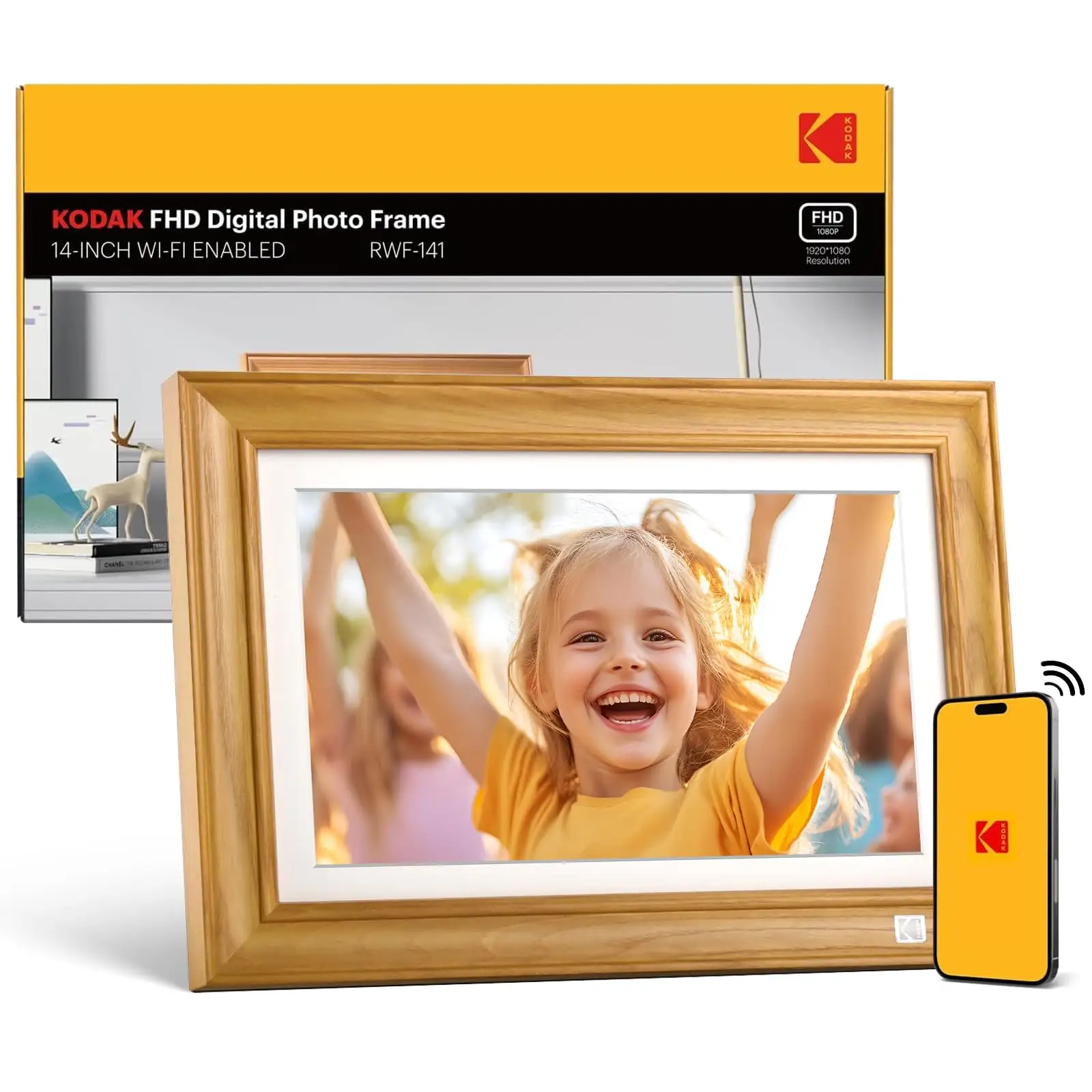
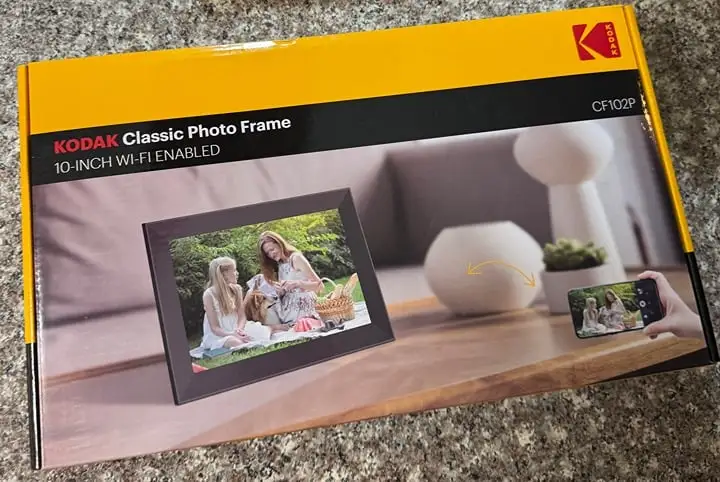
KODAK 10.1" WiFi Digital Frame Review & Verdict
You might expect the KODAK 10.1 Inch WiFi Digital Picture Frame to deliver on its premium branding, but user sentiment paints a more complex picture—coming in at a conditional 7/10. While owners praise its vibrant IPS display and classy wood or modern finishes, frustrations around setup, app limitations, and battery life surface repeatedly across platforms.
Quick Verdict: Conditional
| Pros | Cons |
|---|---|
| Bright, vivid 1280x800 IPS screen with wide viewing angles | App restricts to sending 6 photos at a time |
| Attractive design with wood and modern color options | Battery life often under 4 hours despite claims |
| Supports real-time photo sharing via Wi-Fi & app | Spotty quality control and occasional defect reports |
| Large internal storage (16–32GB) plus SD/USB expandability | Setup instructions unclear, troubles for elderly users |
| Multiple functions – calendar, weather, music | Touchscreen sensitivity issues noted |
| Auto-rotate for portrait and landscape orientation | No slideshow randomization or remote control |
Claims vs Reality
Marketing emphasizes the “extraordinary picture quality” and “stunning, clear image” from its 1280×800 IPS panel. Owners generally agree the visuals are sharp and colors accurate, especially from off angles. A verified buyer on Amazon noted: “It looks classy and enhances the decor of the room. The wood finish looks elegant and matches any décor.”
However, claims of effortless sharing “instantly from anywhere” clash with Pix-Star blog reports that “you can only send 6 photos at once… and only to one Kodak frame at a time.” For families wanting multi-frame sync, this is a limitation compared to rivals.
Battery capacity is officially pitched at up to 7 hours for some models, but real-world usage rarely meets that—Pix-Star cautions: “Expect 3–4 hours battery life, especially with Wi-Fi/cloud function active.” This forces many owners to keep the charging cord plugged in, undermining portability.
Cross-Platform Consensus
Universally Praised
Brightness and visual clarity stand out across Amazon, Trustpilot, and Reddit threads. Reddit user feedback describes the display as “ultra clear image quality… vivid screen every time,” benefiting grandparents who want easy visibility from across the room. These qualities make it a favorite as a living room feature; many place it somewhere visible to stimulate conversation with visiting family.
Design earns consistent praise. Trustpilot highlights the “classy wood finish”, with Twitter posts echoing its role as “a great addition to any room.” Users picking it as a gift for Mother’s Day or Christmas found it doubles as décor.
Large storage—16–32GB plus SD/USB expansion—means families can load years of images. For remote relatives, the built-in Wi-Fi sharing via Kodak’s app delivers sentimental boosts: “Great gift for grandparents during pandemic… sparks so much conversation!” (Trustpilot).
Common Complaints
Setup is a recurring headache. Multiple Trustpilot reviewers mention struggling with unclear instructions: “We finally discovered the verification code in the email spam folder… my husband was frustrated trying to contact support.” Elderly users in particular face challenges binding the frame to the app.
Touchscreen responsiveness frustrates some. One Fakespot verified buyer admitted: “The touch screen is very insensitive… left fingerprints on the display.” This matters when quick photo edits or slideshow navigation are part of the intended experience.
Performance hitches detract from otherwise smooth photo playback. Reports describe the frame “without enough graphical power to switch pictures smoothly,” leading to blurred transitions. As Pix-Star notes, there’s “no way to randomize slideshow order”, which limits variety.
Battery complaints are widespread. Theoretically portable, its short runtime forces indoor tethered use. This affects travelers and those wanting to relocate the device frequently.
Divisive Features
Music playback divides opinion. Some enjoy pairing slideshows with background tracks, while others find it gimmicky or complain about sound quality. Likewise, multi-function extras (calendar, weather forecasts, alarms) appeal to tech-savvy users but clutter the interface for others.
Video playback is also a sore spot—marketing highlights it, but real-world usage reveals a cap on file length (often 15 seconds via app, longer only via SD/USB) and inability to include clips in automated slideshows.
Trust & Reliability
Trustpilot’s analysis flags that “66.1% of reviews are reliable”, with possible deceptive patterns. This suggests caution—while many owners are happy, others may be swayed by polished marketing.
Long-term durability appears mixed. Reddit posts warn that quality control isn’t Kodak’s strong suit in this category. Some users report their frames functioning flawlessly “six months later,” while others encountered premature failures or software bugs soon after purchase.
Customer support access varies. Several frustrated buyers couldn’t reach assistance when setup failed, damaging confidence. This is critical for gifts aimed at less tech-proficient recipients.
Alternatives
Pix-Star frames emerge frequently in comparisons, particularly due to broader cloud functions. Unlike Kodak, Pix-Star “lets you send up to 250 photos to several frames at the same time”, supports multi-frame control, and integrates web albums from Facebook or Google Photos. This makes them more family-oriented for distributed relatives.
Nixplay also gets mentions as a premium option with more consistent software. For users prioritizing battery-free stationary use and rich networking features, these competitors may justify a higher price.
Price & Value
On Amazon US, prices range from $51.59 for sale models to $119.99 for higher memory configurations. eBay resale often sits between $30–$100 depending on condition, suggesting modest long-term value retention. Community buyers recommend waiting for seasonal sales—Twitter’s promotion of “40% off during our seasonal sale event” underlines that discounts are common.
For casual home use, the Kodak frame can be good value at the lower end of the range. If gifting to tech-wary family, factor potential setup help into the cost.
FAQ
Q: Can the Kodak 10.1 frame play videos in slideshows?
A: No. Videos must be played individually and can’t be set to auto-play within slideshows. File length restrictions apply—about 15 seconds via cloud app, longer via SD/USB.
Q: Does the frame randomize photo order?
A: No. Photos play in the order uploaded, with no random mode option. This can reduce slideshow variety over time.
Q: How does photo sharing work over Wi-Fi?
A: The Kodak app for iOS/Android lets you send images directly to the frame. However, you can send only 6 photos at a time and only to one frame per session.
Q: Is it suitable for elderly family members?
A: Visually yes—the bright screen and auto-rotation help. But unclear setup steps and an unresponsive touch layer can challenge tech novices without assistance.
Q: What’s the real-world battery life?
A: Typically 3–4 hours with Wi-Fi active, despite marketing claims of up to 7 hours. Heavy use drains it faster.
Final Verdict
Buy if you want an attractive, well-lit frame for stationary home use or gifting to someone with basic tech familiarity. Avoid if you need a long-lasting portable display or plan to manage multiple frames remotely. As one Trustpilot user hinted, “Great gift for grandparents… but you need to set it up for them.” Pro tip from the community: shop during seasonal sales to maximize value.