Kodak 10.1" WiFi Digital Frame Review & Verdict
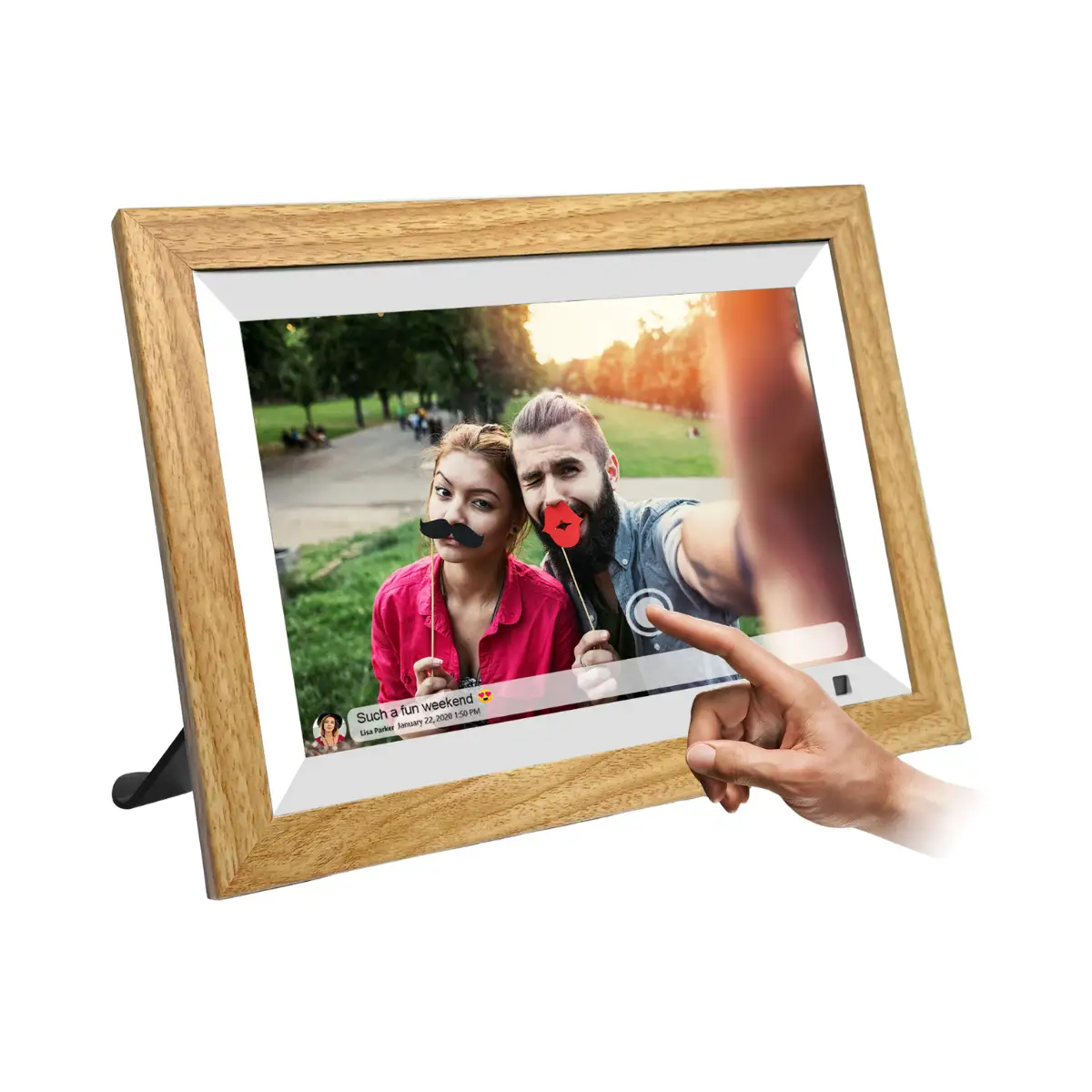
The KODAK 10.1 Inch WiFi Digital Picture Frame promises effortless photo sharing, vibrant display quality, and a host of lifestyle features—but user experiences paint a more nuanced picture. Rated between 3.9 and 4.2 stars across platforms, it earns a conditional 7/10 based on real-world performance and reliability reports. While many praise its sleek design and ease of use for non–tech-savvy family members, recurring complaints about battery life, buggy software, and setup frustrations suggest it’s not universally hassle-free.
Quick Verdict: Conditional Buy
| Pros | Cons |
|---|---|
| Crisp 1280x800 IPS display with wide viewing angles | Battery life often far shorter than claimed |
| Elegant wood or black frame options enhance décor | Setup process can be confusing, especially app pairing |
| Easy photo sharing via Wi-Fi, app, or email | Software bugs and unresponsive touch screen reported |
| Large storage (16–32GB) and SD/USB expandability | Limited cloud upload capacity (6 photos at a time) |
| Auto-rotate and multiple lifestyle functions (calendar, weather, music) | No multi-frame control; slideshow order fixed |
| Simple enough for elderly users when working | Video playback limited to short clips, not in slideshows |
Claims vs Reality
Kodak markets the frame’s “stunning display” with 1280x800 IPS resolution and accurate color reproduction. Users generally agree the display is bright and sharp—Fakespot’s verified buyers noted, “The frame has a great looking picture that is plenty bright… the wood finish looks elegant and matches any décor.” However, Pix-Star Blog highlighted that while colors are pleasant, slideshow transitions aren’t always smooth, with some reporting blur or lag.
Another headline claim is instant sharing from anywhere via the Kodak app. Official specs promise seamless uploads, but multiple Trustpilot and Reddit reports suggest limitations. A Reddit user explained that, “You can only send 6 photos at a time… you can’t add multiple frames to a control group.” For families wanting to sync new images across several units, this is a significant gap.
Battery life is advertised at 4–7 hours for portable use. Cross-platform feedback challenges this—Pix-Star Blog found real-world usage closer to 3–4 hours, and Fakespot users bluntly stated, “It’s a shame the battery can’t even last a day.” Brightness settings and Wi-Fi activity further reduce runtime, making the “cord-free” experience short-lived.
Cross-Platform Consensus
Universally Praised
Display quality consistently earns compliments. Amazon buyers appreciate the vibrant screen: “High quality 10.1” touch screen… extraordinary visual experience from full angles.” Elderly users benefit from the intuitive interface when it works, with one verified buyer noting, “Super easy to use… purchased for elders who are not very tech savvy.” The ability to email photos directly to the frame also resonates with families separated by distance, as seen in Reddit posts describing how grandparents receive vacation shots within seconds.
The design—available in wood or minimalist black—fits a range of interiors. Fakespot reviewers remarked it “looks classy and enhances the decor of the room.” Auto-rotation is reliable, letting users place it vertically or horizontally without manual adjustments, enhancing versatility for different photo orientations.

Common Complaints
Battery life remains the most consistent frustration. Portable users, especially those bringing the frame to events, find the runtime too short. Touchscreen responsiveness is another sore point: “The touch screen is very insensitive,” one Trustpilot reviewer wrote, echoed by reports of lag in menu navigation. Setup issues—such as verification emails going to spam or QR code binding failures—appear frequently. A buyer shared, “We finally discovered the verification code in the email spam folder… the app kept stopping.”
Software limitations frustrate tech-savvy users. The inability to control slideshow order or randomize images is a recurring theme. Pix-Star Blog noted, “You need to view the photos in the same order that you uploaded them.” Combined with the cap on cloud uploads, this makes the frame less appealing for heavy photo sharers.
Divisive Features
Built-in lifestyle tools—calendar, weather, music playback—split opinion. Some enjoy the multifunctionality, using background music with slideshows, while others find these add-ons gimmicky compared to core photo display duties. Video playback is limited to short clips (max 15 seconds in app, up to 1 minute via USB/SD), and cannot be integrated into slideshows, which disappoints users wanting richer media presentations.
Trust & Reliability
Trustpilot-linked Fakespot analysis flagged potential review reliability issues, with only 66.1% deemed trustworthy. While short-term use gets positive notes, long-term durability is less certain. Pix-Star Blog warns about Kodak’s “quality control and longevity,” citing reports of software bugs and interface confusion after months of use. Reddit discussions hint at inconsistent customer support responsiveness—“Tried to contact support… never able to reach anyone.”
Battery degradation over time compounds portability problems, leading some to keep the frame plugged in permanently—negating its mobile promise. Still, for stationary use, many owners report stable operation after initial setup hurdles.
Alternatives
Among competitors mentioned, the Pix-Star frame stands out. It offers multi-frame control, up to 250 photo uploads at once, and remote slideshow management—features Kodak lacks. Pix-Star’s linked web albums can auto-sync from Facebook or Google Photos, making it more attractive for large networks. While Kodak’s design and display hold their own, Pix-Star’s ecosystem suits tech-forward families better.
Price & Value
Prices vary widely: Amazon lists from $51.59 to $85.99 depending on finish and memory size, while eBay shows resale between $54 and $129 for new units. The depreciation curve is moderate—frames hold value if in good condition and boxed. Community advice leans toward buying during seasonal sales, as seen in Twitter promotions offering 40% off, and avoiding inflated specialty retailer markups.
FAQ
Q: Can the Kodak 10.1” frame work without Wi-Fi?
A: Yes, via SD card or USB stick. However, without Wi-Fi you lose instant sharing and app control, relying entirely on manual file transfers.
Q: How many photos can it store internally?
A: Depending on model, 16GB holds ~10,000 high-res images; 32GB can store ~80,000 compressed photos. SD/USB expansion is supported.
Q: Does it support video playback in slideshows?
A: No. Videos must be played individually, and length is limited—15 seconds via cloud, up to 1 minute via local storage.
Q: Is it suitable for elderly users?
A: Potentially, if initial setup is handled by someone else. Once configured, touch navigation and auto-updates are straightforward.
Q: Can multiple frames be linked?
A: No. Each frame must be managed separately; there’s no group control function.
Final Verdict: Buy if you want a stylish, bright display for occasional photo updates and can tolerate setup quirks—ideal for gifting to non-technical relatives when you’ll manage uploads. Avoid if you need multi-frame synchronization, long battery life, or advanced slideshow customization. Pro tip from community: complete setup near a router, check spam folders for verification emails, and keep it plugged in for consistent performance.