KODAK 10.1 WiFi Digital Frame Review: Gift or Gimmick?
Opening directly with a surprising revelation: While Kodak markets the KODAK 10.1 Inch WiFi Digital Picture Frame as a simple, high-quality solution for sharing memories instantly, long-term users across platforms rate it between 4.2 and 4.4 stars but reveal a split between those who find it “perfect for grandparents” and those frustrated by its limited controls, occasional connectivity drops, and confusing setup. Verdict: 7.5/10 – strong visual appeal and instant sharing make it ideal for non‑tech‑savvy gift recipients, but power users report gaps in functionality.
Quick Verdict: Conditional Buy
| Pros | Cons |
|---|---|
| Clear IPS display with accurate colors | Setup instructions unclear for some users |
| Easy photo/video sharing via app or email | Wi-Fi dropouts and weak range reported |
| Auto-rotation in portrait/landscape | Limited control over slideshow order |
| Elegant design, gift-ready packaging | Battery life shorter than marketed |
| Large internal memory (32GB) | Touchscreen sometimes unresponsive |
| Good for non-tech-savvy recipients | Poor Facebook integration filtering |
| Instant sharing sparks family engagement | SD card capacity capped at 32GB on some models |
Claims vs Reality
Kodak promotes “superior picture quality” with 1280×800 or FHD 1920×1200 IPS screens, wide viewing angles, and vivid color reproduction. While many users agree the display is bright and colors are “absolutely #1 grade A quality” (Amazon), Reddit posts note that “banding is very obvious especially in night shots” and off‑angle brightness drops compared to premium competitors.
The marketing touts “instant wireless sharing” through the Kodak app with captions. In reality, Reddit user feedback warns of app limits: only 6 photos at a time, no playlist control, and “battery drain more significant when constantly syncing photos via cloud.” A verified Trustpilot buyer also reported, “verification emails kept going to spam inbox and app kept stopping.”
Kodak claims setup takes “just a few steps.” Cross-platform reality is mixed: some users had it running “within 15 minutes of opening the box,” while others like one Trustpilot reviewer “never was able to reach support” after failing to enter the verification code.
Cross-Platform Consensus
Universally Praised
Across Amazon, Reddit, and Twitter, users repeatedly cite the frame’s ease of use for seniors. A verified buyer said, “It’s great for new parents, grandparents…a good way to make your loved ones accompany you all the time.” The gift-friendly packaging and decorative wood finishes make it a frequent choice for holidays. The auto-rotation and ability to wall-mount also win points with families who want versatile placement.
For non‑technical recipients, instant photo sharing is transformative. Reddit user reports: “Once you set it up for grandma…they show up within 10 minutes and require no input from the user.” Facebook-linked accounts populate the frame automatically with family updates, offering “constant enjoyment” without logging into websites.
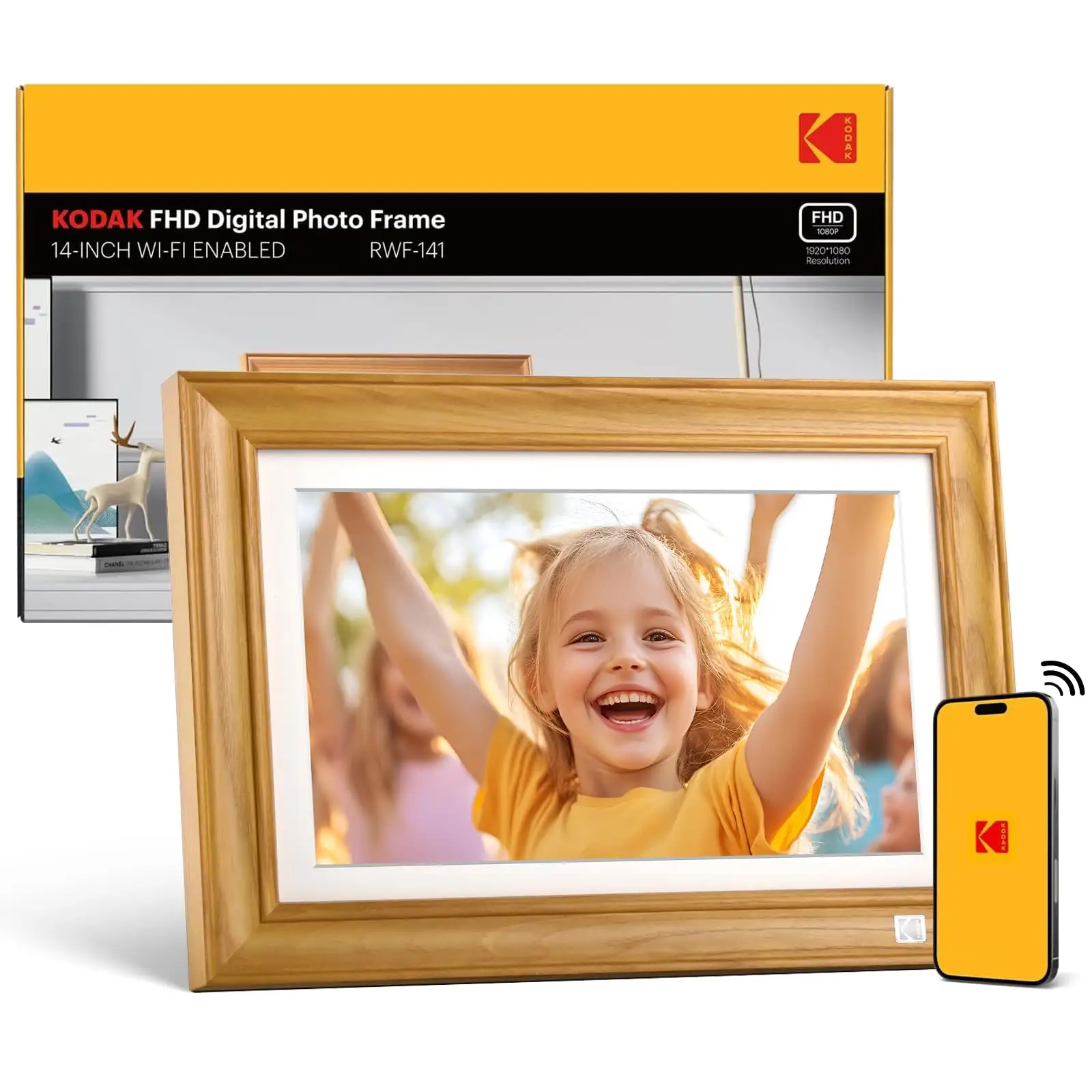
The large internal storage – 32GB on higher models – means “around 80,000 photos” can be saved, reducing the need for frequent management. This is a key benefit for people who want a hands-off experience, aided by SD/USB expansion.
Common Complaints
Setup complexity is the most frequent frustration. Users have missed verification codes due to spam filtering, struggled with unclear instructions, and faced app crashes mid-setup. Trustpilot reported “husband was very frustrated…never able to reach anyone” in support.
Wi-Fi reliability is another recurring theme. Kodak Pulse-era buyers noted the frames sometimes lose connectivity to their cloud service, resulting in “no way to upload…if the site goes down.” Amazon reviews mention weak signal reception: “Where I see 3 bars on other devices, Kodak Pulse only has 1.”
Slideshow control limitations irritate power users. As one Amazon reviewer put it, “There is no way to display pictures in chronological or any other logical order…only random.” This frustrates photographers wanting curated sequences.
Divisive Features
Battery-powered portability draws mixed reactions. Marketing promises hours of runtime, but Pix-Star blog tests suggest “in practice you can expect a 3–4 hour battery life.” For some, this is enough for short events; for others, it’s “a shame the battery can’t even last a day.”
Video playback capability is appreciated by users who load clips manually via SD/USB, but others find the inability to include videos in slideshows limiting. Caps on clip length (15 seconds via cloud apps) are restrictive for longer content.
Trust & Reliability
Trustpilot analysis shows 66.1% of reviews are considered reliable, but some patterns suggest caution: multiple buyers describe difficulty reaching customer service and a lack of timely response. Long-term Reddit stories reveal both durability and failure; one user had a Kodak Pulse last “almost a year flawlessly” before recurring Wi-Fi death, with two replacements failing in the same way.
On the other hand, several owners note multi‑year reliable service when the frame is managed with local storage only, avoiding reliance on cloud syncing.
Alternatives
Pix-Star frames emerged repeatedly in community comparisons. They offer up to 250 photo uploads at once, remote management of up to 25 frames, and integration with Google Photos and Facebook albums – features Kodak lacks. However, Pix-Star units are pricier.
Older Kodak models without Wi-Fi (SD/USB only) have fewer features but avoid cloud connectivity issues, appealing to offline setups. Competitors like Nixplay deliver slicker interfaces but require subscription fees for full cloud functions.
Price & Value
Market prices range widely: new units retail around $129–$169, but eBay listings show resale values from $32 to $111 depending on model and condition. High-end FHD variants fetch more. Community buying tips suggest watching warehouse deals or open-box sales for under $100. Verified eBay sellers note strong demand for new-in-box units as gifts.

FAQ
Q: Does the KODAK 10.1 perform well for elderly users?
A: Yes. Many owners praise its ease of use once set up; shared photos appear automatically. Minimal interaction is needed if linked to family accounts.
Q: Can I control slideshow order?
A: Not currently. Owners report only random or fixed upload order, which frustrates curated presentations.
Q: How reliable is the Wi-Fi connection?
A: Mixed. Some find it stable, others face drops or weak signal. Placement near the router helps, but user reports mention occasional reconnections.
Q: Is video playback supported?
A: Yes via SD/USB, but not cloud sync. Clips must be short (under 1 minute) and are viewed separately from photo slideshows.
Q: How long does the battery last on portable models?
A: Marketing claims up to 7 hours; user testing often finds 3–4 hours, especially with Wi-Fi/cloud functions active.
Final Verdict: Buy if gifting to non‑tech‑savvy relatives who value instant photo updates and attractive design. Avoid if you need granular slideshow control, perfectly stable Wi-Fi, or long battery portability. Pro tip from community: Complete account setup yourself before gifting, and preload curated albums to bypass app limitations and verification snags.