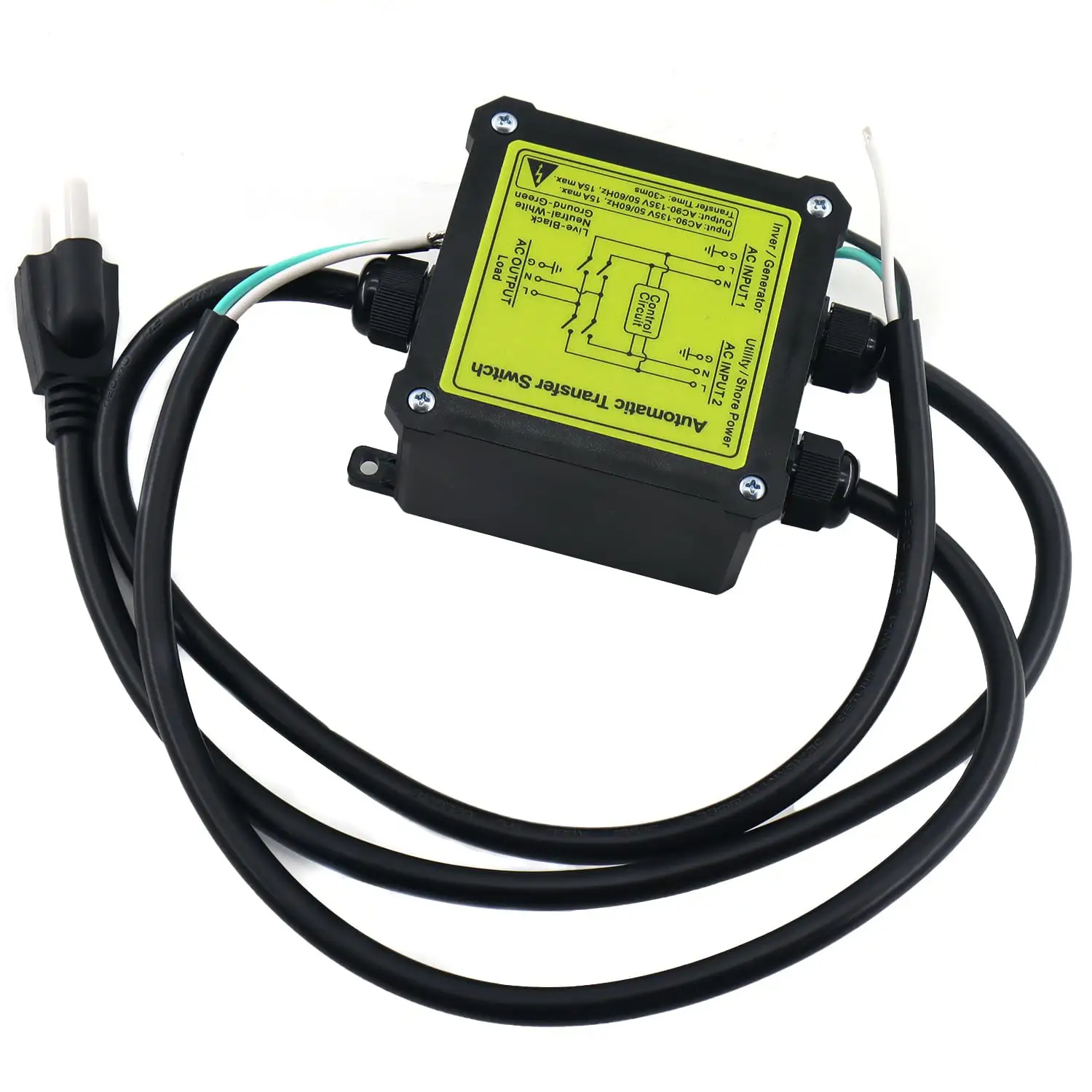
KENWOOD KDC-BT370U Review: Conditional Buy Verdict 8/10
“Blue tooth is a little fickle,” one Amazon reviewer warned—then turned around and still called it “a great performing feature packed stereo.” That push-pull defines the KENWOOD KDC-BT370U CD Car Stereo with Bluetooth: strong core audio value with a few usability gotchas. Verdict: Conditional buy — 8/10.
Quick Verdict
For drivers who want an affordable single-DIN CD receiver with Bluetooth and USB, KENWOOD KDC-BT370U CD Car Stereo with Bluetooth gets consistent praise for sound and value—especially in older cars and simple setups. If hands-free calling and phonebook features are your main priority, some feedback flags friction.
| Decision | Evidence from users | Who it fits |
|---|---|---|
| Yes | “sounds great” and “cd player works great too” (Walmart) | Classic car owners, simple installs |
| Yes | “excellent price” / “good radio for the $” (Walmart) | Budget buyers |
| Conditional | “installation went real easy” but setup learning curve (Amazon/Walmart) | DIY installers comfortable with menus |
| Conditional | “Blue tooth is a little fickle” (Amazon) | Multi-phone / older-phone users |
| No (if sensitive to quirks) | “clock… runs fast gaining like ten minutes a day” (Amazon) | People who hate small annoyances |
Claims vs Reality
One marketing promise baked into the listing language is seamless hands-free calling and streaming. Official-style product text emphasizes “built-in bluetooth… for hands-free calling and audio streaming with dual phone connection” and “iphone and android” compatibility (Amazon listing/specs). Digging deeper into user reports, Bluetooth satisfaction depends heavily on the phone generation and expectations around phonebook behavior.
A verified reviewer on Amazon described a rough start: “Blue tooth is a little fickle. it did not like my old flip phone… it would try to download the address book and my phone would lock-up. there is no way to turn off the address book download.” In the same review, the story pivots once the device changed: “later, got the new phone and it connects beautifully.” For a driver buying this specifically to go hands-free—“i drive a stick and needed to go hands free with the phone”—the takeaway is that Bluetooth can be great, but not universally forgiving, especially with older devices.
Another implied claim is “easy installation.” Multiple Walmart reviewers reinforce that outcome, but not always for the same reason. Walmart reviewer Richard wrote: “easy to install, good radio for the $,” while Reddit-labeled community data (which is actually Walmart reviews in the provided dataset) includes Charles: “instalation was easy and directions were very good… it takes some getting used to in navigating the options.” That distinction matters: physical install may be straightforward, while learning the interface can take time.
A third “reality check” comes from everyday quality-of-life features—things not always highlighted in product bullets. The same Amazon reviewer who liked the overall value still flagged: “another issue is the clock. it runs fast gaining like ten minutes a day,” and also disliked persistent status messaging: “without the blue tooth connection, it insisted on displaying hf discont. can't make it go away.” While the unit is presented as feature-packed and modern for the price, some user experiences describe small irritations that can feel outsized during daily commutes.
Cross-Platform Consensus
Universally Praised
A recurring pattern emerged around sound quality and “old car revival” installs. Walmart reviewer “bunda schlagen” framed the unit as a clear upgrade in a classic vehicle: “sounds great in my 67 barracuda convertible!!!” and even with limited speakers—“only could fit 2 small speakers”—they still concluded: “it sounds great!!! cd player works great too!!!” For classic car owners trying to keep a clean dash while adding modern conveniences like USB and Bluetooth, this story suggests the KDC-BT370U fits the mission: straightforward head unit, noticeable improvement, and CD playback that still matters for some collections.
Value-for-money is the other consistent win. One Walmart reviewer summarized it bluntly: “this is a great quality auto stereo system with an excellent price.” Another reinforced the same buyer logic—good performance without over-investing in an older vehicle—when Gordon wrote on Walmart: “unit works well in a vehicle that isn't worth what i paid for the stereo.” That’s not exactly a compliment to the car, but it’s a strong signal about perceived value: the stereo feels like a meaningful upgrade even when the rest of the vehicle isn’t premium.
USB playback also shows up as a real-world benefit rather than a checkbox feature. A verified reviewer on Amazon said: “love the usb feature. i play most of my music from a thumbdrive now. radio works great too.” For drivers who don’t want to rely on streaming data or Bluetooth stability, this anecdote paints USB as the “set it and forget it” option—plug in a drive and treat the head unit like a local music jukebox.
Even the interface, while occasionally confusing, gets praise when users stick with it. Walmart reviewer Charles described a learning curve but a payoff: “it takes some getting used to in navigating the options but it 's very easy to dial in… perfectly good sound you desire.” For tinkerers who like shaping EQ and settings, that reads like a budget unit that still gives enough control to feel personal.
What people consistently like (after living with it):
- Strong sound for the price (“sounds great” / “lots of bass” on Walmart)
- Solid basic radio and CD performance (“radio works great too” and “cd player works great too” on Amazon/Walmart)
- USB convenience for daily music (Amazon)
Common Complaints
The sharpest frustrations cluster around Bluetooth behavior and phone integration details—especially when the head unit tries to “help” too much. The Amazon reviewer’s account is specific and repeatable: “it would try to download the address book and my phone would lock-up… there is no way to turn off the address book download.” For users with older phones, secondary devices, or privacy concerns, forced phonebook syncing can turn a value purchase into a troubleshooting project.
There’s also a theme of persistent status messaging when Bluetooth isn’t connected. The same Amazon review reported: “without the blue tooth connection, it insisted on displaying hf discont. can't make it go away.” That kind of always-on notification can irritate drivers who frequently leave their phone behind, disable Bluetooth to save battery, or share vehicles.
Setup complexity shows up in short, plain language from Walmart reviewers. One Walmart review (no username given in the excerpt) said: “found it hard to under stand how to set up.” Charles’ comment adds nuance: directions may be good, but menus can still take time to internalize: “it takes some getting used to in navigating the options.” For buyers upgrading from a truly basic radio, the added features can feel like extra friction at first.
Wiring “plug-and-play” expectations also get challenged. Gordon on Walmart wrote: “i was really hoping this was going to be a plug and play from my old kenwood unit but… everything on the new plug was exactly opposite,” then described a workaround: “snip, strip, crimp.” That’s not a fatal flaw—he even calls it “pretty easy” because “wires were the same color”—but it’s a warning for anyone assuming a painless swap just because the brand is the same.
Most repeated pain points:
- Bluetooth/phonebook behavior can be finicky (Amazon)
- Setup/navigation learning curve (Walmart + Amazon)
- Not always plug-and-play wiring swaps (Walmart)
Divisive Features
Ease of installation is where the split is most obvious: many call it easy, but “easy” means different things. For the DIY crowd replacing an existing aftermarket unit, one Amazon reviewer said: “installation went real easy… basically sliding the old one out and this one in.” Meanwhile, Gordon’s Walmart account shows “easy” can still involve reworking harness wiring: “snip, strip, crimp.” If you’re comfortable with basic car-audio wiring, the install can still be a weekend win; if you expected a direct harness match, the experience may feel like extra hassle.
The interface is similarly split: some see depth, others see confusion. Charles (Walmart) landed on the positive side after acclimating: “very easy to dial in,” but another Walmart reviewer admitted they “found it hard to under stand how to set up.” For drivers who just want play/pause and volume, the settings might feel like overkill; for sound tweakers, it’s part of the fun.
Trust & Reliability
Across the provided user feedback, there isn’t a pattern of scam allegations or counterfeit claims; the commentary is grounded in installation, daily use, and feature behavior. Digging deeper into user reports, the strongest “reliability” signals are actually mundane: CD playback works, radio reception is fine, and the unit feels like a stable upgrade in older cars.
That said, the Amazon review introduces a durability-adjacent concern: “the clock… runs fast gaining like ten minutes a day.” It’s not a catastrophic failure, but it’s the kind of slow-burn annoyance that can shape long-term satisfaction. The same reviewer tried mitigation: “i turned on the time sync feature… we 'll see if it resolves the problem,” suggesting at least one built-in workaround exists, though the outcome wasn’t confirmed in the provided excerpt.
On the Walmart side, the long-term reliability conversation is mostly implied through confident satisfaction and lack of “it died after X months” stories in the included sample. Instead, users emphasize that it “works great” and delivers “perfectly good sound” after setup.
Alternatives
Only competitors explicitly mentioned in the dataset are Pioneer and Sony, via the “Best Car Radio: Pioneer vs Kenwood vs Sony Reviews” page (carpartsfaq.com). That page describes the KENWOOD KDC-BT370U as “a solid entry-level option” that’s “straightforward” and a “great pick if you primarily need bluetooth connectivity and basic audio features,” while noting a tradeoff: “sound quality is decent but not exceptional” at higher volumes (carpartsfaq.com).
For buyers prioritizing Bluetooth behavior above all else, that same source positions the Pioneer MVH-S322BT as having “seamless” pairing and “surprisingly good” sound for the price (carpartsfaq.com). For drivers who care about display clarity and SiriusXM readiness, the Sony MEX-N5300BT is described as a “solid contender” with “reliable bluetooth” (carpartsfaq.com). None of those claims are backed by user quotes in the provided dataset, so they function here as cited third-party commentary rather than user consensus.
The practical choice, based on the strongest user stories, is simple: if you want CD + USB + budget Kenwood sound in a single-DIN slot, the KDC-BT370U aligns with what Walmart and Amazon reviewers actually talk about. If you want fewer Bluetooth/phonebook surprises, the alternative discussion suggests looking harder at how Pioneer/Sony handle pairing and contacts (per carpartsfaq.com).
Price & Value
On Amazon search results, the KENWOOD KDC-BT370U appears around $98.89–$109.95 depending on the listing context shown (Amazon results + the shopabunda listing excerpt). Walmart review sentiment repeatedly frames it as a bargain: “excellent price,” “good radio for the $,” and “great quality… with an excellent price” (Walmart).
Resale and market pricing signals show variability. An eBay listing snapshot shows $149.00 for a new unit (eBay), while a PicClick snapshot shows a sold price of $90.00 (PicClick). For deal hunters, that spread supports what users already imply: price sensitivity is part of the buying decision, and shopping around can materially change the value equation.
Buying tips emerge indirectly from user stories. If you’re replacing a similar aftermarket head unit, the Amazon reviewer’s “sliding the old one out and this one in” suggests a smoother path. If you’re expecting a brand-to-brand harness match, Gordon’s Walmart story—“everything on the new plug was exactly opposite”—suggests budgeting time (or money) for wiring adapters or crimping.
FAQ
Q: Is the KENWOOD KDC-BT370U easy to install?
A: Often yes, but “easy” depends on your starting point. A verified reviewer on Amazon said the install was “basically sliding the old one out and this one in,” while Walmart reviewer Gordon described needing to “snip, strip, crimp” because the plug wasn’t plug-and-play.
Q: How reliable is Bluetooth for calls and music?
A: It varies by phone. A verified Amazon reviewer said “Blue tooth is a little fickle” with an older flip phone and couldn’t disable phonebook downloading, but later reported “got the new phone and it connects beautifully.” Expect better results with newer smartphones.
Q: Does the USB feature actually replace Bluetooth for everyday listening?
A: For some drivers, yes. A verified buyer on Amazon wrote, “love the usb feature. i play most of my music from a thumbdrive now,” and added “radio works great too.” If you prefer offline music and fewer pairing issues, USB can be the daily driver.
Q: Are there any annoying quirks owners mention?
A: A few. One Amazon reviewer reported the unit can display “hf discont” when Bluetooth is off and said the clock “runs fast gaining like ten minutes a day.” Some Walmart reviewers also said setup navigation takes time to learn.
Q: Is this a good stereo for classic cars?
A: Many owners frame it that way. Walmart reviewer “bunda schlagen” said it “sounds great in my 67 barracuda convertible!!!” and praised that “cd player works great too.” For older vehicles with limited speaker placement, users still describe a noticeable improvement.
Final Verdict
Buy KENWOOD KDC-BT370U CD Car Stereo with Bluetooth if you’re a budget-focused driver upgrading a daily commuter or classic car and you want “great sound,” a working CD deck, and the convenience of USB music. Avoid it if you need flawless phonebook handling or get irritated by small UI quirks—because one Amazon reviewer’s “blue tooth is a little fickle” story is specific enough to take seriously. Pro tip from the community mindset: if you expected plug-and-play, plan for the possibility of “snip, strip, crimp” wiring time (Walmart reviewer Gordon).