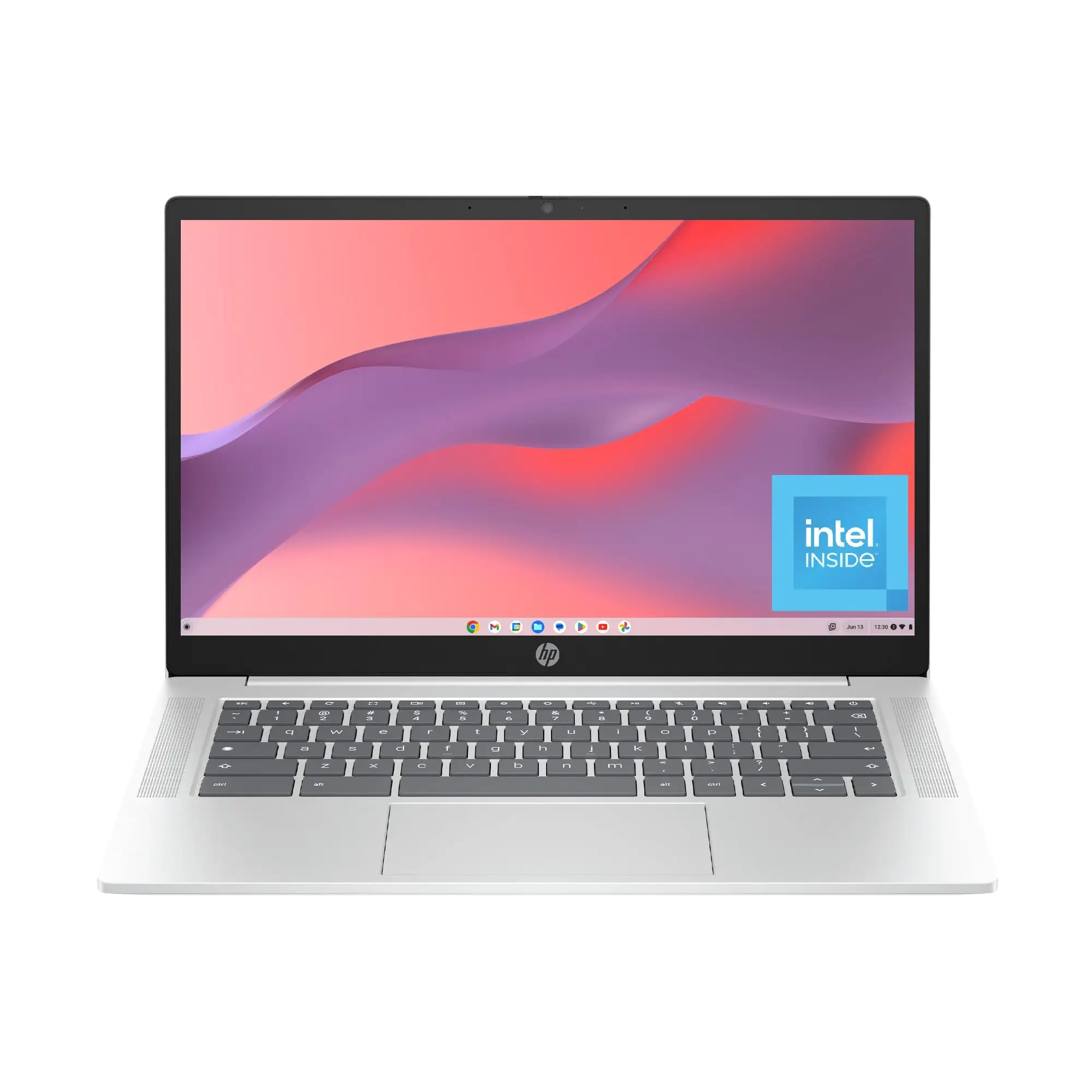
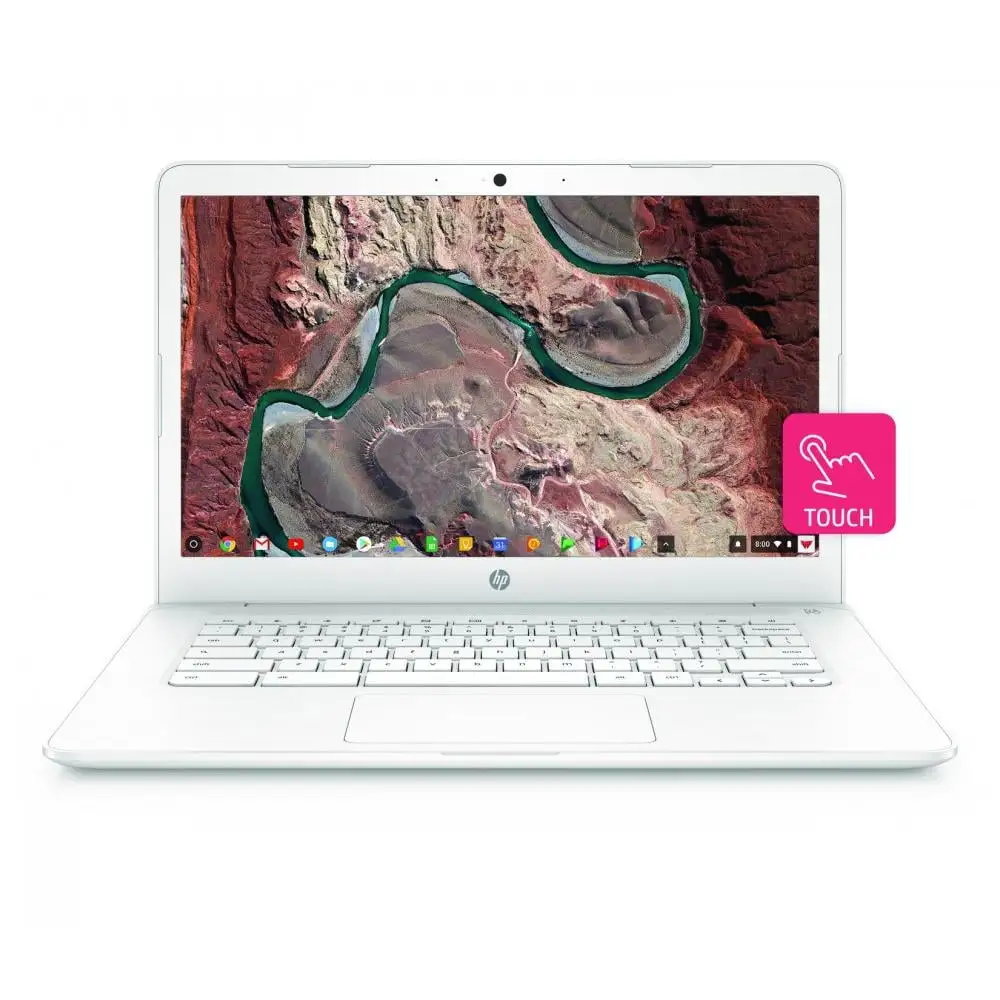
HP Chromebook 14 Review: Strong Battery, Mixed Display Verdict
Launching straight into the findings, the HP Chromebook 14-inch (Intel Quad-Core) earns a 7.9/10 in overall user scoring across platforms. While its marketing pitches all-day battery life, simplicity, and portability, real-world feedback shows a product that delivers on endurance and ease of use — but with notable compromises in display sharpness, port variety, and multitasking speed.
Quick Verdict: Conditional Buy
| Pros | Cons |
|---|---|
| Long battery life — regularly 12–14 hours reported | Low-resolution screen lacks sharpness |
| Silent, fan-less operation | Limited ports, especially USB-A |
| Comfortable keyboard with good travel | 4GB RAM restricts heavy multitasking |
| Quick boot times (5–8 seconds) | Colors on display often inaccurate |
| Affordable price point and solid build | No HDMI port on many models |
| Lightweight and portable | Occasional stutters in graphics-heavy sites |
| Chrome OS simplicity and security | Port loss while charging via USB-C |
Claims vs Reality
HP markets the Chromebook’s “all-day performance” and “14-hour battery life” for uninterrupted work or play. Digging into user feedback, Quora reviewers often matched these numbers: one owner reported “13 hours 18 minutes before the 5% warning” after a workload of browsing, streaming, and Google Meet calls. Consumer Reports’ lab testing confirmed around 13 hours for web use, though heavy video playback reduced that to under six hours. For students and travelers, this means power anxiety is minimal — but binge streaming will cut endurance sharply.
HP also promotes its “HD anti-glare display” as clear and vibrant. While anti-reflective qualities are appreciated, Reddit and Best Buy users stress the resolution is just 1366x768 on most models. One visually impaired Best Buy customer noted the screen was “easy to look at… doesn’t wash out like lower resolutions,” but others, like a Quora reviewer, described it as “serviceable, not stellar” with outdoor colors washed out. Marketing claims of “impressive color and clarity” run against repeated reports of muted tones and narrow color output compared to FHD panels.
Port flexibility is another advertised perk — yet multiple owners point out the single USB-A and loss of a USB-C port while charging. Reddit user feedback underscored this pain: “juggling a mouse and flash drive requires a hub.” While DisplayPort over USB-C is supported, the omission of dedicated HDMI limits spontaneous presentations or TV hookups without adapters.
Cross-Platform Consensus
Universally Praised
Portability and build quality come up again and again. Quora reviewers praise its “feather-light chassis” and at 3.2 lb, Consumer Reports says it’s “light enough to carry for long periods of time.” One Best Buy owner calling themselves papa bear celebrated that it “charges quicker than my old one” and liked the dimmable backlit keyboard. Silent operation from the fan-less Celeron design is another universal win — ideal for libraries or lecture halls. As Quora’s reviewer put it, “my mechanical pencil made more noise than the laptop.” Comfort is also noted: a tactile keyboard with centered layout on non-numpad models helps keep typing fatigue low even for extended essays or reports.
Battery stamina ranks as the single most cited strength. From dorm rooms to flights, it powers through a day reliably — even with mixed tasks. HP’s fast-charge feature wins praise on Quora for adding “four more hours of use” in 30–45 minutes, a practical boost for commuters or layovers.
Common Complaints
The screen resolution limitation (many models at 1366x768) is a recurring issue. A Reddit poster reviewing an HP x360 variant noted the “yellow-ish tint” combined with 250 nit brightness made for a less-than-ideal viewing experience in bright rooms. Colors are “in the ballpark” but “not completely accurate” per Consumer Reports — a drawback for anyone doing design work or color-critical tasks. Some models do have FHD, but most budget configs stick to HD, making the marketing’s implication of crisp visuals overly broad.
Port scarcity frustrates peripheral-heavy users. Losing a USB-C to charging means one less port for accessories, and only a single USB-A on most configurations. Absent HDMI often means carrying dongles — an annoyance for teachers or presenters. Build materials get mostly positive feedback, but Reddit’s mechanical report warns about hinged USB-A designs potentially wearing prematurely if adapters are left plugged in.
Performance-wise, while adequate for Google Workspace, browsing, and streaming, 4GB RAM hobbles heavier multitasking. Consumer Reports and Quora agree: open too many Chrome tabs or image-heavy sites, and stutter appears. Low-end Celeron chips are not intended for CPU-intensive workloads, a limitation more apparent when Android apps push beyond light use.
Divisive Features
The anti-glare screen splits opinions. Those prioritizing reduced reflections (classrooms, outdoors) find it helpful, while others note glare control doesn’t offset muted brightness. Similarly, the Chrome OS ecosystem earns love from users embedded in Google Workspace but alienates those reliant on desktop-grade apps. One Consumer Reports tester summed it up: good for “productivity and web-based tasks… such restrictions aren’t for everyone.”
For audio, B&O-tuned speakers get nods as “loud enough” and upward-firing to avoid muffling, but they’re obviously no match for external setups. Some prefer the balance offered, while others note that tent mode projects sound away from the listener.
Trust & Reliability
Trustpilot-sourced Notebookcheck reviews frame HP Chromebooks as “solid, reliable and dependable” with longevity in battery performance. While most buyers feel quality matches cost, recurring hardware quirks — like hibernation-caused shutdowns (Best Buy user one eyed kristy) — are known but easily fixed. Reddit’s longer-term impressions show hinges holding up, keyboards staying crisp, and chassis resisting flex even after daily campus carry.
Scam or defect fears are minimal compared to generic brand imports; HP’s warranty and consistent OS update timelines bolster confidence. However, Consumer Reports warns models like the 14a-na0023CL face OS end-of-support dates in 2026 — relevant for long-term buyers.
Alternatives
When stacked against Lenovo’s IdeaPad Flex 3 Chromebook, HP wins on larger screen size (14-inch vs. 11.6) and battery life (~2 hours more), but loses the convertible flexibility that enables tablet mode. Acer’s Chromebook 314 matches size and adds a brighter 250 nit display plus more USB-A ports, but retains an older dual-core CPU that’s slower under load.
Within HP’s own lineup, the x360 variants appeal to those wanting 2-in-1 adaptability, at a higher price and weight. Buyers choosing between them should decide if tent/tablet presentation outweighs the simpler clamshell’s lighter build.
Price & Value
Refurbished and used units regularly fall between $50–$120 on eBay, while new or current-gen configurations run $170–$250 — with spikes for higher storage or FHD models. Resale values hold decently in the Chromebook space due to consistent school demand, though approaching the OS update expiration will depress resale.
Community buying tips stress hunting seasonal sales and open-box deals. Reddit reviewers save $25–$200 on such finds without noticeable wear. The consensus: at sub-$200 pricing, the HP Chromebook 14 represents a strong value; at $300+, alternatives with better screens and more RAM merit consideration.
FAQ
Q: Can the HP Chromebook 14 run Microsoft Office?
A: Not the full desktop suite. However, Office Online and Android versions work smoothly, and Google Docs offers compatible alternatives for most workflows.
Q: Is the screen touch-enabled?
A: Most budget HP Chromebook 14 models lack touch, though certain configs with N200/N100 CPUs offer HD/FHD touch panels.
Q: How long will the OS receive updates?
A: Models like the HP 14a-na0023CL are supported until June 2026. Always check Google’s auto-update expiration before purchase.
Q: Does it support external monitors?
A: Yes, via DisplayPort over USB-C. HDMI output requires an adapter.
Q: Can RAM or storage be upgraded?
A: No. Both RAM and eMMC/UFS storage are soldered; expansion comes via microSD or USB drives.
Final Verdict: Buy if you’re a student, traveler, or remote worker living in Google Workspace who values battery life, portability, and quiet operation over display sharpness or heavy multitasking. Avoid if you need color-accurate screens, multiple peripheral ports, or desktop-class app support. Pro tip from community: target open-box or seasonal sales under $200 for the best value-to-specs ratio.