Garmin Drive 52 Review: Conditional Buy Verdict (8/10)
“Traffic doesn’t seem to work” is the kind of line that keeps popping up even in otherwise happy reviews of the Garmin Drive 52 GPS Navigator—and it frames the device best: a simple, dependable sat-nav experience with a few reality-checks around “live” features. Verdict: Conditional buy — 8/10 for drivers who want a dedicated GPS with a clear screen and straightforward menus, and who can live with quirks around traffic services.
Quick Verdict
Conditional. Buy it if you want an easy-to-use, dedicated GPS that’s often preferred over smartphone navigation for trips. Be cautious if “traffic” is your main reason for purchasing.
| Decision Point | What the data suggests | Evidence from users |
|---|---|---|
| Ease of use | Strong win | Best Buy reviewers repeatedly call it “easy to use,” including “easy to use even for a novice.” |
| Navigation clarity | Generally strong | Best Buy: “easy to program clear directions.” |
| Screen size | Usually “big enough” | Best Buy: “screen is plenty large enough for most people.” |
| Traffic feature | Inconsistent experience | Best Buy: “traffic doesn't seem to work” and “lifetime traffic updates is iffy though.” |
| Routing choices | Can differ from driver preference | Best Buy: “some of the test routes are different then i would have picked but it got me to the right place.” |
| Value | Often seen as good | Best Buy: “great value for price” / “best bang to the buck.” |
Claims vs Reality
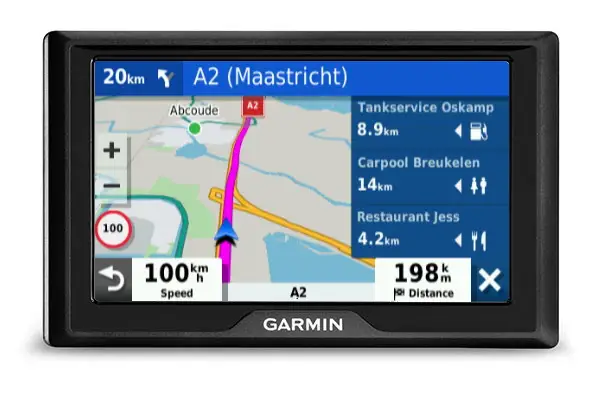
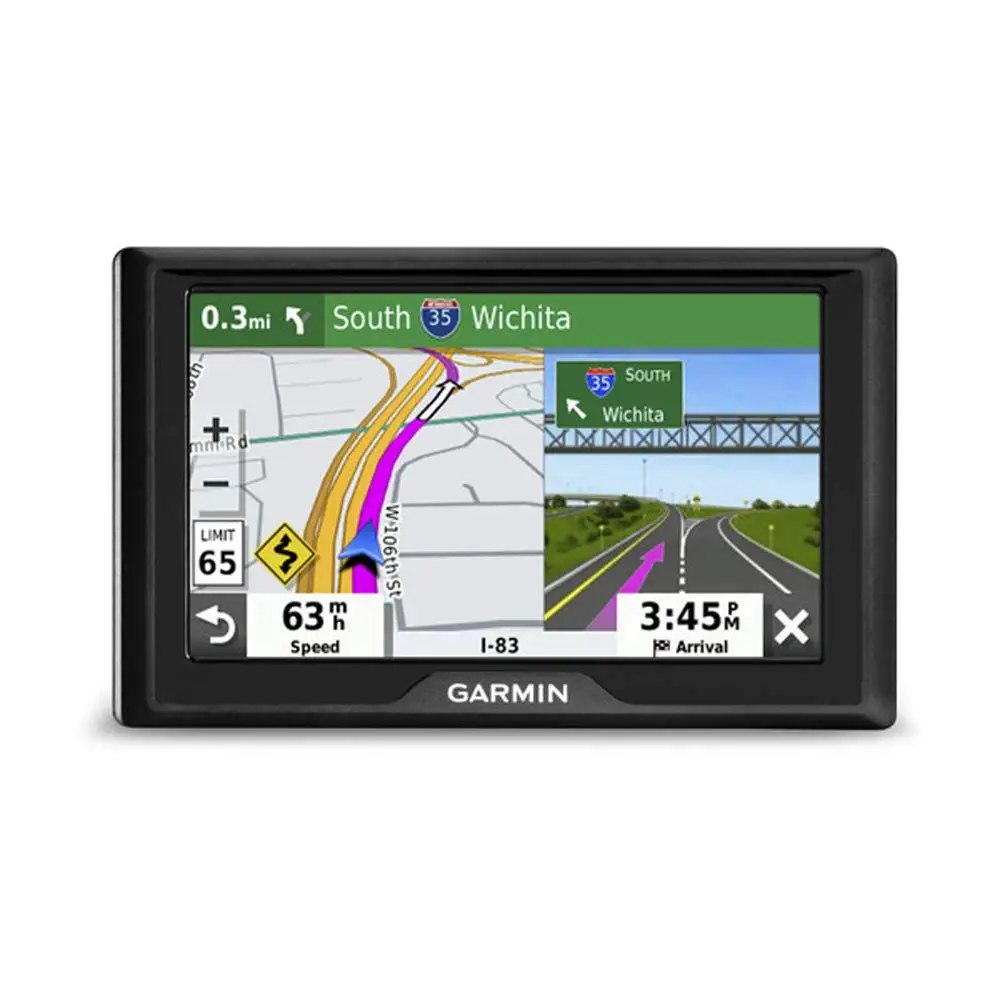
Garmin’s official positioning for the Garmin Drive 52 GPS Navigator leans heavily on making driving “more enjoyable” with “simple menus,” “easy-to-see maps,” and real-time services like “live traffic” when paired with Smartphone Link. Digging deeper into user feedback, the “simple and clear” part is widely echoed, but the “live” part is where the story gets messy.
A recurring pattern emerged around the idea that the core GPS function works well, while traffic can be either a highlight or a frustration depending on the user’s setup and expectations. One Best Buy reviewer offered the blunt contrast: “traffic doesn't seem to work,” while still saying the “gps is working well.” That’s a telling split—navigation satisfaction doesn’t automatically translate to satisfaction with traffic services.
While marketing materials emphasize “live traffic and live parking” via smartphone pairing (Garmin product pages; Amazon listing copy), at least some buyers believed they were purchasing a model where traffic wouldn’t require Bluetooth complexity. That mismatch shows up directly in the same Best Buy complaint: “since i purchased this particular gps for the traffic that didn't need bluetooth it is somewhat disappointing.” In other words, the gap isn’t just performance—it’s expectations about how traffic is delivered.
On routing and guidance, the marketing promise is “clear, detailed maps” and friendly turn-by-turn directions. User stories generally align on clarity, but not always on preference. A Best Buy reviewer described a realistic compromise: “some of the test routes are different then i would have picked but it got me to the right place.” The device may be accurate, but it might not match the route a local driver would choose.
Cross-Platform Consensus
Universally Praised
The strongest throughline across sources is that the Garmin Drive 52 GPS Navigator is built for drivers who want a dedicated navigation tool with minimal fuss. Best Buy reviewers repeatedly frame it as friendly to beginners and people who don’t want to wrestle with smartphone apps mid-drive. One customer summed that up in plain language: “easy to use even for a novice.” For older drivers or anyone who wants “larger buttons” and a more focused device (as described in the Amazon listing copy), that kind of feedback signals reduced stress, especially on longer trips.
Another consistent praise is the “good enough” screen size and readability for everyday driving. A Best Buy reviewer reassured prospective buyers: “screen is plenty large enough for most people.” That matters most for drivers who struggle with tiny on-phone maps, or who don’t want to rely on a car’s infotainment system. Multiple reviewers also praised the general clarity of directions. One wrote: “easy to program clear directions,” emphasizing the practical experience: entering destinations, following turns, and getting where you’re going without drama.
A third theme is that people often treat it as a smartphone alternative rather than a replacement. One Best Buy buyer said it was “better than smartphone for travel,” which hints at why dedicated sat-navs still sell: less distraction, a consistent interface, and no dependence on cellular signal for basic routing. Even reviewers who like Google’s navigation still acknowledged this unit as viable. One wrote: “i like google 's gps better but this is one certainly viable alternative.” For business travelers, delivery drivers, or anyone who wants a separate device always ready in the glovebox, that “viable alternative” framing is meaningful.
After those narratives, the most repeated positives can be summarized:
- “Easy to use” learning curve, including for novices (Best Buy).
- Clear directions and reliable GPS fundamentals (Best Buy).
- Screen size generally viewed as adequate (Best Buy).
- Seen as a practical travel tool versus depending on a phone (Best Buy).
Common Complaints
The most concrete complaint is traffic—specifically, confusion or disappointment about how it works. Digging deeper into user reports, the frustration often comes from buyers who chose the “Traffic” version expecting effortless updates, then couldn’t get it functioning as expected. One Best Buy reviewer stated: “traffic doesn't seem to work,” and expanded the disappointment: “i don't know how to get the traffic to work.” For commuters in congested areas, that’s not a minor feature; it’s frequently the reason they paid for this model.
Even among users who like the unit overall, traffic confidence is shaky. Another Best Buy reviewer described it as “lifetime traffic updates is iffy though.” This kind of language suggests inconsistent reliability or unclear value—especially when “lifetime” is part of the purchase justification. While Garmin’s marketing describes “real-time services” and detours (Garmin product pages; Amazon listing copy), user stories show that the experience can hinge on pairing, configuration, or network conditions.
Routing preferences also show up as a softer complaint—less a failure, more a “your mileage may vary” reality. A Best Buy reviewer admitted the routes were not what they would have chosen: “different then i would have picked,” even though “it got me to the right place.” That’s important for local commuters who optimize routes based on lived traffic patterns, shortcuts, or personal preferences; the device may prioritize different road types or decisions than the driver expects.
Summarizing the most common negatives:
- Traffic features can be confusing or unreliable for some buyers (Best Buy).
- “Lifetime traffic” doesn’t always feel dependable (Best Buy).
- Routes may differ from a driver’s preferred path (Best Buy).
Divisive Features
Traffic is the clearest divisive feature because it’s both praised and questioned. One Best Buy reviewer raved: “this gps is great for traveling... it will adjust the arrival time if there is traffic and gives you detour suggestions.” That’s exactly what traffic-aware navigation is supposed to do, and for frequent travelers—especially work travel—that kind of dynamic ETA adjustment can be the difference between stress and control.
But right alongside that enthusiasm are users who can’t get the same benefit at all. The contrast is stark: one person calls it “the most helpful gps,” while another says traffic “doesn’t seem to work.” Presenting both stories honestly, the takeaway is that traffic may be excellent when it works as expected—but buyers should be prepared for setup friction or confusion, particularly if they assumed it wouldn’t require smartphone involvement.
Another divisive angle is how it compares to phone navigation. One Best Buy reviewer declared it “better than smartphone for travel,” while another admitted preference for Google’s navigation: “i like google 's gps better,” even while calling the Garmin “certainly viable.” For drivers who want the latest data ecosystem of a phone, the Garmin may feel basic; for drivers who want a stable, dedicated interface, it can feel like relief.
Trust & Reliability
Across the provided sources, there isn’t a clear pattern of scam-related complaints tied to the Garmin Drive 52 GPS Navigator. The visible themes are operational—setup, traffic configuration, and routing preferences—rather than allegations of fraudulent listings or widespread “not as described” behavior from sellers.
On durability and long-term reliability, the most tangible evidence in this dataset comes from repeat-buyer sentiment rather than time-stamped long-term ownership stories. One Best Buy reviewer shared a household-level vote of confidence: “4th garmin bought - now each driver has one and we all love them !” That doesn’t prove a “six months later” durability test, but it does show ongoing brand trust and repeat purchasing behavior tied to Garmin’s navigation devices.
Alternatives
Only one competitor line is explicitly mentioned in the data: Garmin’s DriveSmart series (via the community-style summary source). That source frames DriveSmart as the step-up option for people who want “voice-activated navigation,” “bluetooth connectivity,” and “wi-fi for easy updates.” The implication is clear: the Garmin Drive 52 GPS Navigator wins on simplicity and approachability, while DriveSmart targets drivers who want more connected features and fewer compromises around traffic and updating.
For shoppers torn between the two, the user feedback points toward a decision based on tolerance for “basic” versus “advanced.” If your priority is a straightforward GPS with a clear screen and easy menus, the Drive 52’s fanbase reads like a match. If your priority is modern connected convenience, the data itself suggests looking at DriveSmart.
Price & Value
Value is repeatedly framed as a reason to buy. Best Buy reviewers use language like “great value for price,” “bang for the buck,” and “best bang to the buck.” That sentiment suggests buyers feel they’re getting dependable navigation without paying for a premium feature stack.
Looking at market pricing signals in the provided data, resale and secondary-market listings show the Garmin Drive 52 GPS Navigator commonly appearing around the sub-$100 range for new/brand-new listings in at least some contexts (eBay market pages show “brand new” listings around the mid-$70s, with pre-owned lower). That supports the idea that it’s often treated as an affordable, practical purchase—especially for households that want a dedicated device per driver.
Buying tips implied by user stories: if you’re paying extra specifically for traffic, confirm which model/version you’re getting and what it requires to function. The disappointment quote about expecting traffic “that didn’t need bluetooth” suggests that misunderstanding the traffic delivery method can be costly in satisfaction terms.
FAQ
Q: Does the Garmin Drive 52 have live traffic?
A: Conditionally. Garmin’s product copy says it provides “live traffic” when paired with the Smartphone Link app. In reviews, experiences vary: one Best Buy buyer said it “will adjust the arrival time if there is traffic,” while another wrote, “traffic doesn’t seem to work.”
Q: Is it easy to use for beginners?
A: Yes. Best Buy feedback repeatedly emphasizes simplicity, including “easy to use even for a novice.” Reviewers also describe it as “simple to program and operate,” suggesting it’s a good fit for drivers who want a dedicated GPS without a steep learning curve.
Q: Is the 5-inch screen big enough?
A: For most people, yes. One Best Buy reviewer wrote, “screen is plenty large enough for most people,” and others praised readability. If you strongly prefer larger maps or more detail, the 5-inch format may feel limiting compared to larger sat-navs.
Q: Does it choose the same routes you would?
A: Not always. One Best Buy reviewer noted “some of the test routes are different then i would have picked,” but also said “it got me to the right place.” Expect generally reliable routing, with occasional differences from personal preference.
Q: Is it better than using a phone for navigation?
A: It depends on your priorities. One Best Buy buyer called it “better than smartphone for travel,” while another said, “i like google’s gps better” but still considered the Garmin “certainly viable.” People who want a dedicated device often prefer its focused experience.
Final Verdict
Buy the Garmin Drive 52 GPS Navigator if you’re a road-trip driver, a beginner who wants “easy to use even for a novice,” or someone who prefers a dedicated sat-nav that many describe as “better than smartphone for travel.” Avoid it if traffic reliability is your single must-have and you’re unwilling to troubleshoot pairing or settings—because “traffic doesn’t seem to work” appears even in otherwise positive ownership stories. Pro tip from the community vibe: if you want more advanced connected features, the data itself points you toward Garmin’s DriveSmart line instead.