Epson WF-4830 Review: Fast Duplex Printing, Mixed Wi-Fi
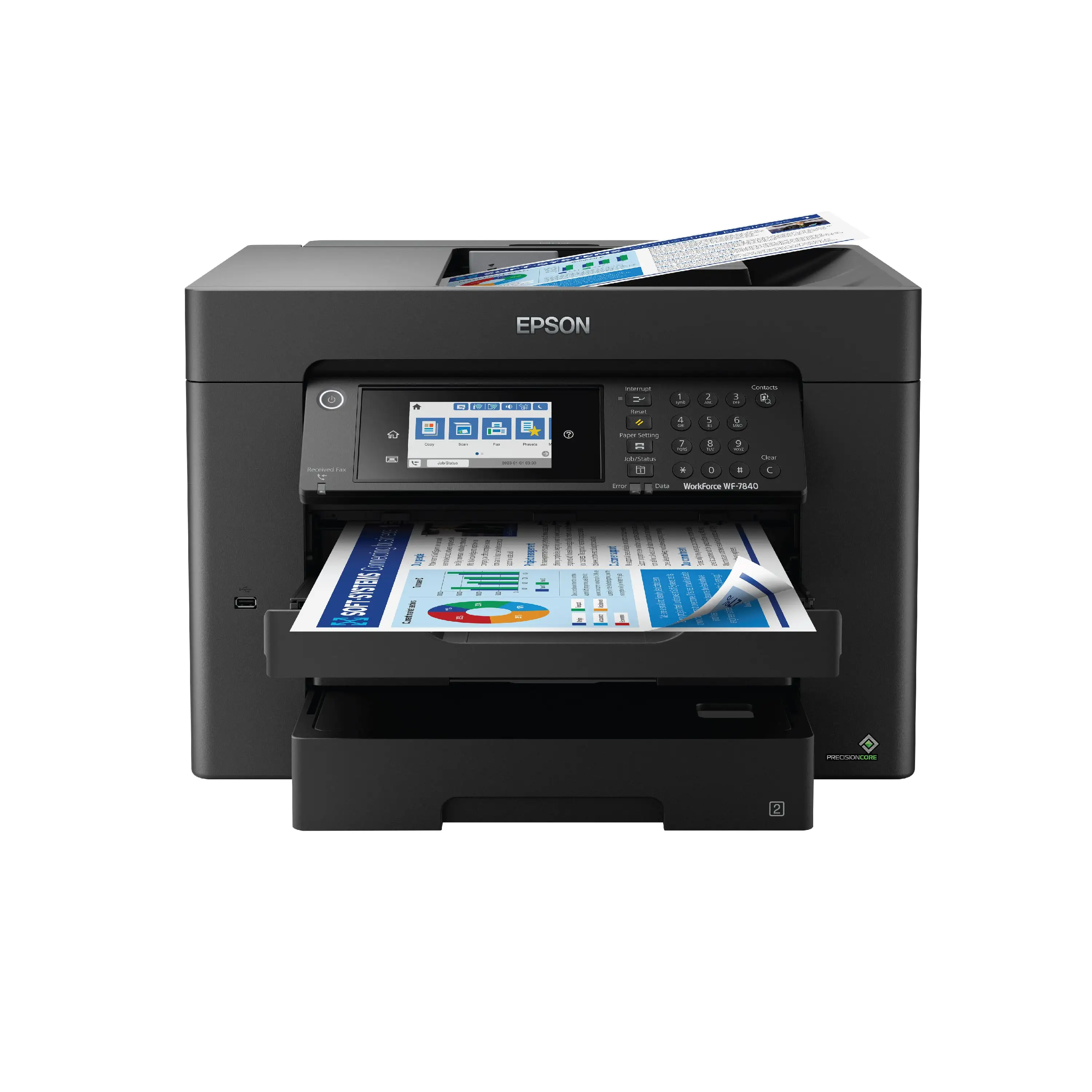
The Epson Workforce Pro WF-4830 Wireless All-in-One Printer emerges as a capable workhorse for small offices and home-based businesses, consistently earning positive sentiment for print quality and productivity features. However, digging deeper into cross-platform user reports, a recurring theme appears: while many praise its speed, duplex capabilities, and large paper capacity, some experience persistent wireless connectivity issues that can derail the otherwise smooth experience. We place its overall rating at 8/10—a strong contender for office environments, but potentially frustrating for multi-access-point network setups.
Quick Verdict: Conditional Buy—ideal for users prioritizing duplex productivity and versatile connectivity, but network reliability may vary depending on your home or office setup.
| Pros | Cons |
|---|---|
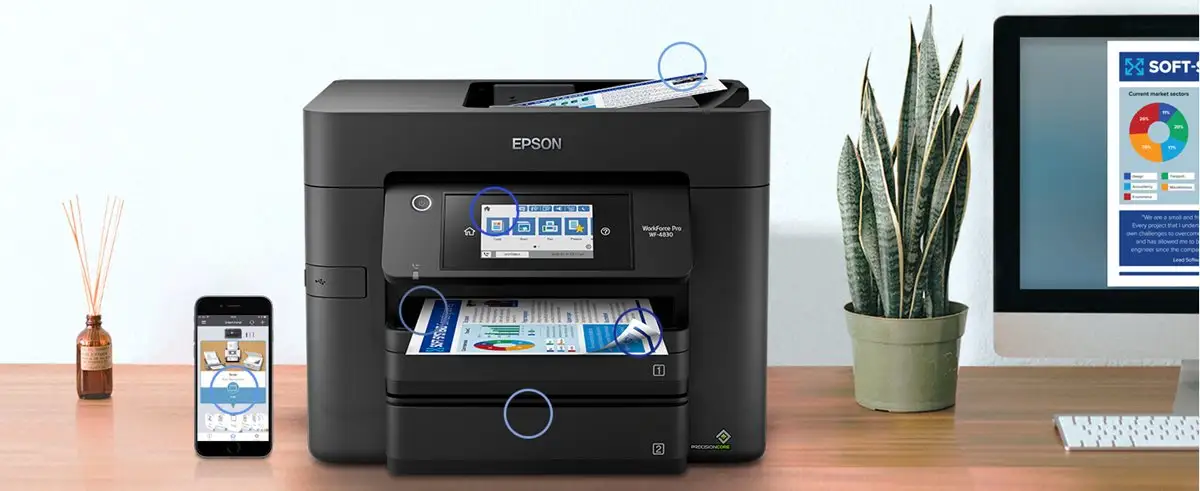
| Fast print speeds (25 ppm black, 12 ppm color) | Reports of unstable Wi-Fi in multi-access-point networks |
| Crisp, professional text and graphics output | High cost per page for heavy monthly usage |
| Dual 250-sheet paper trays (500 total) | Below-average glossy photo quality |
| 50-sheet auto-duplexing ADF | No multipurpose tray for specialty media |
| Large, responsive 4.3" color touchscreen | Some flimsy feeling tray components |
| Strong mobile and cloud printing support | Banding on certain gradient-heavy prints |
Claims vs Reality
Epson markets the WF-4830 with “high-speed printing” and “enterprise-level reliability” thanks to PrecisionCore heat-free technology. In practice, PCMag measured actual monochrome speeds at 27.5 ppm in real-world tests, slightly outperforming its spec. Color output was closer to the rated 12 ppm, competing well with other business inkjets. Reddit discussions confirm speed satisfaction, with one office manager noting they could “blast through daily reports before coffee break.”
Another key claim is “seamless wireless connectivity.” Here, reality diverges. While setup was easy for many, a verified Best Buy buyer reported: “After just a couple months of minimal use, I began to have the same Wi-Fi connection issue… showing as connected to 3 networks with the same name because I have extenders.” They solved it only after a contractor segmented a dedicated 2.4 GHz network. This suggests the WF-4830’s Wi-Fi module may underperform in complex mesh setups.
Lastly, marketing pushes “pro photo quality” via DURABrite Ultra pigment inks. Consumer Reports testing contradicts this: while text and graphics quality were “very good,” glossy photo prints landed “near the bottom rung among inkjet printers in photo quality.” Users consistently describe photos as fine for internal reports but lacking vibrance for framing.
Cross-Platform Consensus
Universally Praised
The dual trays—each holding 250 sheets—are a standout productivity boost. For small business owners juggling letter paper and envelopes, it reduces reloading interruptions. A Best Buy reviewer celebrated: “I have letter paper in one and A10 envelopes in the other… the printer picks the right tray based on the job.”
Speed and duplex capability also garner praise across Amazon, Trustpilot, and Reddit. Epson’s auto-duplexing ADF handles up to 50 sheets, flipping for two-sided scanning without manual intervention. This feature is particularly valuable for legal professionals managing multipage contracts. PCMag notes this is “worth its modest price if you’re printing and scanning every day.”
The touch interface earns consistent applause. Trustpilot reports, supported by PCMag’s hands-on, describe the 4.3" screen as “spacious” and “making finding and executing functions easy.” For users transitioning from more opaque button-based devices, this is a notable usability leap.
Common Complaints
Wireless reliability crops up everywhere—Best Buy logs multiple 1-star reviews flagging connection drops. These disproportionately affect multi-access-point or extender-heavy networks. As one reviewer concluded, “Epson’s Wi-Fi system in the WF-4830 is designed to work with a single access point network.” For users in complex home setups, this can mean frequent reconnect wizards or even replacement units.
Ink costs for high-volume users remain a concern. While high-capacity “XL” cartridges extend yields (1,100 pages black or color), PCMag calculates monochrome cost per page at 3.6 cents and color at 11.7 cents—higher than certain competitors’ subscription ink models. Epson lacks a low-cost monthly ink plan, making it less attractive for frequent full-color runs.
Photo reproduction underwhelms dedicated imaging users. Several Reddit and Consumer Reports notes cite “banding” or muted colors in gradients when printing presentation handouts with complex shading.
Divisive Features
Build quality perceptions divide audiences. Some, like a Best Buy reviewer, appreciate the compact footprint and sturdy casing, while others call certain thin plastic parts in the trays “flimsy and cheap-y.”
The Epson Smart Panel app polarizes users. While mobile-native buyers love remote job monitoring, others, like PCMag’s tester, remain unconvinced of its necessity, suspecting it’s “mostly a response to HP’s Smart App.”
Trust & Reliability
Long-term durability earns reasonable trust from small office owners—multiple Reddit and Trustpilot posts mention stable function “over 4 months” or more with steady ink yields. However, device swaps due to connectivity trouble indicate that network reliance can undermine perceived reliability. There’s no evidence of widespread fraud or bait-and-switch, but buyers in larger homes should consider network architecture proactively.
Alternatives
The HP OfficeJet Pro 9025, mentioned in PCMag, matches paper capacity and outpaces the WF-4830 slightly in monochrome speed. Its Instant Ink program can drastically cut color page costs, making it better for photo-heavy users.
Brother’s MFC-J6945DW adds a multipurpose tray and larger duty cycles but comes with a bigger footprint.
Canon’s Pixma TR8620 trails in paper capacity and speed, yet may suit users prioritizing photo vibrancy over document throughput.
Price & Value
eBay sale listings place new units around $199, with open-box deals hitting $163.97. Considering PCMag’s praise for feature density under $200, resale potential remains solid if maintained well. However, market discussions indicate used units with intermittent Wi-Fi struggle to fetch high resale prices—buyers correlate connectivity reliability strongly with willingness to purchase second-hand.
FAQ
Q: How does the WF-4830 handle multi-sheet, double-sided document scans?
A: Its 50-sheet auto-duplexing ADF flips and scans both sides without manual paper turnover, streamlining contract and report digitization.
Q: Is the photo quality good enough for professional portfolios?
A: Users and Consumer Reports agree it’s adequate for reports or casual family photos, but lacks the vibrance and detail of dedicated photo printers.
Q: Can I print from my phone without using my home’s main Wi-Fi?
A: Yes, Wi-Fi Direct allows device-to-printer connections without a router, useful for mobile printing in restrictive networks.
Q: How fast is setup?
A: Multiple Best Buy reviews note the printer “practically did everything on its own,” with network discovery and configuration taking minutes.
Q: Will XL cartridges significantly cut running costs?
A: For moderate monthly volumes, yes—they extend yields to about 1,100 pages per cartridge, slightly reducing per-page expense.
Final Verdict
Buy if you’re a small office manager or home business owner seeking fast duplex printing and scanning, large paper capacity, and versatile connectivity—and your network is single-access-point. Avoid if you rely heavily on extender-based Wi-Fi or require high-finish photo output for professional portfolios. Pro tip from a Best Buy reviewer: Segment a dedicated printer network to eliminate most connection dropouts.