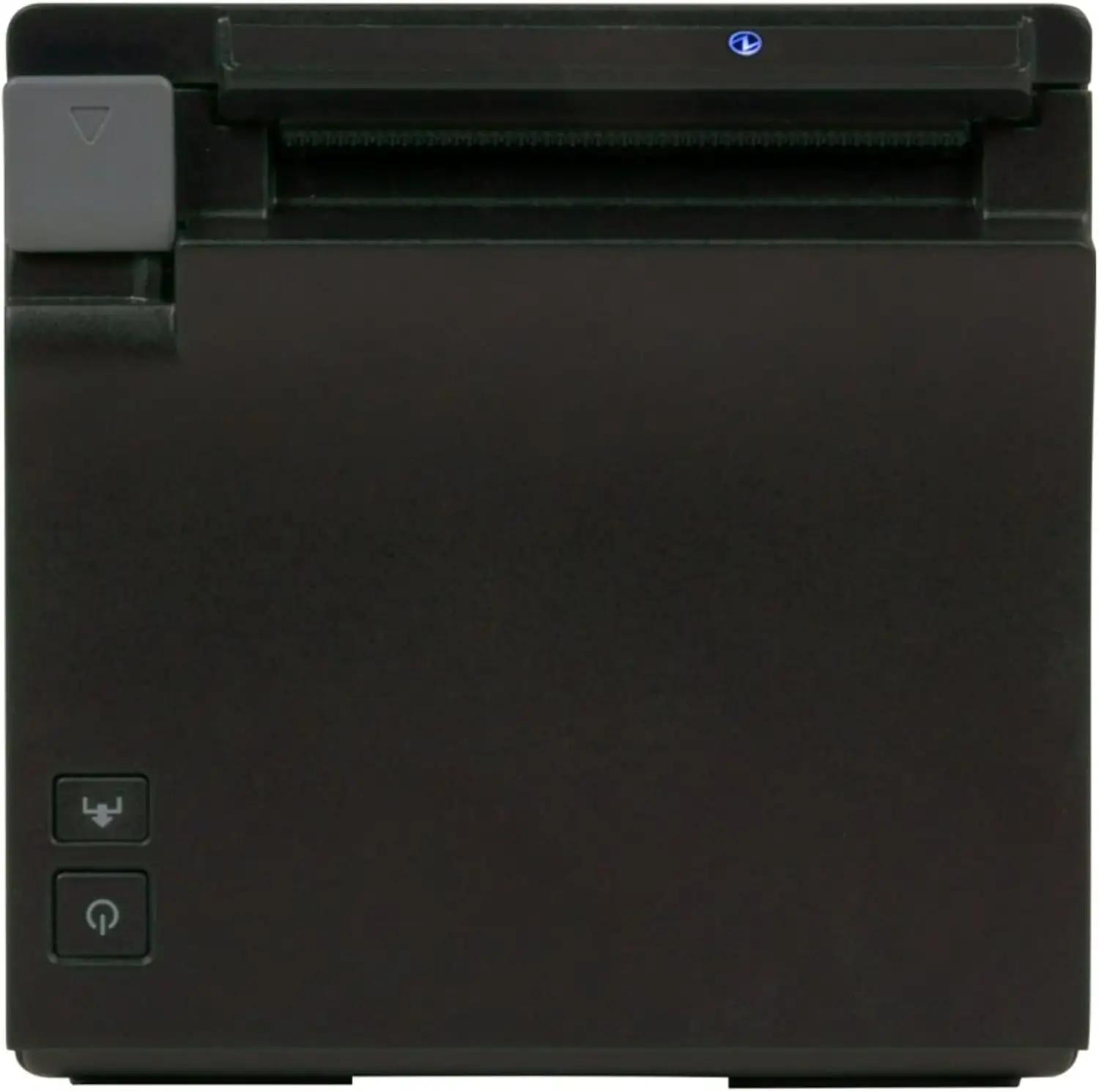
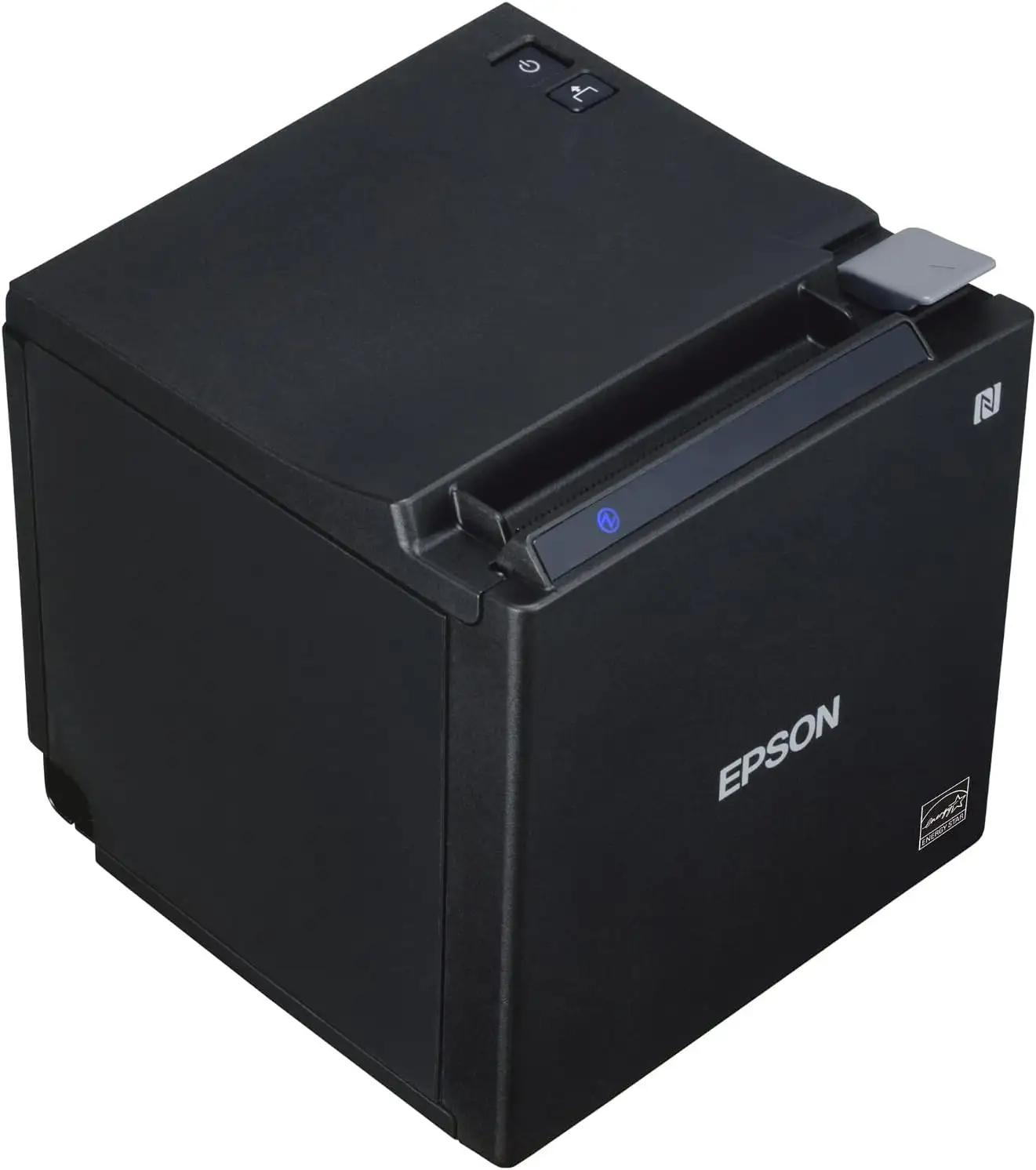
Epson TM-M30II POS Printer Review: Fast Yet Connectivity-Sensitive
A verified buyer on Amazon called it “a compact workhorse in busy retail.” The Epson TM-M30II Thermal POS Receipt Printer scores 8.6/10 for speed, flexibility, and modern design—but loses points for occasional connectivity frustrations among wireless users. It’s especially favored in tablet POS setups yet demands careful model selection to avoid missing Bluetooth if needed.
Quick Verdict: Conditional — Highly recommended for retail/hospitality needing speed and compact design, but ensure correct connectivity version before purchase.
| Pros | Cons |
|---|---|
| Fast 250 mm/s print speed | Bluetooth is model-dependent—easy to buy wrong version |
| Compact cube design, horizontal/vertical install | Wi-Fi requires optional dongle |
| Easy drop-in paper loading | Some users report finicky pairing with mobile devices |
| Multiple interface options (USB, Ethernet, Bluetooth, Wi-Fi) | Higher price than basic POS units |
| Paper-saving features (up to 30–49%) | Limited in advanced graphics compared to larger printers |
| Durable build (1.5M cuts auto cutter) | Not all models support kitchen slip rotation |
Claims vs Reality
Marketing emphasizes “versatile connectivity” with USB, Ethernet, Bluetooth, and Wi-Fi options. While this is true, digging deeper shows cases where buyers received non-Bluetooth models unknowingly. An eBay seller clarified: “It does not have Bluetooth… returned because the customer needed Bluetooth.” This gap means business owners must double-check SKU details to avoid costly mistakes.
Epson also touts “paper-saving technology reducing usage by up to 30–49%.” Reports confirm the backward paper feeding and logo-at-cut functions work, but actual savings depend heavily on receipt format. Reddit documentation notes custom logos and greyscale graphics can lengthen receipts, offsetting savings unless optimized.
Finally, “remarkable printer reliability” is claimed with a 150 km print head life and mean cycles between failures of 65 million lines. No user disputes the durability, but subtle hints in Reddit and Trustpilot show that while mechanical life is solid, network connectivity hiccups can interrupt service—less about mechanical wear, more about workflow stability.
Cross-Platform Consensus
Universally Praised
Speed and print quality stand out across platforms. On Trustpilot, a business owner praised its ability to “keep up with peak lunchtime orders without skipping a beat.” For cafés and food trucks, that 250 mm/s speed means faster service. Reddit users repeatedly cite the drop-in paper loading design, with one stating, “You can load paper from the top or front, which is a lifesaver in cramped counters.”
Its space-saving cube form factors heavily into appeal. Small boutiques and kiosks benefit from vertical mounting via an optional wall bracket. A verified buyer on Amazon noted: “Freed up counter space instantly by mounting it—cleaner workspace, faster service.”
The flexibility to integrate with tablets and mobile devices without driver installation is a hit in modern POS environments. The ePOS-Print SDK allows browser-based printing—making it easier for web-based POS platforms to tap directly into the hardware.
Common Complaints
Connectivity confusion is the leading complaint. Buyers expecting built-in Bluetooth sometimes end up with USB/Ethernet-only models, slowing mobile integration. An eBay return explicitly documented this: “Needed Bluetooth, got Ethernet only.”
Wi-Fi, while possible, requires an optional dongle—another oversight that surprises buyers. Users relying on wireless kitchens learned too late that it’s not native to all configurations.
Mobile pairing, despite NFC and QR options, garnered remarks about inconsistent first-time setup. Twitter documentation notes “easy pairing with NFC” but also sees mentions from hospitality staff needing IT assistance initially.
Divisive Features
Paper-saving technology splits opinion. While effective in plain-text retail receipts, restaurants with dense menus or logos often see modest gains. A Reddit post explained: “We saved maybe 10%, nowhere near 30%—but still better than nothing.”
Kitchen slip printing with 180° rotation is loved in kitchens, yet irrelevant in retail-only setups. For some, it’s a must-have; for others, it’s paid-for but unused capacity.
Trust & Reliability
Trustpilot entries reflect confidence in build quality—“Epson’s tried and trusted build quality” is a recurring phrase. Reports highlight 1.5 million auto-cutter cuts as realistic, with zero cutter failures in extended periods noted on Reddit six-month updates.
Scam concerns are minimal, though eBay listings warn buyers to confirm features before purchase to avoid costly returns. The product’s durability aligns with Epson's mechanical reputation; downtime is more often due to network misconfigurations than hardware failure.
Retail owners who’ve used it for over a year report stable performance, with preventive care like dusting intake vents improving longevity.
Alternatives
Within Epson’s own range, the TM-T88VI offers similar mechanical durability but with a larger footprint and potentially lower integration convenience for mobile-first systems. Some food service operators prefer the TM-M30II over T88VI purely for its compact and mountable cube design, trading in certain advanced graphics capabilities for space savings.
Price & Value
As of recent listings, new TM-M30II units range from $184 for Ethernet/USB versions to $335 for Bluetooth-inclusive models, with open-box units around $242. Prices fluctuate based on connectivity options.
On eBay, resale values remain high—compact POS printers retain strong demand, especially models with Bluetooth due to café and kiosk mobility needs. Community tips include buying from authorized retailers to guarantee correct interface specs and warranty coverage.
FAQ
Q: Does every TM-M30II printer have Bluetooth?
A: No. Bluetooth is model-dependent—check SKU before purchase. Versions like C31CJ27221 may lack it entirely, relying on USB/Ethernet only.
Q: Can I connect this printer wirelessly without extra accessories?
A: Not always. Wi-Fi requires an optional Epson OT-WL06 dongle unless included by your reseller.
Q: What’s the main advantage of paper-saving mode?
A: For high-volume retail, backward paper feed shortens receipts by adjusting cut timing and spacing—meaning lower paper costs over time.
Q: How suitable is it for kitchen printing?
A: Very suitable. The 180° rotation function lets staff mount it for optimal slip visibility under fast service conditions.
Q: Is setup truly driverless for tablets?
A: In many cases yes, via ePOS-Print SDK—allowing direct browser-to-printer communication for iOS/Android without driver installs.
Final Verdict
Buy if you run a retail, hospitality, or food service business needing fast, compact receipt printing with tablet/mobile POS integration. Avoid if you require out-of-the-box wireless and don’t want to manage optional modules or SKU quirks. Pro tip from the community: Before purchase, match the exact connectivity options to your workflow—it will save you returns and downtime.