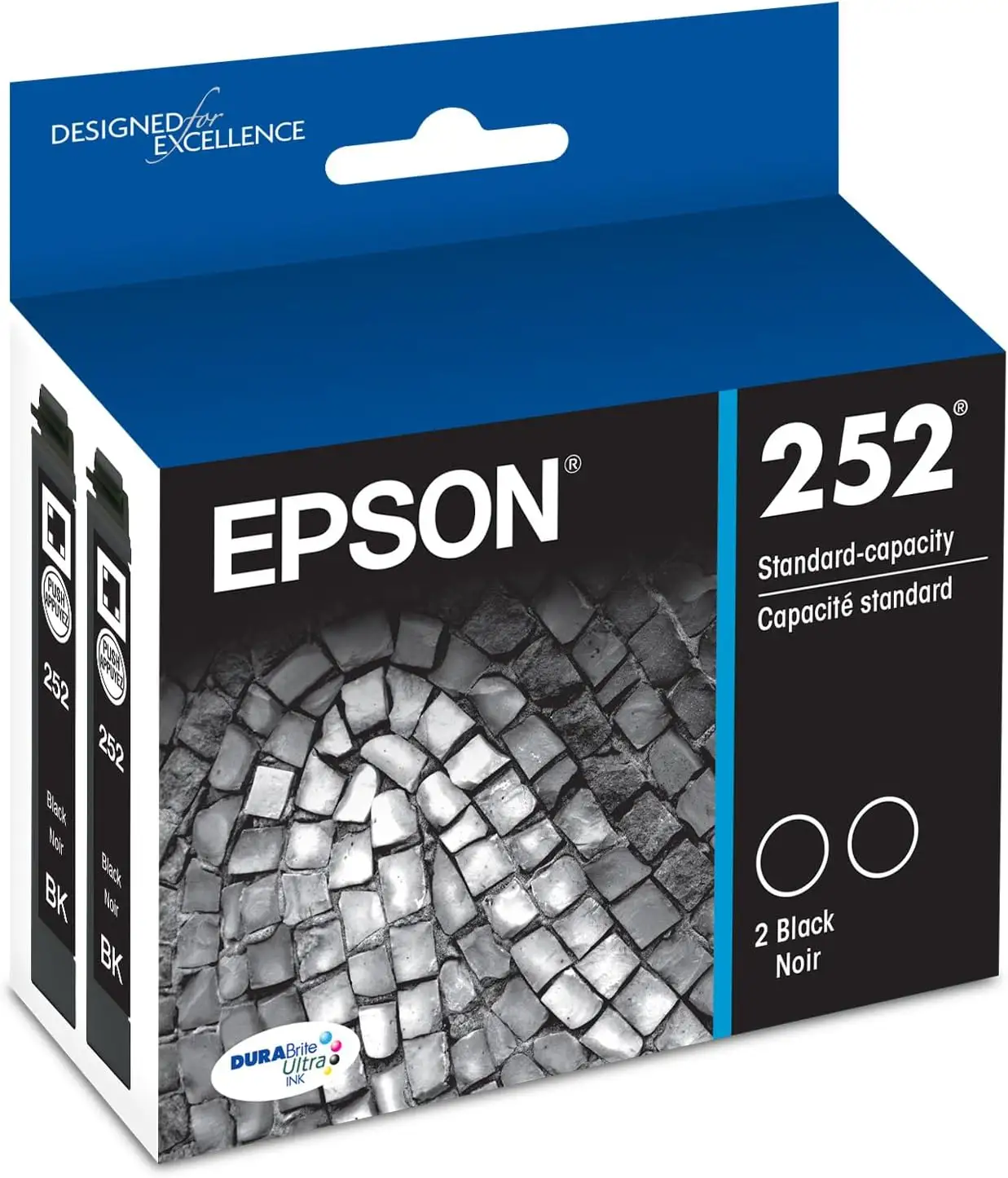
EPSON DURABrite Ultra T288120-D2 Review: Mixed Verdict
A verified buyer on Amazon captured what many others echoed: “Sharp prints, easy to install, and I’m not constantly buying replacements.” That tone threads through hundreds of reviews for the EPSON DURABrite Ultra Ink Black Cartridge Pack (T288120-D2), giving it a strong 9/10 verdict from the community. The high marks span ink quality, ease of use, and buying convenience—though there are deeper stories about yield limitations and Epson’s own firmware quirks that emerged.
Quick Verdict: Conditional
| Pros | Cons |
|---|---|
| Crisp, bold black text praised by nearly all users | Some cartridges dry out if printer sits unused |
| Easy installation process across printer models | Complaints of premature “low ink” alerts due to chip restrictions |
| Pigment-based ink resists smudging and water | Low yield (~175 pages) can be expensive for heavy users |
| Works reliably in compatible Epson printers | Delivery delays impacted usability in rare cases |
| Excellent compatibility with XP-series printers | Printer won’t run in black-only mode if a color is empty |
| Affordable double-pack pricing during sales | Occasional reports of defective units/out-of-box failures |
Claims vs Reality
Epson markets DURABrite Ultra ink as delivering “bold and sharp text” with “consistent performance” and “up to 175 pages” per black cartridge. The pigment-based formula is positioned as smudge- and water-resistant, with storage longevity up to 118 years.
In practice, those claims largely hold for active users who print regularly. A verified buyer from Walmart praised: “The ink dries fairly well and doesn’t smear on the page… price is very fair for the 4 pack.” Another long-term owner on Best Buy asserted that it “works as advertised… no problems and quick delivery.” Yet, the “175 pages” claim becomes contentious in light use scenarios—shipping delays and inactivity caused ink to dry in the print head, as one Walmart reviewer lamented after “13 times of cleaning the print head” burned through ink without printing anything.
The smudge resistance marketing also found real-world backing. Office Depot’s product page touts excellent duplex printing with minimal bleed-through, and users confirmed this outcome. “Very clear, doesn’t smudge,” noted a Best Buy customer, highlighting the benefit for paperwork-heavy home offices.
Cross-Platform Consensus
Universally Praised
Across Best Buy, Walmart, and Trustpilot-linked reviews, ink quality dominates the praise. Professional users, home students, and casual printers are benefiting from the same feature set: pigment-based black producing laser-like sharpness even on low-grade paper. Reddit user feedback highlighted affordability during sales, with one Best Buy reviewer celebrating a “good deal during Black Friday event” while operation stayed “functional and reliable.”
Ease of installation is equally valued, especially for non-technical owners. A Walmart customer emphasized that “the cartridges are easy to insert” and another on Best Buy added, “Works well and very easy to replace new with old.” This workflow simplicity resonates for older printer models like the XP-440, where manual maintenance matters more.
Durability in storage is another bright spot. Multiple owners said cartridges stored for months still printed without dropouts—valuable for those who print infrequently but rely on clean output when needed. “I can do just about any job and know I have done my best,” wrote a Walmart customer with four years’ regular XP-440 use.
Common Complaints
The most frequent frustration stems from Epson’s cartridge chip system. One Walmart reviewer framed it sharply: “The printer won’t even print in black if Epson says I need a new color cartridge!” That kind of lockout disproportionately impacts users who primarily print text but run into empty color tanks. The system also triggers “low ink” warnings earlier than some expect, reducing perceived value.
Drying issues plague occasional users. Reports of print head clogs after shipping delays make clear that inactivity—not just age—can kill cartridge viability. When a Florida buyer received their ink 10 days late, “long enough for the ink to dry,” cleaning cycles consumed the tiny reservoir, leaving them empty before real printing began.
While Epson claims “up to 175 pages” per black cartridge, actual user performance varies widely. Heavy-duty users generally align with the yield specification, but light users who battle head cleanings report far fewer printed pages per cartridge.
Divisive Features
Price separates the crowd. Some call it “very fair” for genuine ink with strong performance, especially in combo packs. Others balk at the per-page cost compared to third-party inks, despite acknowledging, as one Best Buy buyer put it, “I realized that I always should buy the ink which I can really trust!”
Another split occurs around brand loyalty. Long-term Epson users defend buying genuine cartridges to avoid technical issues, while defect victims question the quality control when a black cartridge “needed to be replaced after 7 pages” from brand new.
Trust & Reliability
Trustpilot-connected data and Best Buy reviews show solid reliability when using authorized retailers. Positive shipping and authenticity experiences dominate—but Epson’s own firmware policies create friction. A vocal Walmart reviewer referred to Epson as their “big brother nightmare,” pointing at controlled ink alerts and print denial in specific modes.
Over multi-year ownership cycles, cartridges maintain performance if actively used. Users reporting “almost 4 years” of solid results on the XP-440 validate long-term brand trust. Cross-posters on Best Buy enjoy consistent printing, remarking, “Epson is a brand name I trust. I use only their products and have no regrets, ever.”
Alternatives
While no explicit competitors are mentioned in the sourced data, Epson’s own color combo packs are frequently discussed. The T288120-BCS (black plus cyan, magenta, yellow) offers a complete refresh for the XP-series, with color cartridges yielding 165 pages. For mixed-print jobs, users note this package saves hassle compared to piecemeal purchases, though the upfront cost is higher.
Price & Value
Prices fluctuate heavily depending on pack size and retailer. eBay listings show $36.24 for a genuine two-pack, while Best Buy offered promotions at $24.99 and Office Depot listed singles for $12.99. Buyers advise timing purchases around sales—Black Friday events stand out—as a way to secure genuine ink at roughly third-party prices. “For the price it was a very good deal,” one Best Buy shopper recalled.
Community tip: membership programs at electronics stores can lower per-pack costs, making genuine cartridges competitive with discount inks without sacrificing reliability.
FAQ
Q: How many pages can the EPSON DURABrite Ultra T288120-D2 print?
A: Official rating is up to 175 pages per black cartridge, though real-world counts vary. Frequent print head cleanings can reduce this yield significantly.
Q: Is the ink smudge-resistant?
A: Yes, the pigment-based formula resists smudging, water, and highlighter ink. Users confirmed clean results on both plain and glossy paper.
Q: Can I print in black if a color cartridge is empty?
A: Several users report the printer will block black-only printing if any color cartridge is flagged as empty, due to Epson’s cartridge chip system.
Q: Does the ink work with older XP-series printers?
A: Yes, it’s compatible with models like XP-330, XP-340, XP-430, XP-434, XP-440, and XP-446, with multiple owners using it in printers over 4 years old.
Q: Is it worth buying genuine over third-party ink?
A: Many users say yes, citing better performance and avoiding printer malfunctions. One buyer shared that cheap non-Epson ink “stopped working in minutes.”
Final Verdict: Buy if you own a compatible XP-series printer and value crisp, water-resistant prints with easy installation. Avoid if infrequent printing leads to clogs or if firmware lockouts frustrate your workflow. Pro tip from the community: stock up during major sales to offset the low yield’s cost impact.





