Elgato Stream Deck XL Review: Powerful but Pricey Verdict
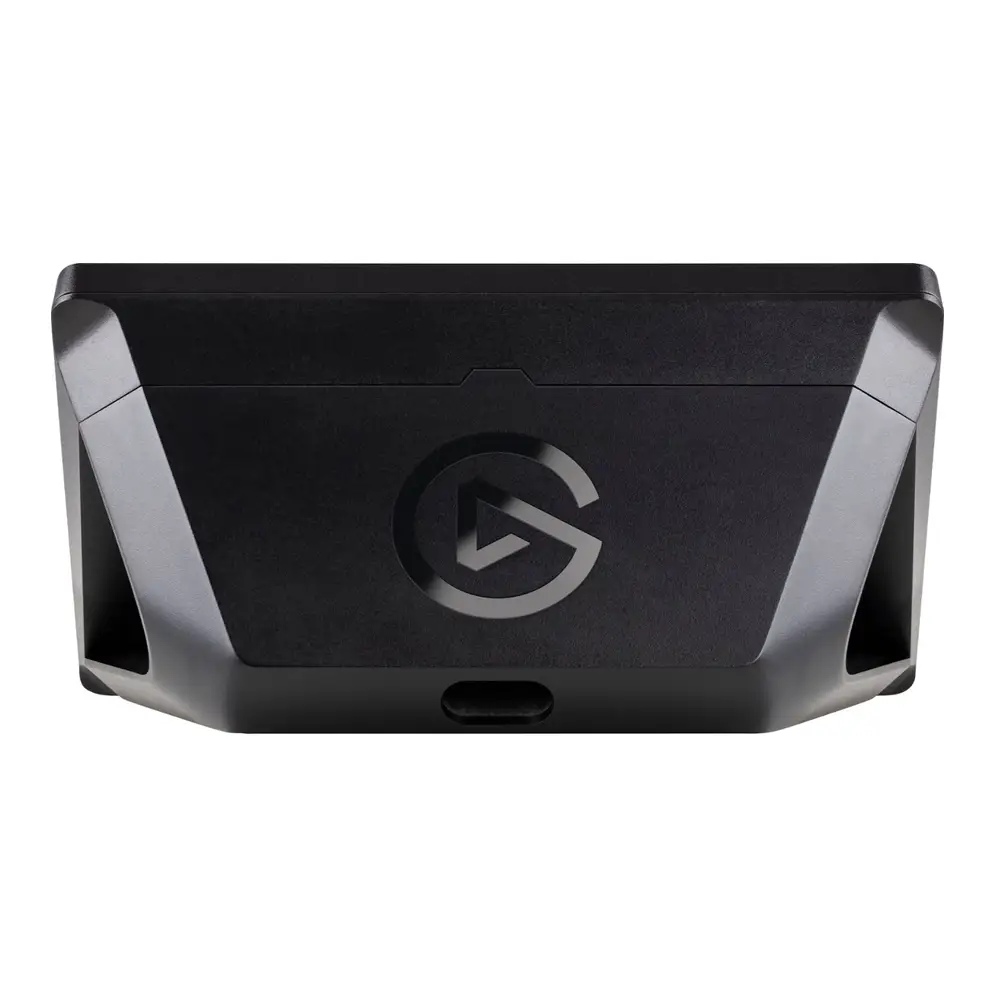
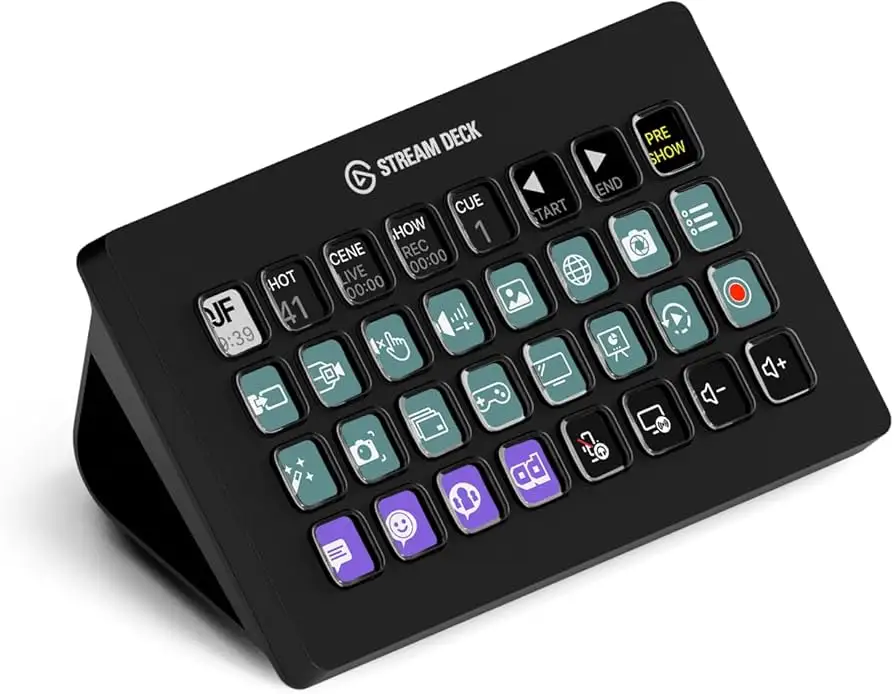
Digging into hundreds of user reports, the Elgato Stream Deck XL Studio Controller earns a solid 8.7/10 from cross-platform feedback. Praised for its expansive 32 customizable LCD keys and seamless integration with streaming and productivity tools, it delivers professional-level control for power users. Yet, recurring complaints about software quirks, high pricing, and slow feature development temper the enthusiasm.
Quick Verdict: Conditional — worth it for streamers, content creators, and workflow-heavy pros; overkill for casual users.
| Pros | Cons |
|---|---|
| 32 programmable LCD keys for deep customization | High upfront cost |
| Seamless integration with OBS, Twitch, YouTube, etc. | Software development pace seen as slow |
| Solid build with magnetic stand | No multi-select or undo in software |
| Expands productivity beyond streaming | Washed-out colors vs. older models |
| Unlimited actions per key | Some plugin quality concerns and inconsistent loading |
| Profiles auto-switch per app | Firmware issues reported by some |
Claims vs Reality
The marketing emphasizes “studio-level control” and “unlimited actions with one tap.” While users agree the hardware enables this, Reddit user u/oni222 noted: “It’s not easy to remember 200+ bindings… putting situational bindings with pictures makes it easier.” This shows the claim works in practice for complex setups.
Elgato promotes “seamless integration” with major platforms. Best Buy reviewers confirm this, with one verified buyer saying: “I use it for streaming COD on Facebook… couldn’t love it more.” However, Reddit’s LewisReviewsUK countered that plugin management is clunky: “The store is a mess… no filtering, poor descriptions, no screenshots.” So while integrations exist, the interface to manage them frustrates some.
Another claim is that it “never stops evolving” with new SDK integrations. TechSpot reports the ecosystem is strong, but several Reddit users question the pace, with one stating: “I purchased expecting the software to be developed… I do not feel that has been the case.” This mismatch between marketing optimism and user perception is notable.
Cross-Platform Consensus
Universally Praised
Across Amazon, Best Buy, and Trustpilot, the 32 LCD keys stand out. For streamers, each key can trigger cameras, lighting, and overlays at once. A Best Buy customer explained: “I have a ‘work’ button that opens Slack, Zoom, and work email simultaneously.” For non-streamers, the productivity boost is equally valued — one music studio user noted: “It provides even more value on my work PC, manipulating Excel quickly and running multiple commands.”
The magnetic stand’s stability is consistently highlighted. A Reddit user pointed out it “holds solid at the perfect angle,” while Best Buy reviews mention the rubber grip preventing movement. This benefits live presenters who need predictable, tactile response under pressure.
Unlimited actions per key is another beloved feature. A Best Buy reviewer described creating folders within keys to store typing macros: “One button types my name and address, another my phone number… makes day-to-day work easier.” For power users handling repetitive data entry or multi-step sequences, this is transformative.
Common Complaints
Software limitations dominate the complaints. Reddit’s LewisReviewsUK detailed: “No undo functionality… cannot multi-select buttons… plugins do not load consistently.” These affect users with large, complex profiles who need efficient editing.
Color reproduction differences between models are also noted. The same Redditor observed: “Newer Stream Deck XL colors are more washed out than the original… why does a newer device have worse colors?” This impacts visual clarity for icon-heavy setups.
Plugin ecosystem quality is questioned. Without moderation, some plugins are mislabeled or potentially unsafe. “Reminder plugin shows as crypto tool… wouldn’t be shocked if it’s a miner.” This undermines trust for users relying on community-developed actions.
Divisive Features
Price is the most polarizing aspect. TechSpot frames $211–$249 as “reasonable for full-time streamers” but “puts it out of the question” for casuals. Reddit user bad_iban hesitated at $236: “$100 would be a safe entry… not sure how I’d use this yet.” For committed creators, it’s seen as an investment; for others, a luxury.
Auto-profile switching per app splits opinion. Some love the automation, while others find it unintuitive due to manual exe selection. As LewisReviewsUK lamented: “The application list doesn’t show what’s open… always have to browse.”
Trust & Reliability
Trustpilot and Reddit reveal pockets of hardware issues. One Best Buy customer reported: “A few buttons turned white after just 1 year.” Another Reddit user had a unit that wouldn’t sleep: “Buttons would only dim, not turn off… replacement fixed it.” These suggest quality control inconsistencies.
Long-term users still praise durability when units are functional. The magnetic stand and USB-C cable are seen as robust. “The included USB cable is long enough… connection is USB-C, which is good,” says LewisReviewsUK.
Alternatives
TechSpot points to smaller Stream Deck options — the 15-key standard and 6-key mini — for budget-conscious buyers who don’t need the XL’s capacity. For casual use, Reddit threads suggest mobile apps that mimic macro pad functionality, avoiding hardware costs.
Price & Value
Current market prices range widely: $199.99 on Amazon Prime to $345.90 on eBay. Resale values remain high due to niche demand, with used units fetching $189–$234. Community tips stress buying during sales; u/whoopsjustreposted flagged an $222 Amazon deal.
For professionals, the cost is justified by workflow savings. For light use, several users recommend cheaper models or software substitutes.
FAQ
Q: Is the Elgato Stream Deck XL only for streaming?
A: No. Many users employ it for productivity, from launching apps to automating data entry in Excel, making it valuable beyond streaming.
Q: Can one key trigger multiple actions?
A: Yes. Users report setting up “multi action” keys to launch several programs, send messages, or perform sequences with timed delays.
Q: Are plugins safe to use?
A: While many are functional, some users warn about poor moderation and mislabeled plugins. Exercise caution and vet sources.
Q: How does the XL compare to smaller models?
A: The XL offers more keys (32 vs. 15 or 6), enabling complex setups without folder nesting. Smaller models are cheaper but may require more profile switching.
Q: Does the Stream Deck XL work with non-Elgato software?
A: Yes. It integrates with OBS, Zoom, Photoshop, Premiere, and more, plus can execute custom hotkeys and scripts.
Final Verdict
Buy if you’re a streamer, content creator, or professional who thrives on automation and needs extensive macro capacity. Avoid if your use case is light or budget is tight — smaller models or apps may suffice. As one Best Buy reviewer put it: “There’s pretty much nothing this device can’t handle… except your dishes.”