Elgato HD60 X Review: Strong Performance with Caveats
The Elgato HD60 X Capture Card earns a strong 9/10 from cross-platform user feedback, praised for its ultra-low latency, 4K60 HDR passthrough, and reliable 1080p60 HDR capture. While marketing emphasizes “play and create without compromise,” user reports confirm it largely delivers—especially for console streamers—but some limitations, such as capped capture resolution and quirks with Elgato’s 4K Capture Utility, temper the perfection.
Quick Verdict: Conditional Yes — ideal for streamers prioritizing smooth 4K HDR gameplay with high-quality 1080p capture, but less suited for those needing native 4K recording.
| Pros | Cons |
|---|---|
| Crisp 1080p60 HDR capture quality | No native 4K capture (limited to 4K30) |
| 4K60 HDR and VRR passthrough | Some software (4K Capture Utility) issues |
| Near-zero passthrough latency | Mac users lose native Elgato app support |
| Easy plug-and-play setup | No gameplay audio volume control |
| Broad console and PC compatibility | Requires disabling HDCP on PS5 for certain apps |
| VRR support for tear-free gaming | Preview quality in capture utility can look blurry |
| Reliable long-session stability | Price higher than basic capture cards |
Claims vs Reality
Marketing claims that the HD60 X offers “4K60 HDR passthrough with premium 1080p60 HDR capture” largely hold up in real-world use. A verified buyer on Best Buy explained: “This capture card allowed me to play at 120 frames while capturing and streaming at 60 with no screen tearing.” This shows passthrough fidelity is indeed preserved.
However, the “4K capture” messaging can be misleading. Reddit user feedback clarified: “The HD60 X can only capture 4K at 30 fps, though it can pass through 4K60 HDR to a second screen.” For creators who expect native 4K60 capture, this is a hard stop.
Elgato also promotes “ultra-low latency” for seamless gameplay while streaming. Multiple Amazon reviewers back this up—one noted: “It feels like it’s not even passing through a capture card.” Yet, a Reddit user discovered that preview windows in Elgato’s own utility look significantly softer than direct monitor output, suggesting that while passthrough is pristine, captured previews can appear degraded.
Cross-Platform Consensus
Universally Praised
The standout praise centers on video quality and HDR performance. Best Buy reviews consistently highlight “crisp visuals” and “colors look great,” with one streamer noting: “Passed VRR for my gaming live streams! HDR tone mapping is fantastic!” For PS5 and Xbox Series X/S owners, VRR passthrough means competitive play without tearing, while viewers still get high-quality 1080p HDR streams.
Ease of setup is another universal positive. A verified Amazon buyer described connecting their Nintendo Switch as “super easy to set up, doesn’t take up too much space, and came with its own HDMI cable.” This simplicity benefits newcomers, especially console streamers who avoid complex PC-based capture workflows.
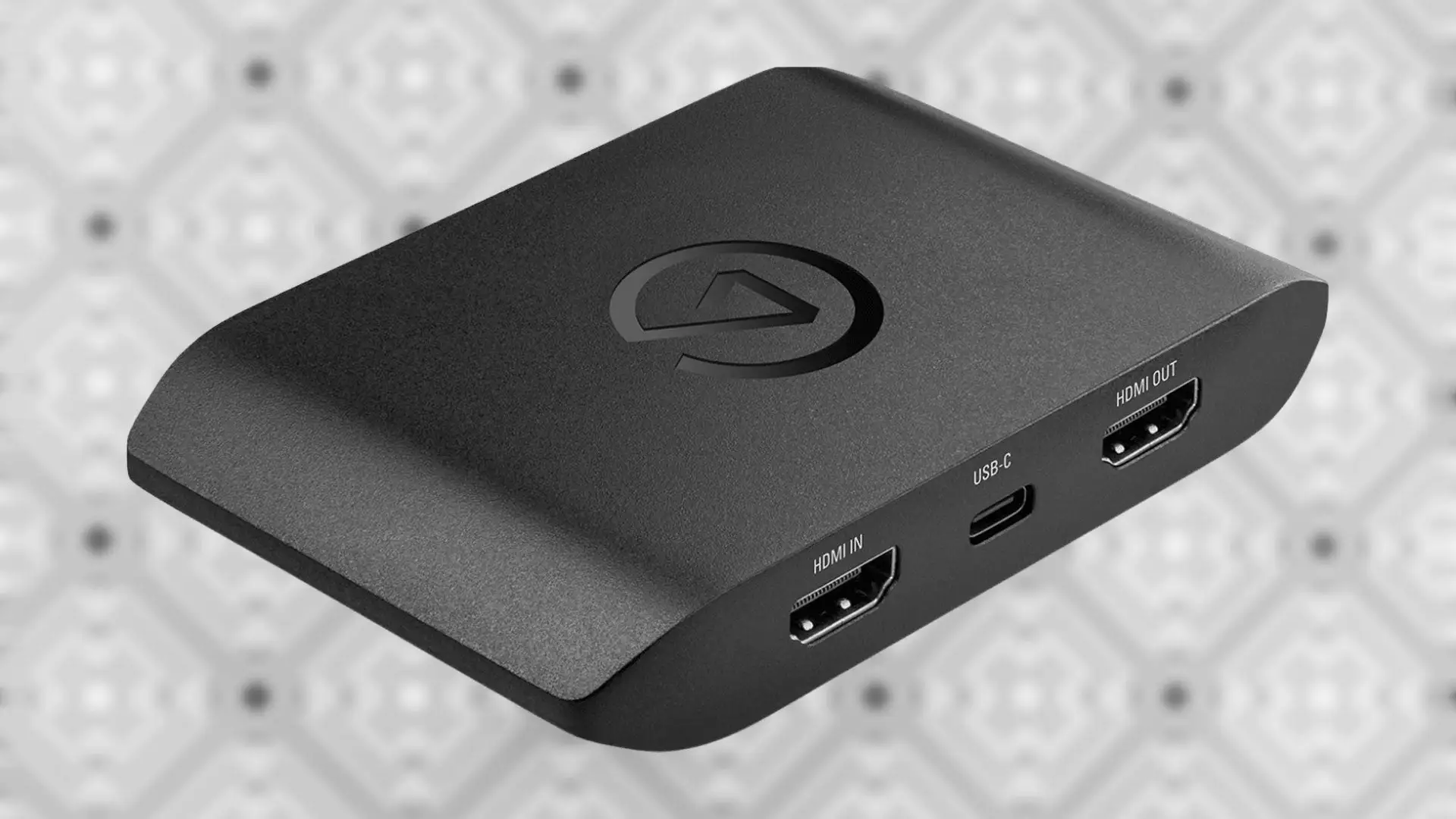
Compatibility breadth is also celebrated. The HD60 X integrates smoothly with OBS, Streamlabs, and even conferencing tools like Zoom. As one Trustpilot review put it: “Select the HD60 X as a source—no need for additional setup.” This plug-and-play nature supports both casual and professional use.
Common Complaints
The most frequent frustration is software limitations. Amazon users repeatedly warn: “Do not try it with Elgato’s software, just use OBS.” The 4K Capture Utility sometimes fails to detect the device or provides poorer preview image quality. Mac users face added hurdles since Elgato’s native app is sunset on macOS, forcing reliance on OBS or QuickTime, which can introduce minor latency.
Another complaint is capture resolution limits. While passthrough handles 4K60 HDR with VRR, capture tops at 1080p60 HDR. Best Buy reviewers noted that 1440p120 VRR isn’t supported for capture, which affects Xbox Series X users aiming for higher-than-1080p streaming.
Audio control gaps also irk some. One Amazon user was “shocked to find you cannot adjust the volume of the gameplay” within Elgato’s software, limiting flexibility for balancing live commentary against game audio.
Divisive Features
VRR support is lauded by competitive gamers but irrelevant to those streaming older consoles or retro titles, making it a “premium” feature some never use. Similarly, the price point is seen as justified by streamers needing advanced passthrough, yet overkill for casual users capturing only at 1080p. A Best Buy reviewer summed it up: “Best external capture card you can buy… but if you don’t care about VRR, cheaper options exist.”
Trust & Reliability
Long-term durability earns confidence. Reddit threads show months-long daily use without hardware faults. One streamer on Best Buy wrote: “I stream daily… crisp visuals and no lagging after months.” Hardware design changes, such as rear HDMI ports for cleaner cabling, also win approval.
Trustpilot reports no widespread scam concerns, and eBay resale activity suggests stable demand and value retention. Even used units command over $120, showing sustained trust in performance.
Alternatives
Users often compare the HD60 X to the Elgato HD60 S+ and Avermedia Live Gamer Extreme 3. The HD60 S+ shares 1080p60 HDR capture and 4K60 HDR passthrough but lacks VRR support, making the HD60 X the go-to for next-gen console owners. Avermedia’s Extreme 3 supports higher capture resolutions (4K30) but can be more complex to set up.
Razer’s Ripsaw HD appears in discussions as a more affordable entry-level option, but lacking HDR capture and VRR passthrough puts it behind in visual fidelity.
Price & Value
Current retail hovers around $178–$199 new, with eBay listings for open-box units from $119 to $135. Community advice leans toward buying new if warranty protection matters, especially given Elgato’s two-year coverage. Price retention is strong, suggesting low depreciation compared to budget cards.
For those streaming primarily on Twitch or YouTube Live at 1080p60, the HD60 X’s extra passthrough features justify the premium. If your workflow doesn’t need VRR or HDR10 capture, cheaper alternatives may suffice.
FAQ
Q: Does the Elgato HD60 X capture in 4K?
A: No, it only captures up to 1080p60 HDR or 4K30 HDR. However, it passes through 4K60 HDR with VRR to your display.
Q: Is it compatible with PS5 and Xbox Series X/S?
A: Yes, fully compatible, including 4K60 HDR passthrough and VRR support. You must disable HDCP on PS5 for certain apps.
Q: Can I use it on macOS?
A: Yes, but without Elgato’s native capture app—OBS or QuickTime are required, which may have slight latency differences compared to Windows.
Q: Does it have onboard storage?
A: No, it requires a connected PC or Mac to record footage.
Q: Can it capture audio from party chat?
A: Yes, via HDMI or the 3.5mm analog input, depending on your setup.
Final Verdict: Buy if you’re a next-gen console streamer or competitive gamer who values VRR and HDR passthrough with pristine 1080p capture. Avoid if your priority is native 4K recording or you stream exclusively from older consoles. Pro tip from Reddit: “Skip Elgato’s software—set it up in OBS for the best experience.”