Creative Sound Blaster Audigy FX V2 Review: Solid Upgrade Verdict
The surprising takeaway from dozens of user stories is that the Creative Sound Blaster Audigy FX V2 excels as an affordable audio upgrade but often surprises with quirks—earning it a solid 8.2/10 for everyday PC audio improvement, especially for gamers and music listeners who care about customization.
Quick Verdict: Conditional — worth buying for those with poor onboard audio or midrange headphones, but not necessary if you already own a solid Creative Z series card.
| Pros | Cons |
|---|---|
| Noticeable improvement over cheap onboard audio | Occasional driver glitches requiring fixes |
| Drives high-impedance headphones (up to 600Ω) well | Potential interference from GPU or PSU in some setups |
| SmartComms Kit auto-mute and noise cancellation | Lacks built-in optical-out without DB Pro upgrade |
| Scout Mode for gaming positional audio | Chipset (Realtek ALC1220) divisive among enthusiasts |
| Compact form factor with low/high profile brackets | No S/PDIF unless expansion card bought |
| Affordable upgrade ($58-$60 USD range) | Limited benefit if onboard audio is already high quality |
Claims vs Reality
One of Creative’s headline claims is “High-quality audio with 120 dB SNR”, marketed as a pristine step up from motherboard sound. Digging into user reports, Reddit user track_me confirmed: “The Audigy FX V2 has a better signal to noise… 120 dB for the Audigy… the rest of the connections are the same, the quality sound the same (compared to Sound Blaster Z).” In practice, while some hear a marked upgrade, others find the jump subtle unless coming from low-grade onboard chips.
Another big promise is SmartComms Kit, touted to streamline online communication with auto-mute and two-way noise cancellation. A reviewer on Trustpilot noted this worked well: “Voice detect unmutes instantly as you speak… no need to fiddle with buttons.” But another user admitted frustration: “Front panel mic didn’t work unless connected at the back… Creative support was powerless.” This shows the feature’s potential, but also hardware compatibility traps.
Finally, Creative markets headphone amplification up to 600Ω with no loss of quality. Trustpilot user имЯ скрыто tested budget Sennheiser HD 206: “HD 206 became significantly deeper and brighter… card helps ‘pump’ budget headphones.” For studio-grade cans, this capability is a rare find at this budget point.
Cross-Platform Consensus
Universally Praised
For gamers, Scout Mode is a recurring highlight, enhancing positional awareness. Trustpilot user kubin kaman shared: “With HyperX Cloud… much better hearing of rustling leaves, footsteps… great positioning in games.” This directly benefits FPS and competitive play, especially paired with midrange headphones.
Music enthusiasts notice richer tones and bass control, even on modest setups. A verified Yandex Market buyer described: “Even a simple 5.1 plastic speaker set starts sounding like a tight orchestra.” Paired with Creative’s EQ and Crystalizer settings, users often “tune in” a sound profile that elevates both music and movies beyond onboard output.
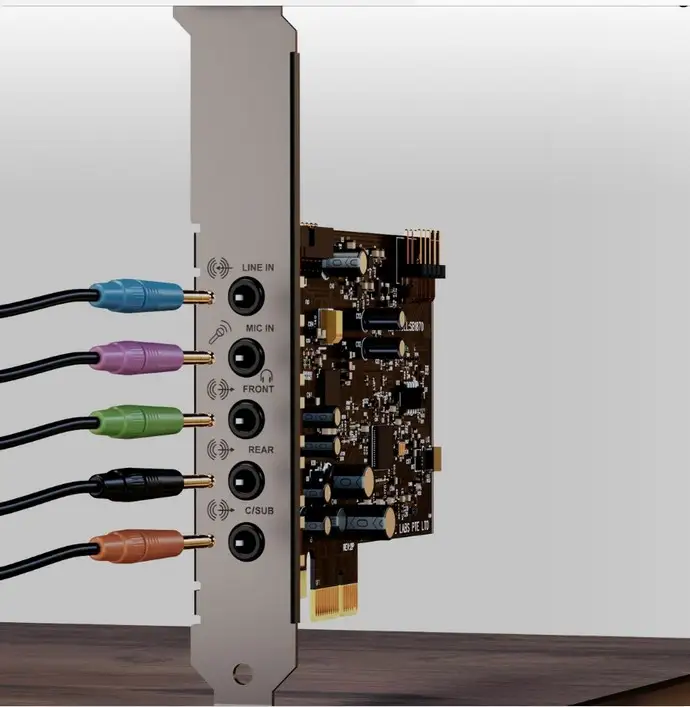
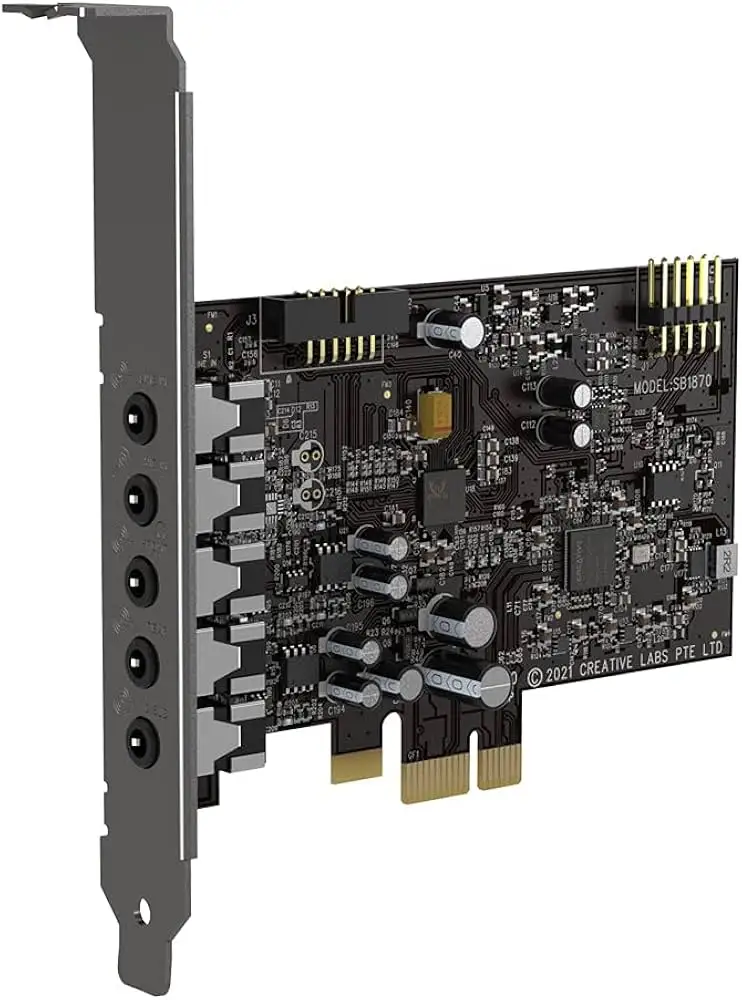
The physical design earns applause from small form factor PC owners. Half-height and full-height brackets plus the PCIe x1 slot make installation broadly compatible. Reddit and Trustpilot users alike appreciate that it “slips into almost any desktop case without fuss.”
Common Complaints
GPU interference is a notable complaint—audible noise during gaming. Trustpilot’s anton k reported: “Loves catching interference from the video card… if you move the card away from the GPU slot, it helps.” In cramped builds, this becomes harder to solve.
Driver reliability remains uneven. Trustpilot user элми ш. describes having to reseat or move the card between PCIe slots when sound stops; others mention Windows updates breaking recognition until reinstalling drivers. This undermines the “plug-and-play” image Creative promotes.
The chipset choice (Realtek ALC1220) divides opinion. Reddit feedback points out: “Are you sure you want a sound card with motherboard sound chip? Windows 10 and above loves Realtek.” Enthusiasts expecting a proprietary Creative DSP sometimes feel let down.
Divisive Features
SmartComms Kit’s noise clean impresses some, but others find the software restrictive. Trustpilot’s полина райман went as far as installing Realtek drivers: “Strangely, ‘foreign’ drivers turned this card into a semi-pro receiver… more EQ options, room correction.” This unconventional tweak suggests Creative’s software suite may not satisfy users who demand deep tuning flexibility.
Optical-out availability only via the DB Pro expansion is another split. Some laud the option to go 7.1 and DSD256 with a future upgrade; others resent the extra purchase for a port found on competing models.
Trust & Reliability
Trustpilot trends show the FX V2 to be generally dependable once properly set up, but early installation woes are common. A verified buyer reported: “Inserted into slot… Windows installed drivers… Problems solved after disconnecting case front panel audio.” This points to compatibility quirks with PC cases that require manual fixes.
Long-term stories suggest durability—users on Reddit and Trustpilot mention months to years of use without degradation. However, those in electrically noisy environments (cheap PSU, shared grounding) have higher interference risk unless insulating measures are taken, such as “covering metal backplate with tape so there’s no contact with case metal.”
Alternatives
The Sound Blaster Z appears as the primary comparison in community discussions. While officially rated at 116 dB SNR, the Z offers built-in optical-out—a dealbreaker for some. Reddit user track_me noted: “If your SBZ is running without issues, no, it’s not worth upgrading… sound quality is similar.” The newer FX V2 edges ahead in driver support for Windows 11, but loses in out-of-box connectivity.
Another rival mentioned is the Sound Blaster AE-5 Pure Edition, which vastly outperforms both in detail and DAC quality—but at higher cost. A Redditor bluntly stated: “I just got the AE-5 Pure… sound is supreme.”
Price & Value
With eBay listings around $35–$60 USD and Amazon EU pricing near €58, the FX V2 sits comfortably below premium Creative cards while delivering solid performance. In resale, open-box units still command high interest, indicating stable value retention in enthusiast circles.
Community buying tips stress clarity on your use case: if you need optical out or 7.1, budget for the DB Pro expansion. If only seeking better headphone drive and to remove mouse-movement hum from onboard audio, the base card suffices.
FAQ
Q: Does the Audigy FX V2 use a Creative or Realtek chipset?
A: Users confirm it uses the Realtek ALC1220 chip supplemented by Creative components and software. This offers modern codec support but disappoints purists wanting a full Creative DSP.
Q: Is Scout Mode useful for non-gamers?
A: While made for gaming, Scout Mode can enhance spatial cues in movies and ambient-heavy music. Most benefit shows in FPS titles with directional audio.
Q: Can this card fix onboard interference noise?
A: Often yes, but placement matters. Users advise keeping it away from the GPU and insulating the backplate if case grounding causes hum.
Q: Will it work with Windows 11?
A: Yes. Drivers are updated to Windows 11 22H2, though some users experience need for manual reinstalls after major OS updates.
Q: Is the DB Pro upgrade worth it?
A: Only if you need optical-out, full 7.1, or native DSD256 playback. Otherwise, most users stick with the base FX V2.
Final Verdict
Buy if your onboard audio is noisy, underpowered for headphones, or lacks Creative’s customization tools. Avoid if you already have a stable, feature-rich Creative card like the Z series—sound quality gains will be minimal. Pro tip from the community: Install drivers from Creative’s site immediately, and if interference persists, insulate the card’s backplate to eliminate grounding noise.





