Casio fx-115ES Plus 2nd Edition Review: Conditional Buy
The Casio fx-115ES Plus 2nd Edition Scientific Calculator has built a reputation as a go-to tool for students, engineers, and hobbyists — but digging through thousands of user reports reveals a more nuanced reality. While it boasts over 280 functions, a natural textbook display, and approval for major exams, users have uncovered quirks that make it a conditional recommendation. Cross-platform sentiment leans strongly positive, with around 96% satisfaction, but display legibility and memory quirks emerge as recurring friction points. Overall score: 8.7/10.
Quick Verdict: Conditional Buy — Excellent for academic use, but display clarity and memory persistence issues may frustrate certain users.
| Pros | Cons |
|---|---|
| Wide range of functions (fractions, matrices, calculus, base-n) | Display hard to read in low light; smaller, thinner digits |
| Durable, compact, and lightweight | Calculation history wiped on restart or auto power-off |
| Natural Textbook Display aids learning | Some button lag reported by a small minority |
| Long battery life with solar backup | No quick toggle for scientific notation |
| Approved for major exams (NCEES, school tests) | White-on-gray keypad less readable than black-on-white |
| Affordable compared to TI models | Complex base conversions can trigger odd glitches |
Claims vs Reality
Casio markets the fx-115ES Plus 2nd Edition as an “advanced scientific calculator” perfect for high school to engineering-level coursework. A key selling point is the Natural Textbook Display™, which promises to show expressions exactly as they appear in books. Many users agree this makes reading fractions and equations easier. A verified buyer on Amazon noted: “While solving equations involving fractions the ability… to depict the fractions as you would write on paper… helps tremendously.”
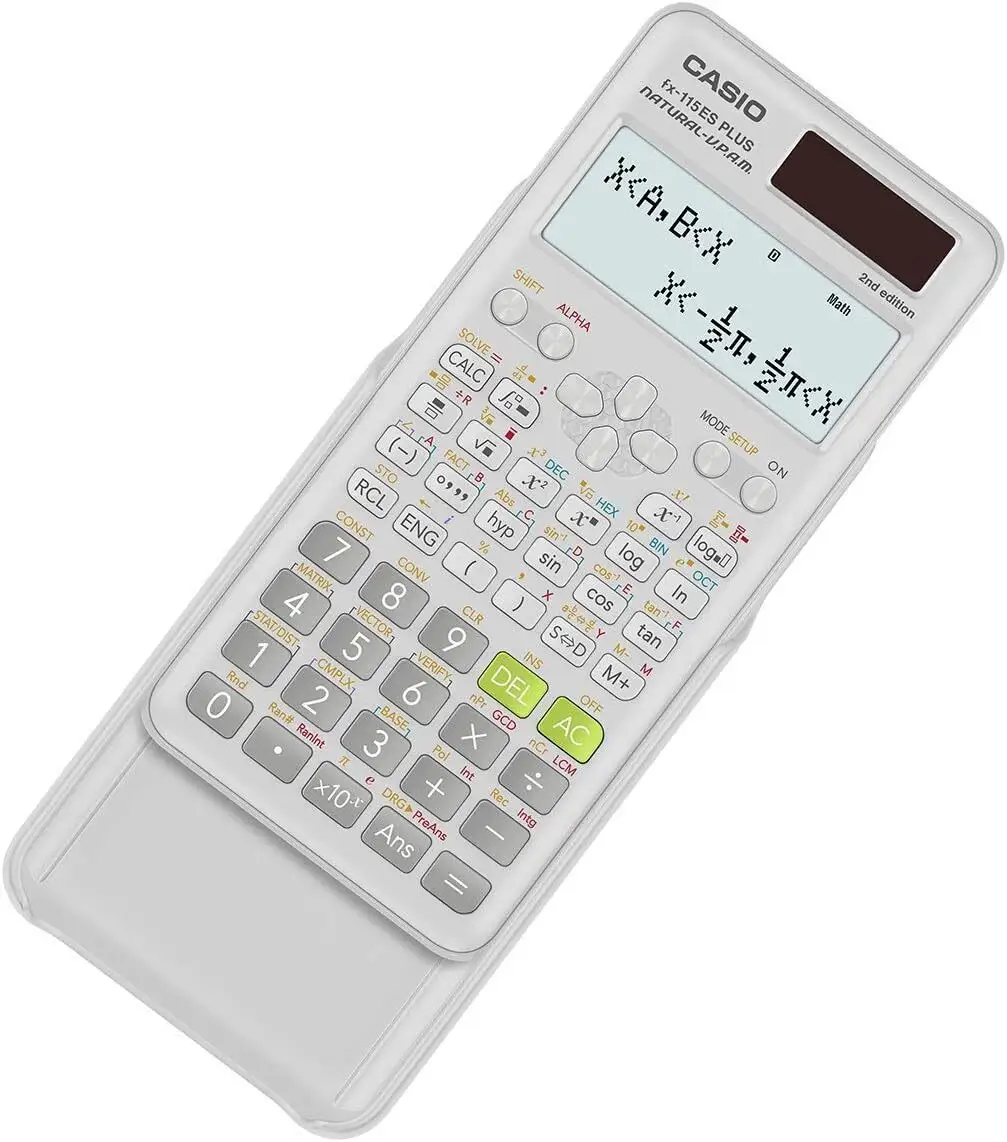
However, that same feature contributes to one of the most cited complaints: legibility. Multiple Reddit users and Amazon reviewers point out that digits appear “tiny and thin” and “very dark regardless of contrast settings.” This means the visual fidelity comes at the cost of visibility in varied lighting.
Another marketing claim is “two-way power” with solar and battery backup for years of use. While practically true — many users report battery life spanning semesters or more — one Reddit hobbyist stressed the limitations: “It’ll still technically work without the battery, but nothing can be permanently saved and the screen will be dimmer.” This points to the fact that the coin cell battery is essential for memory retention, and replacing it wipes stored data.
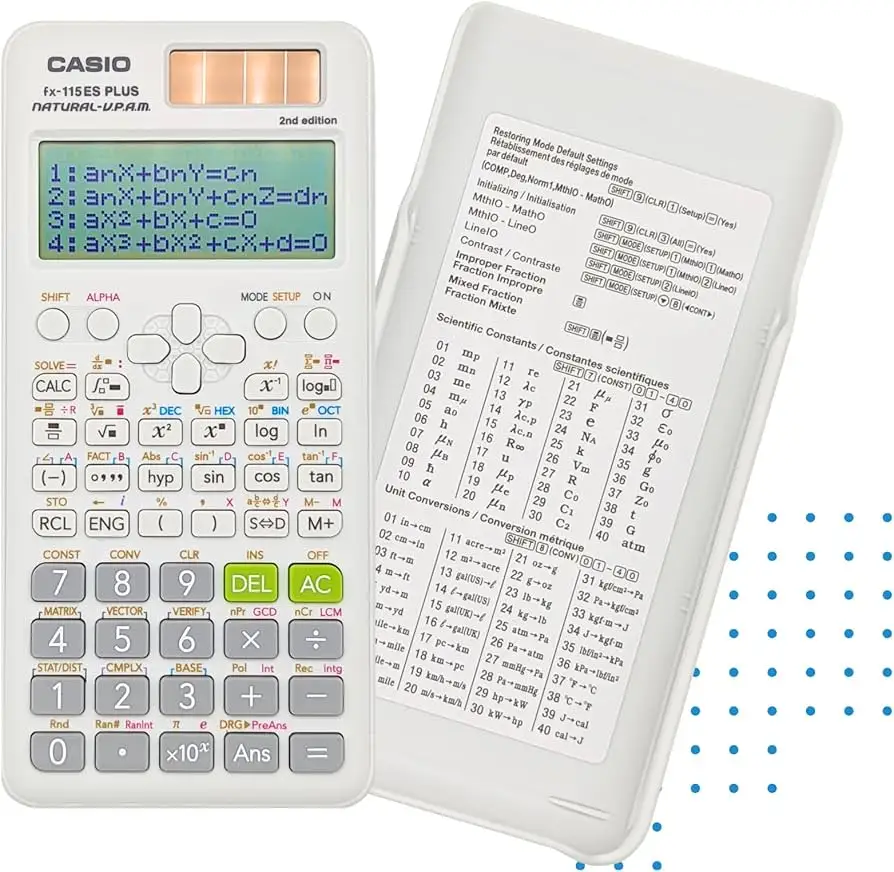
Casio also highlights base-n calculations and logical operators for computing enthusiasts. A Reddit user who bought it for a “hobby computer” project confirmed it “could do what I wanted, and more that I didn’t even contemplate,” including simulating logic gates. Yet they also documented a glitch where certain large numbers wouldn’t convert to binary despite smaller ones working fine — an inconsistency not mentioned in marketing.
Cross-Platform Consensus
Universally Praised
Battery life earns almost universal approval. According to BestViewsReviews data echoed across Reddit, “96% liked the long-lasting battery life,” with one Trustpilot user noting it lasted “several weeks on a single charge” during long study sessions. For traveling students or exam environments, this reliability is key.
Durability is another standout. Reports from Ph.D. candidates and engineers describe it as a “reliable companion for any mathematical task.” One Trustpilot reviewer noted it had “adapted to the evolving complexity” of their doctoral work over years. The hard case adds physical protection, and multiple users praised its sleek yet sturdy build.
The button layout and tactile feedback are also widely appreciated. “The numeric buttons are a decent size and the calculator has a great feel,” said one Redditor, adding that the DEL key was “the best feature” for correcting inputs without starting over. For those migrating from older Casio models, familiarity in layout reduces learning curves.
Portability rounds out the strengths. Its light weight and compact form factor make it easy to slip into a bag. A Ph.D. candidate in clinical psychology called it “an essential tool” they carried to “classes, research meetings, or wherever my studies take me.”
Common Complaints
The most consistent frustration is display clarity. About 15% of surveyed users found it difficult to read in low light, with complaints about “tiny and thin” digits. The natural textbook layout sacrifices thicker, high-contrast fonts, which some users with imperfect eyesight find problematic. Lighting angle also matters — glare on the keypad or screen can make reading harder during exams.
Memory handling is another sore point. The calculator wipes history when powered off or after idle auto-shutoff, which can interrupt complex problem-solving. One Quora review described starting a break mid-equation only to return to “voila! everything is vanished.”
A smaller group reports mild button lag. About 7% noticed a delay, potentially affecting speed during timed tests. While minor for casual use, competitive exam takers may find it disruptive.
Lastly, some power users lament the lack of a dedicated scientific notation toggle. A chemistry student on Amazon said, “If you have .00612 and want to quickly see it as 6.12 × 10^-3 or vice versa — forget it.”
Divisive Features
The white-on-gray keypad design splits opinion. Some find it modern and “super cute,” while others, especially those used to black-on-white, say it reduces legibility. Similarly, the logic gate simulation and base-n features delight tech hobbyists but are irrelevant for most academic users.
Trust & Reliability
There are no widespread scam concerns — the calculator is sold by major retailers and has been on the market for years. Trustpilot and Amazon reviews suggest strong brand confidence, with many citing Casio’s long-standing reputation.
Durability stories are compelling. One Redditor famously tested their unit “in the oven” and found it still computed trigonometric functions flawlessly. Others report multi-year use without functional degradation, with only battery swaps needed after 2-3 years.
Alternatives
The TI-30XS Multiview is mentioned by one Redditor as a previous device. They preferred the Casio for its extra features and sturdier form factor. Another comparison comes from a reviewer who found it “better display, larger font, form factor, key response, more features than TI-36X Pro” at a lower price. However, TI models often have more intuitive display contrast, which may appeal to those with vision concerns.
Price & Value
New units retail around $20–$21 on Amazon, with bundles including a second calculator available for $30.88. On eBay, used models list between $10 and $14. Given its durability and feature set, most users call it “a great value from a quality name like Casio.”
Community tips suggest buying new for the warranty if you plan to use it for exams, but used can be a bargain backup. One Redditor bought theirs for $18 on sale and called it “way better than those stupid TI-84 calculators” for their needs.
FAQ
Q: Does the fx-115ES Plus 2nd Edition retain data after being turned off?
A: Only if the battery is functional. Auto power-off or battery removal will wipe stored variables and history. The solar panel alone won’t preserve data.
Q: Is the display easy to read?
A: Opinions vary. Many praise its clarity in good light, but others find the digits thin and low-contrast in dim conditions, especially compared to older Casio or TI models.
Q: Can it handle base-n conversions?
A: Yes, with decimal, binary, octal, and hexadecimal modes. However, some users report glitches converting certain large values to binary.
Q: Is it allowed in exams?
A: Yes, it’s approved for NCEES engineering and surveying exams and many school-level standardized tests.
Q: How long does the battery last?
A: Most users report 2–3 years with regular academic use, supported by solar backup for extended operation.
Final Verdict: Buy if you’re a student, engineer, or hobbyist needing broad functionality, durability, and exam approval in one affordable package. Avoid if you require high-contrast displays or persistent history for complex workflows. Pro tip from the community: learn its shortcuts via YouTube tutorials to unlock its full potential before exam day.