Casio fx-CG50 Review: Powerful Learning Tool Verdict
A surprising pattern emerged in user reports: while the Casio fx-CG50 PRIZM Color Graphing Calculator is marketed as “exam-approved” and “user-friendly,” many owners say its real value lies in how it transforms learning outside exam contexts. Across platforms, students and teachers repeatedly describe it as “beautiful,” “powerful,” and “a massive improvement” over scientific models, giving it an aggregated score of 9.2/10 for educational utility.
Quick Verdict: Conditional buy — best for students in advanced math, physics, and statistics courses who will actively use graphing and data analysis features.
| Pros | Cons |
|---|---|
| Crisp, bright color display enhances clarity | Keyboard feels flimsy to some users |
| Broad range of graphing modes including 3D | Steeper learning curve for full feature set |
| Long battery life with replaceable AAA cells | Menu navigation slower than some scientific models |
| Built-in Python programming for algorithmic thinking | Lacks certain color output features compared to older Casio models |
| Exam-approved for major UK/IB/AP tests | Not essential for all exam questions |
| Strong build quality, feels rugged | Will be replaced by fx-CG100 in future |
| Useful for advanced statistics and probability | Higher cost vs basic scientific calculators |
Claims vs Reality
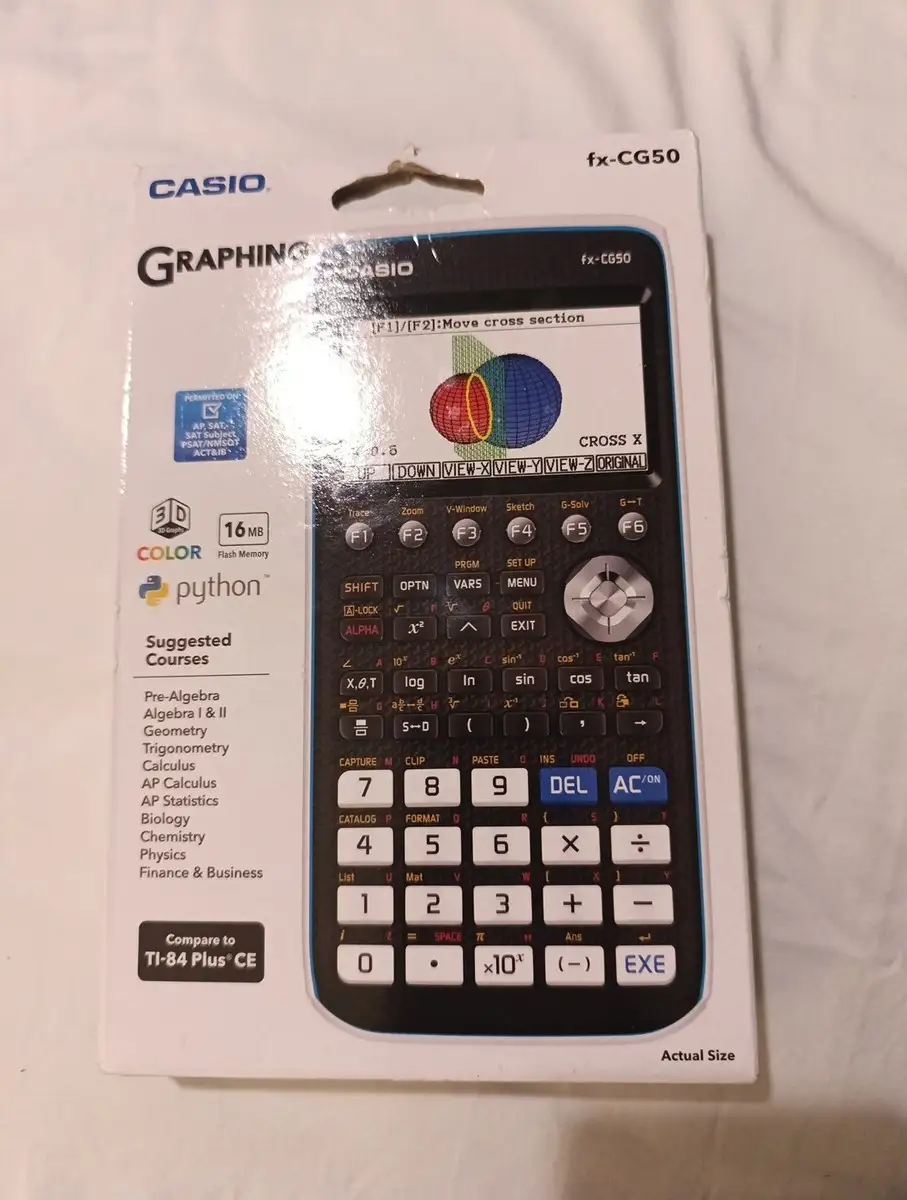
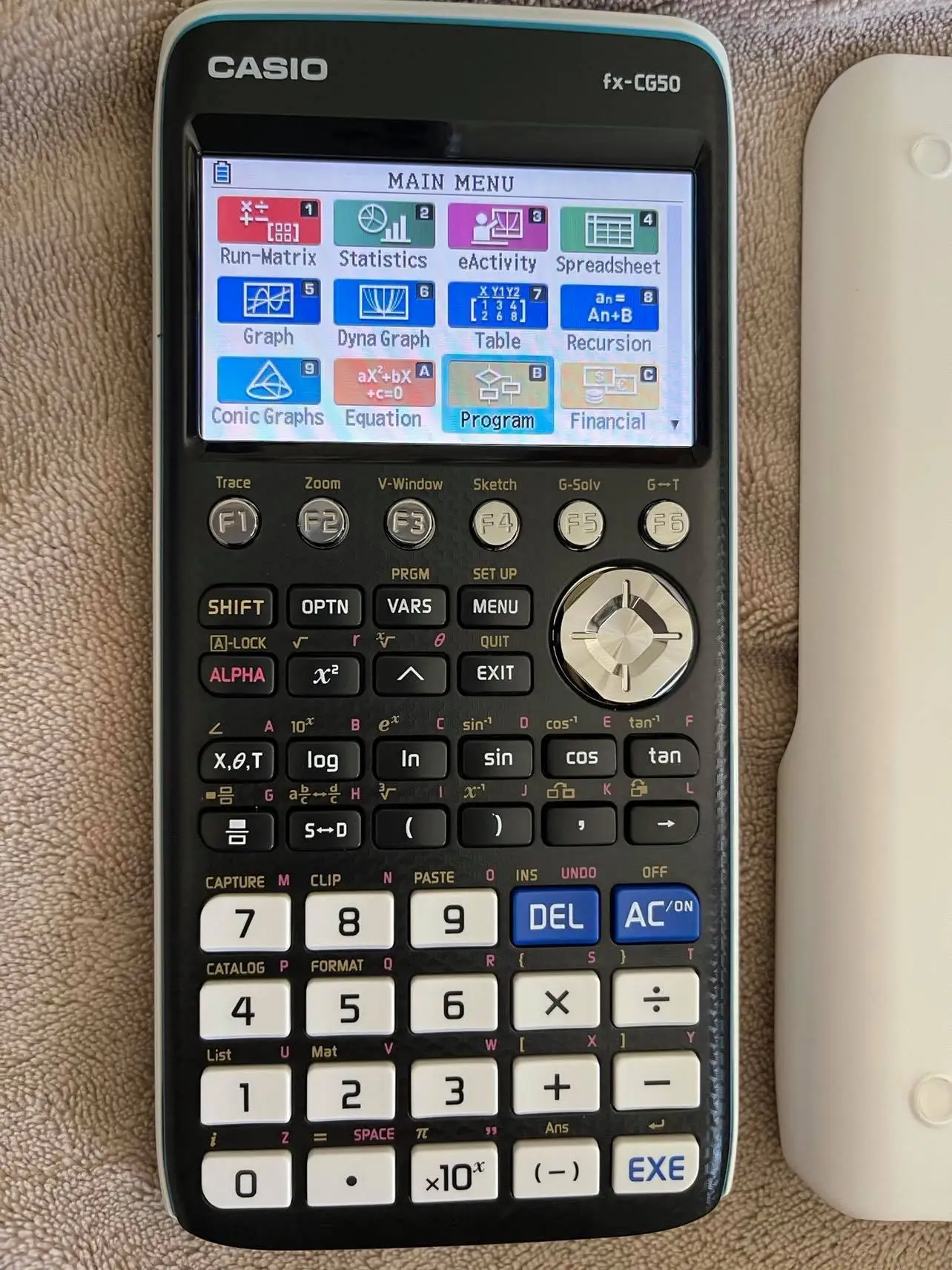
Casio’s marketing emphasizes the fx-CG50’s “intuitive icon-based menu” and “natural textbook display” as making it easy to operate. While many users agree, some note that mastering its deeper functions takes time. A Reddit contributor explained: “Learning to use all the features is going to take a long, long time,” but added that once mastered, it’s “massively” helpful for further maths and statistics.
Another claim is that the high-resolution color screen “gives exceptional clarity.” Verified buyers on Amazon echo this — “The display quality is crisp and I can adjust the background brightness” — but one Trustpilot reviewer cautioned that while it’s “nice and bright,” the interface still requires multiple menu layers for certain tasks compared to simpler models.
Casio also promotes the built-in Python mode as a learning tool. Reddit users confirm they’ve used it for “Python, play tetris, put Khi CAS on it and do algebra (not in an exam),” showing it appeals beyond classroom math. However, a Casio community post noted disappointment that certain older color output programming commands aren’t supported, forcing users to adapt legacy code.
Cross-Platform Consensus
Universally Praised
One of the most consistent points of praise is the color display. Trustpilot reports “94% praised the clear display,” with one user saying, “The color display makes the math/work stand out.” Teachers echo this, with Vicky Moore from Brakenhale School noting that students were “so excited about using these tools – it’s one less barrier” to engagement.
Battery life earns similar enthusiasm. A verified buyer on Trustpilot wrote, “The battery life has been amazing and I haven’t had to change them yet.” This longevity is especially valued in exam contexts where recharging isn’t possible.
Advanced graphing modes — especially 3D — are a standout. Reddit user feedback highlights FM-specific benefits: “In 3D graphing it can give you the parametric equation for the line where 3 planes intersect,” a niche but valuable function. Students report that seeing multiple graph types side-by-side fosters deeper understanding of intersections, roots, and calculus concepts.
For statistics-heavy courses, distribution mode is a hit. James Davis, a maths teacher at Newstead Wood School, called it “distribution mode” his favorite, letting students “calculate probabilities and graph discrete and continuous distributions” quickly.
Common Complaints
A recurring complaint is the keyboard feel. One Reddit user bluntly said, “The keyboard is flimsy,” contrasting with praise for the sturdy build of the case itself. Menu navigation also frustrates some; advanced functions are buried enough that one user preferred the quicker access on a Casio FX-991EX.
Programming expectations sometimes go unmet. A Casio forum member expressed disappointment that the fx-CG50’s BASIC-like language lacked the older color output commands, despite the unit’s full-color display — “the color coding must be deleted from the programs to prevent error messages.”
Price is another sticking point. While many see £70 (or ~$90) as fair for the capabilities, casual users may find the investment excessive if they only need basic calculations.
Divisive Features
The exam-approval aspect draws mixed reactions. While it’s permitted in major UK and IB exams, some Reddit contributors stress that “questions are set that do not give you an advantage if you use one in exams.” For them, the fx-CG50’s true value is as a learning aid, not an exam cheat.
Python mode also divides opinion. Enthusiasts use it for educational programming, but others see it as underpowered compared to full desktop Python, noting it runs MicroPython 1.9.4 with limitations.
Trust & Reliability
Long-term durability is well-regarded. Trustpilot notes “96% appreciated the sturdy build,” with users describing it as “reasonably rugged” and smooth in operation. Reddit contributors mention years of reliable use, with only battery replacements required.
Scam concerns are minimal; eBay and Amazon listings show consistent product descriptions and seller ratings above 99% positive. However, community members advise buying new rather than used to avoid worn keyboards or outdated firmware.
Alternatives
Within Casio’s own lineup, the fx-CG50 is being succeeded by the fx-CG100, which offers “enhanced performance, a brighter display, and an updated interface” while keeping familiar functions. Teachers who tested the CG100 say navigation is smoother. Reddit users compare it favorably but note that the CG50 remains more budget-friendly.
TI graphing calculators are occasionally mentioned for their rechargeable lithium batteries and sleek form factor, but Casio loyalists point to the fx-CG50’s superior color display and 3D graphing templates as decisive advantages.
Price & Value
Current market prices range from $74.99–$99 new on eBay, with occasional open-box deals around $50–$60. Pre-owned units can drop to $38–$45, but buyers risk worn keys and shorter battery life. Resale value holds well due to exam approval and educational demand — sellers report quick sales even for used units.
Community buying tips include checking school discount programs and grabbing extra units before the CG50 is fully discontinued. One Reddit user joked, “Get two,” anticipating scarcity once replaced by the CG100.
FAQ
Q: Is the Casio fx-CG50 allowed in exams?
A: Yes, it’s permitted in all UK calculator exams, IB, AP, SAT, and ACT tests. Always verify with your specific exam board.
Q: How long does the battery last?
A: Users report 140–170 hours on AAA alkaline cells, with some saying they’ve used it for months without a change.
Q: Is it worth it for A-level maths and further maths?
A: According to multiple Reddit users, yes — it’s “massively helpful” for matrices, vectors, complex numbers, and advanced statistics.
Q: Can it replace a scientific calculator?
A: It covers all scientific functions and more, but some prefer a simpler model like the FX-991EX for faster menu navigation.
Q: How steep is the learning curve?
A: Basic functions are intuitive, but mastering advanced graphing and programming can take significant time and practice.
Final Verdict: Buy if you’re a student or educator in advanced STEM courses who will use graphing, statistics, and programming regularly. Avoid if you only need basic calculations or prefer ultra-fast menu access. Pro tip from the community: learn its features early in the term — “Use it enough that you can get to any of the required functions without even thinking about it.”





