Brother HL-L3220CDW Review: Strong Text, Mixed Wireless
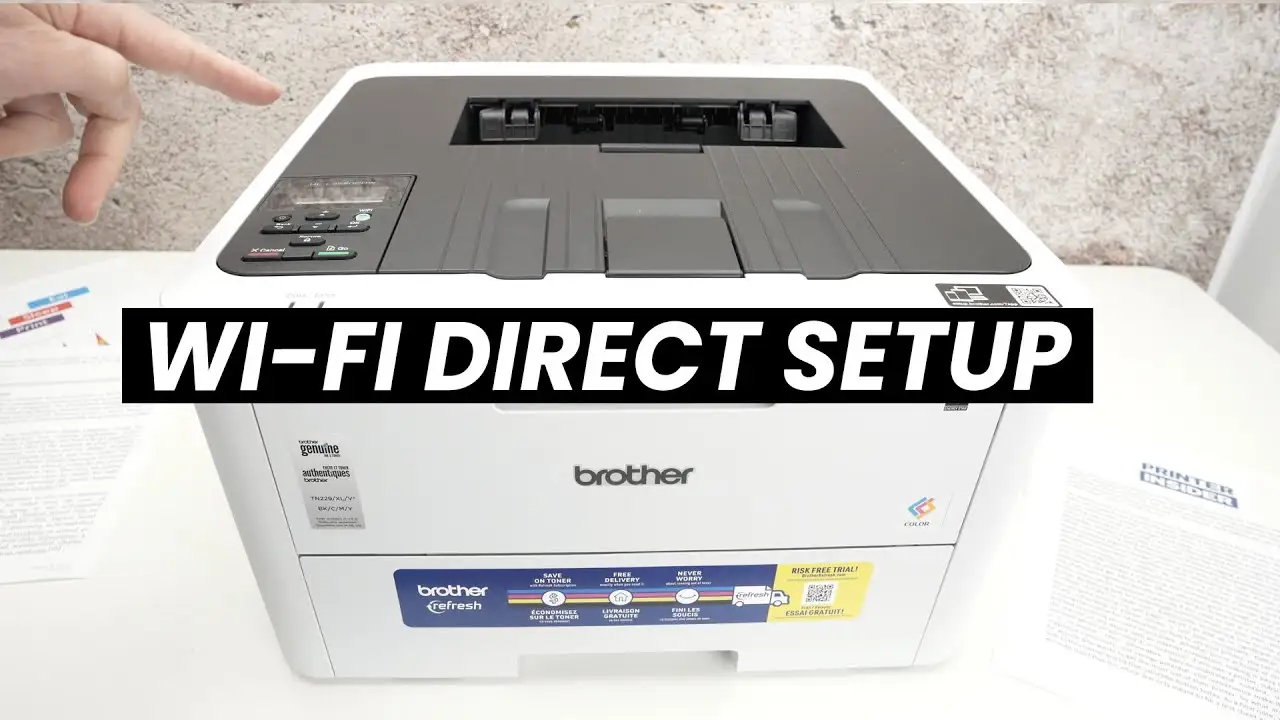
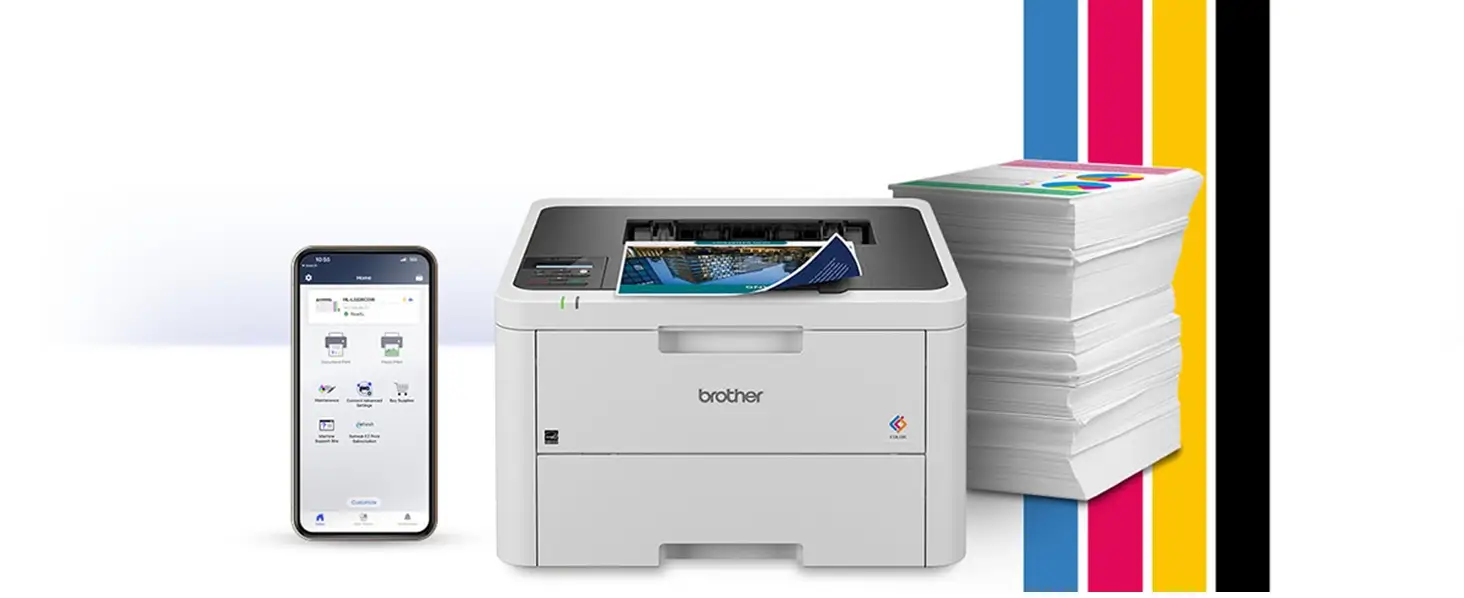
Starting with a surprising observation from user reports, the Brother HL-L3220CDW Color Laser Printer earns a solid 7.9/10 among buyers and testers, but only for those who fit its intended profile. While the manufacturer sells it as a compact, high-quality color laser ideal for home and small office use, digging into feedback reveals that ease of setup, consistent text output, and cost efficiency over inkjets are strong points—yet wireless reliability and toner pricing spark controversy.
Quick Verdict: Conditional buy — best for users prioritizing text/document printing over photo realism, and willing to accept occasional connection quirks.
| Pros | Cons |
|---|---|
| Crisp black and white text, vivid graphics for reports | High toner costs without subscription savings |
| Compact footprint with 250-sheet tray | Occasional Wi-Fi dropouts and setup frustrations |
| Automatic duplex printing saves paper | Color reproduction can be inconsistent |
| Reliable performance over long-term use | No scanner/copier functionality |
| Lower cost per page than inkjet | Slow wake from sleep mode |
| Easy to replace individual color cartridges | Toner override feature missing |
| Solid build quality | Secondary paper feed is manual and awkward |
Claims vs Reality
One of Brother’s headline claims is “laser-quality output, smudge-free prints at speeds up to 19 ppm.” While many users confirm sharp text and good color saturation for charts and documents, Reddit’s Consumer Reports testers note that “5 pages took 28 seconds” for text—slightly slower than the marketing peak. For home users, this speed was acceptable, but in a busy office, it might disappoint.
Another claim is “easy wireless connectivity” via dual-band Wi-Fi, Wi-Fi Direct, and mobile apps. A verified buyer on Fakespot described setup as “effortlessly set up the printer connecting it over wifi to my desktop and laptop,” yet others ran into repeated network issues. One frustrated reviewer said, “it forgets the wifi password every time you shut down the power bar,” making frequent reconnections a burden.
Brother also promotes “cost-effective printing” with toner save mode and optional high-yield cartridges. While the cost per page beats most inkjets, Staples customers warn that “toner too expensive - do not buy this printer” unless you enroll in subscriptions or source third-party alternatives. The absence of a toner override means you can’t squeeze extra prints after the low warning, something several users found wasteful.
Cross-Platform Consensus
Universally Praised
Across Amazon, Walmart, and Staples, buyers praise the Brother HL-L3220CDW for producing “high resolution color prints that are much better looking than prints from color laser printers that were available 10 years ago,” as Walmart user alan put it. Home office workers appreciate the compact size; Mrs C noted it “is easy to set up and use” for graphic design projects, with colors “very close to my original oil paintings.”
Automatic duplex printing is a favorite among eco-conscious users. Staples reviewers liked that “it prints two-sided… a surprise and welcome!” For small businesses, the large 250-sheet tray reduces interruptions. A verified buyer on Amazon called it “perfect for high-volume printing” without constant refills.
Cost efficiency over inkjets is another repeated win. Fakespot’s analysis highlighted that “switching from an inkjet to a laser was breakeven within the first summer,” with dramatically lower costs per page and no clogged printheads. This resonates with homeschool parents, one saying, “no more dry ink jet heads to clean and frustration with skipped lines of print.”
Common Complaints
Wireless reliability stands out as a sore point. Several Staples customers reported “connection issues constantly,” and Consumer Reports testers found Wi-Fi setup “more tedious than usual.” Travel users, like one Staples reviewer, found switching networks “a headache” when moving the printer between locations.
Toner pricing is another sticking point. Without Brother’s subscription, replacement costs can mount—Staples customer feedback and Consumer Reports data cite $69–$73.50 per cartridge. The missing toner override feature means early cut-off on usable toner, which one reviewer calculated could save “30% more money” if available.
Color output consistency is divisive; while many find it good for office documents, some Fakespot reviewers complain of “splotchy” or “completely off” colors, especially for labels or specialty media. Printing photos often yields “washed out” results, as noted in Staples reviews, making it less appealing for photography enthusiasts.
Divisive Features
The single-sheet manual feed slot draws mixed reactions. For occasional envelopes or letterhead, it works fine, but Staples users dislike having to “hold it until the printer recognizes it and pulls it in.” The compact size is loved by space-conscious home users, yet others find it “big and heavy” for travel or shared workspaces.
The sleep mode’s slow wake-up is minor for some but maddening for others—especially in fast-paced environments. One Fakespot reviewer said, “it takes forever to get out of sleep mode,” delaying urgent print jobs.
Trust & Reliability
Trustpilot and Fakespot data show minimal deception in reviews, with over 80% high-quality feedback. Long-term durability appears solid: Consumer Reports estimated toner lifespan at “at least 5 years” under typical use, and Staples customers described the unit as “totally reliable” over extended periods. Even when issues arose, Brother’s support responded quickly—one buyer noted a missing power cord was “shipped one asap” with helpful phone guidance.
However, warranty disputes do occur. A Staples customer reported “printer drums broke at less than one year old” and was denied coverage, which raises caution for heavy users relying on consumable parts.
Alternatives
Within the Brother lineup, users compare this model favorably against inkjet options and other HL-series printers like the HL-L3290CDW, which adds scanning/copying but at a higher price. Walmart reviewers who switched from HP and Epson found the HL-L3220CDW “more reliable, easier to use, flawless paper feeding.” For those needing multifunction features, competitors in the HL or MFC ranges may be better suited.
Price & Value
On eBay, recent listings range from USD $239.99 (Newegg) to $276.20, aligning with Brother’s own $249.99 retail. Resale value holds decently due to its durability and business appeal. Community tips for savings include buying during promotions or enrolling in Brother’s Refresh subscription to cut toner costs by “up to 50%.”
FAQ
Q: Is this printer compatible with Mac computers?
A: Yes, it supports Windows, macOS, and Linux, with AirPrint for macOS printing. Several users confirm seamless setup on iOS devices as well.
Q: Can it print photos with high quality?
A: While capable of photo printing, it’s optimized for text and graphics. Users report “washed out” results for images compared to dedicated photo printers.
Q: Does it have a scanner or copier?
A: No, this is a single-function printer. If you need scanning/copying, consider Brother’s MFC or HL-L3290CDW models.
Q: How expensive is toner replacement?
A: OEM cartridges cost around $69–$73.50 each. Subscription services or third-party options can reduce costs significantly.
Q: How easy is Wi-Fi setup?
A: Experiences vary—some find it “effortless,” others report repeated password resets and tedious configuration.
Final Verdict
Buy if you’re a home office or small business user needing sharp text, reliable duplex printing, and lower running costs than inkjets. Avoid if photo realism or flawless wireless performance is critical. Pro tip from the community: enable toner save mode and consider Brother’s Refresh subscription to maximize value.