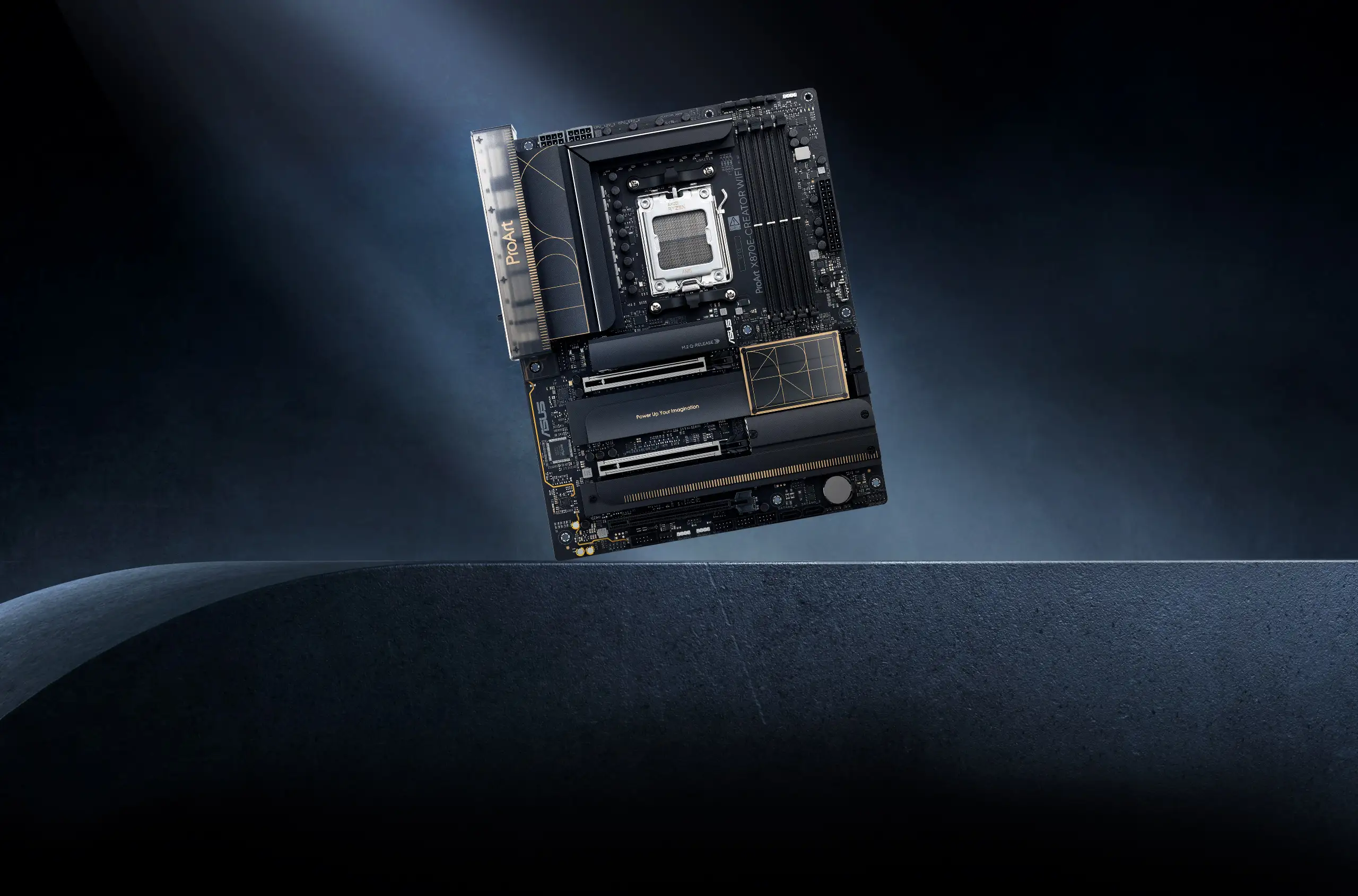
ASUS ProArt X870E-CREATOR WiFi Review: 9/10 Verdict
A surprising pattern emerged from user feedback: the ASUS ProArt X870E-CREATOR WiFi is celebrated as one of the most feature-complete X870E motherboards, yet early adopters warn of BIOS maturity issues that can cause instability with memory overclocking. Across Reddit, Trustpilot, and LDLC reviews, the verdict settles around a solid 9/10, with praise for connectivity, build quality, and creator-focused tools, tempered by caution for those unwilling to tweak settings.
Quick Verdict: Conditional — excellent for creators and professionals comfortable with BIOS tuning, less ideal for those seeking plug-and-play stability.
| Pros | Cons |
|---|---|
| Dual USB4 ports with DisplayPort input for up to 8K output | Early BIOS versions cause EXPO RAM instability |
| 10Gb + 2.5Gb Ethernet plus Wi-Fi 7 | No optical TOSLINK audio output |
| Robust 16+2+2 power stage VRM design | Minor USB disconnect issues reported |
| Four M.2 slots (two PCIe 5.0) with tool-less Q-Latch | Limited accessories in box despite premium price |
| AI overclocking and cooling features | Requires Windows 11 for full wireless functionality |
| Sleek, understated design | Shared PCIe/M.2 bandwidth can be confusing without manual reading |
Claims vs Reality
ASUS markets this board heavily on its “creator-first” connectivity, noting the dual USB4 ports with DisplayPort 1.4 input to drive 8K or dual 4K monitors. While this claim holds true, Reddit user ryno_weiss pointed out a technical nuance: “x870e requires the USB4 to be direct, unshared CPU lanes,” contrasting it with prior X670E designs that shared bandwidth with M.2 slots and caused performance drops.
The advertised 10Gb Ethernet is indeed present — rare in AM5 boards — and Reddit user gun_slingor reinforced its value: “On board 10gb is rare… this is the best option imho.” However, multiple LDLC reviewers emphasize that drivers must be freshly installed from ASUS’ site for stable operation, especially on Windows 11, otherwise Wi-Fi 7 and Bluetooth can misbehave.
ASUS also touts “AI Cache Boost” as a unique BIOS feature for Ryzen 9000 CPUs, promising up to 29% faster local LLM performance. While no user has disputed its function, early adopters focus more on AI Overclocking and AI Cooling II. LDLC reviewer columbus noted that “overclocking option [is] as complete as on the ROGs,” but warned that “the 1st time you boot with EXPO it’s slow… but after that it’s instantaneous.”
Cross-Platform Consensus
Universally Praised
Connectivity is where this board shines. The combination of dual USB4 with DisplayPort input, 10Gb + 2.5Gb LAN, Wi-Fi 7, and seven USB 10Gbps rear ports makes it a hub for high-bandwidth workflows. A verified buyer on Amazon highlighted: “The USB-C Type-E 20Gbps connection point is top-notch… the PCI 5.0 16x for the video card is really good.” For video editors or 3D artists, this means fewer bottlenecks when shuttling large files or driving multiple high-res displays.
Build quality and design are repeatedly praised. Reddit user metal_exr said, “I find the design far more attractive than dragons, eagles and other cheesy gamer-focused flourishes.” Professionals appreciate the sober aesthetics, with Trustpilot reviewers calling it “discreet and sober… will not disappoint you.”
VRM robustness is another highlight. Trustpilot and LDLC users report excellent thermals even under overclock. Columbus measured “excellent VRM temperatures” with a 280mm AIO, and hardware media roundups note the 16+2+2 80A stages as overbuilt for stability — a boon for those running high-core-count Ryzen 9 CPUs.
Common Complaints
Memory overclocking via EXPO profiles is the most consistent pain point. LDLC reviewer kals_th documented BIOS bugs: “Expo profiles… can cause problems on recent BIOS… my solution was to boot with just 1 strip to start with and then activate EXPO.” This affects users wanting plug-and-play high-speed DDR5, especially with kits from the QVL list.
Audio output options disappointed some. Reddit user edd5555 asked, “No optical TOSLINK, are you kidding me?” For audiophiles with SPDIF-based gear, this forces workarounds like HDMI audio extraction.
Accessory provisioning feels sparse for the price. LDLC reviewers lamented “no screws, and no manual!” Given the $500+ premium positioning, this frustrates builders expecting a more complete kit.
Minor USB behavior issues appear in multiple reports — LDLC’s kals_th noted “USB tends to disconnect itself” — though these seem solvable via driver updates.
Divisive Features
The understated design splits opinion. Nostri_luu criticized it as “corny… no call for art deco nonsense,” while others welcome the minimalism compared to gamer-centric boards. This reflects a broader divide between creator-focused aesthetics and enthusiast gamer tastes.
PCIe lane allocation is debated. Some, like png_gs, prefer X670E for “more usable M.2 PCIe Gen 5,” but others value X870E’s dedicated USB4 lanes avoiding shared bandwidth pitfalls.
Trust & Reliability
Trustpilot entries and LDLC reviews point to strong long-term ASUS reliability — François D wrote, “I’ve been using ASUS motherboards for many years… never had a problem with reliability!” However, early BIOS quirks erode out-of-box trust for some. Columbus nearly returned his board due to startup instability before resolving EXPO tuning.
No reports suggest scam-like behavior; issues are technical and tied to platform maturity rather than vendor dishonesty. Users agree the X870E chipset is “young,” and patience with firmware updates is necessary.
Alternatives
The X670E ProArt is the closest sibling. Reddit’s rich_repeat_22 observed it “makes more sense… for 4 NVMe” if you prioritize PCIe Gen 5 drive count over USB4 lane purity. Gamers might lean toward the ROG Crosshair X870E Hero for more aggressive styling and potentially faster BIOS feature rollout, but lose the understated aesthetic.
Price & Value
Market prices hover around $495–$539 USD, with European fluctuations from €424 to €586 depending on timing. Resale value is likely strong given rarity of 10Gb LAN on AM5 and creator-focused feature set. Black Friday deals saw €489, which LDLC users considered “expensive, but… the most complete of all.”
Buying tips from the community include waiting for BIOS maturity if memory overclock stability is critical, and ensuring your case supports the front USB-C 20Gbps to exploit full features.
FAQ
Q: Does the ASUS ProArt X870E-CREATOR WiFi support optical audio output?
A: No, it lacks TOSLINK SPDIF. Users needing digital optical must use HDMI audio extraction or external USB audio solutions.
Q: Is Windows 11 required for Wi-Fi 7 and Bluetooth 5.4?
A: Yes, full wireless functionality requires Windows 11; older versions may lack driver support.
Q: How many PCIe Gen 5 M.2 slots are available?
A: Two, both supporting x4 mode and tool-less Q-Latch installation.
Q: Does EXPO memory overclocking work reliably?
A: It can, but early BIOS versions have bugs. Some users boot one stick at a time to enable EXPO before installing both.
Q: Is this motherboard better for creators or gamers?
A: Primarily designed for creators with high-bandwidth I/O and sober design, but gamers benefit from VRM strength and PCIe 5.0 support.
Final Verdict: Buy if you’re a content creator or professional needing robust connectivity, VRM headroom, and understated design — and are willing to fine-tune BIOS for memory stability. Avoid if you require flawless plug-and-play EXPO performance today. Pro tip from community: update drivers from ASUS’ site immediately after OS install to prevent USB and wireless quirks.