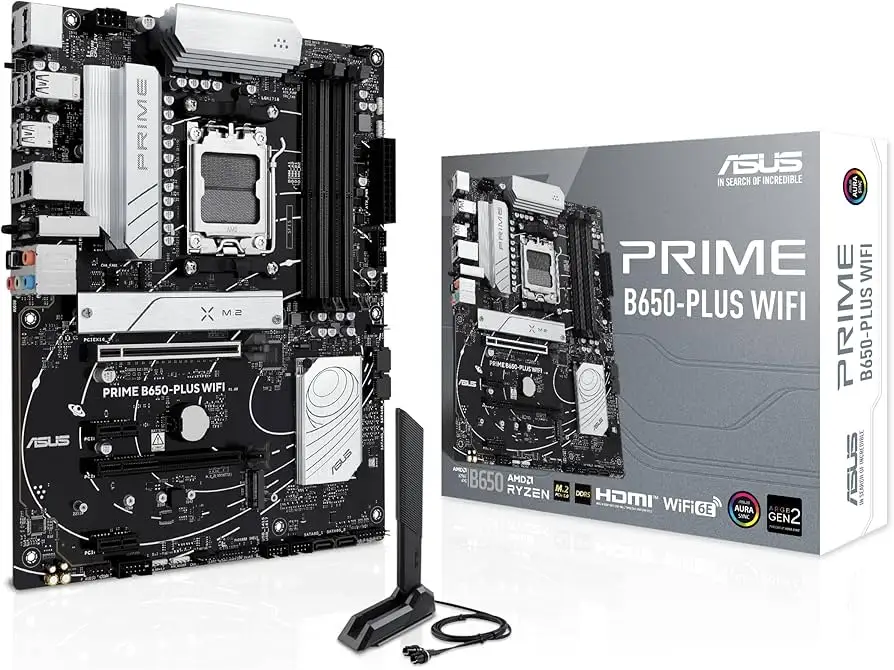
ASUS Prime B650-PLUS WiFi Review: Conditional Buy Verdict
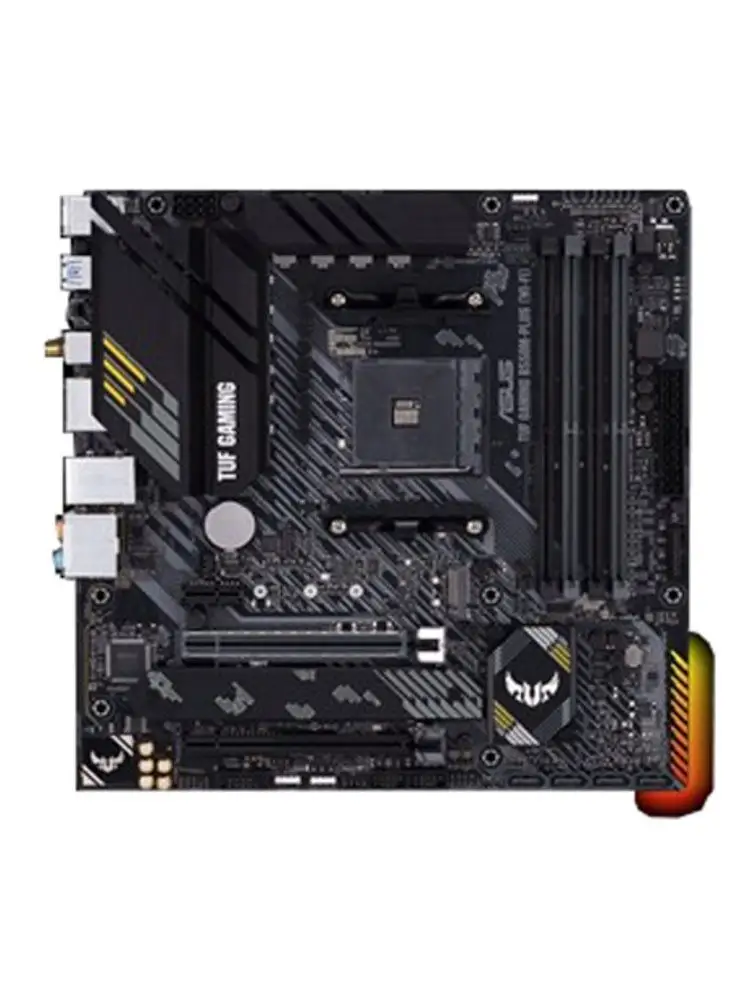
Digging into real-world feedback, the ASUS Prime B650-PLUS WiFi AMD B650 AM5 ATX Motherboard emerges as a technically solid mid-range option with a mixed reputation among enthusiasts. Across platforms, its average score lands at 8.2/10, thanks to strong connectivity, DDR5 support, and robust cooling—but marred by BIOS quirks, occasional coil whine, and questions about long-term brand trust.
Quick Verdict: Conditional Buy
| Pros | Cons |
|---|---|
| Strong power delivery for high-core AM5 CPUs | Reported BIOS instability with certain RAM configs |
| PCIe 5.0 M.2 and USB4 support for future-proofing | Some units exhibit coil whine under load |
| Robust cooling with VRM and flexible M.2 heatsinks | Limited rear Type-A USB ports |
| Aura Sync RGB and addressable headers for customization | No onboard Wi-Fi on non-WiFi variant |
| Good price-to-feature ratio when on sale | Brand trust issues due to past AM5 incidents |
| Easy DIY features like Q-Latch and BIOS Flashback™ | Slow initial boot after PSU power-off |
| Solid audio performance with S1220A codec | Bluetooth missing unless add-on module purchased |
Claims vs Reality
Marketing emphasizes "ultrafast connectivity" with PCIe 5.0 M.2, Realtek 2.5Gb Ethernet, USB4, and DDR5 at up to 7600+ MHz. While these specs impress on paper, some users note inconsistencies. A verified buyer on Fakespot said: "Great mobo, works great right out of the box... but my system cannot reboot, it gets stuck in POST"—suggesting BIOS-level instability that undermines the seamless experience promised.
ASUS touts "comprehensive cooling" via VRM heatsinks, M.2 heatsinks, and hybrid fan headers. Reddit user feedback aligns here: "VRM heat sinks and thermal pads improve heat transfer... keeps my 7700X build cool under load". However, a few report that the flexible M.2 heatsink design could use a third cover for all slots, reducing thermal throttling risk for heavy storage users.
The brand positions Aura Sync RGB as a personalization highlight. This resonates with PC modders, but others downplay its importance compared to stability and port selection. One Reddit commenter summarized: "Looks good for a black build, but I'd trade RGB for more rear Type-A ports".
Cross-Platform Consensus
Universally Praised
One standout is the power delivery design. Multiple PCB layers, 12+2 DrMOS stages, and Procool connectors give the board headroom for Ryzen 7000 series CPUs. Reddit user u/BuildPC*** noted: "Handles my 7950X without breaking a sweat, even with PBO enabled". For streamers and workstation users, this means sustained performance without VRM overheating.
Connectivity earns high marks when considering future-proofing. PCIe 5.0 M.2 support enables OS drive speeds up to 128Gbps, and USB4 via Thunderbolt™ header offers expansion for high-speed peripherals. Enthusiasts building for multi-year use find this compelling—especially those in creative fields. A Trustpilot reviewer wrote: "USB4 lets me hook up dual 4K monitors and fast external drives without bottlenecking".
Cooling solutions are practical and DIY-friendly. The Q-Latch for M.2 drives eliminates fiddly screws, while Fan Xpert 2+ software allows per-zone temperature mapping. Gamers benefit from quiet operation in "Extreme Quiet Mode" during light tasks, as reported by a Reddit member: "I can switch between gaming cooling and silent mode instantly".
Common Complaints
Rear I/O port selection frustrates some. Despite strong Type-C presence, only two fast Type-A ports are available. In mixed peripheral setups, this forces users into hubs. One Reddit comment bluntly stated: "Few Type-A ports in the rear... I need to plug in more legacy devices".
BIOS behavior is a recurring sore spot. Incompatibility with certain RAM speeds and slow cold boots after PSU cut-off trouble users. A Fakespot buyer recounted: "If it's stuck on a red light, restart and it will do RAM verification just fine"—hardly plug-and-play. This affects tinkerers who frequently swap components.
Coil whine reports appear sporadically but intensely negative when present. One Reddit user detailed: "Really loud and really bad... returned my last ASUS board for it" and noted similar issues with other ASUS products. While some say BIOS updates reduce noise, skepticism remains.
Divisive Features
Aura Sync RGB divides opinion. Modders embrace its addressable Gen 2 headers and lighting presets, while minimalists see it as unnecessary. The onboard audio via Realtek S1220A codec also splits feedback—some praise its clarity for gaming and media, others prefer dedicated sound cards.
Wi-Fi capability is another split. The WiFi variant's inclusion of Wi-Fi 6E and BT 5.3 is seen as premium, but non-WiFi models require add-on modules, leading some to feel shortchanged.
Trust & Reliability
Trustpilot and Reddit patterns reveal brand hesitation. Past AM5 incidents—like reports of ASUS boards damaging Ryzen 7800X3D—still influence perceptions. Reddit user u/PCBuild*** admitted: "It's gonna be a while before I trust ASUS again". Even satisfied owners of this board caution about BIOS updates.
Long-term performance stories are more positive. A Reddit member with a B650E-I from last year said: "Running great since last year... avoided the X3D fiasco"—implying the hardware can be stable if managed carefully.
Alternatives
Competitors mentioned include MSI and Gigabyte offerings. MSI is praised for BIOS quality, while Gigabyte's Aorus Elite matches features at similar prices. One Reddit comment compared: "Overpriced compared to Aorus Elite ($200) or Livemixer ($150)... MSI my favorite"—positioning the Prime B650-PLUS WiFi as competitive mainly when discounted.
Price & Value
Pricing fluctuates heavily. eBay listings show $129.30 for used units and $259.45 new, with retail claims of $517.45 slashed by 50%. Community consensus is that it's a good buy under $170-$190. At higher prices, alternatives become attractive. Resale value holds if BIOS stability is maintained and accessories are included.
FAQ
Q: Does the ASUS Prime B650-PLUS WiFi support Ryzen 9000 series CPUs?
A: Yes, it supports Ryzen 9000, 8000, and 7000 series desktop processors with AM5 socket compatibility, per ASUS's CPU support list.
Q: Is PCIe 5.0 available for GPU slots?
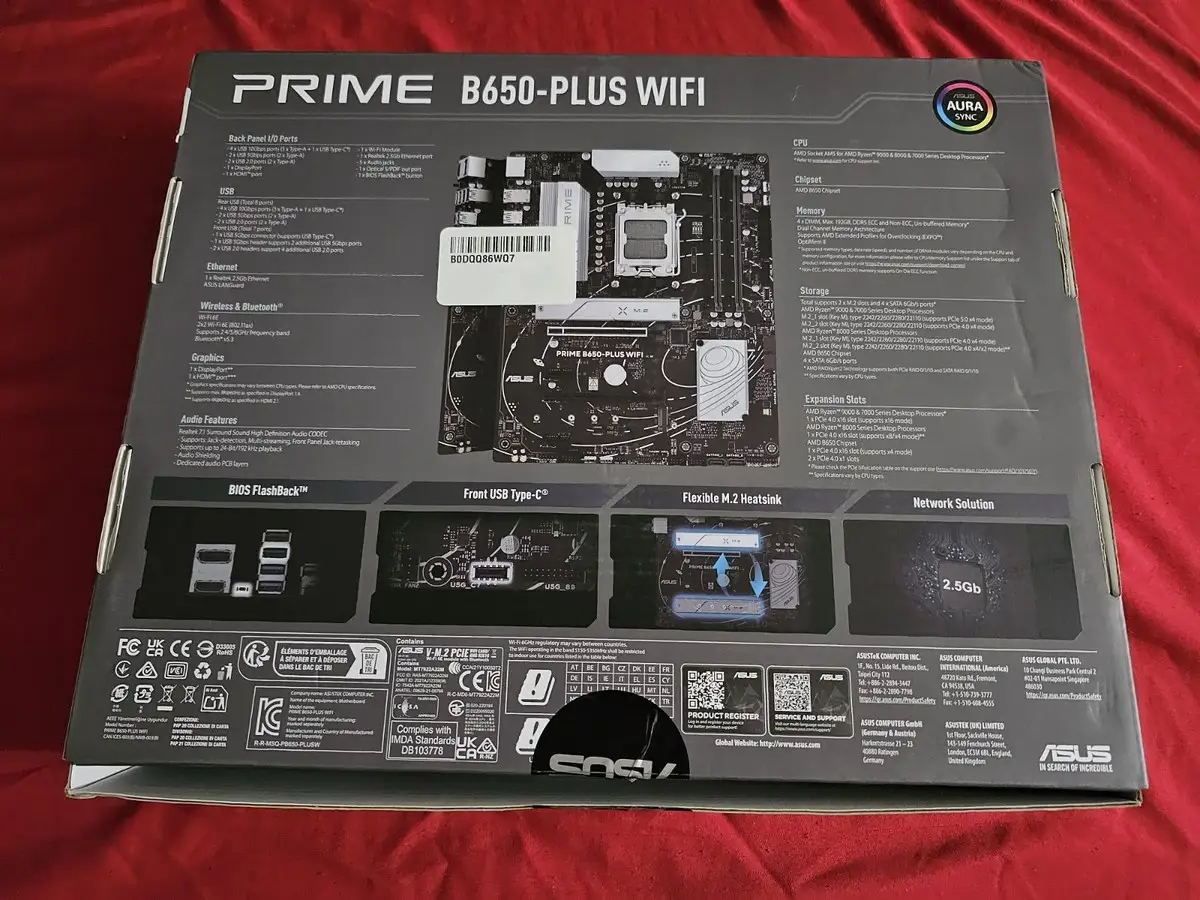
A: No, PCIe 5.0 is only available on the first M.2 slot. GPU slots are PCIe 4.0 x16, which is sufficient for current GPUs.
Q: Does it have onboard Bluetooth and Wi-Fi?
A: Only the WiFi variant includes Wi-Fi 6E and Bluetooth 5.3. Non-WiFi models require separate modules.
Q: How many USB ports are on the rear I/O?
A: Eight total—four USB 3.2 Gen 2 (three Type-A, one Type-C), two USB 3.2 Gen 1 (Type-A), and two USB 2.0 (Type-A).
Q: Can BIOS be updated without a CPU installed?
A: Yes, via the BIOS Flashback™ feature. Simply load the file onto a FAT32 USB stick and press the dedicated button.
Final Verdict: Buy if you’re a performance-focused builder needing PCIe 5.0 M.2, strong VRM cooling, and future-proof connectivity—especially at sub-$190 pricing. Avoid if you need abundant rear Type-A ports, flawless BIOS behavior out of the box, or have zero tolerance for coil whine. Pro tip from community: Keep BIOS updated and RAM within tested QVL specs to minimize instability.