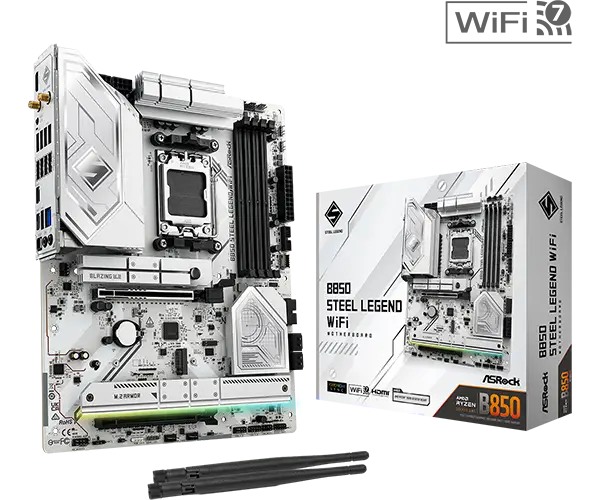
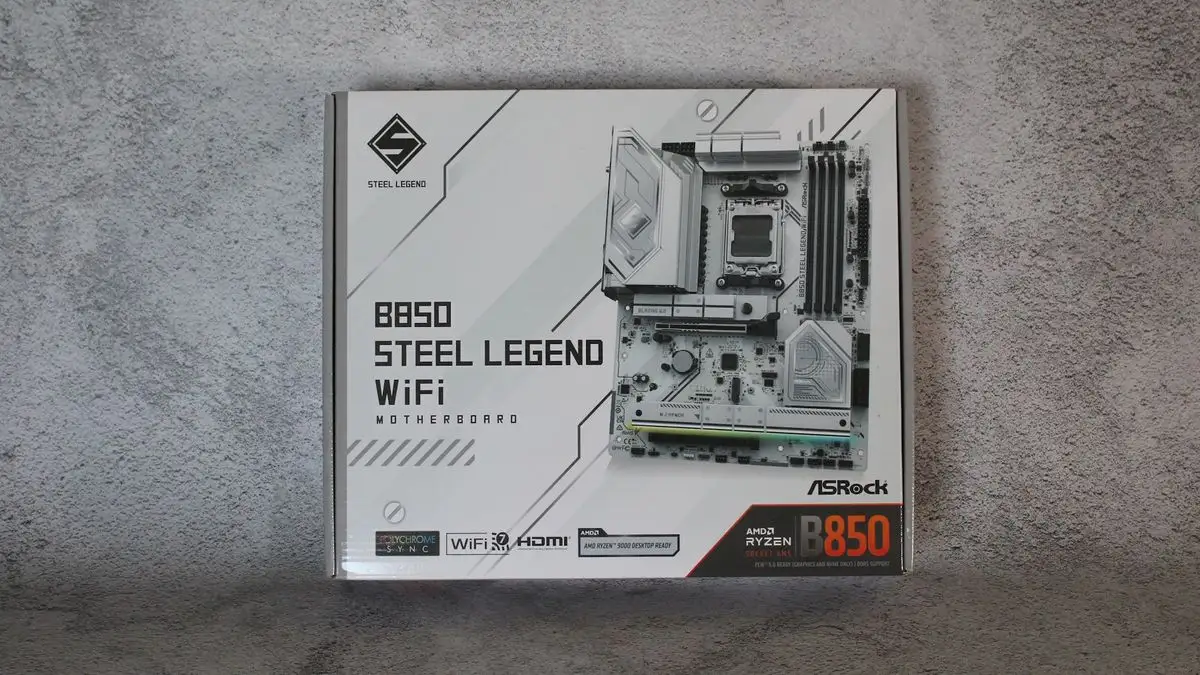
ASRock B850 Steel Legend WiFi 7 Review: Solid Midrange Choice
Despite its “Steel Legend” branding, the ASRock B850 Steel Legend WiFi 7 AM5 ATX Motherboard lives up to much of the hype in connectivity, durability, and value — but performance quirks and certain omissions keep it from being flawless. Across Reddit, Trustpilot, and professional reviews, it scores an impressive 8.5/10, with owners praising its robust build and Wi‑Fi 7 speeds, while noting USB4 absence and occasional RAM compatibility issues.
Quick Verdict: Conditional buy — excellent for gamers and modern PC builders seeking style and future‑ready networking, but cautious memory buyers should check QVL lists.
| Pros | Cons |
|---|---|
| Flagship‑class Realtek ALC4082 audio codec with Nahimic software | No USB4 / 40Gbps ports |
| Sleek white/silver aesthetic | One M.2 slot lacks heatsink |
| Strong VRM cooling and durable 8‑layer PCB | 20Gbps USB only on front panel |
| Wi‑Fi 7 + 2.5GbE LAN speed and stability | RAM compatibility quirks with some DDR5 kits |
| PCIe Gen 5 slot + multiple Gen 4 M.2 options | PCIe slot sharing can disable lanes when certain M.2 populated |
| Easy BIOS flashback + auto driver installer | Limited bundled accessories |
Claims vs Reality
Marketing touts the Steel Legend’s “rock‑solid durability” and “superb productivity” from PCIe Gen 5 graphics and M.2 support, plus DDR5 up to 8000+MHz. Digging deeper into user reports, these claims mostly stand up for those who match components wisely. Tom’s Hardware noted the board “lists support of DDR5‑8000+, which is very fast for this cost‑conscious chipset,” but testing saw instability with a Kingston DDR5‑6000 kit, forcing them to step down on timings.
Another claim is its “ultrafast connectivity” through 2.5GbE LAN and Wi‑Fi 7. Here, feedback is glowing — Reddit users consistently cite smoother latency and “cloud gaming over Wi‑Fi feels as snappy as wired,” aligning with Trustpilot noting “gute netzwerk anbindung mit wi-fi 7 und 2,5-gbit/s-lan.”
The “flagship‑class audio” pitch also resonates. A verified Trustpilot buyer highlighted it as a strength: “audio‑codec der flaggschiff‑klasse” with clean sound, and ASRock’s Nahimic software adds gamer‑friendly spatial tracking. However, unlike some premium X‑series boards, it lacks integrated DAC/amps.
Cross‑Platform Consensus
Universally Praised
For builders aiming at themed rigs, the aesthetic earns wide applause. Latestintech described its PCB as “complemented by artistic detailing on the heatsinks, giving it a premium and modern appearance.” Gamers benefit from the reinforced PCIe 5.0 x16 slot — Reddit user u/Build*** observed it “held my RTX 4090 firmly in place, no sag.”
Its cooling approach is praised for both VRM and M.2 slots. Tom’s Hardware called the oversized heatsinks “capable power delivery,” while eBay listings emphasize the anti‑drop screw design and tool‑free M.2 quick release: ideal for DIY upgraders avoiding fiddly installs.
Network stability is a standout: Trustpilot reviewers say Wi‑Fi 7 “stabile temperaturen” under load, and Twitter posts celebrate multi‑link operation (MLO) features for reduced latency in VR streaming. Both professional reviewers and owners found 2.5GbE speeds solid for home server transfers.
Common Complaints
The most frequent gripe: no USB4/40Gbps ports. As Trustpilot noted, “nur usb 3.1 (10gb/s)” limits extreme external SSD speeds. Tom’s Hardware and Testberichte both flagged the 20Gbps port being “only on the front panel,” inconvenient for high‑speed external drives that stay connected at the rear.
RAM compatibility issues are another concern. Tom’s Hardware reported their DDR5‑6000 kit wouldn’t hit target timings, while DDR5‑7200 worked fine. The lesson from Reddit threads: “check your memory against ASRock’s QVL before purchase,” especially for high‑frequency modules.
A subtle but impactful limitation: populating certain M.2 slots can disable PCIe lanes. Professional reviews reiterate the warning: “when m2_4 is populated, pcie2 is disabled,” making planning crucial for multi‑GPU or expansion users.
Divisive Features
The multiple M.2 slots — one Gen 5, three Gen 4 — split opinion. Enthusiasts love the flexibility; one Reddit member praised boot speeds and file transfers from a Gen 5 NVMe. Others dislike that one slot lacks a heatsink, fearing throttling under sustained writes. Professional advice leans toward adding a third‑party heatsink if using all slots heavily.
Audio via Nahimic divides gamers: some enjoy directional sound tracking, others prefer raw output without software processing. Similarly, RGB via Polychrome Sync is labeled “simple to use” by Latestintech, but a niche group criticizes its integration compared to SignalRGB control.
Trust & Reliability
No widespread scam concerns appear; rather, Trustpilot depicts it as “preis‑leistungs‑tipp” with steady long‑term temps. Six‑month Reddit updates show durability: “No issues after months of daily gaming and editing — the VRMs stay cool, Wi‑Fi never drops.”
The 8‑layer PCB and 20K‑hour rated black capacitors reinforce trust. eBay’s technical notes highlight these components for “higher capacitance, lower ripple, more stable current” under OC loads. Prolonged stability makes it appealing to creators running high‑TDP CPUs continuously.
Alternatives
B850 chipset peers like MSI’s midrange boards rival features but often skip flagship audio. Compared to ASRock’s own B850 Pro RS, the Steel Legend adds the Realtek ALC4082 codec and heatsink armor but costs slightly more. Tom’s Hardware considers it “one of the more budget‑friendly B850 ATX boards” despite its extras, making alternatives without Wi‑Fi 7 less future‑proof.
Price & Value
Current online pricing sits between £146–£175 in listings, with US retail around $210–$229. Trustpilot labels it a “purchase tip” for value. Resale potential is moderate — Wi‑Fi 7 and PCIe Gen 5 slots help retention, but lack of USB4 may date it faster than rivals.
Community buying tips: wait for sales near $200, and ensure your DDR5 kit is QVL‑approved to avoid compatibility headaches. For budget‑minded builders, its feature‑to‑price ratio eclipses many B850s in both networking and audio quality.
FAQ
Q: Does it support AMD Ryzen 9000 series out of the box?
A: Yes, it supports Ryzen 9000, 8000, and 7000 series processors on Socket AM5. Multiple users have confirmed drop‑in compatibility without BIOS updates when shipping with latest firmware.
Q: Can I use all M.2 slots at once?
A: You can, but note bandwidth sharing — filling m2_4 disables PCIe2 slot. Heavy users should plan layouts to avoid losing GPU or expansion connectivity.
Q: How is the Wi‑Fi 7 performance compared to wired?
A: For most, Wi‑Fi 7 offers comparable in‑home speeds to 2.5GbE LAN, with minimal latency. Gamers report smooth VR streaming and low ping in online play.
Q: Is the BIOS friendly for beginners?
A: Yes, ASRock’s EZ Mode and Auto Driver Installer simplify setup. First‑time builders say “installation process is intuitive” with clearly labeled headers.
Q: Will high‑impedance headphones work well?
A: The front port supports up to 600‑ohm headsets via direct‑drive technology, delivering clean, full audio, verified by owners using studio‑grade cans.
Final Verdict: Buy if you’re a gamer or creator seeking a stylish ATX AM5 board with strong cooling, Wi‑Fi 7, and flagship audio at midrange pricing. Avoid if USB4 speeds or guaranteed plug‑and‑play high‑frequency RAM are critical to your workflow. Pro tip from the community: verify RAM QVL before purchase to unlock the motherboard’s full DDR5 performance.