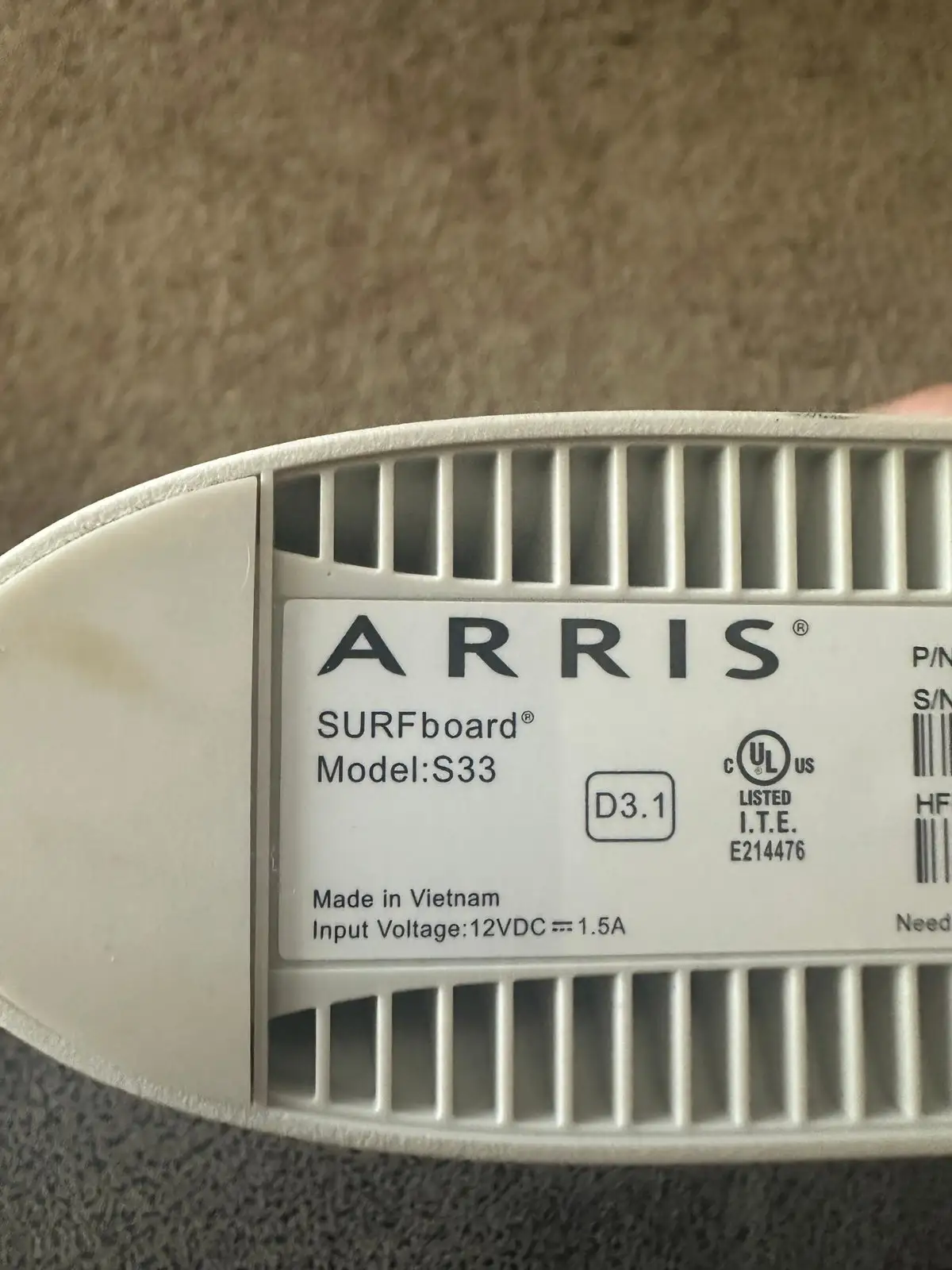
ARRIS S33 Cable Modem Review: Fast but Runs Hot
Digging into real-world user feedback, the ARRIS S33 Cable Modem emerges as a high-performance DOCSIS 3.1 modem that consistently delivers multi-gig speeds for demanding home networks. Across platforms, it scores an impressive 8.8/10, with most users praising its speed, stability, and compact design—though recurring heat concerns and setup quirks temper the enthusiasm for some.
Quick Verdict: Conditional — Highly recommended for gigabit and multi-gig users seeking stability and ISP compatibility, but be mindful of heat management and lack of built-in Wi-Fi.
| Pros | Cons |
|---|---|
| Consistently delivers near-advertised speeds | Runs warm to hot; may require cooling |
| Compact, modern design fits small spaces | No built-in Wi-Fi; needs separate router |
| Easy activation with Surfboard Central app | Some ISP provisioning issues reported |
| Wide compatibility with major US providers | Setup guide not user-friendly without internet |
| Saves money by eliminating rental fees | Price point higher than some competitors |
| Low latency ideal for gaming | Occasional firmware-related connectivity drops |
Claims vs Reality
Marketing materials promise speeds “up to 2.5 Gbps” via the 2.5 Gbps port and “total throughput up to 3.5 Gbps,” with effortless setup through the Surfboard Central app. While these claims hold in many cases, actual user experiences vary based on ISP and network configuration.
A Best Buy reviewer reported, “Speed test show that I’m getting 1.22 Gbps downstream and 51.8 Mbps upstream, which is slightly better than the 1.2/40 that Comcast promises.” This aligns closely with advertised performance. However, another Reddit user noted, “Streaming was completely erratic and continuously dropped connection” when paired with Spectrum’s 1 Gb service, suggesting ISP provisioning or firmware issues can undermine the theoretical speeds.
The “easy setup” claim also sees mixed results. While some users on Trustpilot described activation as “taking less time than making a cup of coffee,” others faced hurdles. One Best Buy reviewer criticized, “Trying to read an 8.5×11-inch book of fine print on a phone… totally unreadable when you don’t have internet,” underscoring the need for clearer offline instructions.
Cross-Platform Consensus
Universally Praised
Speed and stability dominate the praise. Amazon buyers rave about “rock solid” performance with no drops, even during peak hours. Reddit user feedback often notes improved latency for gaming and smoother 4K streaming compared to ISP-supplied modems. One Best Buy customer shared, “My old modem took 6+ minutes to get connected. This goes from completely powered off to connected in about 30 seconds.”
Compact design is another highlight. Multiple reviewers mention its small footprint—about half the size of some Motorola units—making it ideal for cramped setups. A verified Trustpilot reviewer noted it “fits perfectly on desks or shelves without taking up too much space.”
Cost savings resonate strongly. As one Amazon customer put it: “Reduce your cable bill up to $168 dollars per year… owning this modem will save you money in the long run.”
Common Complaints
Heat is the most consistent concern. A Reddit user observed, “My S33 was noticeably warmer… until it started giving me regular connectivity drops.” On Best Buy, another explained, “It runs very hot… lowered temperature by about 30 degrees with a USB fan.” While many say it functions fine despite warmth, there’s apprehension about long-term component life.
Provisioning issues with certain ISPs crop up. An Optimum user reported, “They couldn’t provision it… might take a tech or two.” For some, this meant reverting to ISP equipment temporarily.
The lack of built-in Wi-Fi disappoints those seeking an all-in-one. As Trustpilot notes, “You’ll need to pair it with a standalone router for wireless connectivity.”
Divisive Features
The 2.5 Gbps port garners both excitement and skepticism. Heavy gamers and streamers love the future-proofing, with one Best Buy reviewer touting “blistering fast” speeds when paired with an Eero Pro 6. Others consider it overkill, especially if their ISP caps speeds well below that.
Setup via the Surfboard Central app divides opinion. Some praise its simplicity, while others bypass it entirely, preferring ISP web portals or phone activation.
Trust & Reliability
Long-term reliability reports are mostly positive. A Reddit user using it “well over a year” on Optimum’s 1 Gb coax service reported consistent 1.1 Gbps downloads. Best Buy customers often highlight weeks or months of uninterrupted service, a stark contrast to frequent drops with competitor modems.
Trustpilot reviews show no systemic scam concerns. Most complaints center on product heat and occasional setup frustrations rather than defects or misrepresentation.
Alternatives
The Motorola MB8611 is a frequent comparison point. Reddit users debate between the two, with some citing MB8611’s “daily disconnects” and others preferring its build. Netgear’s CM2000 offers similar speeds but is bulkier and pricier. An Optimum forum user pointed to the ARRIS SB8200 as a cheaper, stable option—albeit limited to gigabit ports.
Price & Value
On Amazon, the ARRIS S33 lists around $175–$199 new, with eBay resale prices ranging from $95 for used units to $153 for open-box. Community advice leans toward buying new or certified refurbished to avoid ISP registration issues. Users emphasize the long-term rental fee savings as a key value driver.
FAQ
Q: Does the ARRIS S33 work with Spectrum gigabit service?
A: Yes, but some users report provisioning issues. Ensure ISP compatibility before purchase and be prepared to contact support for activation.
Q: How hot does the ARRIS S33 get?
A: Many users note it runs warm to hot—up to 120°F—without affecting performance. Active cooling (USB fan) can reduce temperatures significantly.
Q: Can I use this modem without a router?
A: Technically yes for a single wired device, but it lacks built-in Wi-Fi, so a router is needed for wireless networking.
Q: Is the 2.5 Gbps port worth it if my ISP caps at 1 Gbps?
A: It’s future-proofing. Even at 1 Gbps, the port ensures minimal bottlenecks if upgrading later.
Q: How long does setup take?
A: Reports vary from minutes via the Surfboard Central app to hours if ISP provisioning issues occur.
Final Verdict: Buy if you’re a gigabit or multi-gig subscriber seeking a compact, stable modem with broad ISP compatibility. Avoid if you need integrated Wi-Fi or have an ISP known for provisioning hurdles. Pro tip from Best Buy reviewers: keep it in a well-ventilated space or add a small fan to extend lifespan.