Anker 675 Docking Station Review: Desk Upgrade or Dealbreaker?
Starting at a steep $249.99, the Anker 675 USB-C Docking Station Monitor Stand with Wireless Charger earns a strong 8/10 from most reviewers — but only if its unique "workstation in one" design aligns with your desk habits. For some, it’s the cleanest, most ergonomic docking setup they’ve ever owned. For others, the single-monitor limitation and awkward port layout sour the deal.
Quick Verdict: Conditional buy — excellent desk decluttering if single-monitor output is fine.
| Pros | Cons |
|---|---|
| Built-in cable management system | Pricey at full retail |
| Integrated Qi wireless charger | Only supports one external monitor via HDMI |
| Sturdy aircraft-grade alloy frame | Underside ports hard to reach with monitor in place |
| 100W laptop charging + extra 45W for peripherals | No right-side ports, inconvenient for some setups |
| Ergonomic monitor elevation | Wireless charging capped at 10W (7.5W for iPhone) |
Claims vs Reality
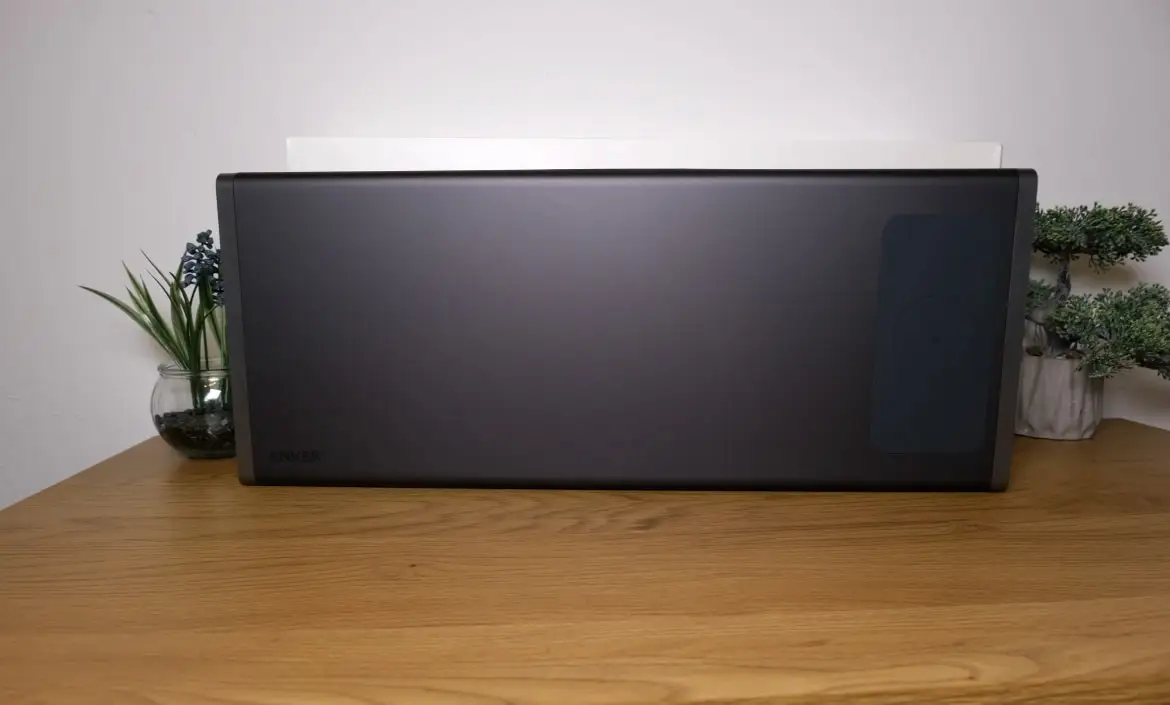
Anker markets the 675 as an “all-in-one workspace organizer” with comfortable monitor elevation, 12 ports, and plenty of power to run your entire workstation. On paper, this includes a 100W upstream USB-C for your laptop, two USB-C PD ports sharing 45W, three USB-A ports, HDMI output at 4K/60Hz, Ethernet, and SD/microSD readers. Marketing also highlights the built-in wireless charging pad and ergonomic benefits of lifting your screen.
Digging deeper into user reports, the posture improvement claim is widely confirmed. A verified buyer on Amazon noted: “I didn’t realize how much I was slouching until I used this — eye-level monitor made a world of difference.” Reddit discussions echoed that benefit, especially for people working long hours daily.
However, the claim of full display flexibility clashes with reality. While Anker’s spec sheet confirms HDMI 2.0 with 4K@60Hz, multiple sources stress that it only supports one external monitor. Tom’s Guide flagged this as a drawback compared to similarly priced docks, saying this is “fine for minimalists, but advanced setups usually demand dual outputs.”
On the “power your entire workstation” angle, experiences largely match specs — but the underside ports complicate things. Reddit’s u/DeskTech*** said: “I love that I can charge my laptop, phone, and tablet at once — but seriously, plug everything in before placing your monitor. Underneath ports are a pain.”
Cross-Platform Consensus
Universally Praised
One standout theme: cable management. Reddit users and Fakespot reviewers applauded the underside system: “Permanent connections are underneath where they’re out of the way. Patience and Velcro strips help with cable lengths,” writes one verified Trustpilot reviewer. For home offices and production setups, this meant less cable sprawl on the desktop.
For device-heavy users — think photographers and digital artists — the combination of SD/microSD slots, extra USB-C and USB-A ports was a relief. A creative professional on Mercular.com noted: “All ports I need are in one place — no more reaching for separate hubs when editing photos and videos.”
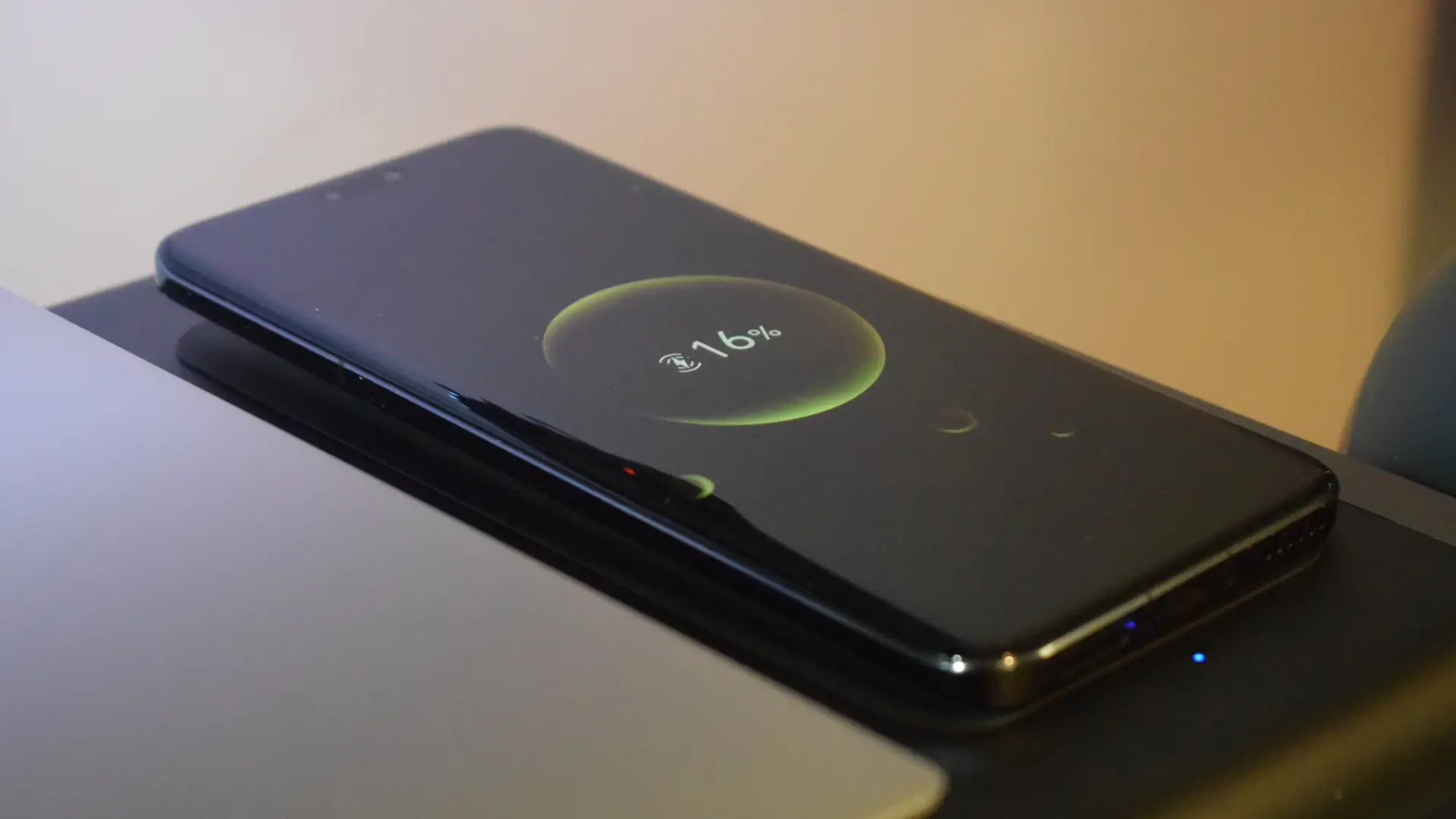
Wireless charging integration also got consistent praise for convenience: place phone on top-right pad, get instant charge confirmation via LED — though Android users enjoyed the full 10W more than iPhone users at 7.5W.
Perhaps the subtler value: ergonomic monitor elevation on a sturdy alloy build. One Reddit user likened the aircraft-grade metal frame to "overkill for any normal desk load, but reassuring — supports my heavy monitor without wobble."
Common Complaints
Price inevitably surfaces as the top complaint. Tom’s Guide bluntly stated: “$200 would have been a better starting price.” This sentiment was reinforced by Trustpilot feedback calling it “very expensive” despite premium build.
Single HDMI output frustrated multi-monitor workers. A Reddit report from a programmer said: “Had to return it — my dual-screen workflow isn’t negotiable.” Even for single-screen setups, port placement caused headaches: left-side bias means right-handed users often need to cross arms or reroute cables awkwardly.
Underside ports create logistical hurdles. You either plug everything in first or lift your monitor later — not ideal for frequent cable swaps. One Amazon buyer summarized: “Love the clean look, hate reaching under for a quick USB plug.”
Wireless charging also drew mild criticism for speed: “The wireless charging could be faster,” admitted a Fakespot reviewer.
Divisive Features
The non-portable nature split opinions. At 3.65 pounds and over 21 inches long, it’s clearly intended for static setups. Office-based users liked this sturdiness, but students and travelers saw it as impractical. Similarly, the left-side port concentration makes sense for some workflow layouts but frustrates others.
Trust & Reliability
Long-term durability stories lean positive. Several Reddit accounts reported 6+ months of daily use with no drop in charging speed or performance: “Feels like something that will outlast my laptop,” said one. Fakespot feedback highlighted “stellar build quality” and confidence in “long-term functionality.”
Scam or QC concerns are minimal in verified channels — no widespread DOA or warranty horror stories. The 18-month Anker warranty provides some peace of mind, though high price means expectations are equally high.
Alternatives
The obvious internal competitor is the Anker 568 Docking Station — similarly priced, same 100W laptop charging, but with different port distribution and USB4 instead of USB 3.2 Gen 2. However, it lacks the integrated monitor stand, cable channel, and wireless charger — meaning you’d need to buy those separately.
For power users with dual-monitor needs, Anker’s 778 Thunderbolt 4 Docking Station offers broader video outputs, albeit at a higher price. Tom’s Guide points out the 675’s “elegance” comes at the expense of multiple display support — a key decision factor.
Price & Value
Current pricing hovers around $249.99 retail, with frequent $50-off sales dropping it near $199 in multiple listings. eBay shows near-full price for new units, suggesting decent resale potential if kept in good condition. Bulk pricing from Anker’s site dips as low as ~$160 per unit for volume buys — valuable for outfitting multiple desks in studios.
Community buying tip: wait for holiday or mid-year sales. Reddit threads confirm “best value at the $199 mark” as the sweet spot.
FAQ
Q: Does the Anker 675 support dual monitors?
A: No — it supports a single external monitor via HDMI at 4K/60Hz. USB-C ports do not output video.
Q: Can it charge an iPhone wirelessly?
A: Yes, via the built-in Qi pad at up to 7.5W. Android devices can use the full 10W.
Q: Will it work with macOS devices?
A: Yes, compatible with macOS 10.14+ and Windows 10/11, but some users reported gigabit Ethernet issues with certain M1 Macs.
Q: Is it portable?
A: Not really — weighing 3.65 pounds and sized as a monitor stand, it’s designed for static desk setups.
Q: How much monitor weight can it support?
A: Up to 22 pounds per shelf specs; ideal for smaller to mid-sized displays.
Final Verdict: Buy if your setup benefits from single-monitor HDMI, you crave maximum desk decluttering, and appreciate ergonomic elevation with integrated charging. Avoid if multi-screen productivity or fast Qi charging is non-negotiable. Pro tip from community: plug in all underside ports before positioning your monitor — your back will thank you.





