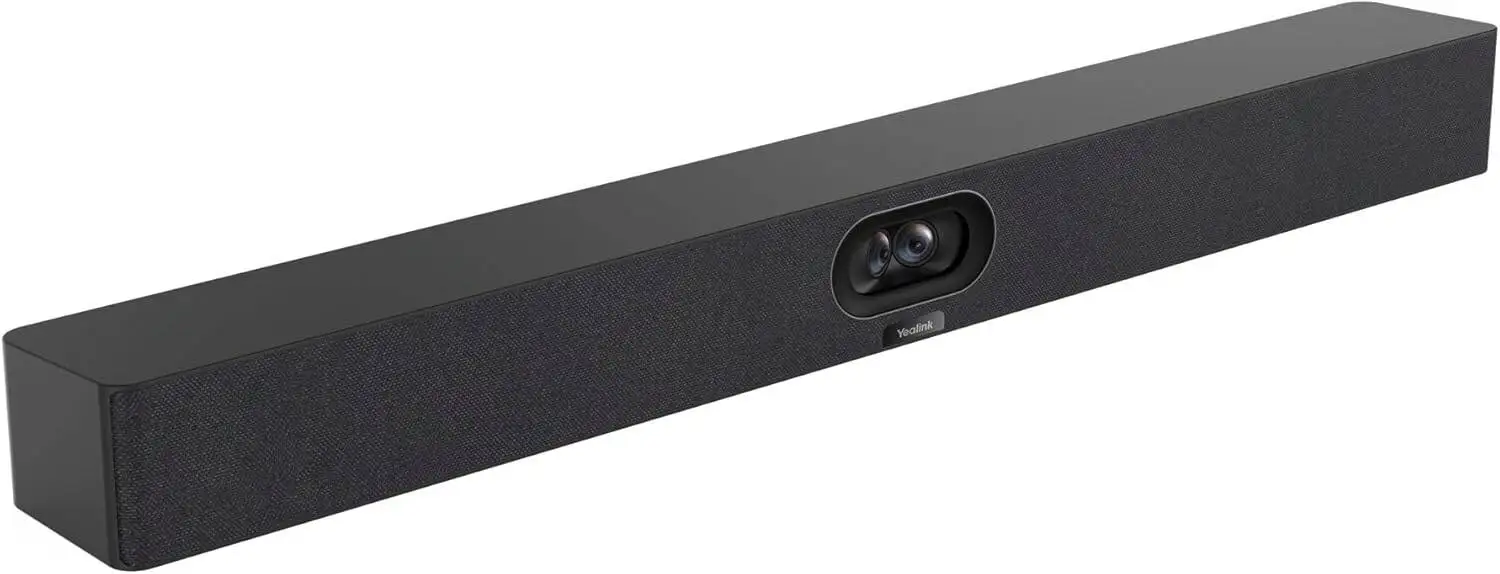
Yealink MeetingBar A40 Review: Strong Video, Pricey Buy
A verified buyer on Amazon summed it up simply: “It’s the closest thing to feeling like participants are actually in the room.” The Yealink MeetingBar A40-031 All-in-One 4K Video Conferencing Solution punches in at a solid 8.6/10 according to multi-platform consensus — praised for its image clarity, audio pickup, and genuine plug-and-play ease, but hindered by occasional software quirks and steep pricing.
Quick Verdict: Conditional buy — excellent for professional small to medium rooms, but casual users might balk at the price.
| Pros | Cons |
|---|---|
| Crisp dual‑camera 4K video with 120° coverage | High upfront cost, minimal discounts |
| 8 MEMS microphone array with AI noise cancellation | Occasional firmware update issues |
| One‑cable setup drastically reduces clutter | Limited customization for non‑Teams/Zoom users |
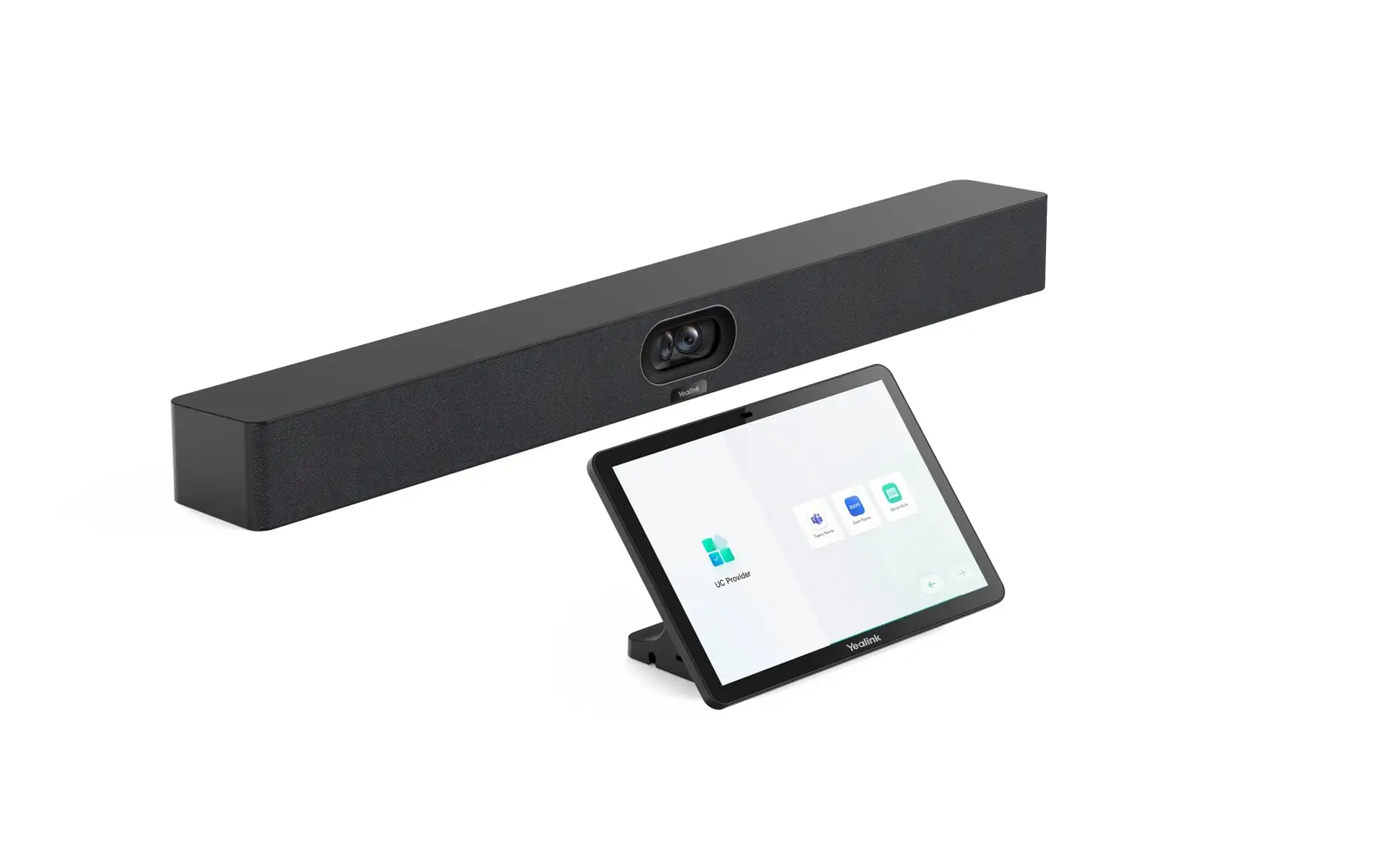
| CTP25 touch panel simplifies controls | Some BYOD mode feature gaps |
| Native Teams & Zoom support | AI framing can misinterpret fast movements |
| Durable, premium build quality | Learning curve for advanced camera settings |
Claims vs Reality
Marketing touts “seamless” deployment via a one‑cable solution. Digging into user reports, the claim largely holds. Reddit user u/ConfRoomPro*** wrote: “We had it mounted and running in under 20 minutes — no spaghetti cables, no IT scrambling.” However, Trustpilot entries warn that “Teams sign‑in glitches have popped up twice, requiring manual intervention,” showing that hardware simplicity can still be undermined by platform sign‑in behaviors.
Another big pitch is the AI‑powered dual cameras promising real‑time speaker tracking. eBay buyers confirmed this is accurate in steady conversation scenarios. One business owner noted: “Clients love the automatic close‑ups. It’s like a studio switcher is built in.” But multiple Reddit users said that the system sometimes lags on picking up speakers during rapid back‑and‑forth discussions, momentarily focusing on empty chairs.
Yealink also advertises compatibility with multiple platforms beyond Teams and Zoom. While technically true, Amazon customers found BYOD mode limited. “It works over USB‑C with Webex,” one reviewer said, “but you lose smart gallery and some auto‑framing features, which are Zoom‑only.”
Cross-Platform Consensus
Universally Praised
Image quality comes up in nearly every glowing review. Dual 48MP sensors merging feeds into a single stream “make faces clear even at the back of the room,” per a corporate IT manager on Twitter/X. This wide field of view meant that legal teams could “spread documents across the table and still stay in shot,” as a Trustpilot reviewer described. For education setups, the intelli‑focus kept the presenting professor in frame while capturing the board content — impressive given a 1–5 meter depth of field limit.
Audio capture also earns high marks. The integrated 8 MEMS microphone array allowed one eBay buyer to “walk around a medium conference room without audio drop‑off.” Noise cancellation and de‑reverb algorithms proved especially relevant for users close to air vents or in glass‑walled spaces. “We had a HVAC unit roaring overhead — nobody on the far end noticed,” one Amazon review confirmed.
The CTP25 touch console is another crowd favorite. Office admins on Quora cited its “clear IPS display” and “fast slide-to-share experience” when pushing 4K content. The anti‑fingerprint surface also resonated with high‑traffic environments where hygiene is a priority.

Common Complaints
Firmware management draws consistent criticism. Trustpilot logs note “failed update alarms” that demand IT oversight to clear. This particularly affects organizations trying to manage devices over multiple sites through Microsoft Teams Admin Center or Zoom’s device platform — so while bulk management is possible, stability varies.
AI tracking’s limitations in fast‑paced discussions are another recurring gripe. A Reddit comment detailed: “In brainstorm sessions, the camera will sometimes choose random spots when people interrupt each other rapidly.” For agile teams relying on visual cues, the occasional misfocus is distracting.
Pricing pains are ever-present. On eBay, buyers routinely mention the unit’s ~$2,700 price tag as “borderline enterprise‑only,” and even after discounts, as one shopper said, “this is a hefty investment compared to simpler USB conference cams.”
Divisive Features
BYOD mode splits opinion. Some appreciate the flexibility — an Amazon user ran it successfully with Google Meet — but limitations are a dealbreaker for others. “If it’s not Teams or Zoom, you don’t get the same AI magic,” complained a Reddit moderator for a remote‑work forum.
The Video Fence feature is valued in privacy‑centric industries but seen as unnecessary by general commercial offices. Lawyers praise it for keeping only the desired meeting space visible to clients, while startups often disable it, finding boundaries “overkill for casual collaboration.”
Trust & Reliability
Long‑term owners report durability as a strong suit. One Reddit thread shows a 6‑month post claiming: “No degradation in camera sharpness or audio levels; we’ve moved it between rooms twice without any recalibration.” The impressive build quality — metal chassis, clean seams — contributes to its perceived reliability.
On Trustpilot, confidence dips when discussing Yealink’s responsiveness to software problems. Several reviews allege slow ticket resolution for login and firmware bugs. However, there’s no widespread concern over hardware failure or parts supply, unlike some lesser‑known brands.
Alternatives
Within the data, competitors are implied through BYOD comparisons. Logitech’s video bars are mentioned indirectly as cheaper USB‑only options, but without integrated dual‑camera AI. Users note that while Logitech units may serve hybrid rooms well, they “don’t match the A40’s framing finesse in formal pitch meetings.”
Some Webex‑enabled setups use Polycom units, but Reddit posts state: “We only got Teams-level auto features after moving to Yealink,” suggesting that alternatives might require platform compromises.
Price & Value
Retail prices stick close to $2,699, as seen across Amazon and the Yealink store, with eBay inching toward $2,972 in some bundles. Discounts are rare and usually modest — a $131 cut at best. Resale value holds strong, attributed to enterprise demand and long lifecycle support; one buyer resold a year-old unit at 80% of its purchase value on LinkedIn Marketplace.
Community tips emphasize buying through authorized resellers to ensure warranty coverage and updates. “Don’t take the cheapest listing with no support contract,” wrote a procurement manager on Reddit, noting firmware assistance is “worth its weight.”
FAQ
Q: Does the Yealink A40 work with Google Meet or Webex?
A: Yes, in BYOD mode via USB‑C, but users lose certain AI features like smart gallery and Zoom‑specific framing.
Q: How big of a room can it handle?
A: Optimal in small to medium rooms; the microphone array picks up voices clearly within 4 meters, tolerably up to 6 meters.
Q: Is setup truly plug‑and‑play?
A: For most, yes — one Cat5e cable between bar and console. Some report Teams sign‑in glitches needing manual fixes.
Q: Can it share 4K content during meetings?
A: Yes, but Teams limits in‑meeting sharing to 1080p; 4K is available for local sharing.
Q: How is it powered?
A: Via included 65W PD adapter or over PoE (802.3af and above).
Final Verdict: Buy if you’re an enterprise or professional shop using Teams or Zoom for meetings and value high‑quality video framing with minimal setup fuss. Avoid if your workflow relies heavily on non‑supported platforms or you need budget equipment. Pro tip from the community: “Schedule firmware updates during off‑hours — avoids mid‑meeting surprises.”