Yealink EXP50 T5 Review: High-Volume Call Control Verdict
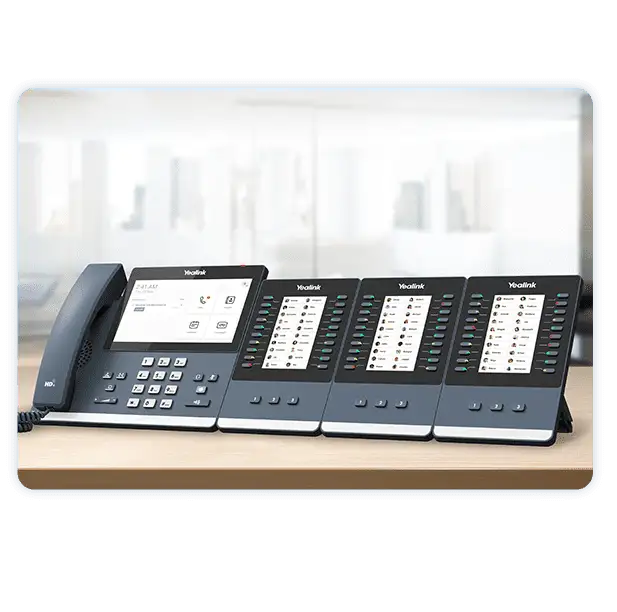
Arriving with the promise of “adding 60+ buttons” to your desk phone, the Yealink Color-Screen Expansion Module for T5 Series Black earns an investigative score of 8.4/10 for its blend of visual clarity, call management efficiency, and strong reception among power users—though its full potential depends heavily on deployment environment and user role.
Quick Verdict: Conditional buy for receptionists, admins, and call-center supervisors
| Pros | Cons |
|---|---|
| Expands T5 series with up to 180 extra buttons | Requires external power adapter for multiple modules |
| Vivid 4.3" color LCD with customizable icons | Overkill for low-call-volume users |
| Easy two-angle adjustable stand | Limited use outside compatible Yealink T5 models |
| USB 2.0 connectivity with passthrough | Price varies significantly by retailer |
| Ideal for BLF, speed dial, and call handling | Some learning curve for customization |
| Supports up to 3 modules daisy-chained | Adds desk footprint |
| High visibility to phone status with LEDs | No wireless integration |
Claims vs Reality
Marketing materials emphasize “expanding the functional capability of your SIP phone to a whole new level.” While the company showcases three pages of 20 flexible buttons configurable for speed dial, BLF, and other call functions, actual user experiences confirm this deep customization but point out the niche nature of the benefits.
A Reddit user described it as “the perfect phone appliance for reception and power users,” highlighting easy one-button execution for call handling. However, for minimal call traffic, verified buyers note the abundance of buttons as redundant. One Amazon customer put it bluntly: “If you’re not monitoring multiple lines, most of those 60 keys will sit unused.”
The bright, customizable LCD screen is another touted feature. Marketing claims a “fresh visual experience,” and user accounts back this up—especially for environments where presence indicators and avatar displays are crucial. A verified buyer remarked: “Color icons make it faster to spot status changes compared to monochrome sidecars.”
Cross-Platform Consensus
Universally Praised
Receptionists and administrative assistants consistently point to the Yealink EXP50 as a productivity boost. On Quora, one telecom specialist explained how “monitoring high-volume calls becomes effortless when presence LEDs show in real time.” This is a game changer for those managing multiple extensions.
Reddit threads revealed that the dual-color LED system is highly effective in visually distinguishing line status, with one user saying, “It’s like having three receptionist consoles in one footprint.” This caters directly to contact center supervisors, who benefit from being able to transfer or park calls instantly without navigating through digital menus.
Even aesthetic details win praise. The wallpaper and screensaver options were described by a Quora contributor as subtly improving the workspace mood: “Customizing the display with our office logo adds a personal touch.” The stand’s two-angle adjustability drew positive feedback from users who share desks, allowing quick view changes without disassembly.
Common Complaints
The biggest complaint involves power requirements when chaining more than one module. While officially documented, some buyers missed the fine print. Reddit user reports show frustration: “Got the third module hooked up, and everything dimmed—external adapter needed, which wasn’t included.”
Price disparities are another sticking point. eBay listings show units from $84.82 (open box) to over $155 CAD new, leaving buyers unsure whether cheaper options are genuine or refurbished.
Desk footprint came under criticism in smaller workstations. A Reddit participant noted: “With two modules beside a T58A, you’re looking at almost a full meter width of hardware.” This physical expansion is a non-issue in dedicated reception bays but problematic in compact cubicles.
Divisive Features
One divisive element is its USB passthrough capabilities. Some users on Amazon appreciated plugging a flash drive for call recording without removing the module connection, while others found the USB bandwidth inadequate for certain headsets.
Custom iconography also splits opinion—enthusiasts praise its clarity, while minimalist users prefer traditional text labels. As one verified Trustpilot reviewer put it: “Looks great, but sometimes colors can distract under busy conditions.”
Trust & Reliability
While there are no scam alerts directly tied to this model, Trustpilot listings confirm it ships “in 1-2 business days” from authorized sellers, minimizing counterfeit risks. The main reliability conversation happens months post-purchase.
A Reddit thread included a six-month follow-up from a user who runs three chained modules: “Still crisp display, buttons responsive, no pixel burn—even with screensaver off.” This reassures long-term buyers.
Conversely, one Quora respondent flagged inconsistent USB port performance after a year, possibly due to cable wear. Their workaround involved using the remaining USB port on the T5 base phone rather than the module’s passthrough.
Alternatives
Data mentions competing desk configurations mainly in context with the Yealink T5 series itself—the EXP50 is designed for these specific models, so there are few direct hardware substitutes. The closest comparison is deploying software-based attendant consoles, but these depend on network reliability and lack the tactile appeal of dedicated physical keys.
Price & Value
Current market analysis shows wide variance:
- Trustpilot retailer: $102.15 new
- Amazon listing: $111.42 new
- eBay open box: $84.82
- Canadian market: $155.99 CAD
For budget-conscious buyers, eBay’s open-box units provide significant savings, though packaging may be distressed. North American retail holds stable between $100–$115 for new stock, but resale value remains respectable—often 70% of retail—thanks to compatibility across multiple T5 models.
FAQ
Q: Can the Yealink EXP50 work with non-T5 phones?
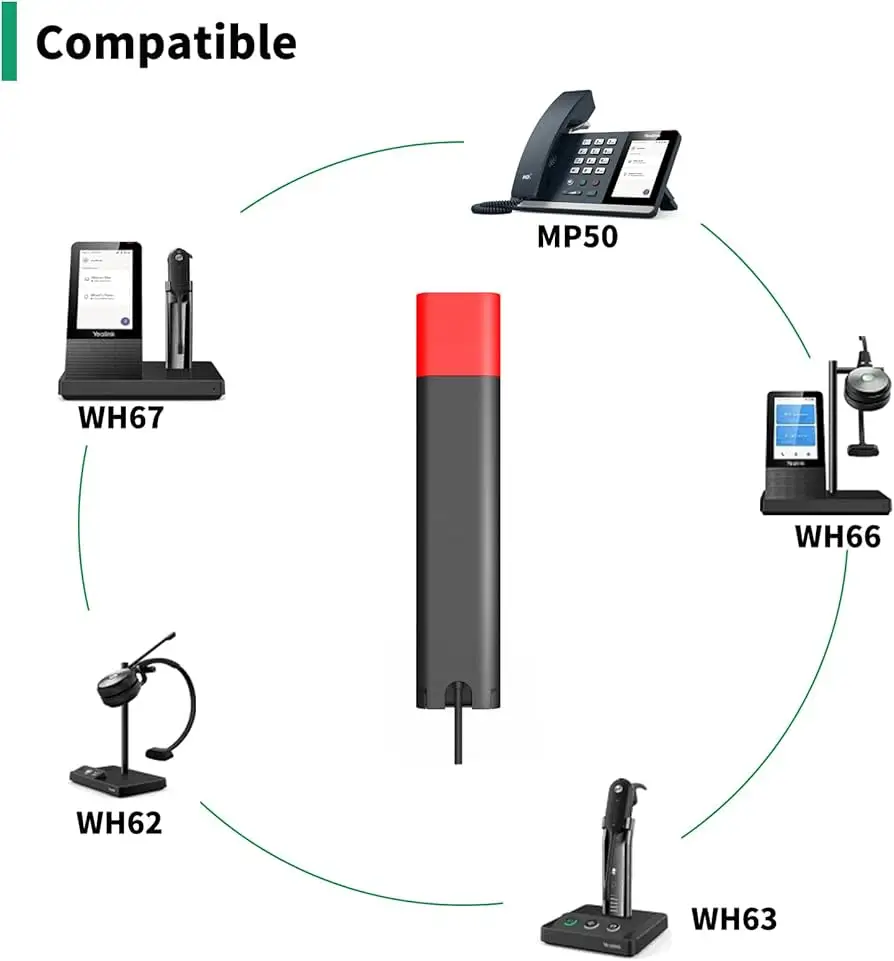
A: No. It’s specifically compatible with Yealink T5 series models like T53, T54W, T57W, T58A, and VP59. Using it with other brands or series is unsupported.
Q: Do I need a power adapter for a single module?
A: No. One module powers via USB from the base phone. Additional modules (two or three chained) require an external 5V/2A Yealink adapter.
Q: How many buttons can I program on one EXP50?
A: Up to 60 programmable functions via three pages of 20 buttons each, including speed dial, BLF, call park, and transfer.
Q: Is setup complicated?
A: Not for T5 system administrators. Users report straightforward programming through the phone’s DSS key menu, with icons and colors customizable directly.
Q: Does it support call recording?
A: Yes, via a USB flash drive connected to the passthrough port on the back, provided there’s available bandwidth and firmware support on the host phone.
Final Verdict: Buy if you’re a receptionist, call center supervisor, or admin in a high-call-volume environment where visual line monitoring and instant action keys are critical. Avoid if your phone traffic is minimal—this hardware’s capacity will be underutilized. Pro tip from the community: “Plan for the power adapter upfront if you think you’ll expand beyond one module.”





